Table of Contents
If you’ve ever tried to turn a rough idea into a real video, you already know how slow and expensive the process can get. So when I came across S2V, I was pretty curious—could it actually help me go from “okay, I want a scene” to something that looks cinematic without spending days editing?
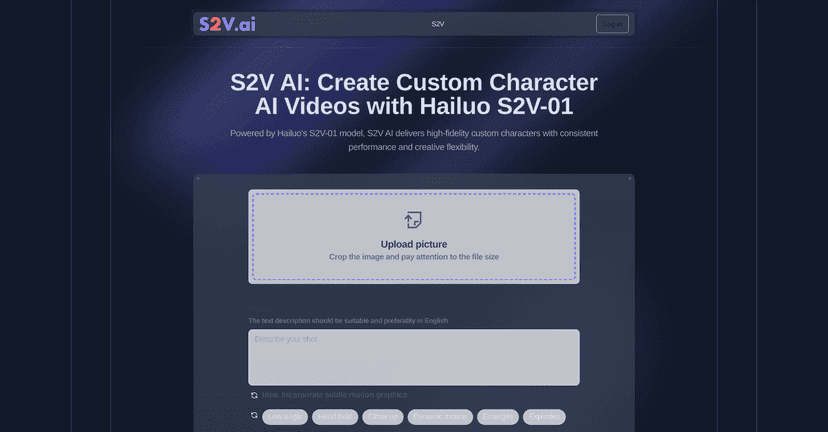
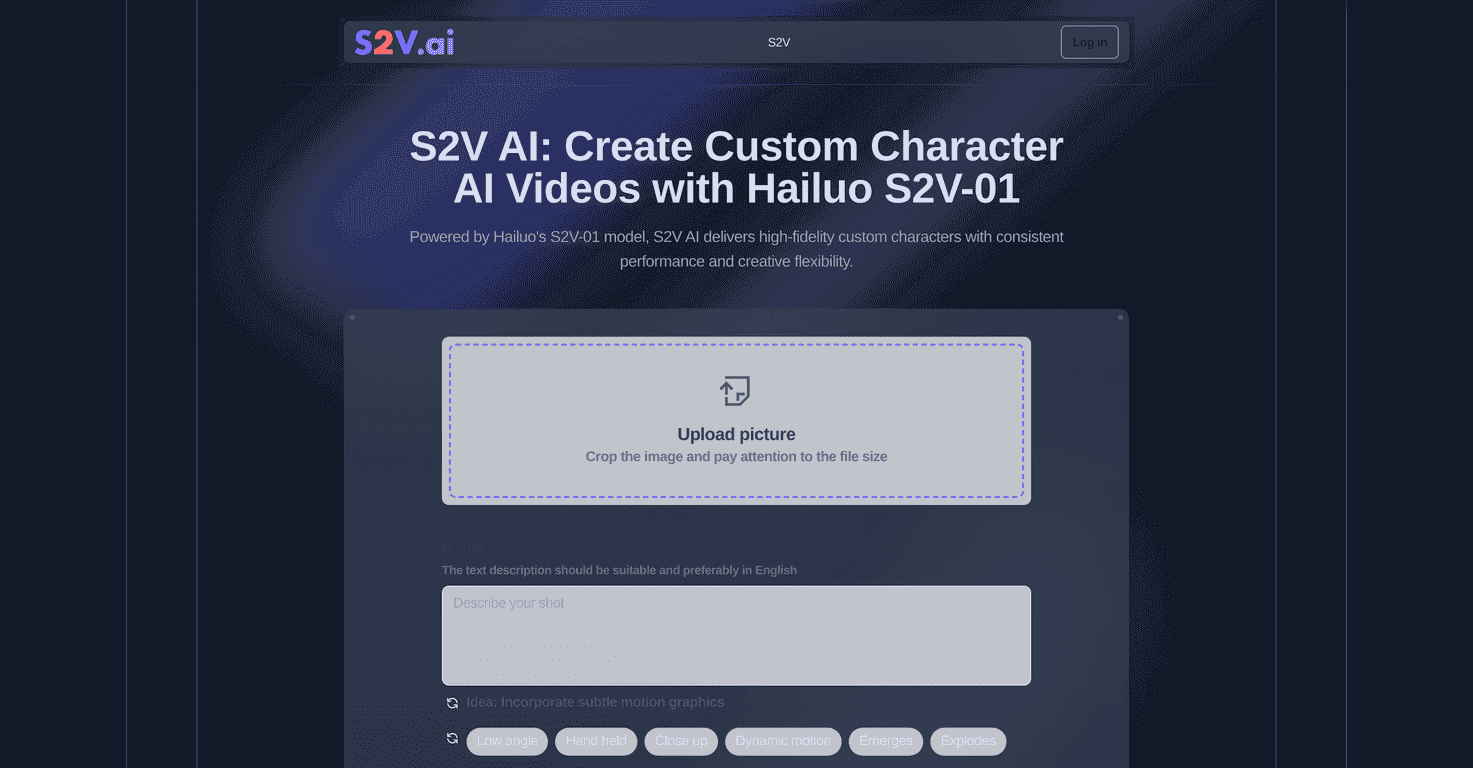
From what I’ve tested and what the platform is built for, S2V is centered around character-driven video generation. It’s based on Hailuo’s S2V-01 model, and the big promise is simple: you design (or reference) a character, then use prompts and inputs to generate videos that keep the character consistent. That matters more than people think. A lot of text-to-video tools can look cool for a single clip, but the moment you want the same character again, things start drifting.

What I like about S2V is that it doesn’t just feel like “type words, get random results.” You’re working with a character foundation and then shaping the output—so the videos feel more intentional. And yeah, the “text + image to video” angle is a big part of why creators are paying attention.
S2V Review (What I Actually Noticed)
S2V is built for people who want character consistency and more control than “generic video generator” tools usually offer. The platform leans hard into custom characters (and keeping them stable across generations), plus a bunch of ways to influence motion and facial expression.
When I generated videos, the biggest difference I noticed wasn’t just the quality—it was how quickly I could iterate. I could tweak inputs, re-run, and compare outputs without feeling like I was starting from scratch every time.
Also, the subject reference part is genuinely useful. If you’re trying to keep a face, hairstyle, or overall look consistent, referencing a subject/image helps a lot. Otherwise, you end up doing the same “make it look right” loop over and over.
Key Features (And How They Help in Real Projects)
- High-Fidelity Custom Characters for stability and appeal
- This is one of S2V’s core strengths. If you build a character you like, you want it to stay that way—skin tone, face shape, outfit vibe. In my experience, this type of character foundation makes outputs feel more “yours.”
- Facial Expression Control for realistic animations
- I paid attention to micro-changes—smiles, brows, mouth movement. It’s not always perfect, but having expression controls is way better than hoping the model guesses your intent from a single prompt.
- Text Prompt Generation for tailored video outputs
- Instead of writing one vague sentence and praying, you can use prompts to steer the scene. The clearer your action and mood, the more consistent your result tends to be. Think: “character turns toward camera, surprised expression, warm lighting” rather than “cool scene.”
- Subject Reference Functionality for improved personalization
- If you’ve got an image that matches what you want, reference it. It helps reduce that “wait, why does the character look different?” problem. This is especially helpful for projects where you’re reusing the same persona across multiple clips.
- Dynamic Motion Creation with predefined cinematic styles
- Motion presets are handy when you don’t want to overthink camera movement. I found they’re great for quickly getting something that looks like a real shot—then you can refine from there.
- Image to Video Conversion for seamless transformations
- If you start from a still image, you can turn it into a moving scene. I used this when I already had a character portrait and wanted a short animated moment instead of building everything from scratch.
- Text to Video Conversion for instant cinematic outputs
- This is the fast lane. You type, generate, and see what you get. Just be ready to iterate—like any generative tool, your first output usually isn’t the final one.
- Creative Flexibility to manipulate scenes and characters
- This is where S2V feels more creator-friendly. You’re not locked into one style. You can experiment with scenes, expressions, and framing until it matches your story.
Pros and Cons (The Honest Version)
Pros
- User-friendly interface that makes video generation feel straightforward (even if you’re new to this stuff).
- Supports both English and Chinese, which is a big win if you’re collaborating with a multilingual team or you prefer prompting in your native language.
- Character consistency is a real focus. That’s crucial if you’re making more than one clip with the same protagonist.
- Quick iteration. I didn’t feel like I was waiting forever between attempts, which makes experimenting actually practical.
Cons
- Prompts can be finicky. If you’re aiming for very specific actions, you might have to reword or simplify. I noticed that overly detailed prompts don’t always translate cleanly.
- Free account limitations can be a deal-breaker if you want to test a lot. You may burn through attempts before you get “the one.”
- Pricing details aren’t super prominent in the content I reviewed. If you’re budget-conscious, you’ll want to check the official pricing page before committing.
Pricing Plans (What to Check First)
Pricing is mentioned only lightly here, and that’s exactly the part I’d want to verify before buying anything. My suggestion: don’t rely on assumptions about “competitive” pricing—go to the official S2V pricing page and check what you actually get (credits/limits, video length, and whether higher tiers improve generation quality or speed).
If you’re trying S2V for the first time, I’d also recommend treating your early runs like a test batch. Generate a couple short clips, see how consistent your character looks across variations, and then decide if the paid plan is worth it for your workflow.
Wrap up
S2V is one of those tools that feels built for creators, not just tech demos. The character-driven approach, plus facial expression and subject reference, is what makes it stand out to me. If you want to turn prompts, images, or character concepts into cinematic-style videos without spending forever in a traditional editing pipeline, it’s worth your attention.
Just go in knowing you’ll probably iterate a few times—especially if you’re chasing very specific motion or facial details. Still, once you hit that “consistent character” sweet spot, it gets a lot more fun to create.