LIFETIME DEAL — LIMITED TIME
Get Lifetime AccessLimited-time — price increases soon ⏳
AI Tools

sadik.ai Review (2026): Honest Take After Testing

Updated: April 12, 2026
10 min read
#Ai tool

Table of Contents

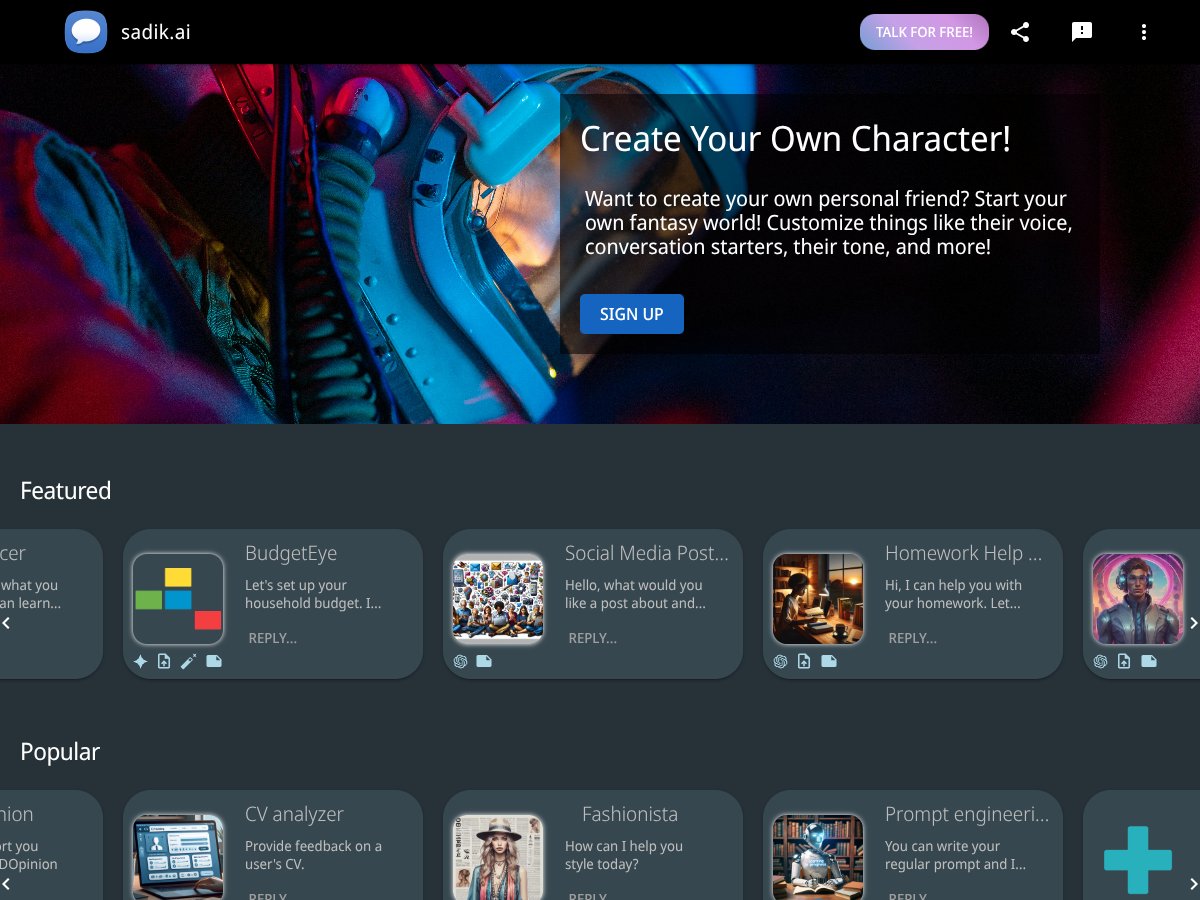
sadik.ai screenshot

What Is sadik.ai, and What I Actually Found?

I’ve tried my fair share of AI chat apps, and most of them end up feeling like you’re talking to a helpful search engine—not a “someone.” So when I ran into sadik.ai and saw the pitch about building a personal AI friend with customizable voice and a controllable vibe, I figured I’d test it myself and see if it’s more than just a nice marketing page.

Here’s the basic idea: sadik.ai lets you create a conversational AI character you can talk with regularly. Instead of only using one generic chatbot, you’re supposed to shape how it talks—its tone, how it responds, and (in their app UI) how it “feels” in conversation. The goal is that it behaves less like a one-off assistant and more like something you can actually chat with over time.

One thing I noticed right away: the project feels early. When I looked for company background, founder info, or clear “about” details, I didn’t find anything solid and verifiable. That doesn’t automatically mean it’s bad, but if an app is asking you to trust it with personal conversations, I want to see more transparency than “it’s a new project” energy.

In my experience, the app does deliver on the core promise: you can create bots and chat with them using voice and text. The setup isn’t complicated, and there are enough options to make the bot feel different from the default. But—here’s the honest part—it’s not a polished, deeply customizable platform yet. It’s more “tinker and chat” than “build a production-ready AI assistant.”

I also want to call out who this is for: sadik.ai doesn’t read like a business tool. It’s not an integration-heavy workflow system, and it doesn’t feel built for customer support, automation, or anything enterprise. It’s also iPad-only (at least based on what I could find in the App Store listing), and the content rating is 18+. If you’re looking for something family-friendly, this is probably not your lane.

Bottom line: sadik.ai is a sandbox for building and chatting with a personalized AI friend. If you want reliability, enterprise features, or serious customization depth, you’ll likely get frustrated. If you want something you can play with and tweak on an iPad, it’s worth a try.

sadik.ai Pricing: What You’ll Pay (and Where I Got Stuck)

Plan Price What You Get My Take
Free Tier Unknown (I couldn’t confirm live pricing in this test) Basic access to chat features and limited voice interactions (what I saw before hitting limits) Good for testing the vibe, but you shouldn’t assume unlimited usage.
Premium Plans Not clearly listed in the sources I checked More customization, higher usage limits, and access to additional AI model options (based on what the app suggests) If you care about cost predictability, double-check in-app before subscribing.

Here’s what I ran into with pricing: I couldn’t find a clean, verifiable price table that I could cite confidently from the outside. And that matters, because the real question isn’t “is there a subscription?”—it’s what triggers paywalls and how fast limits show up.

In my testing session, I did hit some practical constraints after using the app for a while. I’m not saying it’s an outright scam or anything like that—I just don’t think the cost story is transparent enough for people who want predictable, heavy usage. If you’re the type who will chat for hours, plan prompts, and run experiments, you’ll want to check how many messages you get before the app starts nudging you toward premium.

If you want the safest approach: download it, test a couple of bots, and watch for limit warnings in the app itself. Then decide. Don’t assume the “free” experience will feel the same as the paid one.

The Good and The Bad (With Real Examples From My Prompts)

What I Liked

  • Voice + text interaction: When I used voice input, the conversation felt more natural than typing every message. The bot also responded in a way that made it feel like a “back-and-forth,” not just one long output block.
  • Pre-built bot ideas: I tried a couple of the built-in options (the ones that are meant for quick tasks). They were ready to go without me having to build everything from scratch, which saved time when I just wanted to test the concept.
  • Multiple model options (in-app): The app lets you switch between different AI backends. I tested the same general prompt with different selections and noticed the style and pacing changed—some were more direct, others felt more “chatty.”
  • Bot personality is adjustable: Even when customization isn’t super deep, you can still influence tone. I used prompts like “Answer like you’re calm and reassuring” and “Be shorter and more practical,” and I could see the bot follow that direction.
  • Sharing interactions: There’s a way to share chats or outputs. I used it once to compare how two different bots responded, and it made it easier to keep notes without copying everything manually.

What Could Be Better

  • iPad-only limitation: I couldn’t find an Android app or a desktop web option. If you don’t live on an iPad, that’s a hard stop.
  • Customization feels surface-level: I expected deeper controls (like fine-tuning behavior rules), but what I could change seemed mostly focused on voice/tone and general bot vibe. There wasn’t anything that felt like scripting or an API-level setup.
  • Model switching isn’t “transparent” enough: The app shows multiple model choices, but I couldn’t verify a complete, official list of what’s available at any given time (and whether every model is accessible on the free tier).
  • Early-stage quirks: I ran into moments where the app felt inconsistent—things like response pacing and how quickly it responded after voice input. Nothing catastrophic, but enough to remind me it’s not fully mature yet.
  • 18+ rating: This is a dealbreaker for some. If you’re trying to use AI with younger users or in a shared household environment, you’ll need to think twice.

Who Is sadik.ai Actually For?

In my view, sadik.ai is best for people who want personal experimentation—not for folks needing a dependable business assistant. If you’re a hobbyist, a writer experimenting with character voice, or someone who just wants a more “human-feeling” chat partner, it fits.

For example, I tried prompts like “Talk to me like you’re a supportive friend when I’m stressed” and “Ask me questions back so I don’t feel like I’m talking into a void.” That’s the kind of thing this app seems built for: conversational dynamics and vibe control.

But if you’re a professional who needs things like integrations, consistent formatting, reliable uptime, or advanced automation, sadik.ai is probably not ready. It doesn’t feel like a plug-and-play platform for customer service or workflows. It’s more of a personal sandbox than an enterprise tool.

So should you try it? If you want to tinker and you’ll use it casually on iPad, yes. If you need something rock-solid for high-stakes tasks, I’d look elsewhere.

Who Should Look Elsewhere?

If you want a multi-platform AI builder with clear pricing, integrations, and strong documentation, you’ll likely feel limited here. In particular, sadik.ai probably isn’t ideal if you:

  • Need business automation or customer support reliability (integrations and enterprise tooling aren’t the focus).
  • Use Android or want desktop access (it appears iPad-only).
  • Want advanced customization like scripting, API access, or deeply controlled prompt frameworks.
  • Need a family-friendly experience (it’s rated 18+).
  • Rely on lots of user reviews and community proof before trusting a tool (there isn’t much “social proof” I could easily validate).

If your priority is platform flexibility and pricing transparency, alternatives like Character.AI or Poe.com are usually easier bets.

How sadik.ai Stacks Up Against Alternatives

Character.AI

  • What it does differently: Character.AI is all about character creation—avatars, distinct personalities, and role-play style interactions. If you’re into storytelling, it’s strong.
  • Price comparison: Often free to start, with optional paid tiers. In my experience, the core experience doesn’t feel as “locked down” as some other apps.
  • Choose this if... you want immersive role-play and character-driven conversations.
  • Stick with sadik.ai if... you care more about voice + practical “assistant-like” bot behavior and quick task-style chats.

Poe.com

  • What it does differently: Poe is more of a “models hub.” You can access different AI models in one place and switch quickly depending on what you need.
  • Price comparison: Free access is available, but usage limits can apply depending on the model you pick.
  • Choose this if... you want multi-model flexibility without building custom bots.
  • Stick with sadik.ai if... you want to create your own bots and focus on a more personalized friend-style experience (especially with voice).

ChatGPT App (with Voice)

  • What it does differently: The ChatGPT app is reliable and polished. Voice works well, and the conversation quality is consistent. The tradeoff is that you don’t get the same “build your own bot persona” workflow.
  • Price comparison: There’s a free tier, and ChatGPT Plus is a paid subscription (commonly $20/month for GPT-4 access—still, you should confirm current pricing in the app).
  • Choose this if... you want dependable answers and an easy voice experience.
  • Stick with sadik.ai if... you want the customization angle—voice + bot personality setup—more than raw model quality.

Grok by X/Twitter

  • What it does differently: Grok has a more “real-time/social” vibe, and the conversation style can feel different than traditional assistants.
  • Price comparison: It’s often free at first, though feature access can change over time.
  • Choose this if... you want a social-style AI experience and you like what X-based tools do.
  • Stick with sadik.ai if... you specifically want task-oriented bots and a more “build your buddy” approach.

Bottom Line: Should You Try sadik.ai?

I’ll be straight with you: I’d rate sadik.ai about 7/10 based on what I saw. It has the right ingredients—voice, custom bots, and multiple model options. The concept works, and it’s fun to experiment with.

But it’s not fully mature. You can feel that it’s still early: some rough edges, not enough transparency about limits and models, and a customization depth that isn’t as deep as you’d want if you’re building something serious.

If you like tinkering and you want a personalized AI friend on iPad, it’s a solid download. If you need something polished, cross-platform, and predictable for heavy daily use, I’d skip it and go with a more established option.

Common Questions About sadik.ai

Is sadik.ai worth the money?

It depends on how much you’ll use it. I’d treat it like a test-first app. If the free tier lets you explore enough, you’ll know quickly whether the premium is justified. If you’re planning heavy voice conversations and lots of bot switching, you should expect limits to matter.

Is there a free version?

Yes—you can download it on iPad and use it for basic chat and voice/text interaction. Some features may require a subscription.

How does it compare to Character.AI?

Character.AI leans more into character role-play and avatar-style personality. Sadik.ai feels more focused on practical bot creation and voice/text interaction. If you want “story mode,” Character.AI usually wins. If you want a friend-like assistant you can tweak, sadik.ai is more aligned.

Can I get a refund?

If you subscribe through Apple, you’ll need to check the refund process in the App Store. Apple typically handles refunds based on their policies and the specifics of your purchase.

Does it support voice in real-time?

Yes. Voice input and voice responses are part of the experience, and it makes the app feel more natural—especially when you’re not in the mood to type.

Is sadik.ai available on Android?

From what I could verify during my check, sadik.ai is currently only available on iPad via the App Store. I didn’t see an Android version announced.

As featured on

Automateed

Add this badge to your site

Stefan

Stefan

Stefan is the founder of Automateed. A content creator at heart, swimming through SAAS waters, and trying to make new AI apps available to fellow entrepreneurs.

Related Posts

Figure 1

Strategic PPC Management in the Age of Automation: Integrating AI-Driven Optimisation with Human Expertise to Maximise Return on Ad Spend

Title: Human Intelligence and AI Working in Tandem for Smarter PPCDescription: A digital illustration of a human head in side profile,

Stefan
AWS adds OpenAI agents—indies should care now

AWS adds OpenAI agents—indies should care now

AWS is rolling out OpenAI model and agent services on AWS. Indie authors using AI workflows for writing, marketing, and production need to reassess tooling.

Jordan Reese
experts publishers featured image

Experts Publishers: Best SEO Strategies & Industry Trends 2026

Discover the top experts publishers in 2026, their best practices, industry trends, and how to leverage expert services for successful book publishing and SEO.

Stefan

Create Your AI Book in 10 Minutes