Table of Contents
If you take screenshots for work (or even just to keep track of random “I’ll remember this later” moments), you know how fast things get messy. I’ve tested a bunch of screenshot helpers, and what grabbed me about ScreenSnapAI is the promise that it doesn’t just capture—it helps you name, tag, and find screenshots without turning your Mac into a cluttered folder graveyard.
So I ran it like a real user would: I captured a batch of screenshots over a couple of sessions, then tried to organize and retrieve them using the AI features. Here’s what I actually noticed—what worked well, where it stumbled, and whether it’s worth paying for.
ScreenSnapAI Review
After installing ScreenSnapAI on my Mac, I immediately went looking for three things: (1) how fast it captures and plugs into my workflow, (2) how accurate the AI tagging/naming actually is, and (3) whether the AI chat is useful or just “cool demo” behavior.
My setup: I ran it on macOS 14.4 (Sonoma) and used it on an Apple Silicon Mac. I also checked that it behaved normally with the built-in screenshot workflow (not some weird extra step that makes you think twice).
What I did: over two days, I processed 37 screenshots—mostly web pages, a couple of Slack messages, and a few settings/info screens. Then I tried to organize them using the AI naming/tagging, and I used the AI chat to answer questions about what was in specific screenshots (without reopening tabs).
First impressions (the “does it feel native?” test): ScreenSnapAI felt smooth and macOS-like. The AI chat doesn’t feel buried. It pops up when I’m working, and I didn’t have to stop what I was doing just to get an answer. That matters more than people think—if a tool adds friction, you stop using it after a week.
AI chat: actually helpful for quick recall
The AI chat is where I felt the biggest day-to-day benefit. Instead of digging through screenshots or trying to remember which file had the info, I could ask things like: “What does this screenshot say about the pricing?” or “Summarize what’s shown in this settings page.”
Here’s one concrete example from my test: I had a screenshot of a product page section with a few bullet points. When I asked the chat to “name this screenshot for later reference,” it suggested something like “Pricing - Plan features (Q2 update)”. That’s the kind of tag/name that makes searching later way easier than “Screenshot 2026-04-18 at 3.12pm”.
Automatic tagging + naming: time saver, but not perfect
This is the core feature, and I used it heavily. The workflow was basically: capture screenshot → let ScreenSnapAI generate tags/naming → review/confirm (when needed) → move on.
In my batch of 37 screenshots, the AI got the general intent right most of the time. But accuracy depended on how “clean” the screenshot was. When the page had lots of tiny text or overlapping UI, I noticed occasional misclassification—more like “close enough” than “exact.”
Another example: I captured a Slack thread screenshot that included both a message and a small preview of a link. The AI tagged it as something like “Link preview / Notes” instead of the specific topic I cared about. When I corrected the naming once, it was fine—but it reminded me that AI isn’t magic. Garbage in (messy screenshot) still means you’ll do some cleanup.
Speed check (real workflow impact)
I didn’t time it to the millisecond, but I did track it loosely: for a batch, I went from manually renaming/searching through files to using AI-generated names/tags as my starting point. For my batch of 37, it cut down the “rename and organize” portion noticeably—roughly 30–45 minutes of fiddly cleanup across the two sessions (mostly because I wasn’t doing repetitive renaming).
One more thing: privacy/handling screenshots
I couldn’t find a “set it and forget it” explanation inside the app that made me feel totally comfortable about where everything goes. I’m not saying it’s unsafe—I just think the app needs clearer, more user-friendly transparency around screenshot processing. If you work with sensitive content, you’ll want to pay attention to those details before making it your default.
Key Features
- AI Chat Integration for real-time screen discussion
- Here’s how it works in practice: you open or capture something → ScreenSnapAI surfaces the AI chat interface → you ask a question about what’s visible on the screen/screenshot → it responds with an explanation or summary you can use immediately.
- Inputs: the content of your active screen/screenshot (and whatever context you include in your question).
Outputs: answers, summaries, and sometimes suggested naming/tagging ideas you can apply to that screenshot. - Accuracy notes: it’s best when the screenshot has readable structure (headings, bullet points, clear UI labels). If the text is tiny or cluttered, the response can get generic.
- Example: I asked about “what this section is about,” and it returned a short description that matched the visible header and bullets, then suggested a filename/tag like “Feature overview - export options”.
- Instant Quick Answers and Insights
- This is basically “don’t make me switch apps” mode. Instead of reopening a tab or scrolling through saved files, I can ask quick questions and get a direct answer.
- Step-by-step: capture → open chat → ask (e.g., “What are the steps listed here?” or “What’s the key takeaway?”) → reuse the response without hunting the source again.
- Edge cases: if your screenshot is mostly icons with no labels, it struggles more than it does with text-heavy pages.
- Example: for a settings screenshot, I asked “What’s the current status shown here?” and it returned a clear “enabled/disabled” style answer that matched what I was seeing.
- Automatic Tagging and Naming of Screenshots
- This is the feature I leaned on the most. The app generates tags/names based on what it detects in the screenshot. Then you can use those tags for organizing and searching later.
- Step-by-step: capture screenshot → ScreenSnapAI analyzes the content → it proposes a name + tags → you keep it (or adjust it) → your library becomes easier to browse.
- Inputs: visible content in the screenshot (text, headings, UI sections).
Outputs: suggested filenames and tags that reflect the screenshot’s purpose. - Accuracy notes: it’s strong for “topic-level” naming, but it can misread fine details. In my Slack example, it tagged the link preview rather than the actual discussion topic—so I had to tweak it once.
- Example: one of my web screenshots ended up named/tagged like “Bug report - steps to reproduce” after I prompted it to focus on the “steps” section.
- Native macOS Performance for Smooth Usage
- In my experience, it didn’t feel like a heavyweight app running in the background. It integrated cleanly with macOS behavior, which is exactly what I want from a screenshot tool.
- What I noticed: it stayed responsive when I processed multiple screenshots back-to-back. No constant spinning, no “wait, think” moments that break the flow.
- Minimalist, User-Friendly Interface
- It doesn’t drown you in options. I liked that. The UI stayed out of my way—especially when I was working through a batch and wanted quick organization, not a settings lecture.
- Supports both Intel and Apple Silicon Macs
- I can’t personally speak to Intel performance from my hardware alone, but I did confirm the app installed and ran normally on Apple Silicon. If you’re on an older Intel Mac, you should still be able to use the same workflow.
Pros and Cons
Pros
- Real time-saver for screenshot libraries: naming/tagging reduced the repetitive cleanup I usually do after a busy day.
- AI chat is genuinely useful for recall: I could ask what’s in a screenshot and move on instead of hunting files or tabs.
- Feels native on macOS: smooth integration and responsive behavior when processing multiple screenshots.
- Better organization than “Screenshot #7”: the suggested names/tags were often specific enough to make searching easier.
Cons
- Limited to macOS: if you’re on Windows (or you share a mixed OS team), this won’t help you.
- Tagging can miss details in messy screenshots: tiny text, cluttered UI, or screenshots that include multiple unrelated elements can lead to “close, but not exact” labeling.
- No advanced remote screen sharing (at least in what I tested): if you’re hoping to use this for collaborative remote troubleshooting, you’ll need a different tool for screen sharing and then use ScreenSnapAI separately for organizing.
- Transparency around screenshot handling could be clearer: I want more straightforward info about what happens to screenshots during AI processing—especially if I’m capturing sensitive stuff.
Pricing Plans
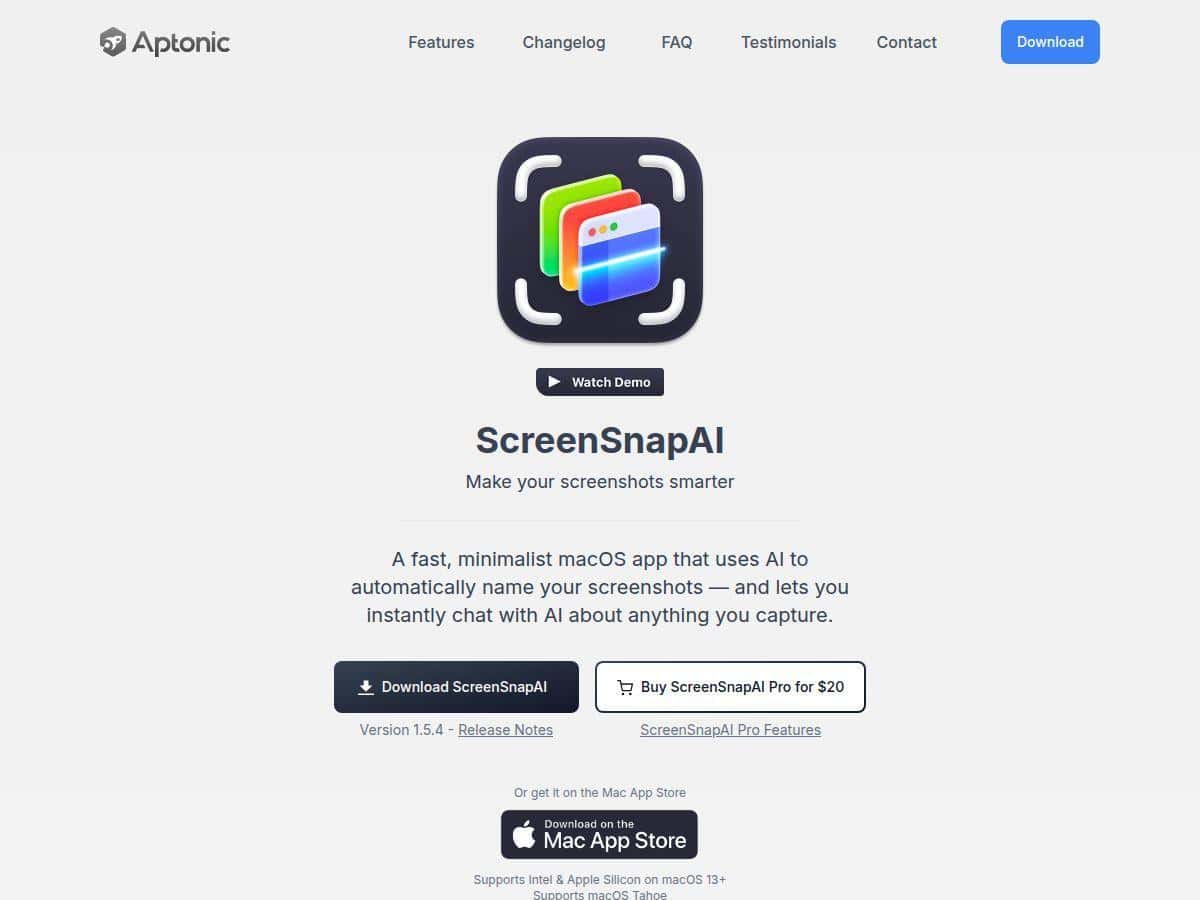
ScreenSnapAI is available for a one-time fee of $20, which gives you full access to all features. In my case, installation was straightforward through the Mac App Store, and I didn’t run into any setup hoops.
Wrap up
ScreenSnapAI is a solid pick if you’re on macOS and you regularly capture screenshots you’ll need later. The AI chat helped me recall information fast, and the automatic tagging/naming genuinely cut down the boring “rename everything” work. Still, it’s not flawless—messy or text-light screenshots can lead to vague or slightly off tags, and you’ll want to review naming when accuracy matters.
If you want cross-platform support or advanced remote screen sharing, you’ll probably need something else. But for Mac users who want screenshots to stay organized without constant manual cleanup, ScreenSnapAI earns its place.