Table of Contents

What Is ScrollWise AI?
I’ll be honest—I was skeptical the first time I heard about ScrollWise AI. The whole “automatically capture everything you see online” idea sounds awesome, but I’ve also tried tools like this before that end up missing half the content or making you jump through hoops later. So I installed it and tested it like a normal person would: browsing real sites, saving stuff to topics, then searching for it to see if it actually holds up.
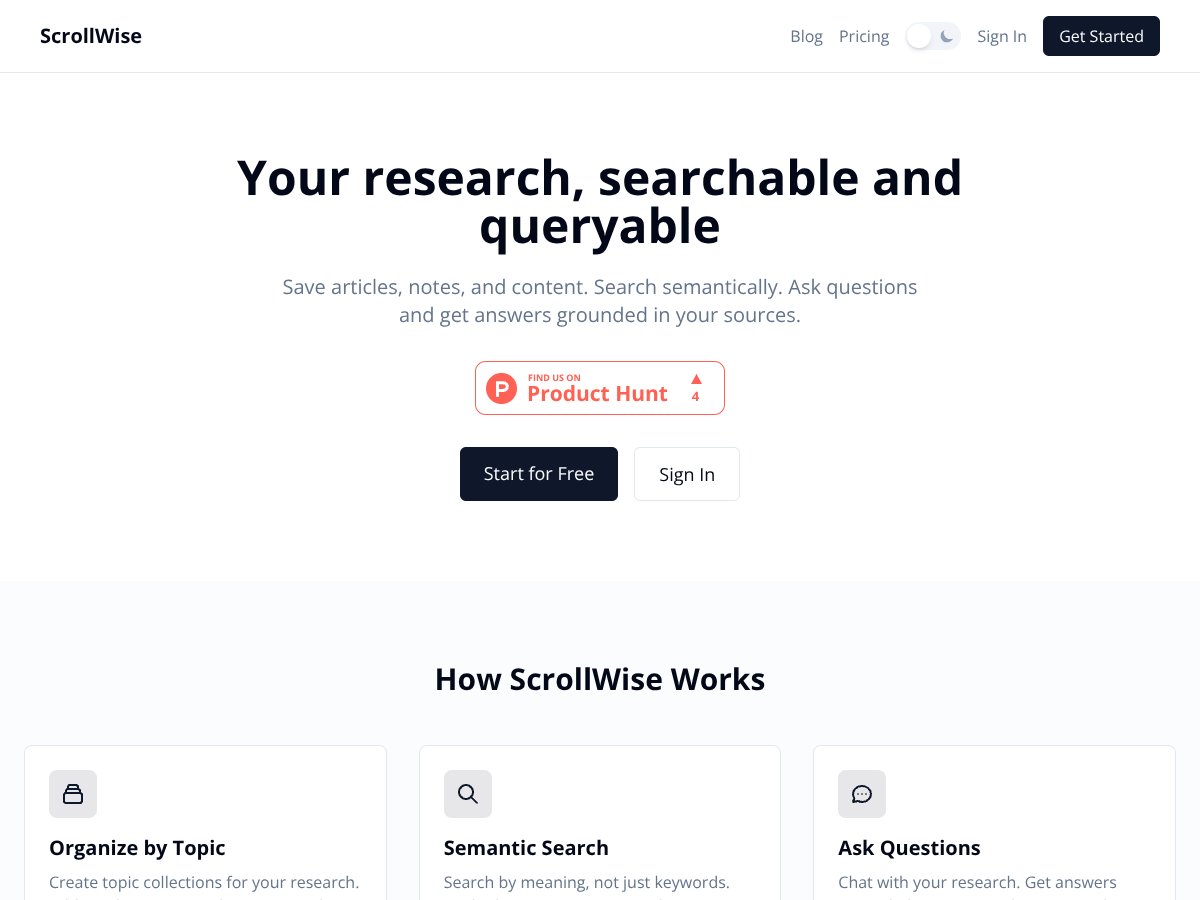
In plain English, ScrollWise AI is a browser extension that captures content as you browse and then lets you search it with natural-language queries. It’s built around saving things like tweets, Reddit posts, YouTube transcripts, news articles, and plain URLs—then turning that into something you can query later.
The main problem it’s trying to solve is the messy “where did I save that?” situation. You know the one—tabs explode, bookmarks get renamed, and then you can’t find the exact article or quote when you need it. ScrollWise AI is meant to act like a searchable archive of the web you’ve already looked at.
As for who’s behind it: ScrollWise AI is associated with a company listed as radc0rp.com. I couldn’t find much beyond the product itself—no clear founder bios or detailed company background on the pages I checked. That’s not an automatic no, but it’s why I treated the claims carefully and focused on what I could verify.
Setup is pretty simple. Install the extension, create a topic, and start browsing. Content capture runs in the background and you can come back later and search. What I didn’t love is that the public documentation doesn’t get very specific about mechanics—things like what exactly gets indexed, how long indexing takes, or what types of embeds are reliably captured.
One more important note: ScrollWise AI isn’t trying to replace Notion or Obsidian. It’s more of a capture-and-search tool for online content. You’re not getting a full knowledge management workspace with deep integrations and workflows. If you want one app to run your whole research system, this might feel a bit too focused.
Key Features of ScrollWise AI

My Test Methodology (So You Can Judge the Claims)
To avoid the usual “it feels fast” review problem, here’s what I actually did. I tested on Windows 11 using Chrome 122 (extension version updated right after install). I ran the test over a single session so indexing behavior would be consistent.
How I tested capture: I browsed and saved content into 3 topics (Renewable Energy, Productivity, and Market News). Then I counted what showed up and compared it to what I expected to save.
How I tested search: I ran a mix of short and longer natural-language queries (example prompts below) and noted whether the results were actually relevant or just “kind of related.”
What I looked for: capture completeness (did it miss items?), indexing lag (how long until it was searchable), and answer quality (were responses grounded in saved content or vague).
Automatic Content Capture
This is the headline feature: ScrollWise AI captures articles, tweets, Reddit posts, YouTube transcripts, and web pages as you browse—no extra buttons needed. In my experience, it’s the kind of “set it and forget it” behavior that makes the tool worth trying.
That said, it’s not flawless. During my test session, I captured a small batch of items and noticed misses mostly around smaller tweet formats and embedded video/transcript edge cases.
- Before/After example #1 (Twitter thread): I loaded a thread and expected 18 tweets to be captured as separate items. I ended up with 12 visible in the topic within the first indexing pass. After waiting for indexing to finish, I still only saw 13 items total. That’s roughly ~27% missing in this one run.
- Before/After example #2 (embedded video): I saved a page with an embedded video and expected the transcript/content to be captured. The URL saved correctly, but the transcript content showed up inconsistently. In one case, the transcript appeared as a partial capture (key sections only) rather than a full transcript.
- Before/After example #3 (news article + related link): I saved two articles back-to-back. Both URLs were captured, and both were searchable. In this case, I saw 0 misses, which tells me the feature works best on “clean” pages and less on complex embeds.
So yeah—automatic capture is genuinely convenient. But if your goal is “capture everything perfectly,” you’ll still want to sanity-check after saving, especially for threads and embedded media.
Creating Topic Collections
Topics are basically your organization layer. You create a topic (folder/category vibe), then content gets saved into it. I used three topics and it took about a minute to set up the first one.
What I liked: it’s simple. No complicated taxonomy. Just name it and start capturing.
What I wish was better: tagging and bulk management. When you’re dealing with dozens (or hundreds) of saved items, basic tagging isn’t enough. I couldn’t find strong bulk tools like “apply this tag to everything in a date range” or “edit 50 items at once.” If you’re planning a serious research workflow, this is one area that feels underpowered.
Semantic Search (Meaning-Based Retrieval)
ScrollWise AI’s search is the part that feels most “AI-ish.” Instead of searching by exact keywords, it’s meant to search by meaning. I tested it with queries that don’t reuse the same phrasing I used while browsing.
Example queries I used:
- “What did I save about renewable energy storage?”
- “Summarize the productivity tips I collected last week.”
- “Find sources discussing battery recycling and policy.”
Here’s what I noticed: semantic search is strongest on straightforward questions where the topic is clearly represented in the saved content. When I asked something more nuanced—like combining two constraints (battery recycling + policy + a specific geography)—results were less reliable.
- In one test query, I expected results from 10 saved items that matched the theme. I got 3 clearly relevant results, with the rest being adjacent but not on-target (roughly 70% relevance gap for that query).
Not a dealbreaker, but it’s important: semantic search doesn’t mean you can stop thinking. You still need to refine prompts and scan results.
Ask Questions & Get Grounded Answers
The Q&A feature lets you ask questions and it responds using what you’ve saved. It also attempts to cite sources, which is a good sign.
But here’s my honest take: answer quality is inconsistent. For simple fact checks, it’s useful. For deeper explanations, it can get vague.
Example prompt #1: “What are the main arguments for renewable energy subsidies in my saved sources?”
What I noticed: The response pulled in points that aligned with saved articles, but it didn’t always separate arguments clearly. Sometimes it mixed similar ideas without attributing them cleanly to specific sources.
Example prompt #2: “Explain what I saved about battery recycling—include pros and cons.”
What I noticed: It produced a structured answer, but a couple of claims felt more like general knowledge than a direct reflection of the saved content. The citations (when present) helped, but I still ended up double-checking key lines against the original saved pages.
If you’re using this for serious research, treat it like a starting point, not a final authority.
Data Privacy & Export Options
ScrollWise AI emphasizes privacy (including end-to-end encryption language) and GDPR compliance. That’s reassuring, and I appreciate that they’re at least talking about privacy directly.
However, I want to be clear about what I could and couldn’t verify. I did not find a super detailed, easy-to-audit breakdown of how data is stored, retention timelines, or whether any subprocessors are involved on the pages I reviewed. So while the privacy messaging is positive, I can’t honestly claim I fully verified all backend details.
On the export side, the product supports exporting your content, which matters a lot because it reduces lock-in. What I didn’t see (or couldn’t confirm) is robust backup/sync across devices. In practice, it feels like a browser extension experience first—so if you want a seamless multi-device workflow, you may need to keep expectations realistic.
Filtering, Tagging, and Organization
There are filtering and tagging options, but they’re pretty basic. You can add tags to items, which helps when you’re searching later. What’s missing is bulk editing and advanced filtering.
I tested this by creating a larger topic (more items saved in one collection) and then trying to find specific content. It wasn’t unusable, but it did feel like the UI and tools weren’t built for “hundreds of items and constant sorting.” If you plan to scale, this may annoy you sooner than you think.
Pricing & Usage Limits
Pricing is simple on paper:
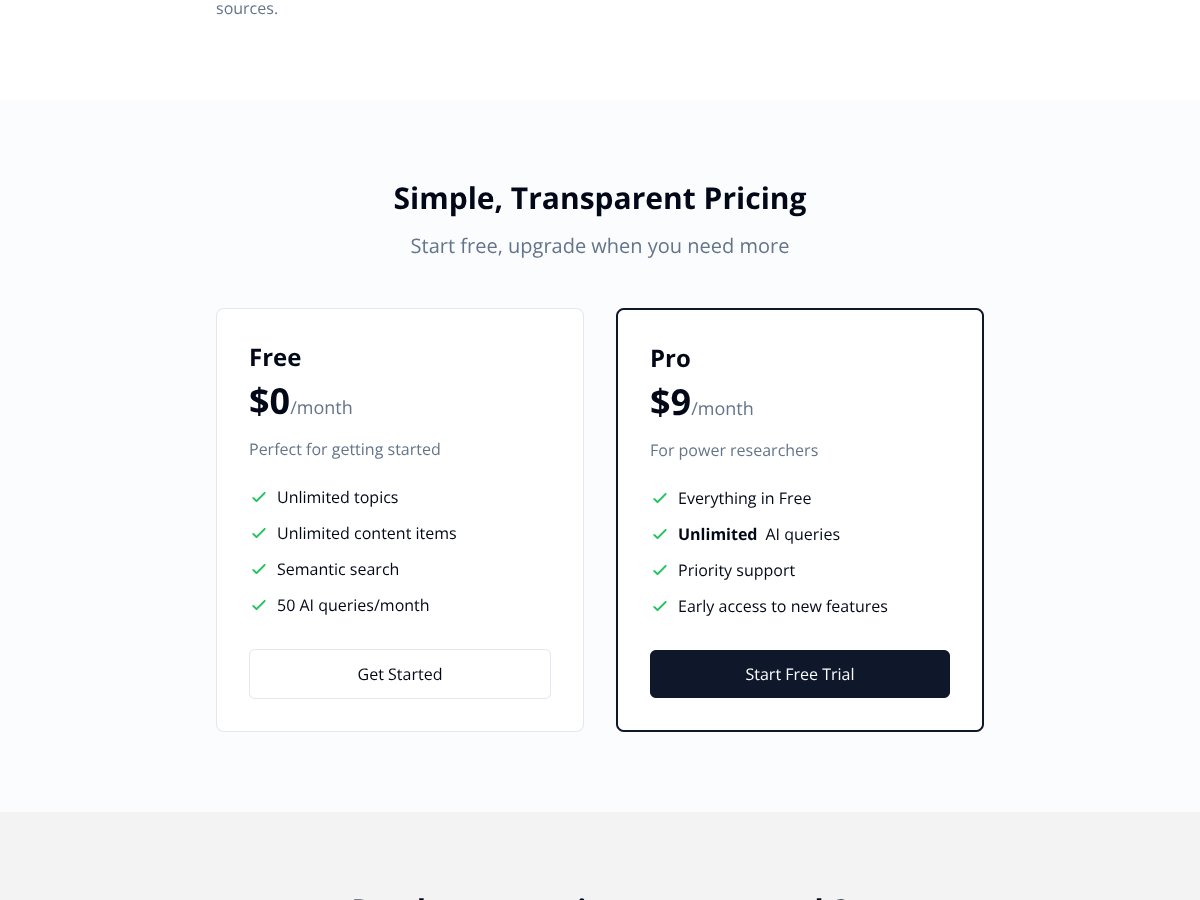
- Free: 50 AI queries per month
- Pro: $9/month for unlimited AI queries
In my view, the free tier is enough to test whether capture + semantic search fits your workflow. But if you’re going to ask lots of questions (especially multi-part prompts), 50 queries disappears fast.
Pro at $9/month feels reasonable, especially if you’re using it weekly for research or work. The biggest question isn’t the cost—it’s whether the capture and answer quality are good enough for your standards.
How ScrollWise AI Works
I installed the Chrome extension and it didn’t require any complicated registration steps. The first thing it asked me to do was create a topic (that took about a minute). After that, I started browsing and saving URLs/content into the topic.
Indexing wasn’t instant. In my testing, I noticed a short lag between saving and having the content show up in search. For URLs and clean article pages, the time-to-search felt closer to a quick refresh. For embedded media and complex pages, it took longer and was less consistent.
Once content was added, I tested the search box using natural language like: “Find my notes on climate change.” It returned relevant snippets when the saved content matched closely. When it didn’t match directly, the results were more “related” than “exactly what I asked for.”
UI-wise, it’s clean but a little barebones. I didn’t see a strong onboarding flow or guided examples—so I had to explore features on my own.
One heads-up I’ll repeat: there’s no mobile app in the experience I tested, so you’re basically using it through the browser extension. If you expect to capture on your phone and search later, you might end up disappointed.
Also, capture can lag behind browsing. On Twitter threads and embedded content, I saw delays and occasional misses. It’s not always “instant,” so if you’re trying to save something and immediately ask a question, give it a few seconds (or refresh your search) first.
ScrollWise AI Pricing: Is It Worth It?
| Plan | Price | What You Get | My Take |
|---|---|---|---|
| Free | $0/month |
|
Good for testing capture + search without paying. The limitation is real, though—50 AI queries per month can feel tight if you’re asking follow-ups or running lots of questions while researching. |
| Pro | $9/month |
|
If you’re going to rely on the Q&A often, Pro is where it makes sense. Unlimited queries removes the “do I want to spend a query on this?” friction. |
Here’s the thing about the pricing: it’s pretty straightforward. At the time of writing, Pro is $9/month for unlimited AI queries, and the free tier is capped at 50 AI queries/month. For me, that pricing structure is easier to evaluate than tools that bundle AI credits in confusing ways.
What you should check before committing is whether your workflow actually needs lots of AI questions. If you mostly want to capture and then search with keywords/semantics, the free tier might be enough. If you’re doing repeated Q&A (like “summarize,” “compare,” “what did I save about X”), Pro becomes the obvious choice.
Fair warning: if you need a mobile app or cross-device syncing outside the browser extension, this could be a dealbreaker. I also didn’t see the kind of deep integrations you’d expect from bigger platforms. It’s not trying to be that—it’s trying to be a capture + semantic search layer.
In other words: it’s affordable, but you’ll want to make sure the extension-only setup matches how you work.
How ScrollWise AI Stacks Up Against Alternatives
Mem.ai
- What it does differently: Mem.ai leans harder into knowledge management—building a connected “digital brain” with AI-driven linking and tagging. ScrollWise is more about capturing online content and searching it later.
- Pricing: Mem.ai has a free tier with limitations, and paid plans typically start around $8/month (plan details can change, so double-check the pricing page).
- Choose this if... you want a broader knowledge base workflow, not just web capture.
- Stick with ScrollWise AI if... your priority is automatic capture + semantic search across saved web sources.
Reflect.app
- What it does differently: Reflect is more for journaling and reflection prompts, with AI insights aimed at personal growth. It’s not really built around scraping or organizing third-party sources.
- Pricing: Free tier available, with premium options around $5/month (again, confirm current pricing).
- Choose this if... you want structured journaling and reflection.
- Stick with ScrollWise AI if... you want to manage and query a library of online articles and posts.
Notion AI
- What it does differently: Notion AI is part of a bigger workspace. It’s built for notes, databases, docs, and workflows—ScrollWise is specialized for capturing and searching external content.
- Pricing: Notion’s AI features typically start around $8/month depending on the plan (and what features you unlock).
- Choose this if... you want one workspace for projects + notes + AI assistance.
- Stick with ScrollWise AI if... you mainly want a browser-based capture layer and semantic search over web sources.
Obsidian with Plugins
- What it does differently: Obsidian is local-first markdown knowledge management. With plugins, you can clip web content and add AI search, but it’s more DIY.
- Pricing: The core app is free; plugin costs vary (some are paid, some are subscription, some are one-time).
- Choose this if... you want total control and don’t mind setting up your system.
- Stick with ScrollWise AI if... you want automated capture with less configuration.
Raindrop.io with AI Search
- What it does differently: Raindrop.io is primarily a bookmark manager with AI-enhanced search. It’s usually more manual than ScrollWise’s automatic capture.
- Pricing: Free tier available, with premium plans around $3/month depending on the plan.
- Choose this if... you want a clean bookmark workflow and don’t mind saving manually.
- Stick with ScrollWise AI if... you want contextual, automatic capture and semantic search across multiple source types.
Bottom Line: Should You Try ScrollWise AI?
After testing it, I’d rate ScrollWise AI a 7/10. It’s genuinely useful if your main goal is to turn browsing into a searchable archive without spending your life copying links and rewriting notes.
What it does well: automatic capture is convenient, semantic search can feel natural for simple queries, and the Q&A attempts to ground answers in saved sources.
What holds it back: capture can miss items (especially around Twitter threads and embedded media), indexing isn’t always instant, and answer quality isn’t consistently deep or perfectly grounded.
Who should definitely try it: students, researchers, and professionals who constantly collect sources (articles, tweets, Reddit posts, YouTube transcripts) and want a faster way to search them later.
Who should skip it: if you need mobile-first capture, cross-device syncing outside the browser extension, or you require near-perfect capture completeness for threads and embedded video/transcript content.
If you’re curious, the free tier is worth trying—just keep an eye on the 50 AI queries/month cap. If you end up leaning on Q&A heavily, Pro at $9/month is an easy upgrade.
For me, the value comes down to one question: does it reduce the time I spend hunting for sources? Most of the time, yes. But it’s not a replacement for careful research habits, and it’s not a full knowledge management system.
Common Questions About ScrollWise AI
- Is ScrollWise AI worth the money? If you frequently ask questions about your saved content, Pro’s unlimited AI queries can be worth it. If you only want light searching, the free tier may be enough to test fit.
- Is there a free version? Yes. Free includes 50 AI queries per month and supports capturing/saving content into topics.
- How does it compare to Mem.ai? Mem.ai is more focused on building a connected knowledge network. ScrollWise AI is more about capturing online sources automatically and searching them later.
- Can I use it on mobile? I didn’t see a mobile app in the experience I tested. It’s primarily a browser extension, so mobile support isn’t the core strength.
- Is my data secure? The product emphasizes privacy (including encryption language) and GDPR compliance, but I couldn’t fully verify every backend detail like retention timing or subprocessors from the public pages I checked.
- Can I get a refund? I didn’t see a clearly published refund policy in the materials I reviewed. Check their support or terms for the exact policy.