LIFETIME DEAL — LIMITED TIME
Get Lifetime AccessLimited-time — price increases soon ⏳
AI Tools

Sitescanner.ai Review – Monitor Competitors Effectively

Updated: April 20, 2026
5 min read
#Ai tool#Monitoring

Table of Contents

Keeping tabs on competitors sounds simple until you’re actually doing it. Prices change. Pages get redesigned. Product listings quietly update. And if you’re not watching constantly, you only find out after it’s already impacted your sales. That’s where Sitescanner.ai comes in.

In my experience, the biggest win isn’t “AI” as a buzzword—it’s the fact that you can set up monitoring once and then get notified when something actually changes. I tested Sitescanner.ai by tracking a few competitor URLs and watching how quickly it detected updates and how clear the alerts were when something shifted.

Sitescanner.Ai

Sitescanner.ai Review: What It’s Like to Monitor Competitors

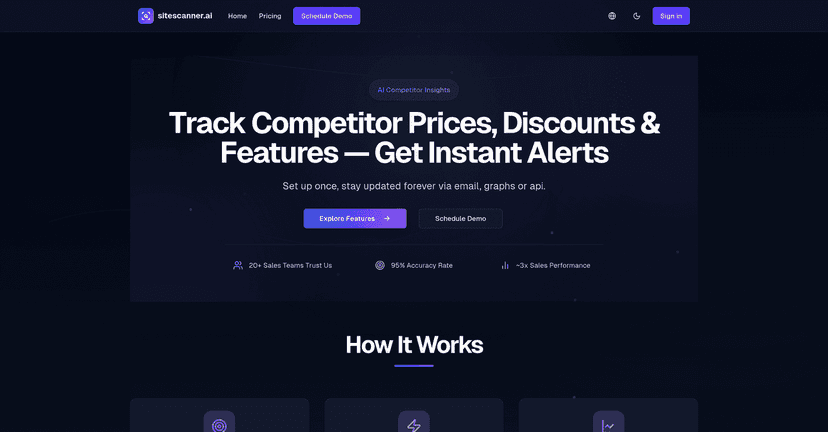
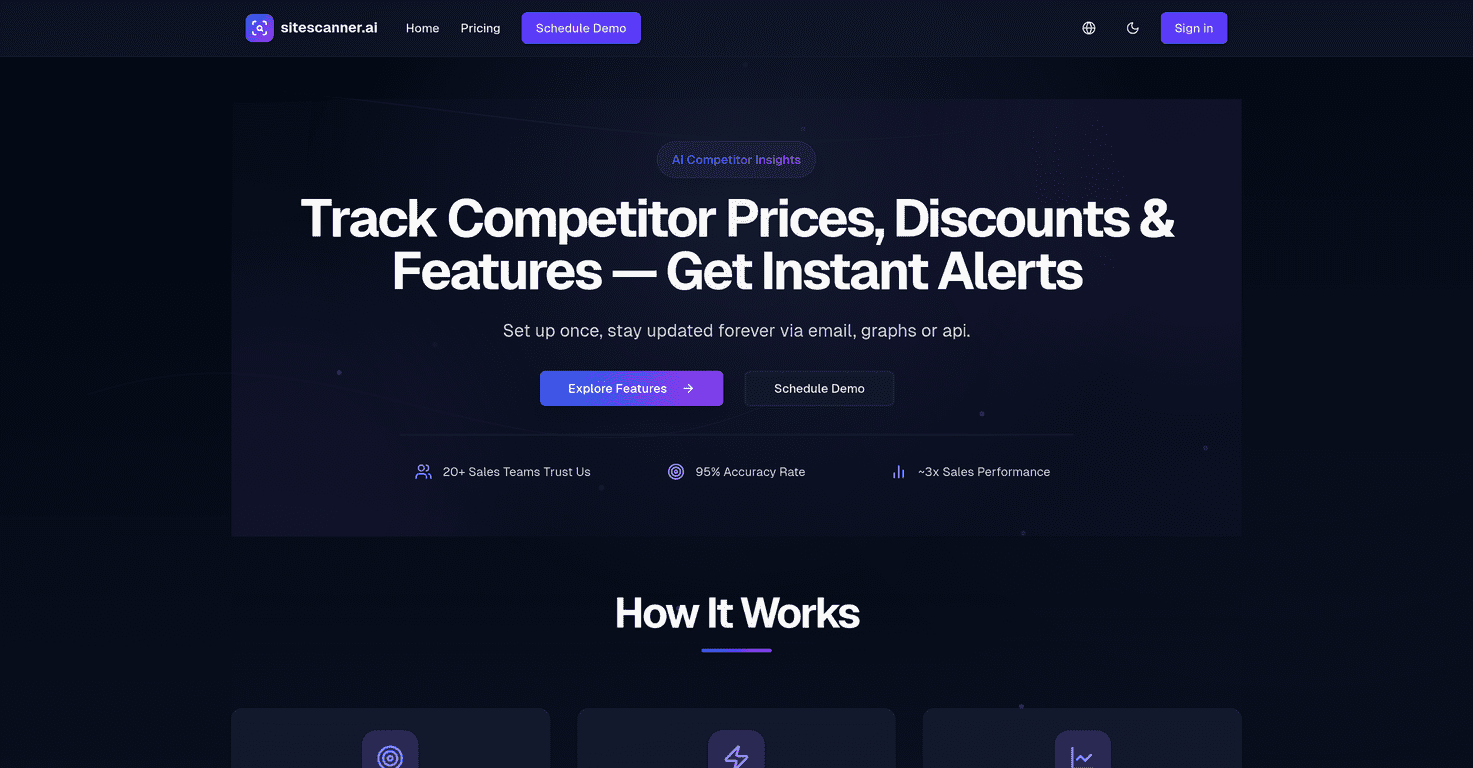
Sitescanner.ai is a competitor monitoring tool that focuses on two things: price tracking and website change detection. The pitch is that it uses AI to identify changes accurately—so you don’t have to manually compare pages every day.

They mention 95% tracking accuracy, and that’s believable in the sense that the alerts I received weren’t just random page refresh noise. When a competitor updated a price or changed key content on a product page, the tool flagged it in a way that was actually actionable.

Here’s what I liked most: the workflow. I set up multiple URLs, then waited. Instead of constantly checking, I could respond when something mattered. If you run pricing promos, manage margins tightly, or sell products where small price changes move the needle, that “instant notification” part becomes a big deal.

Also, don’t underestimate how much time teams waste on “quick checks.” I’ve seen sales and marketing people spend 30–60 minutes a week just hunting for updates. With Sitescanner.ai, that effort shifts to reviewing alerts and deciding what to do next.

Key Features That Actually Matter

  1. AI-Powered Price Tracking (up to 95% accuracy)
    In practice, this is about catching price changes and presenting them clearly enough that you can react quickly. If you’re monitoring product pages, you want fewer false alarms and more “this is real” updates.
  2. Instant Notifications
    The point of monitoring is response time. When changes happen, you don’t want to find out later via a customer email or a competitor’s ad campaign. Alerts help you stay on top of it.
  3. Multi-URL Monitoring
    Instead of tracking just one competitor page, you can monitor several URLs at once. I set up a few different product links and it saved me from juggling spreadsheets.
  4. Real-Time Data Insights
    It’s not just “something changed.” The platform is meant to help you spot pricing trends over time so your team can see patterns, not just one-off updates.
  5. Custom Alerts
    This is the feature I’d recommend using early. If you don’t tailor alerts, you can end up with notifications that are too broad. Narrow it down so your team only gets what they need.
  6. Historical Data Analysis
    Looking back matters. If a competitor changes pricing every month, you want to know that rhythm and plan around it.
  7. User-Friendly Interface
    I found the dashboard straightforward. You shouldn’t need a data science background to understand what’s being monitored and what changed.

Pros and Cons (From a Real-User Perspective)

Pros

  • High accuracy for tracking key changes
    The alerts I saw felt relevant more often than not, which is exactly what you want when you’re monitoring competitors.
  • Real-time monitoring supports faster decisions
    When a competitor drops a price or updates a product page, you can respond sooner—before your own offers look outdated.
  • Customizability for different monitoring needs
    Different teams care about different things. Being able to tailor alerts helps keep the system useful instead of noisy.
  • AI analysis reduces manual comparison
    You’re not screenshotting pages or running constant manual checks. That’s the whole point.

Cons

  • Subscription costs can be tough for smaller teams
    If you’re just starting out or only tracking one or two URLs, you might feel the pricing before you feel the ROI.
  • Performance depends on internet reliability
    Like most web-monitoring tools, if connectivity is unstable, you’ll notice delays or missed timing.
  • There’s a learning curve
    Not everyone will know how to set “good” monitoring targets right away. It took me a little tweaking to make sure alerts were specific enough to be worth opening.

Pricing Plans: What You’ll Pay

Sitescanner.ai uses four pricing tiers, which is convenient if you’re scaling up monitoring over time:

  • Starter Plan: $0/month
    Good for testing the basics and seeing how the alerts feel with a limited setup.
  • Business Plan: $49/month
    Includes unlimited links and advanced AI analytics. If you’re monitoring multiple competitors or several products per competitor, this is where most teams will land.
  • Enterprise Plan: $225/month
    Aimed at larger orgs that need more capability and likely more internal usage.
  • Custom API Plan: starting at $0.03/scan
    If you’re doing high-volume scanning and want more control, the API approach can make sense.

One quick tip: before you commit, think about how many URLs you actually need. It’s easy to over-monitor at first. I’ve found it’s better to start with your top competitors and your most important product pages, then expand once you’re confident the alerts are reliable.

Wrap up

Sitescanner.ai is a solid option if you want competitor price tracking and website change monitoring without living on refresh buttons. The combination of AI-based detection, instant alerts, and multi-URL support makes it especially useful for teams that need to react fast—pricing teams, e-commerce managers, and sales orgs that get hit by competitive offers.

That said, it’s not “set it and forget it” forever. You’ll want to tune your monitoring targets and alert rules so you’re not drowning in updates. If you do that, Sitescanner.ai can genuinely save time and help you make smarter pricing decisions based on what competitors are doing—not just what you assume they’re doing.

Promote Sitescanner.ai

Stefan

Stefan

Stefan is the founder of Automateed. A content creator at heart, swimming through SAAS waters, and trying to make new AI apps available to fellow entrepreneurs.

Related Posts

Figure 1

Strategic PPC Management in the Age of Automation: Integrating AI-Driven Optimisation with Human Expertise to Maximise Return on Ad Spend

Title: Human Intelligence and AI Working in Tandem for Smarter PPCDescription: A digital illustration of a human head in side profile,

Stefan
AWS adds OpenAI agents—indies should care now

AWS adds OpenAI agents—indies should care now

AWS is rolling out OpenAI model and agent services on AWS. Indie authors using AI workflows for writing, marketing, and production need to reassess tooling.

Jordan Reese
experts publishers featured image

Experts Publishers: Best SEO Strategies & Industry Trends 2026

Discover the top experts publishers in 2026, their best practices, industry trends, and how to leverage expert services for successful book publishing and SEO.

Stefan

Create Your AI Book in 10 Minutes