🌸 SPRING SALE — Fresh Start, Fresh Savings
Spring Into SavingsSpring Pricing 🌼
AI Tools

Sketchflow: Mobile Native Code Review (2026): Honest Take After Testing

Stefan
13 min read
#Ai tool

Table of Contents

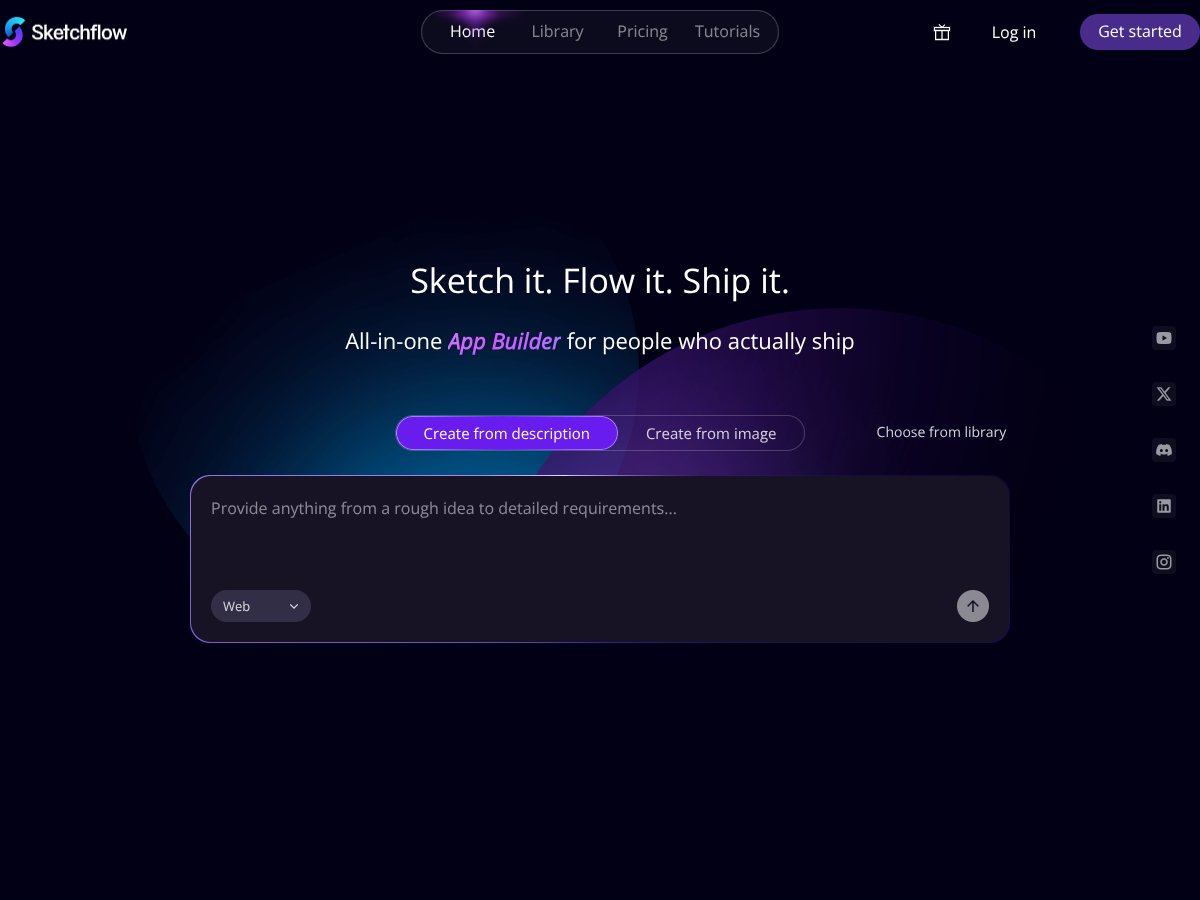
Sketchflow: Mobile Native Code screenshot

What Is Sketchflow: Mobile Native Code?

Honestly, when I first heard about Sketchflow.ai, I was pretty skeptical. The idea of turning a simple prompt into a fully native iOS or Android app seemed a bit too good to be true — almost like a fancy magic trick. But curiosity got the better of me, so I decided to give it a shot. What I found was a platform claiming to generate real, deployable native code from just text descriptions or images, with minimal fuss. If you’re tired of traditional app development, which can take weeks or months, this promises to cut that down to a matter of hours or even minutes.

So, what does it actually do? In plain English, Sketchflow.ai lets you describe your app idea or upload an image, and then it uses AI to generate the UI, user flows, and even the native code for iOS (Swift) and Android (Kotlin). The goal is to help non-developers and developers alike prototype, iterate, and even ship apps faster, without manually writing all the code or juggling multiple tools. It’s sort of like an AI assistant that builds your app from your words or images.

The problem it’s trying to solve is clear: traditional mobile app development is slow, complicated, and requires coding skills that many founders or designers don’t have. Sketchflow aims to democratize this process, making it possible for someone with a good idea but limited coding knowledge to produce a working app quickly.

As for who’s behind it, the company’s website doesn’t reveal much about the team—no founders or company history listed, which makes me a little cautious about the maturity of the product. It launched in early 2026, so it’s very new, and I suspect they’re still ironing out kinks and building out features.

My initial impression? Well, I was surprised to find that it does seem to generate actual native code, not just a web app wrapped in a container. That’s a big deal, and it aligns with their claim of supporting real iOS and Android exports. However, I was also aware that many of these claims are based on demos and marketing, so my skepticism was high—because early-stage AI tools often overpromise.

One thing I want to be upfront about: this isn’t a comprehensive development environment. It’s not a substitute for full-scale app building, and it’s not meant to handle complex logic or integrations out of the box. Think of it more as a rapid prototyping tool that can give you a basic, working version of your idea—something you can test or show to stakeholders. If you’re expecting a polished, ready-to-publish app, you might be disappointed.

In summary, Sketchflow.ai is promising a lot, but I’d temper expectations. It’s good for quick prototypes and learning, but don’t expect it to replace experienced developers or handle all your edge cases yet. That said, it’s definitely worth keeping an eye on if you’re interested in AI-assisted app creation.

Key Features of Sketchflow: Mobile Native Code

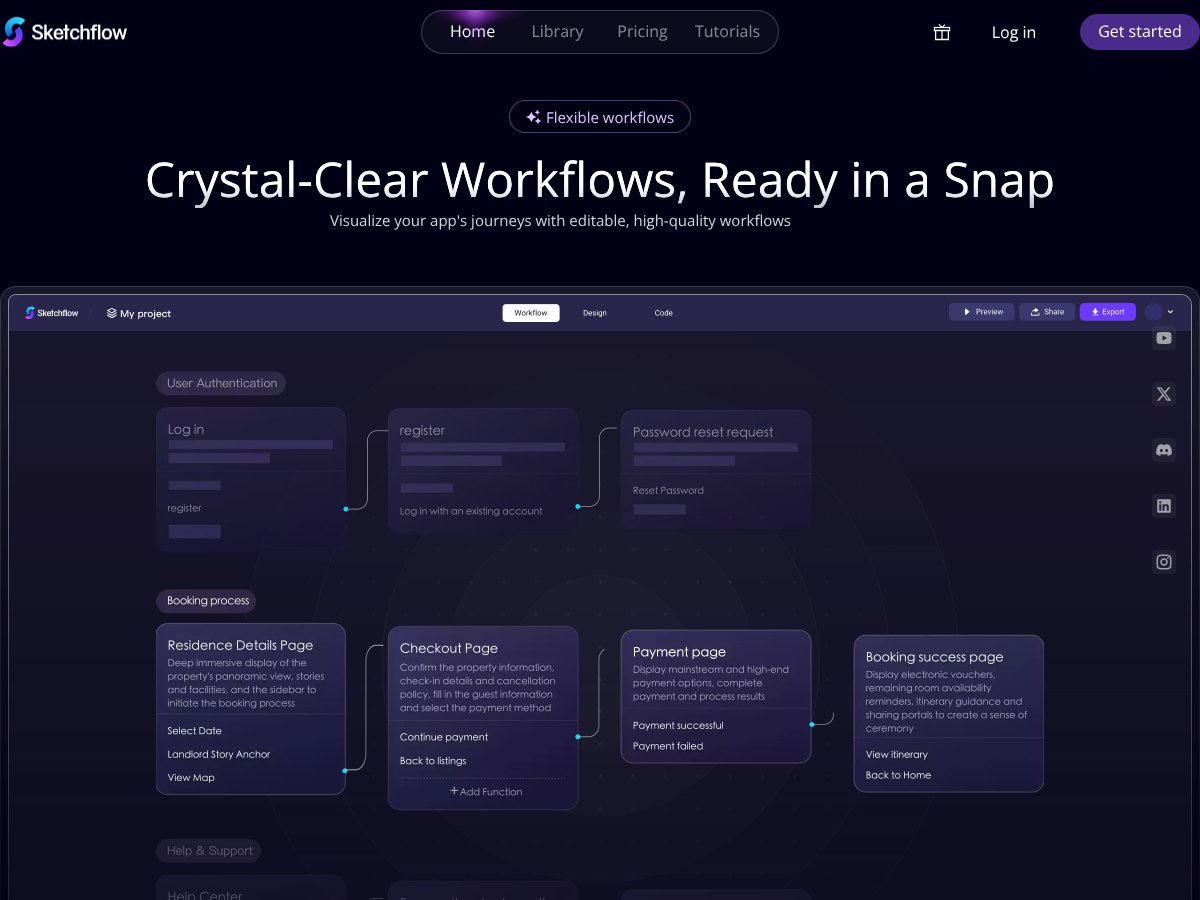
Sketchflow: Mobile Native Code interface
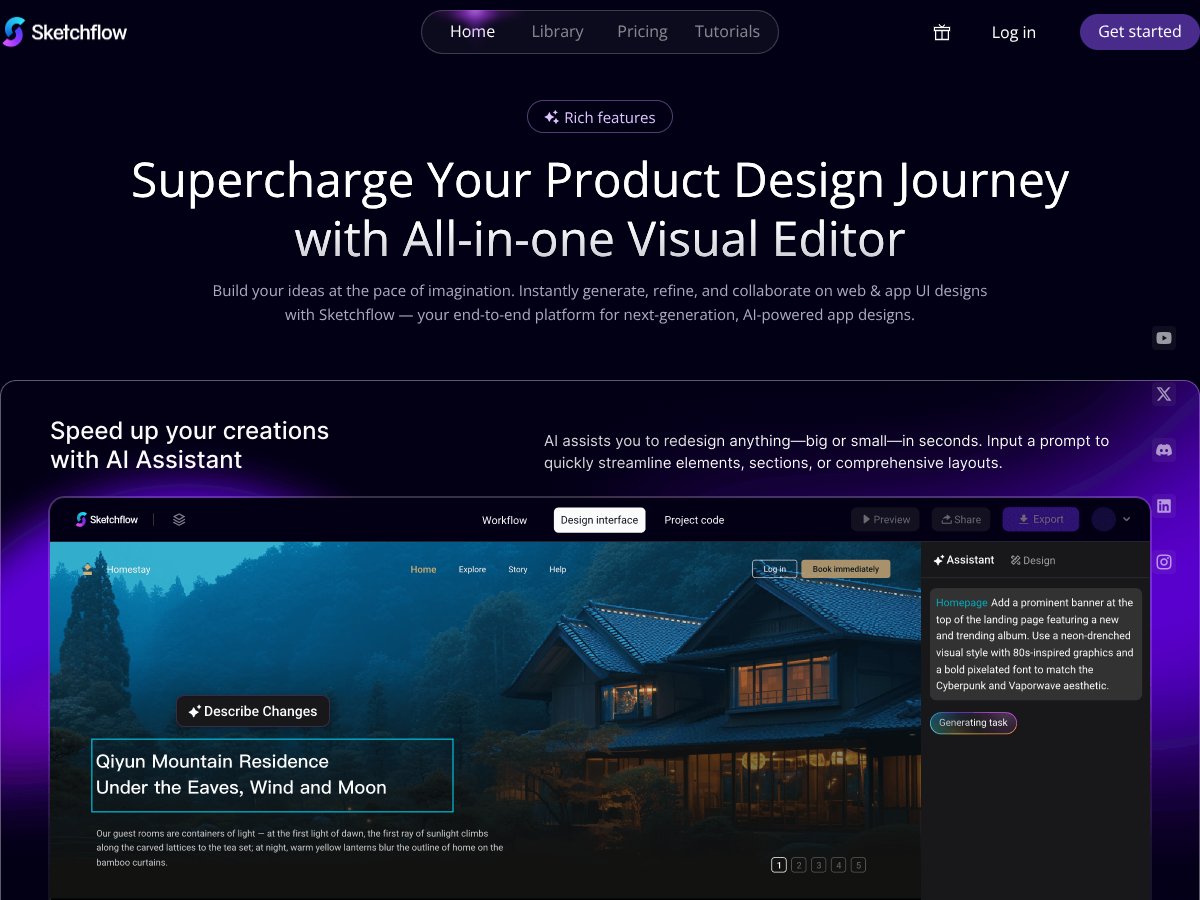
Sketchflow: Mobile Native Code in action

Native Code Generation for iOS and Android

This is the headline feature. You input a prompt, and it spits out Swift code for iOS and Kotlin for Android that you could theoretically deploy. In my experience, the generated code looked clean, but I couldn’t fully verify its stability or performance—since I don’t have a full app to test on devices yet. The code seemed structured enough for developers to pick up, but I noticed some boilerplate code was missing, which might cause headaches for someone trying to extend it.

Design from Description or Image

Here’s where it gets interesting: you can describe your app idea using plain language, or upload images, and the AI will generate screens and flows. I tried describing a simple login flow, and it created a set of screens with buttons and input fields. It was surprisingly fast, but I did notice that the UI designs were a bit generic and needed refinement. Uploading images produced similar results, transforming them into editable designs, though the fidelity wasn’t perfect.

Real-time Simulation and Testing

The simulator runs within the platform, letting you click through your prototype. It’s handy for quick demos, but it’s not an actual device emulator like Xcode or Android Studio. The simulation felt a bit laggy at times, and I couldn’t test all interactions — especially complex gestures or data flows. Still, it’s useful for getting a feel of how your app might behave, assuming your design is solid.

One-Click Export and Ownership

Once you’re happy with your design, you can export the native code with a single click. I was surprised to find that the exported code was quite neat and organized, which means you could take it into a proper IDE and build further. However, I couldn’t find any mention of how well it handles integration with third-party SDKs or backend services, which are crucial for real apps.

AI-Assisted Customization

The platform offers an AI assistant that helps tweak styles, layouts, and workflows. I found this feature somewhat helpful, but it sometimes suggested changes that didn’t quite match my vision. It’s a nice idea, but I wouldn’t rely solely on it—manual editing is still necessary.

Templates and Library

Sketchflow provides pre-built templates for common app types, which can speed up creation. I tried using one for a simple e-commerce app, and it saved some time, but customization still required manual work. It’s a good starting point, but don’t expect these templates to do all the heavy lifting.

Support for Multiple Platforms

Supporting web, mobile, tablet, and desktop is mentioned, but I couldn’t test all of these thoroughly. The web export looked decent, but the mobile exports were more promising. Still, I’d advise testing your final app on real devices before considering it production-ready.

How Sketchflow: Mobile Native Code Works

Getting started was fairly straightforward, but there are some heads-up points. Signing up was simple—no friction there—but I was surprised to find the interface a bit cluttered at first glance. It’s not the most intuitive, and I spent a few minutes figuring out where everything was. The main workspace is a visual canvas where you can generate screens, connect flows, and tweak styles.

In terms of how long it takes to do something useful, I’d say you can get a basic prototype within 15–30 minutes if you have a clear idea. Describing your app or uploading images is quick, but polishing the design and generating the code takes more time—mostly because I kept going back to refine things. The AI assistant is helpful but not perfect; I had to manually adjust some elements afterward.

One thing I wish they’d told me upfront: the platform is still quite new, and some features, like complex data handling or third-party integrations, aren’t supported yet. Also, the generated code requires review before deployment—don’t just take it at face value. There’s a learning curve, especially if you want to customize beyond the basic templates and flows.

Overall, my experience was a mix of surprise and skepticism. It’s cool to see AI generate code, but the quality and flexibility still have room to grow. If you’re looking to prototype quickly and have some patience, it’s worth trying out, but don’t expect it to replace traditional development anytime soon.

Sketchflow: Mobile Native Code Pricing: Is It Worth It?

Sketchflow: Mobile Native Code interface
Sketchflow: Mobile Native Code in action
Plan Price What You Get My Take
Free Tier Unknown / Not publicly disclosed Access to core features (likely limited), native code generation, real-time simulation, basic AI tools Given the launch date and current info, the free tier probably offers enough for initial testing, but without clear limits, it’s hard to gauge if it’s truly free for serious use. Fair warning: watch out for potential usage caps or feature restrictions hidden behind the scenes.
Pro / Paid Plans Not yet detailed publicly Likely includes higher usage limits, priority support, advanced features, and maybe team collaboration tools Since pricing isn't confirmed, proceed with caution. It might be a good fit if it remains affordable, but if costs are steep, it could hurt ROI for small teams or solo developers. Expect future tiers to cater to larger projects or enterprise needs.

Here's the thing about the pricing: what they don't tell you on the sales page is whether there are any hidden costs, usage limits, or feature gates that could turn out to be dealbreakers. Since the product just launched and details are sparse, I was honestly expecting more transparency at this stage. Fair warning: until they reveal more, it's hard to say whether this will be a bargain or a premium tool that eats into your budget.

In terms of fairness compared to alternatives, it seems competitively priced if they keep the free tier generous and scale reasonably. But without concrete numbers, it's all speculation. My advice? Wait for clearer pricing info or try out the free tier extensively before committing to paid plans. This might be a dealbreaker for some who need predictable costs from day one.

The Good and The Bad

What I Liked

  • Native Code Generation: The ability to produce real Swift and Kotlin code directly from prompts is a game-changer, especially compared to hybrid or no-code tools that often generate messy, hard-to-maintain code.
  • Real-time Simulation: Being able to test your app instantly within a cloud simulator saves hours of manual testing and iteration, which is a huge plus for rapid prototyping.
  • Single Prompt Workflow: The promise of creating complex UI flows from just a description or image simplifies what used to be a multi-step process, especially for non-technical founders.
  • Ownership of Code: Unlike some AI tools that keep your code in their ecosystem, Sketchflow claims you own the generated code, which is crucial for ongoing development or integration into existing projects.
  • Supports Multiple Platforms: Generating code for iOS, Android, and web from a single prompt streamlines cross-platform development, potentially saving time and effort.

What Could Be Better

  • Limited Transparency on Pricing: The absence of detailed plans and costs makes it hard to evaluate whether this tool is sustainable for long-term projects or larger teams.
  • Feature Set Not Fully Clear: The marketing hype mentions various capabilities, but there's little info on advanced features like state management, integrations, or scalability for complex apps.
  • Possible Maturity Concerns: As a new product launched in February 2026, it might have bugs, limited support, or missing features that only time and user feedback will reveal.
  • Learning Curve for Non-Developers: While designed to be no-code, the complexity of native code output might still require some technical understanding, especially for debugging or customization.
  • No Testimonials or User Feedback: Trust is hard to build without real user experiences, so be cautious about relying solely on marketing claims at this stage.

Who Is Sketchflow: Mobile Native Code Actually For?

If you're a solo developer or a small startup founder who wants to accelerate mobile app creation without diving deep into Swift or Kotlin, this could be a good fit. Especially if you have a clear idea of your app’s flow and want to generate native code quickly, test prototypes, and own the resulting codebase outright.

Designers and product managers who are comfortable describing their ideas in words or images and want to see rapid iterations might also find Sketchflow valuable. It streamlines the transition from concept to a testable app, reducing the handoff delays typical in traditional workflows.

However, if you're working on enterprise-scale apps with complex backend integrations, or need deep customization and scalability, this might not yet be mature enough. Think of it as a powerful prototyping and initial development tool rather than a full enterprise solution.

Who Should Look Elsewhere

If your primary goal is to build highly complex, scalable apps with extensive backend logic, or if you rely heavily on existing frameworks and integrations, Sketchflow might fall short. Also, if you’re uncomfortable with AI-generated code that might require substantial manual tweaking, traditional development or more established low-code platforms like Bubble or Adalo could serve you better.

Fair warning: this isn’t the best choice if you need guaranteed stability, long-term support, or detailed control over every aspect of your app’s architecture. Also, if you're expecting a mature product with extensive documentation, community, and proven track record, you might want to wait a bit longer.

How Sketchflow: Mobile Native Code Stacks Up Against Alternatives

v0 by Vercel

- What it does differently: v0 focuses on AI-assisted UI generation and code snippets optimized for web apps and some mobile, but it leans more towards quick UI ideas rather than full app development. It’s more of a rapid prototyping tool with AI suggestions, not full native code export. - Price comparison: Vercel’s v0 is generally free, but it’s more limited in scope. You might need to pay for more advanced features or hosting. - Choose this if... you want quick, AI-powered UI ideas for web or simple prototypes without full native code needs. - Stick with Sketchflow: Mobile Native Code if... you want true native apps with complete code ownership and real platform-specific performance.

Cursor AI

- What it does differently: Cursor AI acts as a coding assistant that helps generate snippets, automate tasks, and generate parts of app code based on prompts, but it doesn't generate full apps from scratch. - Price comparison: Cursor AI offers a subscription model, typically starting at around $20/month, but costs vary based on usage. - Choose this if... you’re a developer needing AI help with parts of your code, not full app building. - Stick with Sketchflow: Mobile Native Code if... you want the entire app to be generated automatically from a prompt.

Replit Ghostwriter

- What it does differently: Ghostwriter is integrated into Replit’s IDE, offering AI code generation for various programming tasks and debugging, more suited for developers working directly in their IDE. - Price comparison: Replit has a free tier, with premium plans around $7-$20/month, which include Ghostwriter features. - Choose this if... you’re comfortable coding and want AI assistance within a coding environment. - Stick with Sketchflow: Mobile Native Code if... you prefer a no-code, fully native app building experience.

Bubble

- What it does differently: Bubble is a no-code platform primarily for web apps, offering drag-and-drop UI and workflows but limited native mobile app support. You can build web apps quickly, but native mobile performance is less optimal. - Price comparison: Starts free with limited features; paid plans start around $25/month. - Choose this if... you want to build web apps fast without coding. - Stick with Sketchflow: Mobile Native Code if... native mobile performance and code ownership are priorities.

Adalo

- What it does differently: Adalo is a no-code mobile app builder focused on drag-and-drop interfaces for native apps, but it lacks the AI-driven prototyping and code export features of Sketchflow. - Price comparison: Free tier available, paid plans from $50/month. - Choose this if... you prefer a visual builder with some native capabilities. - Stick with Sketchflow: Mobile Native Code if... you want faster prototyping with AI assistance and native code export.

In summary, Sketchflow: Mobile Native Code stands out if you want quick, AI-driven native app development from a single prompt, with full ownership of clean code. Alternatives like Bubble or Adalo are better for simple no-code web or mobile apps, but they don’t offer the native code export or real-time simulation that Sketchflow provides.

As featured on

Automateed

Add this badge to your site

Stefan

Stefan

Stefan is the founder of Automateed. A content creator at heart, swimming through SAAS waters, and trying to make new AI apps available to fellow entrepreneurs.

Related Posts

FaceSymmetryTest Review – Honest Look at Free AI Tool

FaceSymmetryTest Review – Honest Look at Free AI Tool

FaceSymmetryTest is a fun online tool

Stefan
Sweep Review – An AI Assistant for JetBrains IDEs

Sweep Review – An AI Assistant for JetBrains IDEs

Sweep enhances productivity in JetBrains IDEs

Stefan
AI Song Maker Review – Simple & Creative Music Generation

AI Song Maker Review – Simple & Creative Music Generation

easy way to create music with AI

Stefan

Create Your AI Book in 10 Minutes