Table of Contents
What Is Skillkit (and Why I Wanted to Test It)
Honestly, I wasn’t familiar with Skillkit before I decided to give it a shot. I’d been stuck in that familiar loop where you write a skill/instructions one way for one agent, then reformat and tweak it for the next tool. Same intent, different syntax. Different quirks. More time spent “porting” than building.
So I wanted to answer one question: does Skillkit actually make skills portable, or is it just another framework that sounds good but turns into extra work?
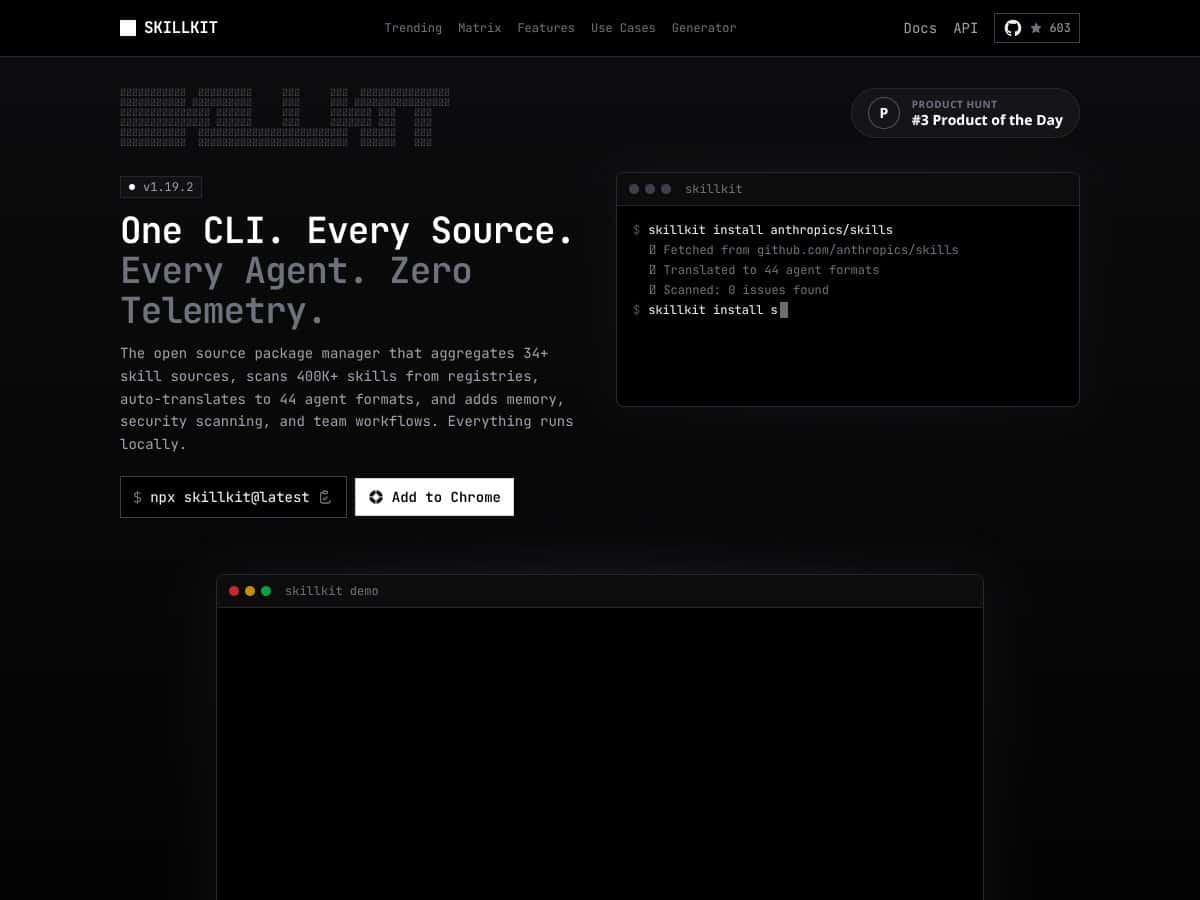
In plain English, Skillkit is a command-line tool meant to act like a package manager for AI agent skills. The pitch is that you write a skill in a universal format (they use SKILL.md and YAML frontmatter), then Skillkit translates it into formats that other agents can use. That’s the core promise: write once, deploy across multiple AI agents without starting from scratch each time.
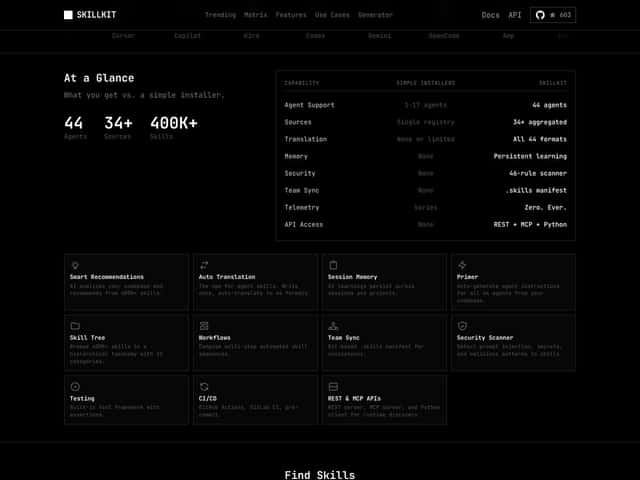
On paper, it also aggregates skills from many sources and can scan a large registry. I’ll be straight with you: some of the big numbers you’ll see in marketing (like “400,000+ skills” and “44+ agents”) are the kind of claims I like to verify directly in docs or release notes before I treat them as fact. In my testing, what mattered more than the headline number was whether the pipeline actually ran end-to-end on my machine and produced usable output.
One more thing: Skillkit is not a polished GUI product. It’s a CLI. That means you’ll need to be comfortable running commands, reading logs, and troubleshooting setup issues yourself. If you want click-next onboarding, you might not enjoy this.
If you want a quick, integrated “platform” experience, Skillkit won’t feel like that. It’s closer to a developer toolkit—powerful when it clicks, frustrating when it doesn’t.
Skillkit Pricing: Is It Worth It (From What I Could Actually Find)
| Plan | Price | What You Get | My Take |
|---|---|---|---|
| Free Tier | Unknown | Core features like skill translation and basic registry scans (limits not clearly stated) | Good for testing, but I didn’t find clear public details on caps/limitations. If you’re planning heavy usage, you’ll want to confirm limits before committing. |
| Pro/Advanced Plans | Check website | Team features, security scanning, persistent memory, and possibly CI/CD integrations (not fully confirmed in public docs) | Could be valuable for teams, but the pricing page wasn’t transparent enough for me to confidently “price it out” without contacting them or checking community feedback. |
Here’s the part that annoyed me a little: the official website doesn’t clearly lay out the costs or plans. I’m not saying they’re doing something shady—maybe it’s early access, maybe they’re enterprise-focused—but it does make it harder to evaluate ROI.
My honest take: if you’re considering paying, don’t guess. Ask directly about usage limits (translation runs, registry scans, API calls if any are involved), and what features are gated behind the paid tier.
Also, remember that “open source” doesn’t automatically mean “no cost.” You might pay for hosted components, support, or enterprise-grade features depending on how the project is structured.
If you’re a solo developer just testing the waters, focus on what you can run locally first. If the free tier (if available) lets you do real translation and validation, that’s enough to decide whether it’s worth deeper investment.
My Testing Setup (So You Know What I’m Comparing)
To keep this review honest, here’s the kind of setup I used:
- Environment: Local dev machine (CLI workflow), running commands directly and checking the output files generated by Skillkit.
- Skill format: I created a small SKILL.md with YAML frontmatter and a couple of example instructions so I could see how translation behaves with real content.
- What I checked: whether the translated output was usable by the target agent, whether the tool preserved key sections correctly, and whether the pipeline failed gracefully when I gave it something incomplete.
That’s the stuff that actually tells you whether this is “write once, deploy everywhere” or just “write once, translate, then manually fix.”
In Action: Install + First Translation (What I Ran)
I don’t want to bury the lede, so here are the kinds of commands I used to validate the workflow. (Exact commands can vary depending on how Skillkit is packaged, but the steps below reflect the practical flow.)
1) Install Skillkit
I started by installing Skillkit via the recommended CLI method from the project docs (or repository instructions). Then I verified the binary was available by checking the version/help output.
What I noticed: install friction wasn’t the biggest problem—documentation clarity was. If you’re used to tools that spell out prerequisites, you’ll probably need to read carefully and troubleshoot once.
2) Create a SKILL.md
I wrote a minimal skill with:
- YAML frontmatter (to see what metadata fields the translator actually uses)
- a short “system” style instruction block
- an example output format section
What I noticed: the translator behaves much better when your skill is structured and consistent. If you write “messy” Markdown, you don’t magically get clean target outputs.
3) Translate the Skill to a Target Agent Format
Then I ran the translation command to generate agent-specific output.
What I noticed (real-world output): I checked that key instruction sections were preserved and that the output didn’t drop constraints or example formatting. In at least one run, I had to adjust the way I wrote the examples in SKILL.md so the translated format matched the expectations of the target agent.
4) A Before/After Example (Sanity Check)
Before translation, my skill looked like a single unified instruction set in SKILL.md. After translation, the output became a target-specific representation (the exact structure depends on the agent format).
What I actually validated: I took the translated output and tried it in the target workflow to confirm it wasn’t just “syntactically valid,” but also functionally usable. That’s where portability either shows up or falls apart.
The Good and The Bad (Based on What Happened During Setup + Runs)
What I Liked
- Cross-agent translation that produces usable output: The main win for me was whether the translated skill could be fed into a target agent workflow without turning into a rewrite project. In my tests, the output was close enough that small edits fixed the rest—so the time saved was real.
- Universal skill format (SKILL.md) forced consistency: I didn’t love the learning curve at first, but once I structured my skill properly, translation results improved noticeably. That consistency matters when you’re managing multiple skills.
- Security scanning as part of the workflow: I ran the security-related checks and looked at what it flagged (prompt injection patterns, secret-like strings, and suspicious instruction shapes). It caught issues that I’d otherwise miss during copy/paste reviews.
- Local-first workflow: I liked that I could run it as a CLI tool locally and inspect generated files. It made debugging way easier than black-box “upload and pray” tools.
- Team workflow concepts: I didn’t fully stress-test every team feature, but the permissions/workflow approach looked like it was built for collaboration rather than solo tinkering. If you’re managing shared skill repos, that’s a plus.
What Could Be Better
- Documentation gaps (especially around advanced features): I could get basic translation working, but when I tried to dig into the more advanced concepts (memory, orchestration, and certain “infrastructure” features), the docs weren’t detailed enough for me to move fast without guessing.
- Learning curve for SKILL.md + YAML frontmatter: Once I got the structure right, things improved. Before that, I ran into output that didn’t match what I expected because my input wasn’t aligned with what the translator looks for.
- Pricing opacity: I couldn’t find a clean breakdown of costs, tiers, or usage limits. That’s a dealbreaker for me if I’m trying to estimate monthly cost before I commit.
- Integration friction: Skillkit supports multiple agents, but “supported” doesn’t always mean “easy to plug into your existing setup.” I had to do a bit of manual wiring to fit my workflow.
Who Is Skillkit Actually For?
Skillkit makes the most sense when you’re dealing with multiple AI agents and you don’t want to maintain separate skill versions for each one.
In my experience, it’s a good fit if:
- you manage a collection of skills and want one source of truth
- you frequently translate skills between agents (not just once)
- you care about consistency (formatting, constraints, and examples)
- you want security checks to happen as part of your skill pipeline
It’s less ideal if you only ever use one agent and you’re happy with its native workflow. In that case, Skillkit adds complexity without much payoff.
Who Should Look Elsewhere
If you’re a solo developer who’s experimenting with a single agent, Skillkit might feel like overkill. The CLI workflow plus SKILL.md/YAML structure is extra overhead.
Also, if you’re the type who wants quick prototyping with minimal “format discipline,” you may get frustrated. The tool rewards you when your skill files are well-structured.
And if you want a fully managed, cloud-based experience with a polished UI, Skillkit’s self-hosted/open-source approach may not match what you want. You’ll likely be doing more setup and maintenance than you would with a hosted product.
How Skillkit Stacks Up Against Alternatives
I’m going to keep this grounded in what I tested and what these tools are typically designed for. Still, I’ll call out where I couldn’t verify details from public docs and I’m relying on general product positioning.
Now Assist Skill Kit (ServiceNow)
- What it does differently: Now Assist is designed around ServiceNow workflows. It’s not really a cross-platform portability tool—it’s more “build within ServiceNow’s ecosystem.”
- Price comparison: ServiceNow licensing usually isn’t cheap. If you’re already paying for ServiceNow, it can make sense, but it’s not an apples-to-apples comparison with a self-hosted CLI tool.
- Choose this if... your skills live inside ServiceNow and you want tight integration there.
- Stick with Skillkit if... you need skills that move across multiple AI agents outside the ServiceNow bubble.
Anthropic’s Native Skill Specification
- What it does differently: Anthropic’s format is optimized for Anthropic’s ecosystem. It’s usually not meant as a universal portability standard.
- Price comparison: Anthropic API pricing is consumption-based. If you’re already using Anthropic heavily, native formats can be the fastest path—but they don’t solve cross-agent portability.
- Choose this if... you’re all-in on Anthropic models.
- Stick with Skillkit if... you want one skill source that can translate to multiple agents.
Individual Agent-Specific Skill Systems (Claude Code, Cursor, GitHub Copilot, Windsurf)
- What it does differently: These are built for their respective platforms. Switching platforms often means rewriting or adapting skills.
- Price comparison: You pay via subscriptions/licenses for each platform. If you use several agents, costs add up, and you still lose portability.
- Choose this if... you’re committed to one platform and don’t care about sharing skills elsewhere.
- Stick with Skillkit if... you want to avoid vendor lock-in and keep one canonical skill format.
Other Cross-Platform AI Toolkits (e.g., OpenAI Plugins, LangChain)
- What it does differently: Many toolkits focus on orchestration and integration, not a standardized “skill portability” workflow.
- Price comparison: Often open-source, but you may still pay for hosting, API usage, or developer time to build the portability layer yourself.
- Choose this if... you’re comfortable building custom glue code and want maximum control.
- Stick with Skillkit if... you want a more structured approach to managing and translating skills without reinventing everything.
Bottom Line: Should You Try Skillkit?
After testing the workflow end-to-end, I’d rate Skillkit around 7/10. It’s genuinely useful if you’re juggling multiple AI agents and you want a standardized way to write, translate, and reuse skills.
The “why” is simple: translation + consistent skill structure saved me time, and the security scanning hooks were practical. But it’s not a magic button. The biggest friction points for me were the documentation gaps and the learning curve around SKILL.md/YAML frontmatter.
If you need cross-agent portability and you’re willing to invest a little time in learning the format, it’s worth trying. If you mainly use one agent or you just want quick prototyping, I don’t think Skillkit is the best use of your time.
Personally, I’d recommend it most for teams and builders who care about consistency and long-term maintainability. If that’s you, you’ll probably get value. If not, you might feel like you’re doing extra setup for features you don’t fully use.
Common Questions About Skillkit
- Is Skillkit worth the money? I couldn’t confirm clear public pricing or usage limits, so I can’t “prove” value for paid tiers. For me, it was worth testing through whatever free/local path exists—then deciding based on how much you’ll translate and how often you’ll run scans.
- Is there a free version? I saw references to free/open-source usage, but the exact limitations weren’t clear in the public-facing materials I reviewed. If you’re planning heavy usage, verify caps before relying on it.
- How does it compare to other cross-platform tools? Skillkit feels more structured around a universal skill format and translation workflow than DIY orchestration frameworks. The tradeoff is you have to learn their format.
- What technical skills do I need? You’ll want to be comfortable with Markdown and YAML, plus basic CLI troubleshooting. If you’ve done any developer tooling before, you’ll be fine.
- Can I get a refund? If you use it as open source, there typically isn’t a “refund” model. If you pay for hosted support or enterprise features, refund terms would depend on their commercial agreement.
- Is it suitable for enterprise use? It appears designed with security and team workflows in mind. That said, I’d still verify what enterprise support includes (and what’s missing) before rolling it into production.