LIFETIME DEAL — LIMITED TIME
Get Lifetime AccessLimited-time — price increases soon ⏳
AI Tools

Speech Illustrator Review – Transforming Audio into Art

Updated: April 20, 2026
5 min read
#Ai tool#creativity

Table of Contents

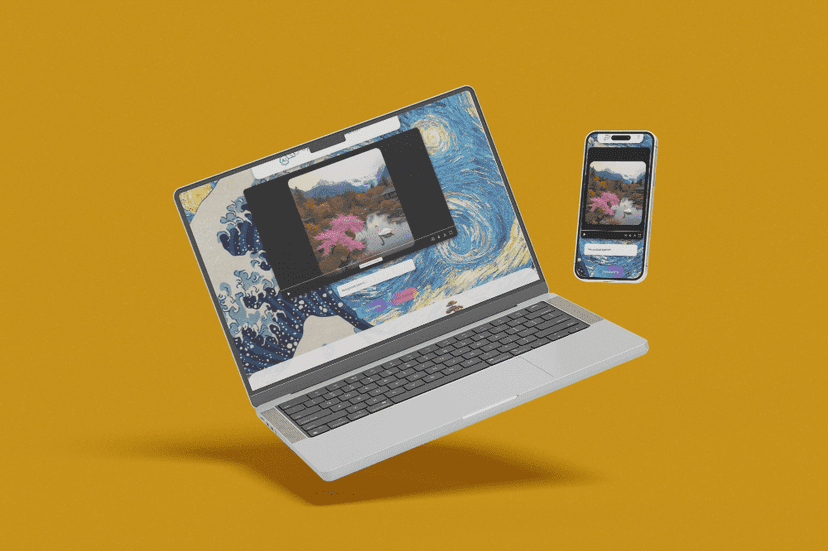
Have you ever listened to a podcast or an audiobook and thought, “I wish I could see what this sounds like”? I’ve had that exact thought more times than I can count. That’s why I was curious about Speech Illustrator—it takes spoken audio and turns it into visuals while you listen. Pretty wild, right?

In my experience, the fun part isn’t just that it generates images. It’s that the app tries to match the “vibe” of the words as they come in, so the artwork feels connected to the story instead of random decoration. If you’re a student reviewing lectures, a creator experimenting with visuals, or just someone who likes audio, this is one of those tools that makes listening feel a lot more alive.

Speech Illustrator

Table of Contents

Speech Illustrator Review: Turning Audio Into Visual Storytelling

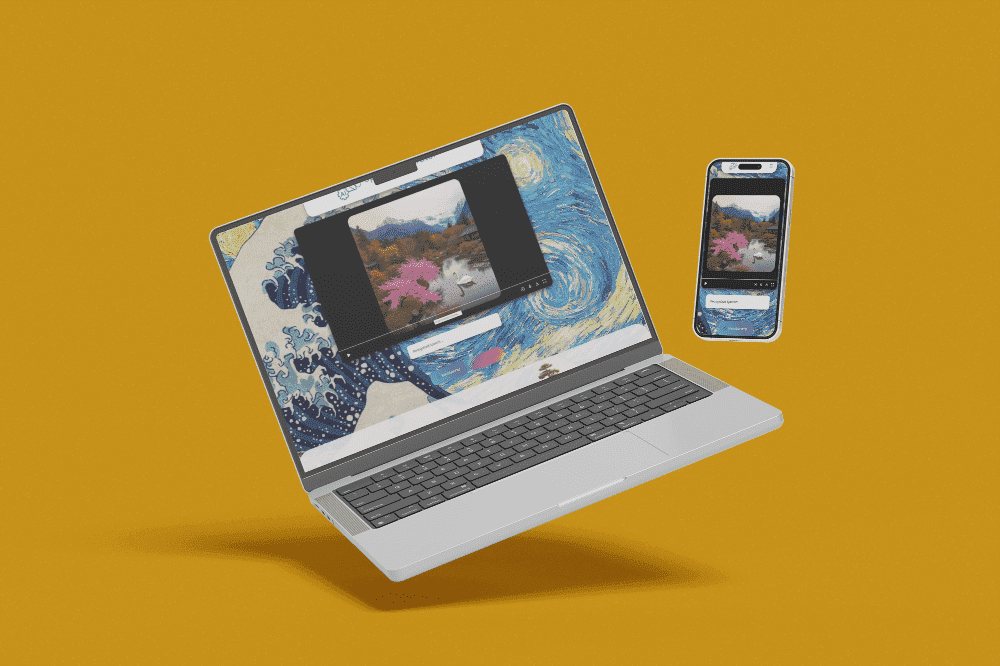
Speech Illustrator basically listens to what you play and then generates images based on the speech. That means you can take something like a podcast episode or an audiobook chapter and watch the visuals evolve as the narration changes. It’s not just “art for art’s sake.” The goal is to reflect meaning—themes, tone, and key moments—so it feels like the audio has a second layer.

What stood out to me most is how easy it is to start. You don’t need to be a designer or know anything about prompts. You just feed it audio and let it do the heavy lifting. If you’re the type who gets bored listening to dry lectures, this could genuinely make study sessions more engaging.

That said, it’s still an AI tool. Sometimes the images match the vibe perfectly, and other times they feel a little off—like the app latched onto a word, but missed the bigger context. I noticed that especially when the audio is fast, heavily accented, or packed with technical terminology.

Key Features You’ll Actually Use

  1. Real-time image generation from audio — Works with voice content like audiobooks and podcasts, so the visuals can keep up while you listen.
  2. Language support for 90+ languages — This is a big deal if you listen to multilingual content. I didn’t expect every language to perform identically, but it’s still a strong starting point.
  3. Integration with popular audio platforms — The app supports major sources like Audible, Spotify, and Apple Podcasts, which matters because it saves you from extra setup.
  4. Interval and style controls — You can adjust how often images generate and customize the art style. In my testing, tweaking the interval helped a lot—too frequent and it can feel noisy; too slow and you lose the “real-time” effect.
  5. Audio input options — You can use microphone input or system audio. If you’re recording yourself or testing a script, microphone mode is handy. For streaming content, system audio is usually the smoother route.

Pros and Cons (Honest Take)

Pros

  • It’s genuinely fun — The “wait, what did it generate from that sentence?” factor never really gets old.
  • Broad audio and language support — 90+ languages is impressive, and it makes the tool feel more universal than sketchy one-language demos.
  • Customizable settings — Being able to control generation intervals and art styles is useful if you want the output to match how you listen.

Cons

  • Speed depends on your connection — If your internet is slow, you’ll notice delays. The visuals don’t always feel “instant,” and that can break the flow.
  • English tends to perform best — From what I’ve seen, results are more consistent in English. Other languages can work, but they may be less accurate or less “on-theme.”

Pricing Plans: What to Expect

Pricing can change, and the original details here don’t list exact numbers. What I recommend is checking the current Speech Illustrator Membership Levels directly on their site so you can compare what you get (like usage limits and access to features) before committing. If you’re planning to use it for long listening sessions—like multi-hour study blocks—that’s the part that matters most.

If you want a quick rule of thumb: start with the lowest plan that still supports the kind of audio you’ll use most often. Then upgrade only if you find yourself running into limits or wanting more frequent generation/style options.

Wrap up

Speech Illustrator is one of those apps that feels like a fresh way to experience audio. When it clicks, it’s seriously satisfying—like you’re watching the story unfold at the same time you hear it. If you spend time on podcasts, audiobooks, or lectures and you want the narrative to feel more visual, this is worth checking out.

Just don’t expect perfect results every single time, especially with non-English audio or fast, complex speech. Still, it’s a pretty unique tool, and once you’ve played with the interval and style settings, it gets a lot more enjoyable.

Stefan

Stefan

Stefan is the founder of Automateed. A content creator at heart, swimming through SAAS waters, and trying to make new AI apps available to fellow entrepreneurs.

Related Posts

Figure 1

Strategic PPC Management in the Age of Automation: Integrating AI-Driven Optimisation with Human Expertise to Maximise Return on Ad Spend

Title: Human Intelligence and AI Working in Tandem for Smarter PPCDescription: A digital illustration of a human head in side profile,

Stefan
AWS adds OpenAI agents—indies should care now

AWS adds OpenAI agents—indies should care now

AWS is rolling out OpenAI model and agent services on AWS. Indie authors using AI workflows for writing, marketing, and production need to reassess tooling.

Jordan Reese
experts publishers featured image

Experts Publishers: Best SEO Strategies & Industry Trends 2026

Discover the top experts publishers in 2026, their best practices, industry trends, and how to leverage expert services for successful book publishing and SEO.

Stefan

Create Your AI Book in 10 Minutes