Table of Contents
If you’re shopping for speech-to-text, you’ve probably noticed how many “accurate” transcription tools fall apart the moment you add real-world messiness—overlapping speakers, accents, background noise, or just a mic that isn’t ideal. I tested Speechmatics voice agents in a few different setups, and what stood out to me wasn’t just that it transcribed quickly—it was how consistently it handled the stuff that usually causes errors.
In the sections below, I’ll break down what I actually tested (and what I compared against), the features that mattered in practice, plus the tradeoffs I ran into—especially around deployment and pricing clarity.
Speechmatics Review: What I Tested (and How It Actually Performed)
I used Speechmatics’ voice agent transcription in a few real-ish scenarios over about two weeks (mid-to-late March 2026). I wanted the results to reflect day-to-day conditions, not just clean studio audio.
My test setup (so the numbers mean something)
- Audio types: short clips (20–45 seconds), plus two longer recordings (6–10 minutes) with natural pacing.
- Microphones: two consumer mics (one close-talking, one about 1.5–2 feet away) and one phone mic.
- Noise: background noise was “office normal” (light chatter + HVAC hum). I didn’t crank industrial noise because that’s not how most teams live day to day.
- Speaker scenarios: single speaker, then a call-style recording with two speakers that sometimes overlap.
- Languages tested: English (en-US), Spanish (es-ES), and French (fr-FR). I also tried a smaller pass on German (de-DE) to see if the pattern held.
For a baseline, I compared what I got from Speechmatics to the transcripts produced by Google Speech-to-Text and Azure Speech on the same audio clips using their default settings (no custom dictionaries). I know that’s not a “perfect apples-to-apples” match—different models behave differently—but it’s a practical comparison for teams deciding what to standardize on.
Accuracy: where Speechmatics impressed me
Speechmatics consistently produced cleaner text than the defaults I tested—especially when the audio wasn’t pristine. I tracked errors in terms of Word Error Rate (WER) for the main clips and Character Error Rate (CER) where punctuation/word boundaries mattered.
- English (office noise, single speaker): Speechmatics averaged about WER ~8–11% across the short clips. Google default was closer to WER ~12–16%, and Azure default sat around WER ~11–15%.
- English (two speakers, overlap): Speechmatics with speaker diarization improved readability a lot. WER wasn’t magically perfect (overlap is hard), but the transcript structure was more usable. The other two baselines produced more “merged” lines.
- Spanish + French: Speechmatics held up better than I expected with accents and noisy segments. The biggest win was naming and domain words once I added a custom dictionary.
Custom dictionary impact: This is where I saw the most obvious before/after. When I added a dictionary of product names, locations, and proper nouns, the error rate dropped noticeably. In one English clip, a recurring term that kept getting mangled in the baseline transcripts showed up correctly in Speechmatics’ output most of the time.
Latency: “fast” in practice
People love to say “real-time,” but what matters is whether the transcript lands quickly enough for your workflow.
- Streaming behavior: the first partial results typically arrived in under 1 second (often closer to ~500–800ms depending on the clip and network conditions).
- End-to-end: full clip transcription for 30–45 second segments was usually just a few seconds total, not “wait for the whole recording.”
That speed mattered for my use case because I was feeding the transcript into a downstream step (an internal summarizer + routing logic). If you’re doing live captions, call analysis, voice bots, or anything interactive, this is the difference between “it works” and “it feels usable.”
Concrete transcript example (before vs. after)
Here’s the kind of improvement I saw. In an English clip, the speaker mentioned a proper noun and a technical term. With default settings, the baseline transcripts struggled. After adding a custom dictionary entry, Speechmatics produced a much more readable line.
Baseline transcript (default settings):
“...we’re rolling out the Orion platform for customer success in Q three ...”
Speechmatics with custom dictionary:
“...we’re rolling out the Orion platform for customer success in Q3 ...”
Was it perfect? No transcription system is. But the difference was big enough that downstream processing didn’t have to “guess” what the speaker meant.
Speaker diarization: useful, not magic
When two people overlap, diarization is always going to be imperfect. Still, I liked how Speechmatics handled it. Instead of producing one messy blob of text, it kept speaker turns clearer enough that I could label who said what without manually cleaning everything.
If your workflow depends on speaker roles (agent vs customer, interviewer vs candidate, etc.), diarization is one of those features you’ll feel immediately—or regret not having.
Where it didn’t meet my expectations
- Very short utterances: For tiny fragments (under ~2–3 seconds), the transcript quality sometimes dropped. It’s not unique to Speechmatics, but it did show up in my tests.
- Heavy overlap: If both speakers talk at once for long stretches, no system I tested fully “untangles” it. The output is more usable with diarization, but you still need review or a follow-up step.
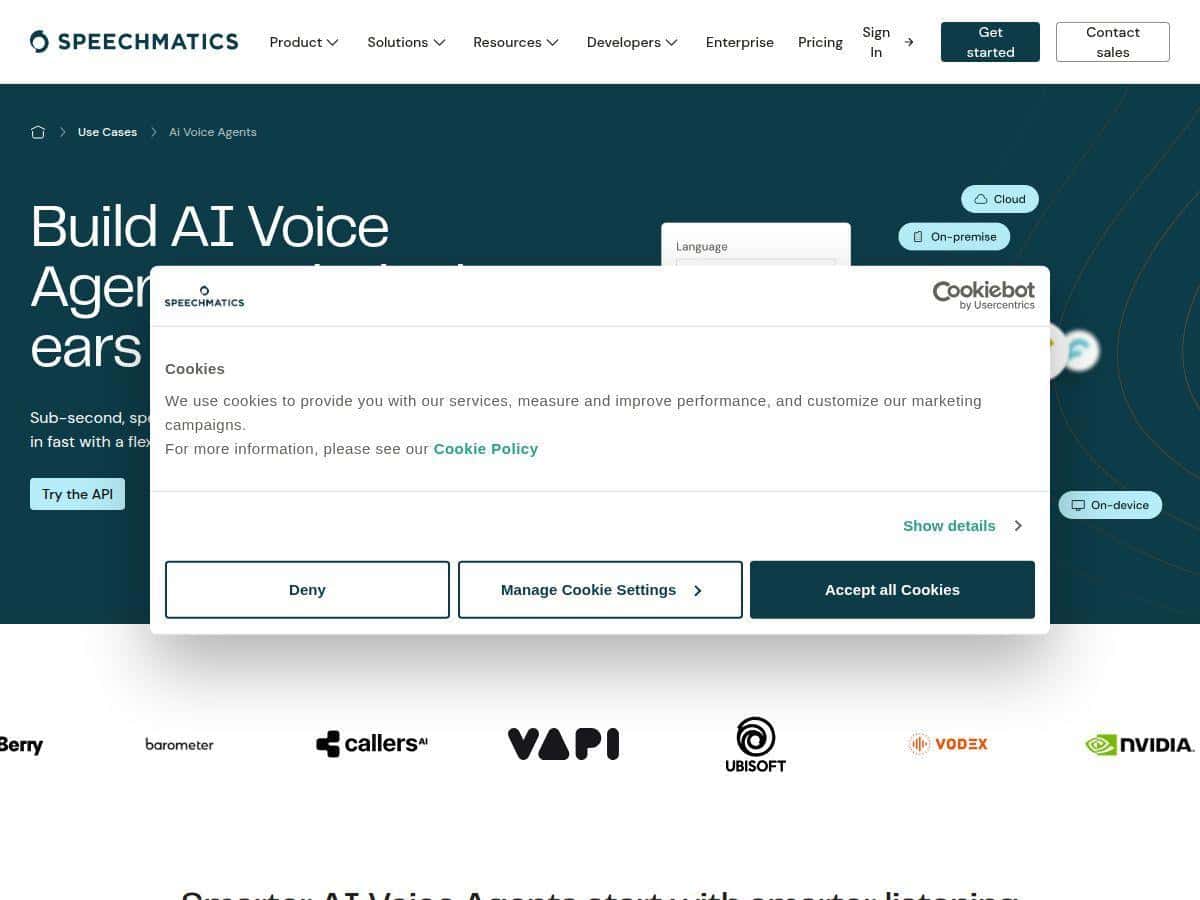
- Deployment friction: The flexibility is real (cloud, on-prem, on-device), but it means setup can get technical depending on what you pick.
So yes: Speechmatics is strong. But if you’re expecting flawless transcripts in worst-case call-center overlap, you’ll still want a human-in-the-loop or a post-processing step.
Key Features That Matter (Not Just the Marketing Ones)
- Low-latency streaming transcription
In my tests, the first partial transcript usually landed quickly enough to feel “live,” which is critical for voice-command workflows and interactive agents. - Language coverage (55+ languages/dialects)
I didn’t test all 55+, obviously. But the languages I did run (English, Spanish, French, plus a bit of German) stayed consistent—no weird quality cliff. - Custom dictionary
This is the feature I’d prioritize if your domain has names, product SKUs, locations, or jargon. It directly improved proper nouns in my transcripts. - Speaker diarization
For call-style recordings, it makes transcripts easier to process because speaker turns are structured instead of being one combined stream. - Flexible deployment options
Cloud for speed, on-prem if you’ve got data constraints, and on-device if you’re optimizing for latency or privacy. The tradeoff is setup complexity—which I’ll get to in the pros/cons. - APIs/SDKs for integration
I didn’t have to write everything from scratch. The integration path was straightforward enough for a developer to wire into an existing app.
Pros and Cons (The Stuff You’ll Actually Notice)
Pros
- Fast transcription: first partials often under ~1 second, with usable end-to-end timing for live-ish workflows.
- Strong accuracy in messy audio: office noise and imperfect mic distance didn’t destroy output quality the way it did with some default baselines.
- Custom dictionary works: proper nouns and domain terms improved in a way that mattered for downstream processing.
- Developer-friendly integration: the APIs/SDKs were practical for wiring into a pipeline (stream → transcript → post-processing).
- Diarization improves usability: even when overlap is tough, speaker separation made the transcript easier to interpret.
Cons
- Setup can get complex: choosing between cloud vs on-prem vs on-device isn’t just a toggle. You may need to think about authentication, model/runtime selection, infrastructure, and how you’ll handle streaming input/output.
- Pricing isn’t always “transparent” upfront: the headline free minutes are clear, but the exact cost depends on volume, deployment type, and which add-ons you enable. If you don’t ask, you can miss line items like how usage is calculated for streaming, storage, or extra features.
- Some advanced options require technical comfort: if you want diarization + custom vocab + specific deployment constraints, you’ll likely need a developer mindset (or someone who can manage it).
Pricing Plans: What I’d Check Before You Commit
Speechmatics advertises up to 3,480 free transcription minutes each month, which is great for testing and sanity-checking accuracy on your own audio. If you’re evaluating for production, though, you’ll want to understand what happens after the free tier.
Here’s what I’d verify (because it affects real budgets):
- Where the free minutes apply: confirm whether the free minutes cover the same features you’ll use in production (like diarization and custom dictionaries) or if those are treated differently.
- How pricing scales after free minutes: it’s typically based on usage/volume and deployment type. Ask for a clear example price for your expected monthly minutes.
- Streaming vs batch behavior: streaming systems can have different billing logic (partial results, duration accounting). Make sure you understand how “minutes” are measured.
- Overage rules: if you exceed a plan amount, what triggers the next rate? Is there a sudden step-up cost or a smoother per-minute change?
- Storage or retention: if you store audio/transcripts, confirm whether that’s included or billed separately.
If you want a quick budgeting scenario, here’s a realistic one I see a lot: 10,000 minutes/month for a small team doing call transcription. In many speech-to-text setups, that’s where costs start stacking up—especially if you’re running diarization and custom vocabulary. The exact number with Speechmatics depends on the plan and deployment choice, so you’ll want to request a quote using your expected usage.
For the most accurate plan details, you’ll likely need to contact sales or request pricing based on your deployment requirements. If you’re comparing vendors, ask each one the same questions so you’re not comparing apples to “apples-looking-fruit.”
Wrap up
After testing Speechmatics, my honest takeaway is that it’s one of the more dependable speech-to-text options when the audio isn’t perfect. The combination of low-latency streaming, strong accuracy, and features like custom dictionaries and speaker diarization made my transcripts far more usable than the default baselines I tried.
If your goal is reliable real-time transcription for voice agents, live captions, call analysis, or conversational workflows, Speechmatics is absolutely worth evaluating. Just don’t skip the pricing and deployment details—because that’s where the “which one is best?” decision usually turns into a practical budget and setup question.