Table of Contents
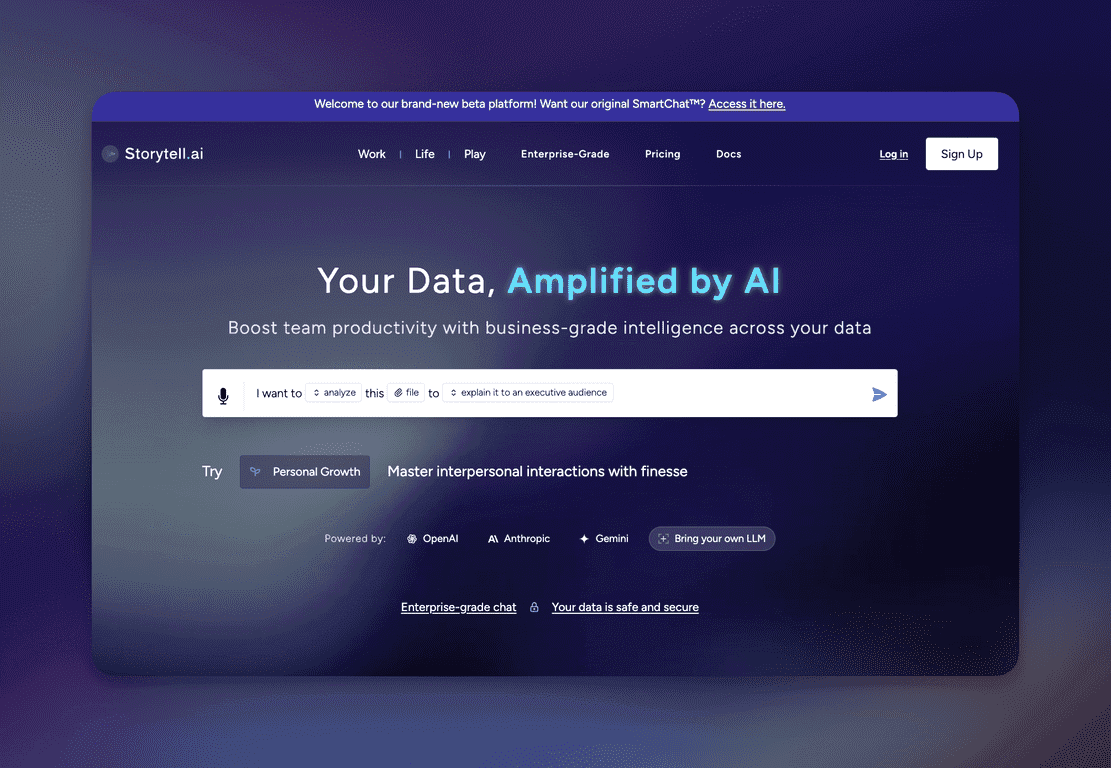
Data has a way of piling up. Spreadsheets, PDFs, call recordings, dashboards… and then suddenly you’re staring at it like, “Okay, but what does it actually mean?” That’s where Storytell.ai caught my attention. The pitch is simple: upload your stuff, and then ask questions in a chat-style interface to pull out insights without needing to be a data engineer.
When I tested the workflow, the biggest thing I noticed wasn’t “AI magic.” It was organization. Storytell.ai turns what you upload into something it calls “Story Tiles.” Instead of digging through a giant file, you’re working with smaller chunks that are easier to reference and discuss. That alone makes the whole process feel less intimidating—especially if your team isn’t super technical.
The other standout is the chat. You can ask questions tied to what you care about (results, trends, risks, next steps), and the answers come back quickly. I liked that it felt more like collaborating with a smart teammate than running a separate analytics tool. Does it replace every dashboard? Not always. But for getting to “what should we do next?” faster, it’s pretty compelling.
One more area I paid attention to—because it matters for real companies—is security. Storytell.ai mentions SOC2 and HIPAA compliance, which is reassuring if you handle sensitive data. I can’t verify compliance claims from the outside, but it’s a good sign that they’re thinking about enterprise requirements, not just demos.

Storytell.ai Review: what it’s like to use for real questions
Here’s how I’d summarize Storytell.ai after spending time with it: it’s built for people who want answers quickly, but don’t want to wrestle with complex analytics tools. You upload your materials—reports, recordings, and other content—and then the platform organizes it into “Story Tiles.”
In practice, that structure matters. If you’ve ever tried to search through a long PDF or skim through meeting transcripts to find one specific detail, you know how painful that gets. With Story Tiles, it feels more like you’re interacting with curated sections instead of raw data dumps.
Then there’s the AI chat. I found it most useful when I asked questions that were specific and goal-driven. For example:
- “What are the top drivers of the latest results?”
- “Summarize key risks mentioned across these recordings.”
- “What should we prioritize next week based on this data?”
Those kinds of prompts usually get you answers that are easier to act on. If you ask vague questions, you’ll still get something back—but it won’t be as sharp. That’s true for basically any AI tool, of course.
One thing I appreciated is that this feels team-friendly. Instead of every person doing their own analysis from scratch, you can collaborate around the same organized story content. If your team spends a lot of time repeating the same “what does this mean?” conversations, that can save real time.
Finally, the security angle is worth mentioning. Storytell.ai highlights SOC2 and HIPAA compliance, which is a big deal for healthcare-adjacent teams and anyone working with sensitive customer or internal data. If security is a blocker for your org, it helps that they’re addressing it upfront.
Key Features I’d actually use
- Story Tiles for data interaction
Uploads get broken into manageable chunks so you can reference the right parts quickly. - AI chat for customized insights
Ask questions tied to your goals and get responses grounded in your uploaded content. - Quick insight generation
You’re not waiting hours for an analysis—this is built for fast iteration. - Enterprise-grade security
SOC2 and HIPAA are mentioned, which is helpful for compliance-minded teams. - Customizable LLM integration
If you need control over how responses are generated, this is a plus. - Collections for organized data management
Keep projects separated so you’re not mixing different sources and contexts.
Pros and Cons (straight from a practical perspective)
Pros
- It makes messy information usable. Story Tiles reduce the “where do I even start?” feeling.
- Fast answers without deep technical work. You can get to useful insights quickly, especially for strategy and reporting.
- Collaboration is easier. Teams can align around the same organized content instead of everyone working in isolation.
- Security posture looks serious. SOC2/HIPAA messaging matters for enterprise buyers.
Cons
- There’s a learning curve. If you don’t know how to structure prompts or organize collections, you might feel like you’re “doing it wrong.”
- You can get overly confident in AI summaries. I’d treat answers as a starting point. If something sounds off, it’s on you to verify against the source.
- Quality depends on your inputs. If your uploads are inconsistent, poorly labeled, or too broad, the chat output won’t magically fix that.
Pricing Plans: where to check current costs
Pricing can change, and I don’t want to guess. For the latest Storytell.ai pricing and plan details, check the official page here: https://web.storytell.ai/pricing.
Wrap up
Overall, I think Storytell.ai is a solid option if you want faster insight discovery without turning every analysis into a technical project. The Story Tiles concept is genuinely useful, and the AI chat makes it easier to ask the questions that actually come up during work—especially when you’re trying to make decisions quickly.
Just don’t treat it like a replacement for judgment. If you use it to explore, summarize, and point you to what to check next, it’s a lot more valuable. And if you’re in a team setting with sensitive data concerns, the SOC2/HIPAA emphasis is a good sign.
Promote Storytell.ai