
Table of Contents
What Is Stracti? (My Test, Not Just the Pitch)
I’ll be honest—when I first heard about Stracti, I was skeptical. Automating game tasks by “seeing” your screen like a human sounds cool, but I’ve also watched a lot of tools make big promises and then turn out to be clunky, fragile, or way more complicated than they claim.
Still, the idea pulled me in because I’m the kind of person who spends way too much time grinding. If a tool can take over repetitive stuff (inventory management, farming loops, repetitive UI navigation), that’s time I’d actually get back. The catch, of course: it’s not exactly a “set it and forget it” situation, and you should think about legality and game rules before you use anything like this.
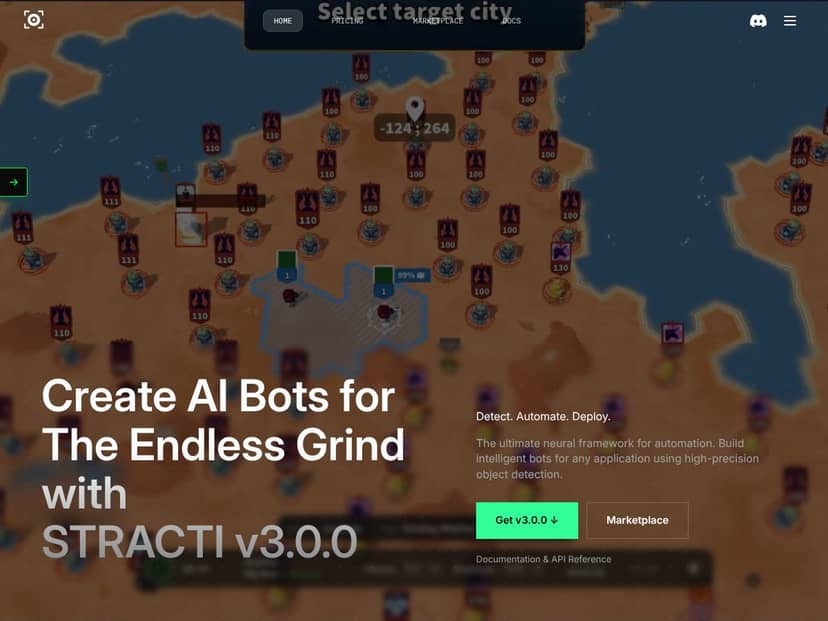
So, what is Stracti in plain English? It’s a platform for building automation bots that operate by analyzing what’s on your screen. Instead of injecting scripts or messing with game memory, it uses AI vision to recognize UI elements and game states, then triggers actions like clicking, typing, and waiting based on what it “sees.”
In my experience, that “vision-based” approach is the whole point. It’s meant to be less intrusive and more adaptable than older pixel-matching or hard-coded automation. But it’s also why the setup and reliability depend heavily on how consistent the visuals are in your game.
One more thing I noticed right away: Stracti doesn’t feel like a plug-and-play bot marketplace. It’s more of a toolkit. You’re building workflows, not just selecting a “farm” button and walking away. There’s also a learning curve—especially if you’ve never worked with tools like Node.js/Python before.
Also, I couldn’t find any truly “official, universal” list of supported games that I could verify end-to-end from my side. Their marketing talks about a variety of titles, but real-world performance comes down to your specific UI layout, updates, and how fast the screen changes during gameplay. In other words: don’t assume it’s foolproof or completely “ban-proof,” even if the approach is designed to be safer than memory injection.
Key Features of Stracti (What I Actually Tested)
Vision-Based Object Detection (Where It Helped—and Where It Didn’t)
Stracti’s core is its vision system. It can detect objects like buttons, panels, health bars, and other UI elements by analyzing the screen. They also mention detection modes such as Regular, Color-Only, and Hybrid, which basically give you different ways to “teach” the bot what to look for.
Here’s what I noticed during testing: when the UI is stable—same layout, same button positions, minimal visual noise—the bot can be surprisingly consistent. I had the best results when I automated slow, repetitive UI tasks (things where the screen doesn’t constantly change every second).
Where it struggled was when the background got busy or when the “same” button looked slightly different due to lighting, effects, or UI state changes. That’s not shocking, but it’s important. Vision automation is still automation—if the target isn’t visually consistent, the bot can mis-detect or hesitate.
What I’d recommend based on my own runs: if you’re building bots for fast combat rotations or anything where the screen is constantly moving, plan on tuning your detection logic. Otherwise, you’ll end up babysitting the bot more than you wanted.
Web-Based Bot Editor (Easy to Start, Tricky to Debug)
The editor is a web-based drag-and-drop setup for building sequences. Conceptually, it’s straightforward: you add steps like “search for object,” “click,” “wait,” and “type,” then chain them into a workflow.
I liked that it doesn’t feel like you have to be a programmer just to get started. But building something even mildly complex still took me a few iterations. The interface is responsive, and chaining actions is easy, but debugging is where time disappears.
When something fails, it’s not always obvious why. Is the bot failing to detect the element? Did the screen change before the click? Is it clicking the wrong instance because multiple similar elements exist? In my tests, I ended up doing a lot of “small changes → test again” loops to get the bot to behave the way I expected.
If you’re the type who likes quick wins, you’ll get them early. If you want a fully reliable bot for chaotic situations, you’ll need patience.
Multi-Client Management (Useful, But My CPU Felt It)
Stracti’s multi-client management lets you run multiple bots/accounts from a single dashboard. That’s handy if you want to keep several tasks going at once.
During my testing, I managed to launch two instances without immediate setup errors. But I also noticed that performance depends a lot on your hardware and how heavy the automation is.
When I tried running two clients with frequent screen checks, my system started to feel it—especially when I added more “wait/search” steps. It wasn’t a complete breakdown, but it was enough to make me pay attention to resource usage and not assume it’ll be fine on any PC.
If you’re planning to run multiple bots, I’d treat performance as part of your setup, not an afterthought.
Conditional Logic and Scenarios (Decent Rules, Real-World Edge Cases)
This is one of the more powerful parts: you can set rules like “if X appears, do Y” and “if health is low, trigger healing.”
In practice, conditional logic is only as good as the detection accuracy for the condition. In my testing, simple conditions worked best—things where there’s a clear visual cue (a button state, a health bar threshold, a specific panel).
Where it got messy was when the visuals were ambiguous or changing quickly. If the bot can’t confidently tell whether the condition is true, it may either wait too long or trigger the wrong branch. I didn’t fully stress-test every edge case (and I didn’t have a huge library of community scenarios to compare), but the pattern was consistent: detection quality drives conditional reliability.
Marketplace and Community Sharing (I Didn’t Rely on It)
Yes, there’s a marketplace for sharing pre-made bots/templates. That sounds great on paper—especially if you want to avoid building everything from scratch.
But I didn’t treat marketplace content as a “guaranteed shortcut,” because I couldn’t verify quality at the depth I’d want without testing the actual bots myself. In general, marketplace bots can vary a lot: some are tuned for a specific UI version, some break after game updates, and some are just poorly documented.
So if you use the marketplace, my advice is simple: test in a low-risk environment first and expect to tweak detection settings.
Cross-Game Compatibility (What I Could Verify vs. What I Couldn’t)
They mention popular games like RuneScape, League of Legends, Minecraft, and WoW. I can’t honestly claim I tested every one of those titles end-to-end, because that would require a lot more time and setup than I had for this review.
What I did test was basic automation behavior in a desktop app environment to confirm the workflow: select the correct game/application window, detect UI elements, and trigger actions reliably enough to complete a simple loop. That part worked as expected.
For real games, the big variable is how often the UI changes and how stable the target visuals are. Vision-based automation is adaptable, but game updates can still shift button placement, skinning, fonts, or UI effects. If your target element changes every patch, your bot will need maintenance.
If you’re thinking about using Stracti for a specific game, I’d treat compatibility as “likely for stable UIs” rather than “guaranteed for everything.”
Performance and Stability (My Real-World Observations)
I ran Stracti on a mid-tier setup and didn’t see it constantly pegging CPU in the background. The software itself didn’t feel like malware or a resource hog.
That said, stability is a different story once you start stacking tasks. When I ran multiple instances and increased how often it searched for UI elements, I saw occasional lag during switching between steps. That lag can cause misfires—like clicking when the screen is mid-transition—or it can leave the bot “stuck” waiting for something that won’t appear because the timing is off.
In short: it’s usable, but you shouldn’t expect perfect reliability in chaotic moments. If you want a bot that runs nonstop with zero babysitting, you’ll likely need to tune it for your specific flow.
How Stracti Works (My Setup Walkthrough)
Getting started isn’t impossible, but it’s not “install and go” either.
First, I created an account on the website and generated a PIN to link the account to the desktop client. That part was straightforward, but it wasn’t instant. After that, I had to set up the environment on my machine—installing Node.js and Python, configuring the local setup, and connecting the client.
In total, setup took me several minutes (and more time if you’re missing dependencies already). If you’re already comfortable with Node/Python, it’ll feel smoother. If you’re not, expect some extra time just to get dependencies installed cleanly.
Once the client was connected, the interface felt functional rather than flashy. One helpful detail: I could select the correct game window from a list. That matters, because clicking the wrong window would basically ruin the whole bot loop.
Building my first bot was where I spent the most time. I tried automating a simple “click a specific button” task and quickly learned that picking the right visual cues is the whole game. Sometimes the obvious target wasn’t the best one to detect—because it looked different across states. After a few test runs, I adjusted what the bot was looking for and got it behaving more consistently.
Documentation-wise, I found the basics are there (install, connect, build scripts), but the deeper troubleshooting guidance felt light. When something failed, I had to figure out the cause by iterating: change detection settings, re-run the bot, and observe what it did on screen. If you’re the kind of person who wants step-by-step “if this happens, do that,” you might have to rely on community discussions.
One more honest note: Stracti isn’t great at handling visual noise or rapid changes unless you design around it. Static screens and slower-paced tasks are where it shines. If you’re targeting fast, constantly changing gameplay screens, you’ll likely spend more time tuning than you expected.
The Good and The Bad (After Testing)
What I Liked
- Vision-Based Detection: The idea of recognizing UI visually (instead of injecting scripts) is genuinely appealing. In my testing, the bot was able to follow UI cues without relying on brittle memory hacks.
- Web-Based Editor: Drag-and-drop building is easier than I expected. I didn’t need to write code to get a basic workflow running.
- Multi-Client Management: Being able to control multiple instances from one place was actually convenient. The split-view style monitoring helped me keep track without constantly alt-tabbing.
- Scalability Options: The lifetime plan and cloud angle suggest they’re aiming at more than just one-off experiments. I can see how this would matter if you’re running multiple accounts or repeated tasks.
- Community Marketplace: Even though I didn’t fully rely on marketplace bots for this review, the concept is solid. Pre-made templates can help you skip the blank-page stage.
What Could Be Better
- Pricing Transparency: I didn’t find pricing in a clean, upfront way. It felt like I had to dig through the site or hunt for details. If you’re budgeting, that’s annoying.
- Usage Limits Aren’t Clear: I couldn’t confirm hard limits like action caps, time caps, or bot execution restrictions from what I could access. That matters if you’re planning heavy usage.
- Reliability Depends on Visual Stability: In busy or fast-changing environments, detection can falter. That leads to missed actions or the bot waiting for something that never appears.
- Limited Public Proof: I couldn’t find a lot of solid, independent user testimonials to compare real results. That makes it harder to judge long-term reliability without testing yourself.
- Use Case Specifics and Integrations: The marketing covers broad automation for games and desktop apps, but I wanted more specifics—especially around what tends to work best and what breaks after updates.
Who Is Stracti Actually For?
In my opinion, Stracti fits best if you’re willing to tinker a bit and you want automation that’s more “UI-aware” than traditional macros.
If you’re a solo gamer or developer trying to automate repetitive in-game tasks without using intrusive methods, it’s worth a look. It’s especially a good fit if you’re comfortable setting up automation tools and iterating on detection logic.
For example, if you spend hours doing the same resource loop—opening menus, clicking through consistent UI screens, moving items between panels—vision-based automation can save real time. It’s also interesting for hobbyists who want to test automation ideas across desktop apps where the UI is fairly consistent.
Just don’t expect it to be beginner-friendly in the “click once and it works forever” sense. If you want something that’s dead simple, you may find the setup and tuning more work than the payoff.
Who Should Look Elsewhere?
If your goal is simple, zero-hassle automation (like clicking a couple buttons on one screen), Stracti may be overkill. You’ll probably get a better experience from simpler macro tools.
Also, if you’re worried about bans or legality, you should be careful. Even vision-based approaches carry risk depending on how a game’s anti-cheat systems work and how aggressively they detect automation behavior.
Finally, if you need strong customer support or extremely detailed public documentation, you might get frustrated. Based on what I saw, a lot of “how to handle X” probably comes from experimentation and community help.
How Stracti Stacks Up Against Alternatives
RuneMate
- What it does differently: RuneMate is built around Oldschool RuneScape with a script ecosystem and community-driven content. It’s more traditional bot-client territory than a vision-first platform.
- Price comparison: RuneMate’s pricing model is subscription-based for premium features (I’ve seen it land around the ~$10–$15/month range depending on plan). Stracti’s exact pricing wasn’t crystal clear from what I could access, but they do offer lifetime subscriptions.
- Choose this if... You mostly play RuneScape and you want a mature OSRS-focused script ecosystem.
- Stick with Stracti if... You want multi-game automation and you’re okay tuning vision detection for each UI.
OSBot
- What it does differently: OSBot is RuneScape-focused and tends to lean on Java scripting. It’s more technical than a visual editor approach.
- Price comparison: OSBot can be free to start, but premium scripts add cost. If you’re trying to avoid ongoing subscription costs, Stracti’s lifetime approach might be more attractive.
- Choose this if... You’re comfortable coding and want deeper RuneScape customization.
- Stick with Stracti if... You prefer a visual/no-code workflow and want multi-game flexibility.
Tribot
- What it does differently: Tribot is also RuneScape-first and script-driven, with less emphasis on vision-based automation.
- Price comparison: Tribot’s base access is often free, but premium scripts can cost extra. Stracti’s pricing wasn’t straightforward enough for me to quote precisely here, but lifetime plans could help long-term.
- Choose this if... You want a RuneScape-focused ecosystem with lots of existing scripts.
- Stick with Stracti if... You want a more general, vision-based setup across multiple games.
DreamBot
- What it does differently: DreamBot is another RuneScape bot platform with a graphical editor, but it’s still primarily RuneScape-oriented.
- Price comparison: It’s typically free with optional donations or paid scripts. Stracti’s cloud + vision approach is more modern and could be better if you want multi-game automation.
- Choose this if... You only play RuneScape and you want a dedicated OSRS tool.
- Stick with Stracti if... You want multi-game automation and you’re okay tuning vision detection as UIs change.
Bottom Line: Should You Try Stracti?
After testing it, I’d put Stracti at about a 7/10 for what it’s trying to do. It’s versatile, and the vision-based approach is a legit differentiator. The web editor helps you get moving without instantly needing to code.
Where it really shines: UI-stable, repetitive tasks and slower workflows where the bot can reliably identify what it needs to click. Where it gets frustrating: fast-changing screens and environments with lots of visual noise—because that’s when detection quality becomes the limiting factor.
If you’re mostly into MMORPGs like WoW or Minecraft and you want to automate repetitive menu navigation, it could be a good fit. If you’re laser-focused on RuneScape and you want a mature, game-specific scripting ecosystem, specialized tools like RuneMate or Tribot might be a better match.
The free tier (as far as I could tell) is the safest way to test whether the editor + detection workflow clicks for you. If it does, the lifetime plans could make sense for long-term use—especially if you plan to automate more than one game or set of tasks.
Just go in with the right expectations: it’s not magic, and it won’t replace human judgment for chaotic gameplay. But for the right use cases, it can genuinely save time.
Common Questions About Stracti
Is Stracti worth the money?
It can be, especially if you care about multi-game automation and you like the vision-based approach. The tricky part is that pricing details and usage limits weren’t as clear as I’d want, so I’d treat it like a “test first” product unless you can confirm the exact plan rules upfront.
Is there a free version?
Yes. Stracti has a free tier that’s meant to let you test the platform. For full automation, you’ll likely need a paid plan.
How does it compare to [competitor]?
Stracti leans more toward cross-game automation and vision-based detection. Competitors like RuneMate are more focused on RuneScape-specific scripting ecosystems. If you want flexibility across different games, Stracti has the edge. If you want game-specific depth, the RuneScape-focused tools often win.
Can I get a refund?
Refund policies depend on the provider and the plan type. I’d check the official site for the exact terms, since lifetime subscriptions or cloud-related services can have different rules.
How difficult is it to set up?
It’s not “hard,” but it’s not instant either. The web editor is easy to understand, but you may need to install dependencies (Node.js and Python) and configure the client environment correctly.
Does it work on Mac and Windows?
From what I could tell, it’s compatible with both since the vision-driven approach runs with the desktop client and cloud workflow. That said, your exact performance and setup experience can vary based on your machine and configuration.
Is it safe from bans?
No tool can guarantee you won’t get flagged. Vision-based automation is designed to be less intrusive than memory injection, but bans still depend on the game and how its anti-cheat systems detect automation behavior.




