Table of Contents
I’ve tried a bunch of “text-to-video” tools over the years, and most of them fall into one of two buckets: either they’re too technical, or the results look good in theory but fall apart when you actually export something. So when I picked up SuperMaker, I went in with a pretty simple goal—see how fast I could go from an idea to a finished video without fiddling with complicated settings.
SuperMaker Review: What It’s Like to Make a Video (Fast)
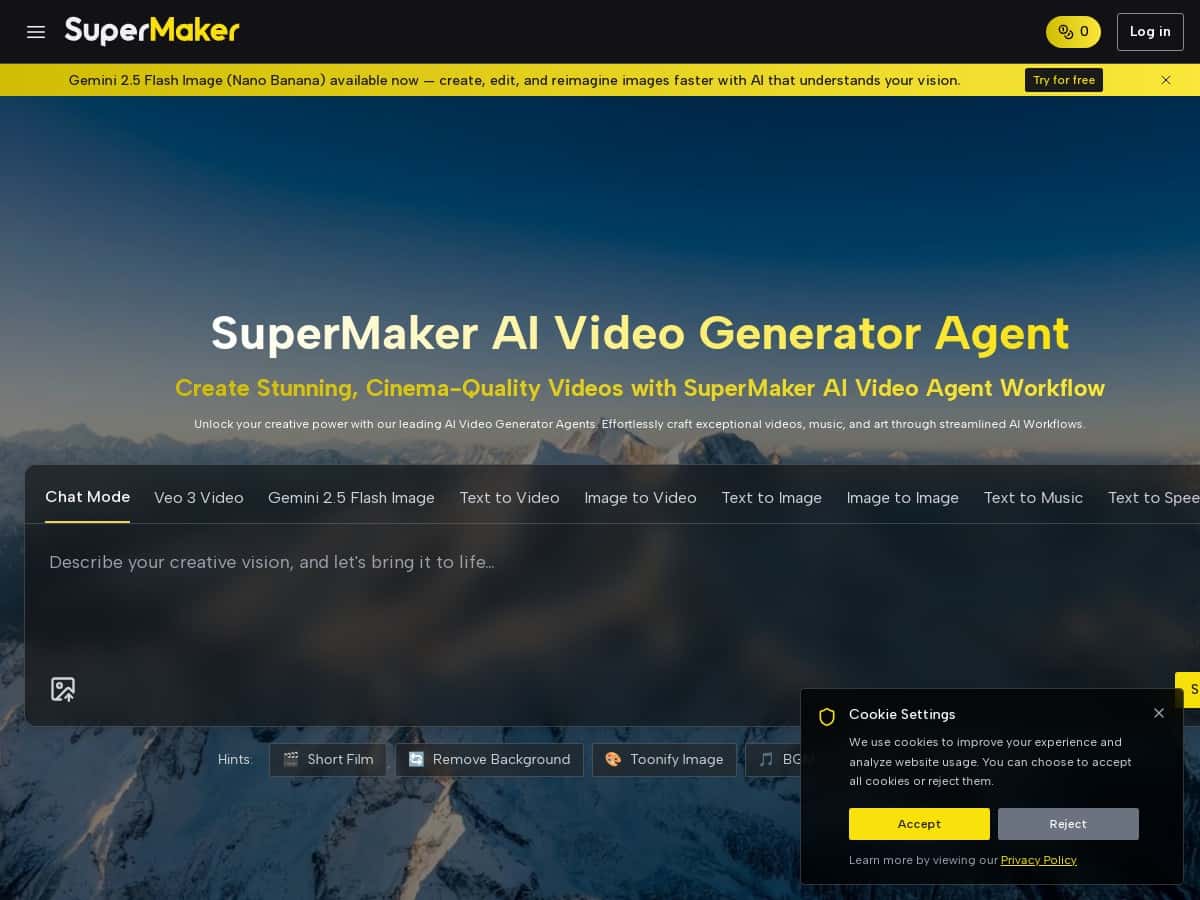
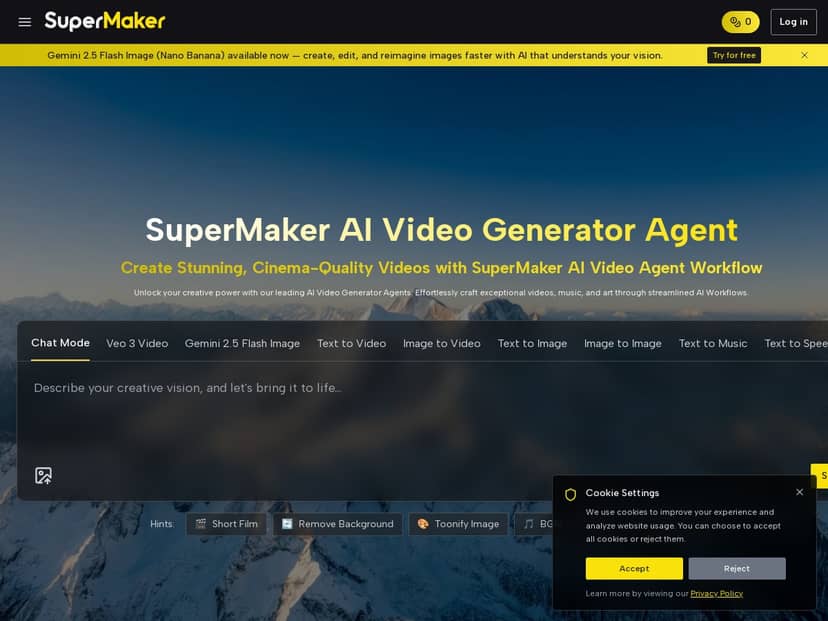
Here’s the part I actually cared about: how quickly could I get something watchable. I started with a small, straightforward workflow—upload a couple of simple images, write a short script, and let the AI build the scenes around it. Within minutes, I had a video draft with animated visuals and a voiceover that matched the overall pacing.
What surprised me wasn’t just that the output looked “AI-ish.” It looked like it belonged in a real video. The visuals had motion (not just static slides), and the audio felt cohesive with the edits. I also liked that I wasn’t stuck bouncing between five different tools just to get music + voice + effects into the same project.
Now, I’ll be honest: you still need to give it something decent to work with. If your script is super vague, the visuals can come out generic. And if you’re expecting pinpoint accuracy for every single word (like “this character should blink on beat”), you’ll probably end up doing a few iterations. But for most creators—especially beginners who want results without a steep learning curve—that tradeoff is pretty reasonable.
Key Features (and How I’d Use Them)
SuperMaker’s feature list is broad, but the real question is: do they actually help you make a video, or are they just labels? In my testing, the biggest win was that each feature fits into a workflow instead of feeling like a separate product.
AI Video Maker: Text or images → a full video
How it works (inputs → settings → output):
- Inputs: I used a short script plus a few reference images.
- Settings: I kept it simple at first—aiming for a cohesive style instead of over-tuning every parameter.
- Output: The tool generated multiple scenes with animated elements and stitched them into a single video draft.
What I noticed: The AI does a good job keeping the overall “vibe” consistent across scenes. The motion is the difference-maker—this isn’t just slideshow output.
AI Image Maker: Build visuals when you don’t have assets
Inputs → output:
- Input idea: I tried concept-style prompts (think: setting + mood + subject).
- Output: It generated images I could use as scene references or starting points.
What I noticed: If you’re making a short explainer or a social clip, this saves time. Instead of hunting for stock photos, you can generate something close to what you want and then refine.
AI Voice Maker: Voiceovers in multiple languages
Inputs → settings → output:
- Inputs: I pasted the script text.
- Language: I tested a non-English voice option to see if it sounded natural.
- Output: The voiceover synced well enough with the overall pacing of the scenes.
Small limitation I ran into: Like most voice generators, pronunciation and emphasis can vary depending on the wording. If you use long sentences, it helps to break your script into shorter lines so the delivery feels more natural.
AI Music Maker: Background music that doesn’t derail the video
Inputs → output:
- Inputs: I picked a mood/genre direction (uplifting, cinematic, etc.).
- Output: It generated background tracks that fit the general tone of the video.
What I noticed: Music is one of those things that can ruin a video if it’s too loud or too “loop-y.” In my drafts, the track felt like it was designed to sit under the voiceover instead of competing with it.
Chat Mode: Brainstorming + refining without starting over
Chat Mode is where I’d spend time if I were making a batch of videos. Instead of rewriting everything from scratch, you can ask for improvements and iterate on your plan.
Example of how I used it: I asked for a tighter script structure for a short video, then fed that improved script back into the video workflow. That loop—draft, refine, generate—felt smoother than I expected.
Workflow Tools: Scripting, storyboarding, and editing
This is the feature set that makes SuperMaker feel like a “creator tool” instead of just a generator.
- Scripting: I wrote a basic outline first, then converted it into a short script suitable for voiceover.
- Storyboarding: The generated scenes gave me a starting point I could adjust.
- Editing: I could refine the scenes/effects without starting from zero.
What I noticed: If you’re new, having a guided flow matters. You don’t have to understand every technical detail to get a solid first draft.
Asset Management: Keep things organized
If you generate multiple images and audio takes, you’ll want a place to keep it all straight. Asset management helped me avoid the “where did that file go?” problem when I was testing different variations.
Rich Effects Library: Add polish (and fix bland scenes)
Inputs → output:
- Input: I used effects sparingly at first—just enough to enhance motion and transitions.
- Output: Scenes felt more cinematic without becoming distracting.
Tip from my workflow: If you’re getting “too much AI” energy, reduce the number of effects per scene. One strong effect usually beats stacking three medium ones.
Pros and Cons (What You’ll Actually Feel)
Pros
- Beginner-friendly: I didn’t need to learn a bunch of technical controls to get a usable draft.
- All-in-one workflow: Voice, music, effects, and video generation stay in one place.
- Good “first draft” quality: The animations look more like edited video than a basic slideshow.
- Free plan for testing: You can explore without immediately committing.
- Multi-language voice options: Helpful if you’re targeting different regions.
Cons
- Free plan limitations: You’ll hit caps on usage and downloads pretty quickly if you’re testing a lot of variations.
- Paid tiers unlock more: If you want higher limits and more output freedom, you’ll need a subscription.
- Cost can add up for heavy creators: If you generate lots of videos per week, the credit usage matters.
- Not perfect word-level precision: For very specific lip-sync or timing requirements, you may need iterations.
Pricing Plans (and What They Mean in Practice)
SuperMaker’s pricing is pretty straightforward: there’s a free starter option, then paid plans based on credits. Here’s what I’d take away from the numbers:
- Free starter plan: 20 credits to explore basic projects.
- Paid plan: $9.90/month for 200 credits.
- Higher tiers: $29.90/month and $49.90/month with larger credit bundles.
- Annual billing: usually helps if you know you’ll keep using it.
What I recommend: If you’re planning to generate multiple drafts, start with the free credits (or the smallest paid tier) and watch how quickly your credits drop. The real cost isn’t just the monthly price—it’s how many attempts you need to get the style and pacing right.
For exact limits like maximum video length, export quality caps, and download restrictions, you’ll want to check the current details on their site (those can change over time). SuperMaker keeps the “what you can export” tied to your tier.
Wrap up
So, is SuperMaker worth it? In my experience, it’s one of the easier AI video tools to get a polished result from—especially if you’re starting from images + a script and want a complete video without building everything from scratch.
Best for: beginners, social content creators, and anyone who wants voice + music + effects in one workflow.
Not ideal for: people who need ultra-precise timing, perfect word-by-word delivery, or unlimited exports on a free plan.
If you want to test-drive an AI video workflow without turning it into a technical project, SuperMaker is a solid place to start.