Table of Contents

What Is Surfn AI? (And What I Actually Tested)
I’ll be honest—I went into Surfn AI a little skeptical. The whole “AI page that chats, qualifies leads, and books calls” pitch sounds great… but I’ve also seen a lot of tools that look impressive on the homepage and then get weird the second you try real prompts.
So I tested it the way I’d use it for a real project: I wanted a shareable conversational page where visitors could ask questions, get directed to the next step, and (ideally) not require me to sit there answering messages all day.
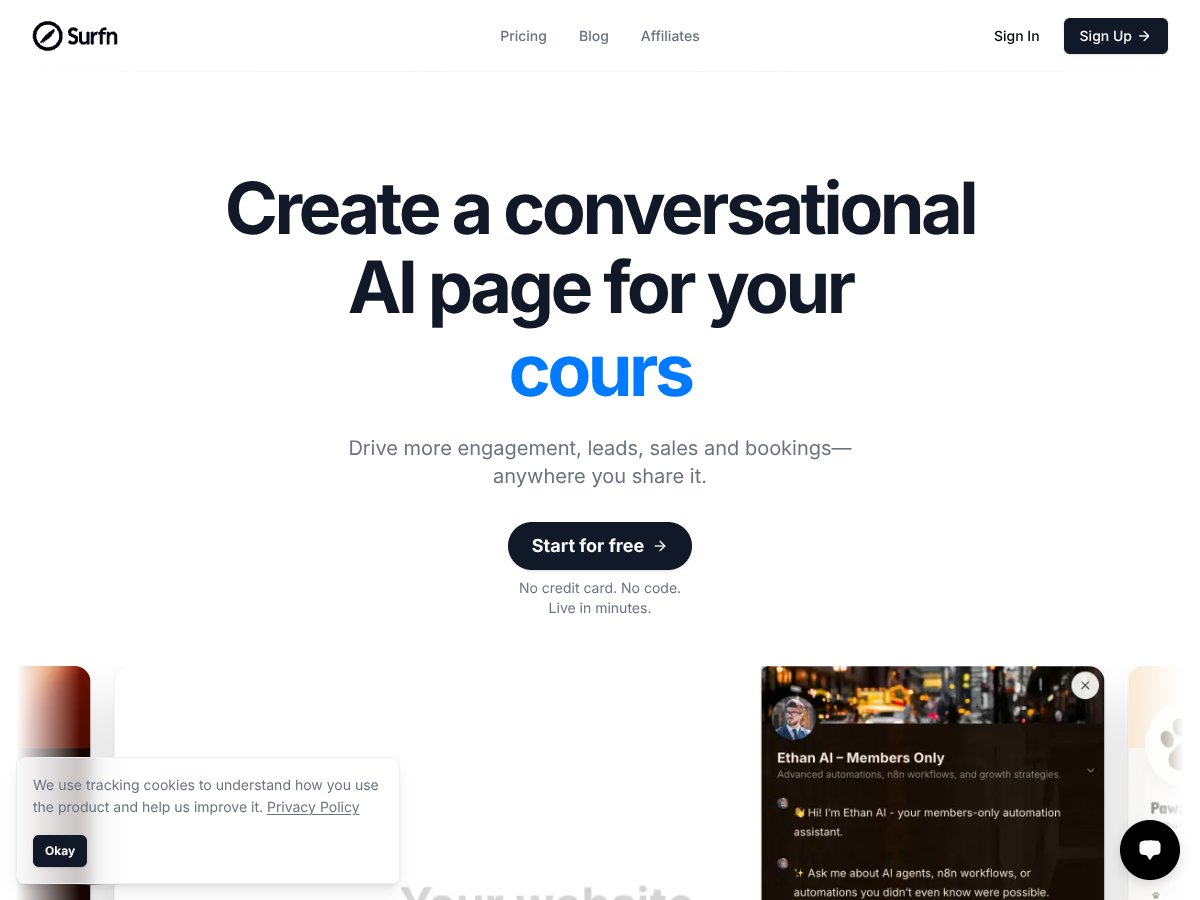
What Surfn AI does, in plain English: it helps you build a chatbot-style page (they call it an AI agent / AI page) that you can publish via a link or embed. You can use it on your website, drop it into social bios, include it in newsletters, or even print a QR code for events. The goal is simple—make your page feel interactive and helpful without turning your site into a static FAQ wall.
In my experience, the “landing page but conversational” idea is the core value. Instead of just “read this,” people can ask something like “Do you offer refunds?” or “What’s included in the package?” and the page responds in a more natural way. If you set it up correctly, it can also push visitors toward actions like booking or buying.
Who it’s aimed at: creators, coaches, solopreneurs, and small businesses. Basically anyone who needs quick engagement and lead capture without hiring a developer to build a full chatbot from scratch.
Now, about the team/ownership side: I couldn’t find much in the way of detailed, verifiable information about the company behind surfn.ai (no clear leadership page, no strong “about the team” presence I could confirm). That doesn’t automatically mean it’s bad—it just means it’s harder to judge longevity and support quality compared to more established platforms.
One more expectation check: Surfn AI isn’t trying to be a full enterprise chatbot platform with deep analytics, complex multi-channel integrations, or advanced training workflows. It’s more like “get a conversational AI page live fast,” and then iterate from there. If you’re expecting a replacement for a CRM or a heavy automation stack, you’ll likely feel limited.
Overall? It does deliver on the basic promise—publishing an AI chat page quickly. But it’s not trying to be everything. You’re buying speed and simplicity, not a huge feature suite.
Surfn AI Pricing: Is It Worth It? (Free Tier Details + What I Checked)

| Plan | Price | What You Get | My Take |
|---|---|---|---|
| Free | $0/month |
|
Good for testing and light use. The 40-message cap is the part that can sneak up on you fast if you actually drive traffic to the page. |
| Starter and higher paid plans | Pricing varies; details sparse on site |
|
I couldn’t find a clean, detailed breakdown of the paid tiers on the public pricing page during my review. If you’re comparing costs, you’ll probably need to request specifics from support or trial the next step. |
Here’s the thing about the pricing: Surfn AI does include a free tier, and that’s genuinely helpful if you want to see how it performs before spending money. On paper, the big limits are the 40 message credits per month and the 1 MB training data cap.
What I tried to confirm on the pricing/plan details: I looked for whether message credits reset monthly or roll over. I couldn’t confirm the reset/accumulation behavior from the publicly visible pricing information I reviewed. I also looked for any mention of what happens when you exceed your quota (overage fees vs. hard stops) and didn’t find a clear, explicit policy on the page.
Fair warning: if you plan to run a campaign, share the link everywhere, and expect real conversations, you’ll hit the free credit cap sooner than you think. For ongoing use, you’ll likely want a paid plan—but the exact “how much more you get” details aren’t super transparent.
I also compared the general pricing vibe to other tools in this space. For example, Windsurf AI is often cited around $20/month depending on quotas, so Surfn AI’s freemium structure feels in line with common models. Still, I wouldn’t assume the value matches without checking what your expected message volume looks like.
My honest take: If you’re a solo creator or small business testing conversational engagement, the free tier is worth it. But if you need persistent agents for ongoing marketing (or you expect lots of traffic), you’ll probably end up upgrading—and I’d want clearer confirmation on credit reset and overage rules before committing.
The Good and the Bad (With Real Test Observations)
What I Liked
- Setup feels genuinely no-code: I didn’t have to touch code to get a working chat page. In my setup, I was able to publish a basic agent quickly after configuring the basics.
- Shareability is built in: Once it’s published, you can share a link (and the platform supports embedding). That matters if you’re dropping the agent into a bio, QR code, or landing page.
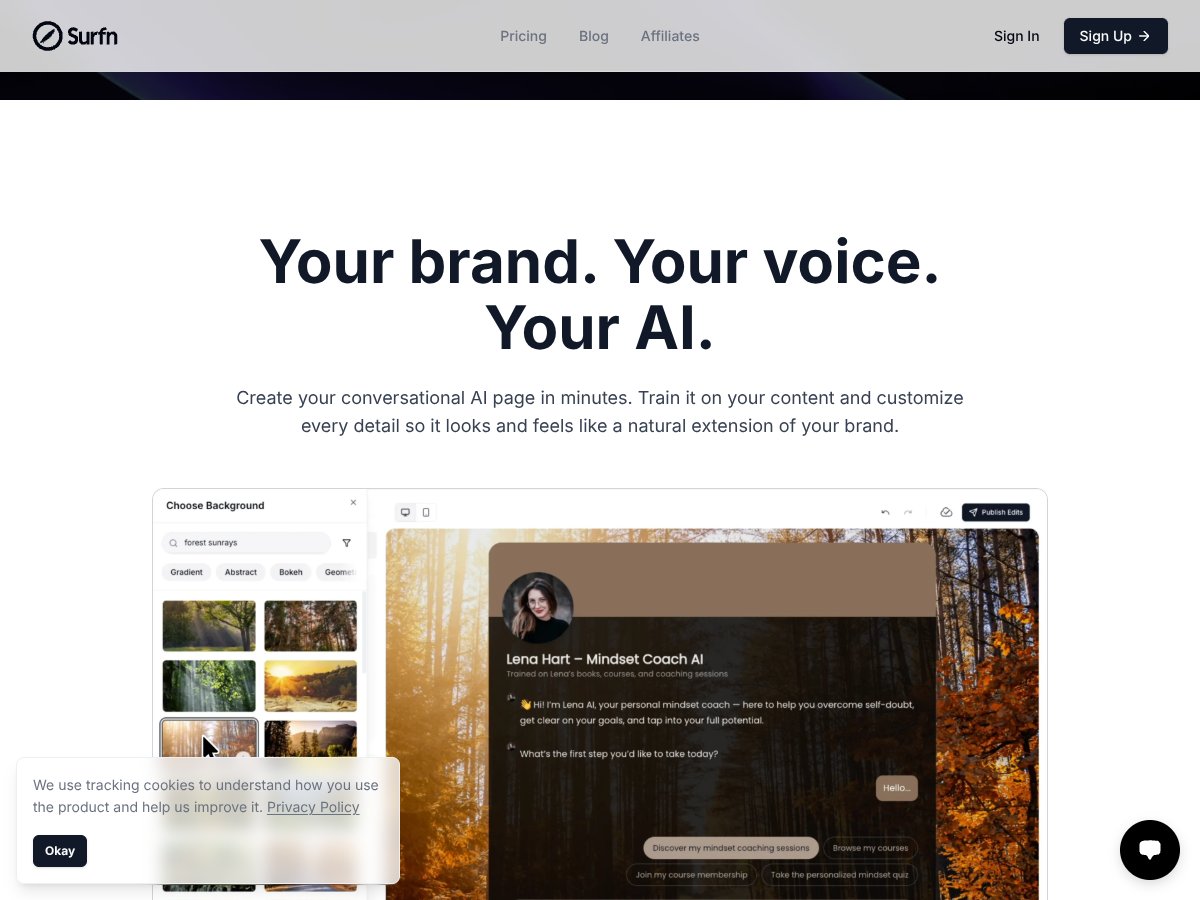
- Training on your own content: The idea of training the AI on your content is the whole point. On my end, uploading within the allowed training size (the free tier limit is listed as 1 MB) was straightforward, and the responses became more on-topic after the training content was loaded.
- It can guide people to action: This isn’t just “answer questions and stop.” The agent can be configured to nudge users toward the next step (booking/buying style flows). That’s where it starts to feel useful for lead capture.
- Conversation visibility: I found value in being able to review interactions. Even if it’s not a full analytics suite, having conversation history helps you spot what people are actually asking.
What Could Be Better
- 40 messages/month on the free tier is tight: If you drive any meaningful traffic, you’ll burn through credits. This is the biggest practical limitation I ran into as soon as I started testing with multiple prompts.
- Paid tier details aren’t clear enough: The public pricing table lists “Starter and higher paid plans” but doesn’t give a detailed feature-by-feature breakdown. I couldn’t verify exact limits beyond the general “more credits / longer activity / more features” description.
- Agent inactivity deletion is a real gotcha: The pricing info says agents are deleted after 14 days of inactivity on the free tier. I didn’t just read it—I treated it like a real risk and tested how “inactivity” would be handled. The main issue is that if you forget to check in, you can lose your setup and have to recreate it.
- No native integration details I could confirm: I didn’t find solid, explicit documentation for native integrations (CRMs, email tools, analytics platforms). If integrations exist, they aren’t clearly listed in the materials I reviewed as of my test.
- Advanced team features aren’t obvious: I didn’t see clear support for multi-user management, advanced automation workflows, or a serious analytics dashboard in the way you’d expect from more mature platforms.
My Test Methodology (So You Know What “After Testing” Means)
Here’s exactly how I tested Surfn AI so this review isn’t just vibes:
- Agent goal: I built a basic conversational agent intended to answer common questions and guide visitors toward a next step.
- Training: I used the training-data approach described by the platform and stayed within the free tier’s 1 MB training limit listed on the pricing table.
- Prompt scenarios: I ran repeated questions that match real user intent (FAQs, “what’s included,” “how does it work,” “how do I book/buy,” and a couple of edge cases like “I’m not sure this is for me—what should I do?”).
- Publishing + share: I published the agent and tested it through the shareable link experience (basically the “someone lands on the page and chats” flow).
- Quota awareness: I paid attention to how quickly I was consuming message credits during testing.
If you want, tell me your use case (coach, ecommerce, SaaS, etc.) and I can suggest a setup prompt list that tends to work well.
Who Is Surfn AI Actually For?

Surfn AI makes the most sense if you’re a solo creator or a small business and you want a conversational touch without building a full chatbot system.
It’s especially useful if your inbound questions come through places like social media bios, a website contact flow, or newsletter traffic—basically anywhere you’d rather not manually reply to the same FAQ 50 times.
Example from my head (and what I think it’s best at):
- Coaches: Train the agent on your offers and course pages, then share the link in your bio or email. People ask “Do you offer refunds?” or “What’s the next step?” and the agent can guide them toward booking.
- Ecommerce sellers: Use it to answer product questions and suggest items based on user needs. It won’t replace a full recommendation engine, but it can handle basic questions and reduce friction.
Where it shines: quick deployment and natural conversation that nudges users toward action. Where it starts to feel weak: if you need complex workflows, heavy integrations, or lots of message volume every day.
Who Should Look Elsewhere
If you’re an enterprise team or you need a chatbot solution that’s deeply integrated with your existing stack, Surfn AI probably won’t feel like the right fit. The pricing info and feature descriptions I reviewed don’t point to robust enterprise automation, multi-user collaboration, or advanced analytics.
Also, if your traffic is high and you can’t afford to hit a quota wall, the free-tier limits (like 40 messages/month) are a clue. You’ll likely need paid plans, but the public details about paid limits aren’t detailed enough for me to confidently say “this will scale perfectly” without contacting support.
And if you’re specifically hunting for:
- deep analytics (funnels, cohort tracking, exportable reports)
- A/B testing for conversation flows
- native CRM integrations like Salesforce/HubSpot
- email automation integrations like Mailchimp
…you may want to look at more established chatbot builders first. Surfn AI feels best for small-scale engagement boosts and quick-to-launch conversational pages.
How Surfn AI Stacks Up Against Alternatives
Windsurf AI
- Windsurf AI is more quota-based and tends to lean into AI content generation and marketing assistance. It’s not primarily about building dedicated conversational AI pages for engagement.
- Pricing is often referenced starting around $20/month for large word quotas (example: 100,000 words), so it’s a better fit if your main need is content production.
- Choose Windsurf AI if you want predictable AI writing output and don’t need an interactive page experience.
- Choose Surfn AI if your priority is shareable AI agent pages that answer questions and guide users to book/buy.
Chatfuel
- Chatfuel is built for chatbot automation, especially for messaging platforms like Facebook Messenger. It’s more about workflow funnels than “publish an AI page everywhere.”
- Pricing varies; free tiers exist for basic bots, and paid plans are commonly around $50–$100/month depending on features.
- Choose Chatfuel if you need deep integration with messaging channels and more complex bot logic.
- Stick with Surfn AI if you want a shareable AI page experience that works across channels with less setup.
ManyChat
- ManyChat focuses on marketing chatbots with an easy visual builder and integrations for social and messaging (like Facebook, SMS, email).
- Pricing often starts free with limitations, then moves into the $10–$50/month range depending on contacts/features.
- Choose ManyChat if you’re building straightforward marketing automations and want something visual and fast.
- Choose Surfn AI if you care more about AI-driven conversation on shareable pages than basic automation flows.
Landbot
- Landbot is a visual drag-and-drop builder for conversational landing pages. It’s more “flow builder” than “AI agent that adapts like a trained assistant.”
- Pricing often starts around $30/month and scales upward as bots/integrations get more advanced.
- Choose Landbot if you prefer controlling the conversation with structured flows.
- Choose Surfn AI if you want AI-powered responses that feel more adaptive than static branching.
Final Verdict: Should You Try Surfn AI?
I’d rate Surfn AI a 7/10 based on what I tested. It’s simple and practical for creators and small businesses who want a shareable AI page that can answer questions and help guide visitors toward action—without coding.
The free tier is a nice on-ramp, and the idea of training the agent on your own content is the right direction. But the limits matter. If you’re planning to drive real traffic and expect lots of conversations, the 40-message/month cap and the 14-day inactivity deletion rule on free are the two things I’d watch most closely.
If your goal is dedicated AI agent pages for bookings/support/sales across channels, Surfn AI is worth a try—especially if you like no-code tools and want something you can publish quickly.
If you mainly care about content generation, heavy chatbot automation, or deep integrations + analytics, you might be happier elsewhere.
My recommendation: start with the free tier and run a few realistic conversations. If it matches your use case and you’re not burning credits too fast, then upgrading could make sense. If you hit the quota wall or feel like you need deeper integrations and analytics, you’ll know quickly.
Common Questions About Surfn AI
- Is Surfn AI worth the money? - It’s worth trying if you want an easy way to create shareable conversational AI pages. For heavy users, the free-tier limits suggest you’ll likely upgrade sooner.
- Is there a free version? - Yes. The free plan includes 40 message credits per month, 1 MB of training data, and basic AI features.
- How does it compare to Windsurf AI? - Windsurf leans more into AI content generation at scale. Surfn focuses more on building interactive, shareable AI pages for engagement and lead capture.
- Can I get a refund? - Refunds depend on the payment method and plan. I didn’t confirm a universal policy in the pricing table, so you’ll want to check Surfn’s terms or contact support for your exact case.
- What kind of training data can I upload? - The free tier lists 1 MB of training data. In practice, that’s enough for a focused set of content (FAQs, offer pages, a few key documents), not an entire knowledge base.
- Is it easy to set up? - Yes. The whole point is no-code setup so you can publish without technical skills.
- Are AI agents deleted after inactivity? - According to the free plan details, yes. Agents are deleted after 14 days of inactivity, so if you want the agent to stay available, you’ll need to keep it active.