Table of Contents
If you’ve ever tried to take notes from a YouTube video, you already know the pain: you pause, rewind, type like crazy, and somehow you still miss the one line the creator repeats twice. I tested Swiftnotes.ai specifically for this problem, and I’ll be honest—what stood out to me right away was how quickly it turns a video into something you can actually study from.

Swiftnotes.ai focuses on generating structured notes directly from YouTube videos. No complicated setup. No “fill out 12 fields” nonsense. In my experience, that matters because note-taking tools usually fail at the moment you need them most—when you’re already in the middle of a video and don’t want to waste time. Here, you can jump in and get notes fast, then spend your energy understanding the content instead of scrambling to capture every sentence.
Swiftnotes.ai Review: What It’s Really Like to Use
Here’s how I approached it. I picked a few different types of videos—one tutorial-style video, one lecture-ish video, and one longer discussion. The goal wasn’t to see if it could “summarize” something in a vague way. I wanted notes I could skim later and still remember what mattered.
What I noticed:
- Speed: The notes come together quickly enough that it feels practical, not like you’re waiting around for a report.
- Structure: Instead of a wall of text, the output is organized so you can jump to sections. That’s huge when you’re studying.
- Less manual typing: I didn’t have to pause every 30 seconds just to keep up.
- Focus on key ideas: The tool tries to capture the important points so I’m reviewing concepts, not transcribing.
Now, I’ll also say this: no automated notes tool is perfect. If a video is extremely fast, heavily jargon-based, or skips around topics, you may still want to skim the original video to confirm details. But compared to trying to write everything down yourself, it’s a lot less exhausting.
Key Features That Matter (Not Just Buzzwords)
Swiftnotes.ai’s feature set is pretty straightforward, and that’s honestly a good thing. You’re not buying a tool that pretends it can do everything—you’re getting help with one specific workflow: turning YouTube into study notes.
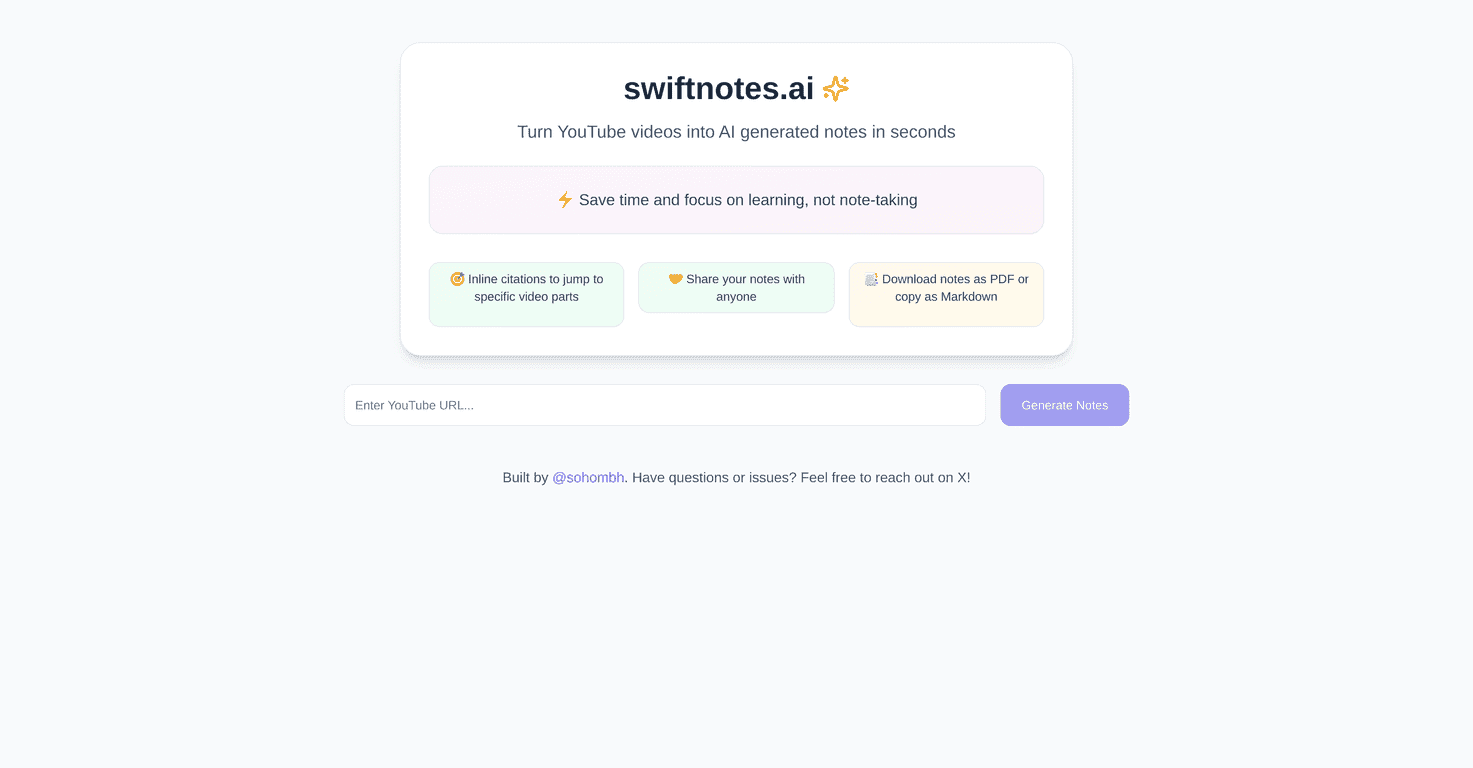
- Instant generation of notes from YouTube videos
Paste or work with a video and get notes quickly. - Organized and comprehensive note structure
The output is meant to be readable and review-friendly, not just a raw summary. - Time-saving functionality
Less time pausing, rewinding, and typing means more time learning. - No sign-up required for a free trial
This is one of those “small” details that makes it easy to test before committing. - User-friendly interface
I didn’t have to fight the UI to figure out what to do next.
Quick example of how I’d use it
Let’s say you’re watching a YouTube lesson for an exam. Instead of taking notes live, you generate notes after (or during) the video, then use those notes to create your own checklist: definitions to remember, steps to practice, and questions to review. That workflow is what makes tools like this actually useful.
Pros and Cons (My Honest Take)
Pros
- Real time-saver for video learners: If you watch a lot of YouTube content for studying, this can cut down the “manual note-taking” time fast.
- Helps you retain the important parts: The notes are designed to highlight what you should remember, not everything that was said.
- Easy to start: No sign-up barrier for the free trial means you can test immediately.
- Better for review sessions: Structured notes are easier to skim later than random timestamps and half-sentences.
Cons
- Limitations aren’t fully spelled out: I didn’t see clear, specific details about edge cases (like extremely long videos, very technical lectures, or how it handles unclear audio). That’s something I wish was more transparent.
- Automated notes still need a quick human check: If the video is dense, you’ll probably want to verify a few key points in the original video.
Pricing Plans: What You Should Expect
At the moment, Swiftnotes.ai doesn’t show a detailed pricing breakdown in the information provided here. What I can confirm from the positioning is that you can try it for free without signing up. That’s a solid way to evaluate whether the notes match your needs before you spend anything.
If you’re comparing tools, I’d recommend checking their website directly for the latest pricing and any limits (like number of videos, length restrictions, or export options). Those details can make a big difference depending on how often you use it.
Wrap up
Overall, I think Swiftnotes.ai is a practical option if you regularly take notes from YouTube. It’s fast, it produces structured notes you can study from, and the no-sign-up free trial makes it easy to test without pressure. Just keep in mind that automated notes work best when you still do a quick sanity check on the most important parts—especially for technical or fast-moving videos. If that sounds like your situation, it’s definitely worth trying.