Table of Contents
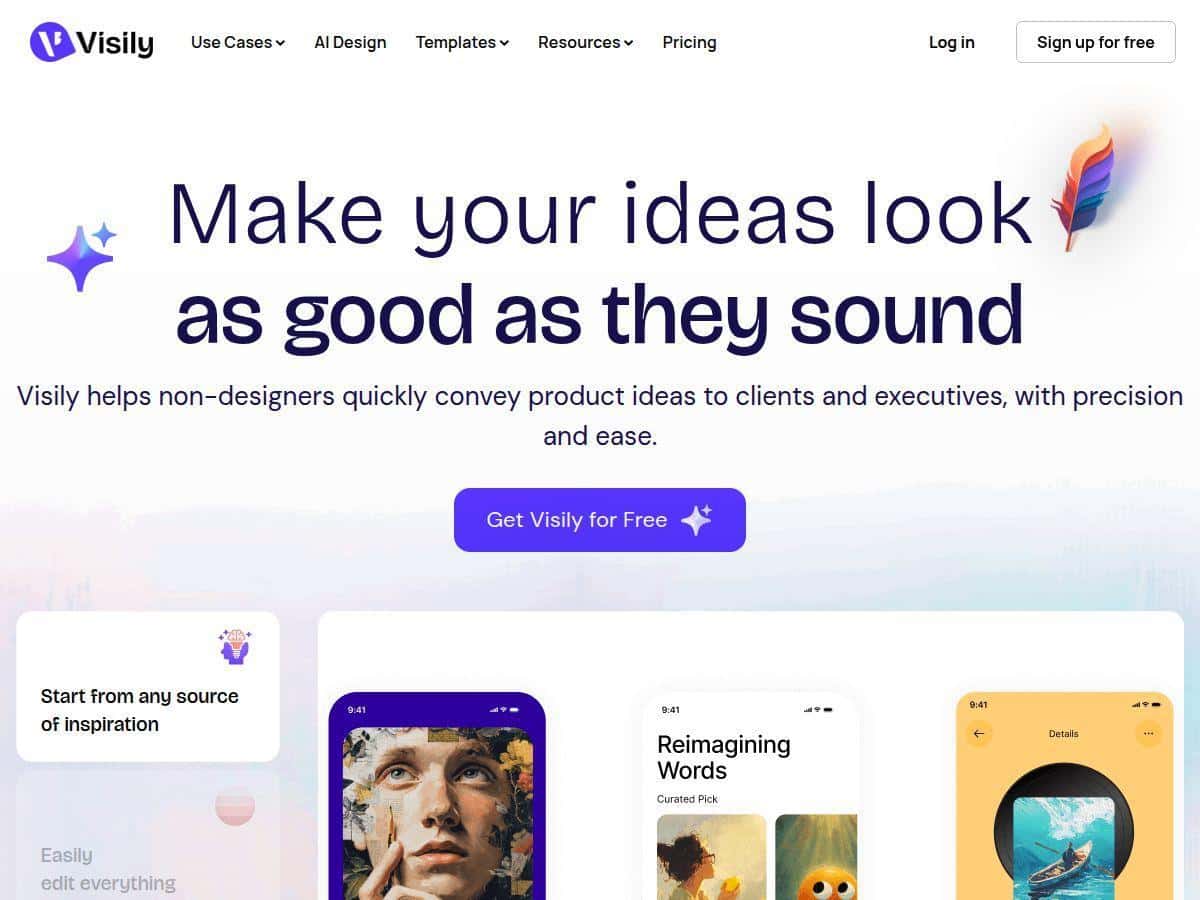
I wanted a faster way to turn an idea into something clickable—without opening a “real” design tool and spending hours just getting my layout right. That’s why I tested Visily. And yeah… it really does make UI prototyping feel way more approachable.
In my run, I went from a plain text idea to a working prototype in minutes. The big thing I noticed wasn’t just that it “has AI.” It’s that the AI suggestions actually show up inside a normal editor—so you’re not stuck staring at a separate generation screen. You can still drag, adjust, and iterate like you would in a typical design workflow.
Below, I’ll break down what I used, what I generated, how collaboration worked, and where Visily felt a little limiting when I pushed it further than a quick prototype.
Visily Review: Can it really get you from idea to prototype fast?
Here’s the simplest way I can describe my experience: Visily feels like it’s built for speed first, polish second. And honestly, for most early-stage product work, that’s exactly what you want.
My quick test workflow
To keep this review grounded, I tried a pretty typical “product screen” scenario. I started with a text prompt describing a simple mobile app flow (home → list → details) and then used the editor to refine what it produced.
- Step 1: Prompt → layout I used an AI prompt to generate a wireframe-style layout. The first pass wasn’t “pixel perfect,” but it got me close enough to start making decisions fast.
- Step 2: Drag-and-drop adjustments After the initial generation, I moved components around manually. This is where Visily felt smooth—things snap into place, and it’s easy to swap sections without rebuilding everything.
- Step 3: Add a couple screens I created a small flow (about 4 screens total) so I could test whether it’s actually good for prototypes, not just static mockups.
- Step 4: Iterate with feedback I shared the prototype and left comments to simulate what a teammate would do. The collaboration side was one of the areas I liked most.
What I noticed about the UI editor
Visily’s editor is easy to learn. I didn’t have to hunt for basic controls. Dragging elements felt natural, and I could build and adjust layout without wrestling with dozens of panels.
Also, the AI output didn’t feel like a sealed box. If something looked off (spacing, alignment, or the way a section stacked), I could tweak it directly instead of starting over. That matters. Nobody wants to regenerate everything just because one card is 10px too low.
Collaboration: real-time comments actually helped
What surprised me wasn’t just that Visily supports collaboration—it was how usable it felt in practice.
- I shared the project with a teammate and got feedback through comments rather than vague “this looks wrong” messages.
- We iterated quickly by making changes while discussing them.
- Using shared components/libraries meant we weren’t constantly recreating the same UI bits.
Where Visily didn’t fully satisfy my “pro designer” itch
I’ll be upfront: if you’re trying to do extremely custom, highly detailed design systems, Visily may feel a bit constrained. The AI helps a lot, but you still might need to do manual clean-up for specific brand rules (especially when you want ultra-precise typography and spacing across many screens).
In my testing, the first prototype was fast. The second iteration (to better match a specific style) took longer than I expected. Not because the tool is slow—more because you’ll probably spend time refining what the AI suggests.
Key Features I used (and what they’re good for)
- AI-Driven Design Assistance to generate wireframes from text
- I used AI to generate an initial layout from a written description. It’s best for getting a “directionally correct” structure quickly—navigation, sections, and basic hierarchy—so you’re not staring at a blank canvas.
- User-Friendly Drag-and-Drop Interface
- After generation, I moved and resized elements directly. This is where Visily stays practical: you can refine the output without rebuilding from scratch.
- Real-Time Collaboration with Commenting and Shared Libraries
- Comments made feedback easier to act on. Instead of guessing what someone meant, we could point to the exact spot and adjust. Shared libraries also helped keep repeated UI elements consistent.
- Pre-Made Templates and Smart Components
- I leaned on templates/components to speed up the “setup” phase. It’s a nice shortcut when you don’t want to design every UI block from nothing.
- Global Theming for Consistent Design
- This is one of those features that you don’t fully appreciate until you have multiple screens. When theme values are consistent, your prototype looks more coherent without doing the same formatting work repeatedly.
- Easy Prototyping and Feedback Tools
- For a small flow, it was easy to connect screens and test the experience. The feedback loop was quick because the prototype was easy to share and comment on.
- Customizable Elements and Seamless Editing
- I found it straightforward to swap components and tweak sections. Again, you may still do cleanup after AI generation, but the editing experience is smooth enough to make that worthwhile.
Pros and Cons (based on my test, not generic claims)
Pros
- Beginner-friendly without feeling “toy-like.” I didn’t need a tutorial to start placing elements and adjusting layouts.
- Fast from idea → wireframe. My first usable layout came together quickly (I wasn’t spending an hour just deciding where things go).
- Collaboration is actually practical. Comments + shared project access made feedback easier to apply.
- AI helps with structure, not just visuals. It gave me a solid starting hierarchy so I could focus on tweaking.
- Clean editing experience. Dragging and resizing felt straightforward, and I could iterate without getting stuck.
Cons
- Advanced customization may take extra manual work. When I tried to match a specific brand spacing/typography feel, I had to do more tweaking than I expected.
- AI output sometimes needs rework. A few sections didn’t land exactly the way I wanted on the first pass, so I adjusted cards, spacing, and component placement.
- More complex, highly detailed designs could feel limiting. For very intricate UI systems, you might outgrow it or spend too much time compensating.
Pricing Plans: what you actually get (and what matters for teams)
Visily has a free starter option, plus paid plans (Pro and Business) for people who need more AI usage and stronger collaboration. In my opinion, the key difference between plans is usually about how much AI you can generate and how many teammates you can include in shared projects.
From what I saw, the Pro plan is around $14/month when billed annually. That’s the tier most solo creators and small product teams end up using if they generate prototypes regularly.
If you want the exact current plan details (including any AI credit limits and what’s included per tier), you’ll need to check Visily’s pricing page directly:
One practical tip: before you commit, think about your workflow. If you only need one or two prototypes a month, the free plan may be enough. If you’re iterating weekly (or generating lots of screen variations), paid will feel worth it fast.
Wrap up
After using Visily, I’d summarize it like this: it’s a strong choice if you want quick, collaborative UI prototypes without needing to be a design expert. The drag-and-drop editor is easy, the AI helps you get moving fast, and the commenting/collaboration flow makes teamwork less painful.
Will it replace every pro design tool? Probably not. But for getting from an idea to a clickable prototype that you can share and iterate on, it’s genuinely handy—and in my experience, that’s what matters most early on.