Table of Contents
What Is VISONA - The most powerful canvas?
I’ve tried my fair share of “one app to rule them all” tools, and most of them fail in the same way: they either become a document dump, or they’re great for one workflow but useless when your work changes. That’s exactly what I was running into—notes in one place, tasks in another, docs elsewhere, and then AI chats sitting in yet another tab stack. It wasn’t just annoying. It was actively breaking my focus.
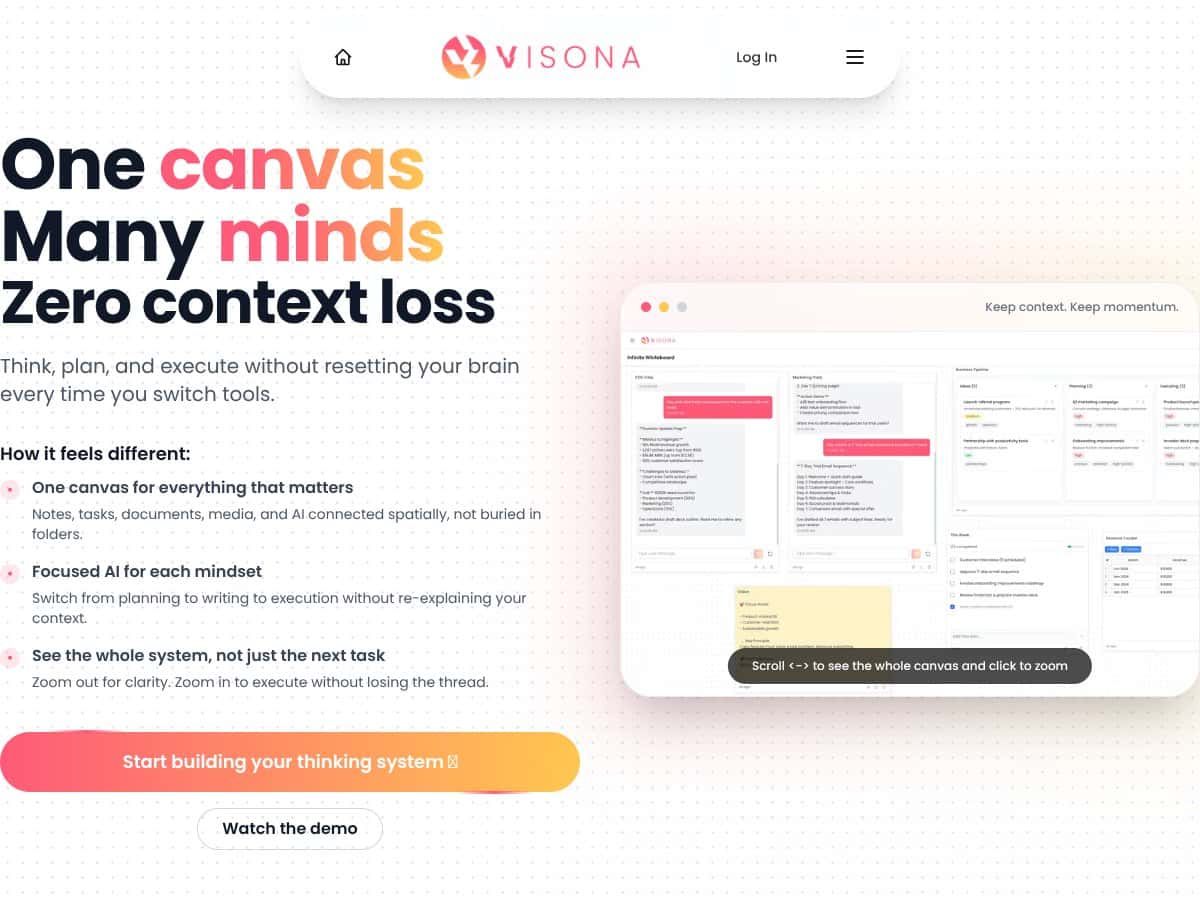
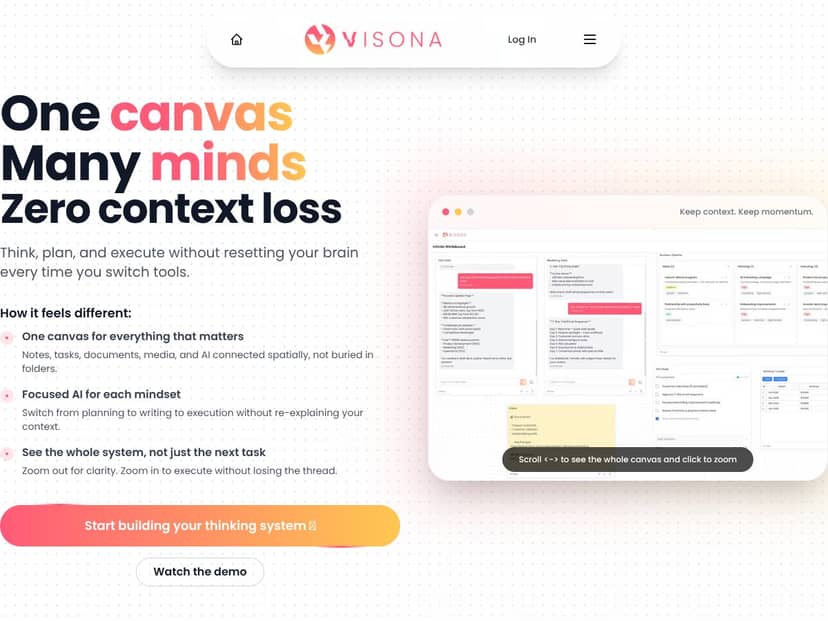
VISONA caught my eye because it’s not trying to be a traditional document workspace. It’s a digital canvas—basically an infinite whiteboard—that’s meant to hold the whole workflow in one visual space. In my test, the core value was how quickly I could zoom out to see the “map” of a project and then zoom back in to work on a single area without losing where I was.
Here’s how I understood the pitch after actually spending time in it: VISONA (often referred to around the product as Cortex for the canvas) is designed to unify notes, tasks, media, documents, and AI assistants on the same board. The big goal is to reduce context switching. Instead of bouncing between apps and tabs to remember what’s connected to what, you lay it out spatially and keep the relationships visible.
Now, one thing I want to be clear about: I didn’t find enough public details on the company itself (founders, team background, or a clear history of releases). So I treated this like an early-stage product. That matters, because early tools can feel awesome in demos and then stumble in real usage—especially around integrations, permissions, and reliability.
Also, VISONA isn’t trying to replace everything that tools like Notion or Miro do. In my experience, it’s more like “a canvas that might eventually replace parts of those tools” rather than a drop-in replacement today. If you’re expecting a fully polished, mature app with zero rough edges, you’ll probably be disappointed. If you’re willing to experiment and build your own workflow on top of it, it can feel surprisingly practical.
VISONA - The most powerful canvas Pricing: Is It Worth It?
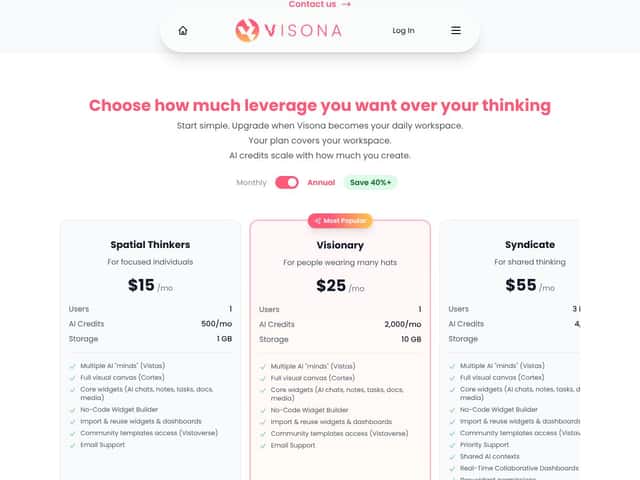
| Plan | Price | What You Get | My Take |
|---|---|---|---|
| Free Tier | Free |
- Access to core features - Basic widgets and AI chat - Limited workspace (unspecified storage) - Community templates |
Good for testing the interface and whether the canvas workflow clicks for you. But I’d be cautious—free tiers usually come with AI credit and storage limits that can make longer projects feel annoying. |
| Spatial Thinkers | $15/month per user |
- 1 AI credit per 500/month (scalable) - 1 GB storage - Multiple AI “minds” (Vistas) - Full visual canvas (Cortex) - Core widgets (AI chats, notes, tasks, docs, media) - No-code widget builder - Community templates access |
The base paid plan makes sense if you’ll actually use the canvas and the AI widgets. The storage limit is the first thing I’d worry about if you plan to drop lots of files or screenshots. |
Pricing-wise, $15/month isn’t crazy for an AI + canvas workspace. But the part that can sneak up on you is the AI credit model. In my testing, the AI features were easy to trigger accidentally—like when you’re iterating on prompts, rewriting sections, or asking for “summaries” repeatedly. If VISONA doesn’t make credit usage super obvious, you can end up thinking you’re using it casually… and then realize you’re burning through credits faster than you expected.
On top of that, the 1 GB storage cap on the base plan is tight if you upload media, attach documents, or store lots of images. In a normal workflow, it doesn’t take long for “just a few files” to become “okay, why is my storage almost full?”
One more thing: I didn’t see clear, detailed info about things like what happens when you hit credit limits mid-month or whether there are overage charges. That’s the kind of policy detail that matters a lot once you’re paying. If VISONA doesn’t clearly show credit consumption and enforcement rules, you’ll want to test it before committing long-term.
Bottom line for value: if you need a visual workspace with AI widgets and you’ll use it daily, it can be worth it. If you’re mostly document-driven, or you hate the idea of usage-based costs, you might want to wait or compare harder.
The Good and The Bad
What I Liked (and what I actually noticed)
- Spatial organization of ideas: The “zoom out for context, zoom in for focus” feeling is real. When I laid out a workflow map (sections for intake, drafting, review, and export), I could jump between areas without losing the overall structure. That’s the kind of benefit you only notice after you stop using tabs for everything.
- Role-specific AI Vistas: I tested the idea of switching AI “minds” for different tasks (for example, one mindset for turning messy notes into an outline, and another for rewriting in a more polished tone). The useful part wasn’t just different writing styles—it was that I didn’t have to restate context as much when moving from one step to the next. That said, I still had to verify what context was retained (more on that below).
- Unified workspace: Having notes, tasks, docs, and media on the same canvas reduced my “where is that thing?” moments. I didn’t have to maintain mental breadcrumbs across separate apps.
- Reusability and sharing: When I built a small dashboard layout (a widget cluster for “status,” “next actions,” and “links”), it was straightforward to reuse it as a template for another canvas area. Community templates also helped me get started faster than designing everything from scratch.
- Tool connections feel practical: The concept of connecting tools like Gmail, Google Docs, Jira, and Discord is promising. In my test, I focused on seeing whether integrations actually pulled content into the canvas workflow (not just linking out). Some setups worked cleanly, but I still ran into limitations around what could sync vs. what needed manual handling.
What Could Be Better (with specifics)
- Limited user reviews and real-world feedback: I couldn’t find enough independent feedback to confidently say how stable this is long-term. That’s not a dealbreaker for me when I’m experimenting, but it does mean you should expect rough edges.
- AI credit transparency: The biggest “wait, how much did that cost?” moment happened when I ran multiple AI iterations back-to-back. VISONA may show usage clearly in some places, but I didn’t see a super obvious breakdown during my workflow. If you’re planning to use AI heavily, you’ll want to test credit consumption early and often.
- Collaboration feels basic: The collaboration experience I saw wasn’t on par with tools built specifically for team editing. Presence indicators and permissions exist, but conflict handling and simultaneous editing weren’t as smooth as I’d expect from something like Figma/Miro-style collaboration.
- UX quirks with the spatial model: The canvas approach is powerful, but it’s also easy to get “lost” if you’re not used to it. I noticed a learning curve around navigation, snapping/positioning behavior, and the general muscle memory of creating and moving widgets quickly.
- Missing or unclear integration depth: It’s one thing to have “connections” and another to have real two-way sync and reliable permissions. In my test, I ran into areas where I could connect or link, but I couldn’t fully automate the workflow the way I can with mature tools.
- Pricing details aren’t fully spelled out: I couldn’t confirm exactly what happens when you run out of AI credits mid-month, or whether you get throttled, blocked, or forced into an upgrade. That’s a big unknown if you’re budgeting.
Who Is VISONA - The most powerful canvas Actually For?
In my opinion, VISONA is best for people who think visually and don’t want to keep translating their work into folders and linear page hierarchies. If your workflow is non-linear—where you bounce between ideas, tasks, references, and drafts—this canvas style is a natural fit.
What I actually built in my test was a mini workflow board: one section for incoming ideas, another for “work-in-progress” tasks, and a third for outputs (drafts + links). I used AI widgets to turn rough notes into structured outlines and then refined those drafts in place on the canvas. The spatial layout made it easy to see what led to what.
I also used the role-based AI angle in a practical way: I’d generate an outline first, then switch to a different AI “mind” to rewrite the content for clarity and tone. That reduced the amount of re-explaining I had to do each time—at least compared to starting fresh in a separate chat every step.
If you’re the kind of person who likes to keep everything visible—dependencies, context, references—VISONA will probably feel more “alive” than a static document workspace.
Who Should Look Elsewhere
If you live inside traditional documents and you love hierarchical folder structures, VISONA might feel like overkill. The spatial canvas can be slower to organize at first, and if you don’t enjoy that style, you’ll probably fight it.
Also, if your biggest requirement is deep automation, enterprise-grade admin controls, or rock-solid, mature integrations, I’d be careful. I didn’t see enough evidence that VISONA is fully there yet—especially around advanced syncing, API depth, and long-term operational reliability.
For casual users who just want a simple task list, the canvas + AI setup could feel like too many moving parts. And if your team needs high-fidelity real-time collaboration with strong permission granularity, you may find the current collaboration experience limiting.
Finally, if you’re sensitive to ongoing costs or you don’t want usage-based surprises, you should test the free tier long enough to understand AI credit behavior before you pay.
How VISONA - The most powerful canvas Stacks Up Against Alternatives
Notion
- What it does differently: Notion is built for documents, databases, and structured pages. VISONA leans more into spatial mapping—so instead of “nested pages,” you get “connected areas” on an infinite canvas.
- Price comparison: Notion personal plans start around $8/month, and team pricing is often in the $10–$20/user/month range. VISONA’s $15/month per user is in the same ballpark, but it’s paying for a different workflow style (canvas + AI widgets).
- Choose this if... you want deep database features, structured documentation, and a familiar page hierarchy.
- Stick with VISONA if... you want to reduce context switching and keep your work visually mapped, with AI helping inside the board.
Miro
- What it does differently: Miro is a whiteboard first—great for brainstorming and team diagrams. VISONA feels more like a workspace that tries to also handle tasks, notes, and AI-driven writing.
- Price comparison: Miro commonly starts free with limited boards, and paid plans start around $8/user/month. VISONA’s pricing can be higher depending on how you use AI, but it’s aiming for “one place” instead of “whiteboard plus everything else.”
- Choose this if... you mainly need collaborative visual brainstorming and flowcharts.
- Stick with VISONA if... you want a single canvas that includes tasks, docs, media, and AI widgets tied to your workflow.
FigJam
- What it does differently: FigJam is design-adjacent and quick for sketches and workshops. It’s not really trying to be your full project management brain.
- Price comparison: FigJam is bundled with Figma Professional (often around $12/month). VISONA’s $15/month is paying specifically for the canvas + AI workflow experience.
- Choose this if... design collaboration and quick whiteboarding are your main needs.
- Stick with VISONA if... you want spatial planning that also supports writing, tasks, and AI assistance in one space.
ChatGPT Canvas
- What it does differently: ChatGPT Canvas is focused on AI-assisted writing/coding and idea mapping inside a conversational product. VISONA is broader: it’s meant to be a full workspace with widgets, media, and a spatial project layout.
- Price comparison: ChatGPT is often free or included via subscription, but it doesn’t replace a dedicated multi-widget canvas workspace.
- Choose this if... you want AI help quickly without managing a full workspace.
- Stick with VISONA if... you want a spatial environment where AI, tasks, and documents live together.
Bottom Line: Should You Try VISONA - The most powerful canvas?
I’m giving VISONA a 7/10 based on what I saw in my test. It genuinely feels built for visual thinkers, and the spatial workflow can reduce context switching in a way that’s hard to replicate in linear apps.
But it’s still early. The UX learning curve is real, collaboration isn’t fully “team-smooth” yet, and the biggest uncertainty for me is how transparent and predictable the AI credit usage is during real, repeated work.
If you’re building projects that benefit from mapping ideas visually—especially if you’ll use AI inside the workflow—then it’s worth trying the free tier first. If it fits and you’re comfortable with the potential credit-based costs, the paid plan could be a solid upgrade.
However, if you mainly need traditional document management, mature integrations, or advanced collaboration controls, you’ll likely be happier with Notion, Miro, or other established tools.
My honest take: VISONA is exciting, but it’s not “set it and forget it” yet. If you like experimenting and building your own system, you’ll probably enjoy it.
Common Questions About VISONA - The most powerful canvas
Is VISONA - The most powerful canvas worth the money?
It can be, especially if you’re the type of person who benefits from spatial organization and you’ll actually use the AI widgets inside the canvas. I’d still test the free tier first to see whether the AI credit usage and workspace limits match how you work.
Is there a free version?
Yes, there’s a limited free tier. In my view, it’s mainly for getting comfortable with the interface and the canvas workflow—not for running long, AI-heavy projects.
How does it compare to Notion?
Notion is stronger for structured documents and database-heavy work. VISONA is stronger for visual mapping and multi-step workflows where you want everything connected in one space, with AI support built into the canvas.
Can I get a refund?
Refunds depend on the platform and purchase terms. If you’re considering a paid plan, check the terms where you sign up—most services have a window where refunds are possible if you request them soon after purchase.




