Table of Contents
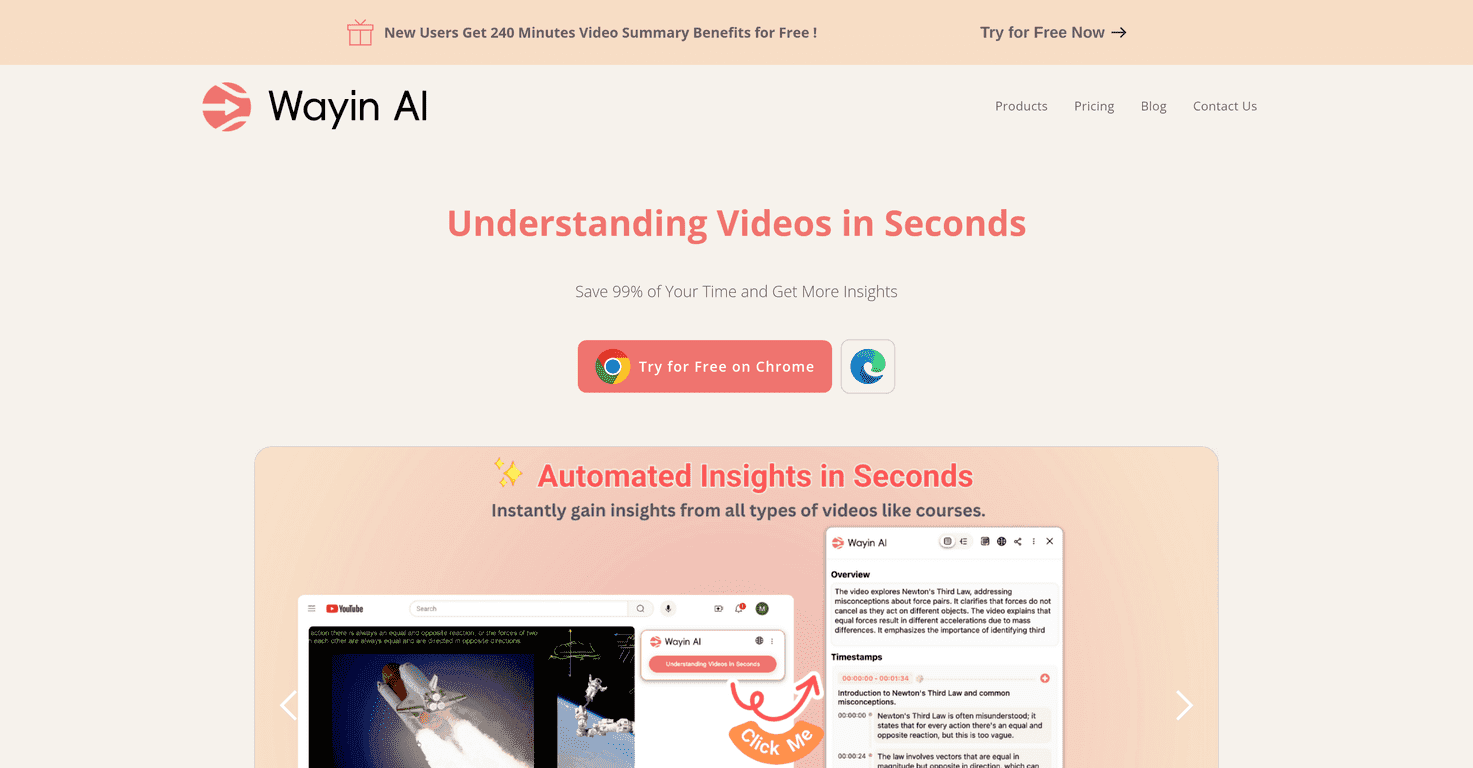
I’ve got a pretty simple rule with video: if I can’t find the point fast, I lose interest. That’s why I was curious about Wayin AI—it’s basically built to turn long videos into summaries and quick answers so you don’t have to sit through everything just to get to the useful part.
In my experience, the most frustrating part of video learning isn’t the watching. It’s the “wait… where did they mention that?” moment. Wayin AI tackles that by summarizing video content and letting you interact with it in a way that feels more like searching than watching.
And yes, the interactive Q&A is the feature I kept coming back to. If you’ve ever paused a video, rewound three times, and still weren’t sure what a certain segment meant—this is the kind of thing that could save you a lot of time. You can even screenshot a moment and ask a question about that specific part. Pretty handy, especially for tutorials and lectures.
Wayin AI Review: What It’s Like Using It
Let me be real—most “video summary” tools either give you something too vague or they summarize in a way that doesn’t help when you actually need an answer. Wayin AI feels more practical. You’re not just getting a random paragraph. You’re getting a way to navigate what’s happening in the video.
Here’s what I noticed right away when I tried it with longer content (think online courses, webinars, and news recap videos): the summary is designed to help you get the gist quickly. If you’re skimming before you commit to watching, that’s a big deal. I’m usually looking for three things: the main takeaway, any key steps, and the “so what?” part. Wayin AI mostly hits those.
Another thing that stood out: the interface doesn’t feel like you’re fighting it. It’s straightforward enough that you can use it without spending 20 minutes figuring out where everything is. And when you do want to go deeper, the Q&A makes it easier to zero in on specific parts.
Now, the screenshot chat option is where it gets fun. Instead of asking a broad question like “what did they say about X?”, you can capture the moment you care about and ask something more targeted. That’s especially useful for troubleshooting videos and step-by-step guides—because you’re not guessing which section contains the answer.
Key Features That Actually Matter
- Automated video summaries for quick understanding: You get digestible insights so you don’t have to watch every minute to follow the point.
- Multilingual support: Great if you’re consuming content in different languages (or you want summaries that aren’t stuck in English only).
- Interactive Q&A with a video bot: Ask questions about what’s in the video and get answers back instead of endlessly rewinding.
- Screenshot chat feature: Take a screenshot of the part you’re interested in and ask a question about that segment. This helps when you want context without hunting through timestamps.
If you’re using Wayin AI for learning, I’d recommend a simple workflow: skim the summary first, then use Q&A for anything you don’t fully understand. It saves time and keeps you from getting lost in the weeds.
Pros and Cons (My Honest Take)
Pros
- Time savings are real: Summarizing lengthy videos is the whole point, and it delivers when you’re trying to get through content quickly.
- Interactive Q&A makes it feel “searchable”: I didn’t just read a summary—I could ask follow-up questions.
- Screenshot-based questions are useful: When you care about a specific moment, this feature cuts down on guesswork.
- Multilingual support: Helpful for users who work with content across languages.
- Free trial available: Good way to test whether the summaries match how you learn.
Cons
- Quality can vary by video: If a video is fast-paced, full of jargon, or poorly recorded, the summary and answers may feel less accurate.
- Free plan limitations: You may hit feature or usage caps sooner than you’d like if you plan to process a lot of videos during the trial.
One more thing I’ll mention: like any AI summarizer, it’s not magic. It’s still worth double-checking important details—especially if you’re using it for something high-stakes (medical, legal, finance, etc.).
Pricing Plans: What You Get for the Money
Wayin AI’s pricing is pretty clear, and it scales depending on how much video you plan to summarize. Here’s the breakdown:
Free Plan: 240 minutes of video summaries, 20 in-depth understanding credits, and more. If you’re just testing it out or summarizing a couple videos, this is a solid starting point.
Standard Plan: $9.99/month. You get 3000 minutes of summaries and priority support. This feels like the “regular user” tier—people who summarize videos occasionally but not constantly.
Pro Plan: $39.99/month. You get 10000 minutes of summaries plus extensive credits and sharing features. If you’re processing lots of content (or you share results with a team), this is the one that makes the most sense.
Quick tip from me: before upgrading, estimate how many minutes of video you actually summarize per week. If you’re only doing a couple sessions, you might not need Pro.
Wrap up
Wayin AI is a practical tool if you watch (or study) a lot of video and you’re tired of wasting time. The summaries help you get the gist fast, and the interactive Q&A—especially the screenshot chat—makes it easier to get answers without digging through timestamps.
Is it perfect? No. The results can depend on the video itself, and the free plan won’t last forever if you’re heavy on usage. But for anyone who wants a smarter way to consume video content, it’s definitely worth trying—and in my experience, it saves time in a way that’s hard to ignore.
Promote Wayin AI