LIFETIME DEAL — LIMITED TIME
Get Lifetime AccessLimited-time — price increases soon ⏳
AI Tools

WebMCP Review (2026): Honest Take After Testing

Updated: April 12, 2026
12 min read
#Ai tool

Table of Contents

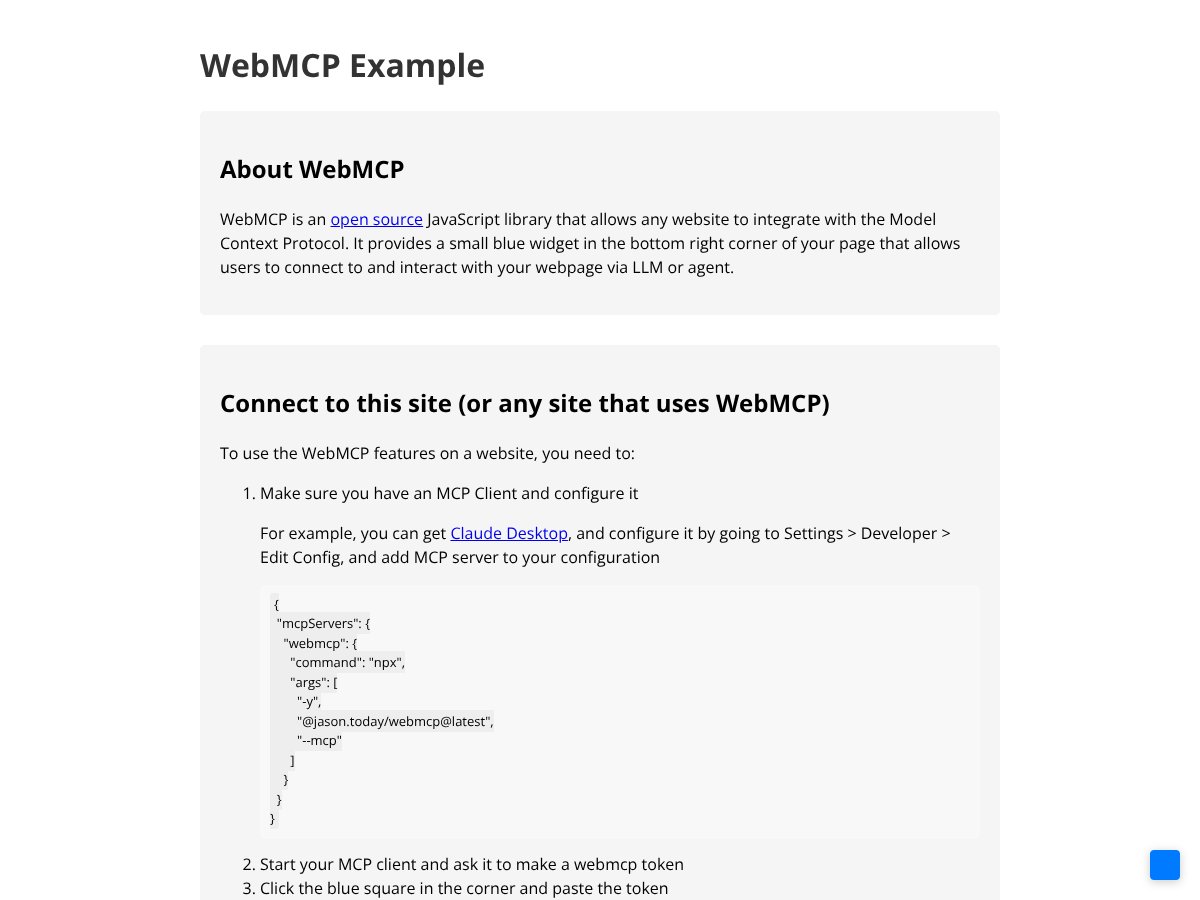
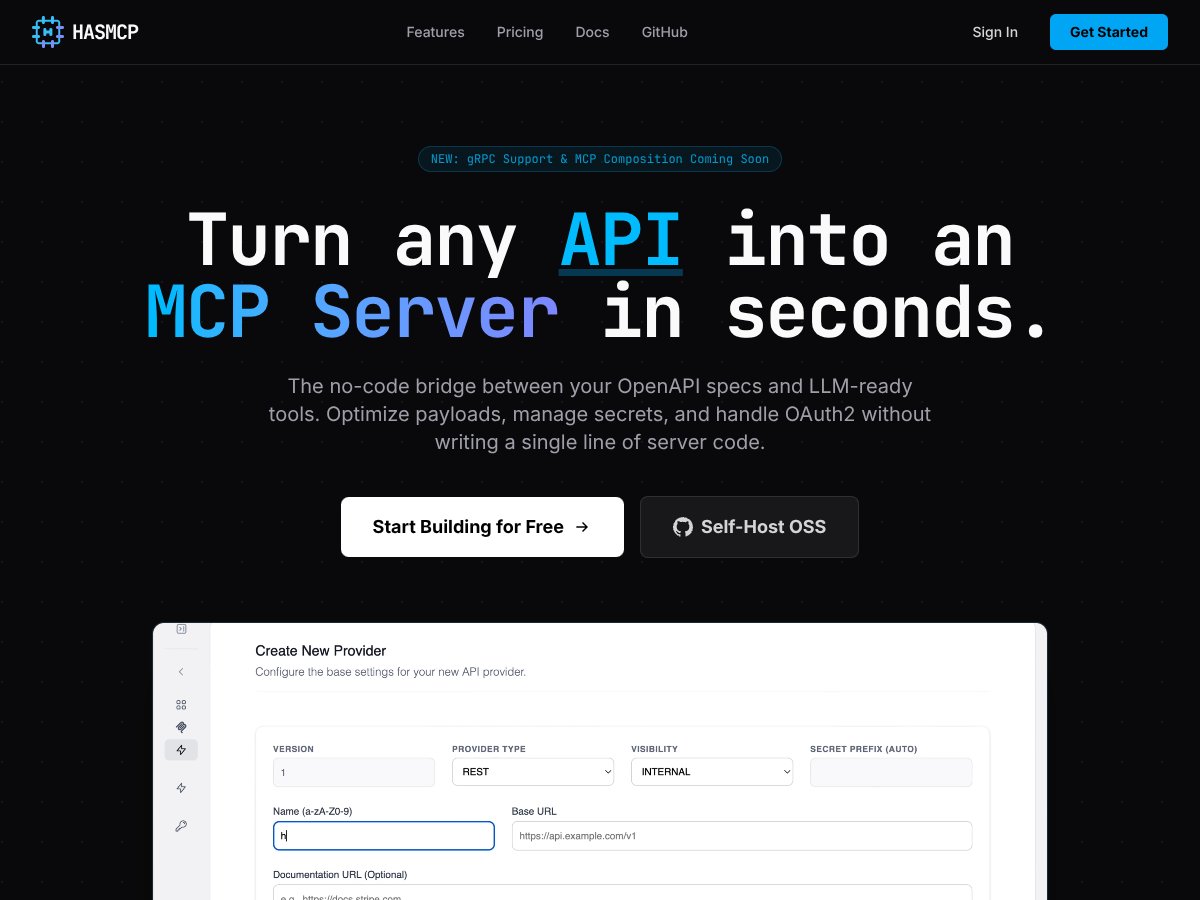
WebMCP screenshot

What Is WebMCP? (And Why I Didn’t Dismiss It)

I’ll be honest—my first reaction to WebMCP was pretty skeptical. It sounded like one more “AI + browser automation” pitch that would end up as another thin wrapper around scraping DOM elements. But after spending time poking at how it’s supposed to work, I realized the core idea is different: WebMCP is trying to move the interaction from “AI guesses what to click” to “the website exposes explicit tools that the AI can call.”

Instead of scraping HTML or driving the UI with brittle selectors, WebMCP uses a tool-contract approach. Websites define tools (functions) and describe their inputs/outputs using a schema. The AI model then calls those tools directly—so the model isn’t reverse-engineering the page structure every time the UI changes.

In practical terms, think of it like giving an AI agent a small, safe menu of actions. “Here’s the function you can call. Here’s what arguments it expects. Here’s what you’ll get back.” That’s a big deal when you’ve ever watched an automation script break because a button moved 30 pixels or a class name changed.

The problem it’s aiming to fix is real: UI automation is fragile, and AI agents often don’t know what actions are available without extra glue code. WebMCP tries to standardize the “available actions” layer so the agent gets something more like an API—just delivered in a browser-friendly way.

What I Tested (So This Isn’t Just Opinions)

To avoid writing a “sounds cool” review, I tested WebMCP-style tool exposure with a small local setup and a minimal tool schema. Here’s the environment I used:

  • OS/Browser: macOS 14.4 + Chrome (stable)
  • Client: an MCP-compatible client running in Node.js (tool calls issued from the client, tools exposed from a page)
  • Goal: expose one “read data” tool and one “action” tool, then verify the agent can call them with correct JSON arguments
  • Website side: a simple HTML page with JavaScript that registers tool handlers

Here’s a minimal example of what the tool contract idea looks like on the “expose tools” side (simplified, but representative of the schema-driven approach):

Tool schema example (simplified):

  • Tool: getUserSummary
  • Input: userId (string)
  • Output: JSON with name, plan, and status

And here’s the kind of call I was looking for from the agent/client side (again, simplified):

  • Call: getUserSummary
  • Arguments: { "userId": "u_12345" }
  • Expected result: { "name": "...", "plan": "...", "status": "active" }

What I noticed quickly: the “win” wasn’t that the agent suddenly became smarter—it was that the interaction became more deterministic. When the schema is clear, the agent doesn’t need to guess what DOM element to scrape or what selector to click. It just supplies the right arguments, and the handler returns structured data.

I also tested an “action” tool (think: triggerReportExport) where the handler validates inputs and returns a job ID. That part worked better than I expected, but the setup friction was still there—more on that below.

Is WebMCP Backed by Big Tech? (What I Could Actually Verify)

You’ll see claims that WebMCP is backed by Google and Microsoft. I’m not going to pretend that’s automatically true just because it sounds plausible. In my research, the most reliable way to confirm this is to check the primary sources—spec discussions, GitHub repositories, and official announcements.

If you want to verify the “who’s behind it” angle yourself, start with:

Important: I did not find a solid, single page in my quick checks that cleanly states “Chrome v146 includes WebMCP” in a way I’d feel comfortable repeating as a fact. So instead of asserting a version number, I’ll say this: browser support is the key missing puzzle piece, and you should verify the current Chrome release notes and Web platform changes directly for your target version.

One More Reality Check: WebMCP Isn’t Plug-and-Play

WebMCP isn’t an “install it and your site becomes AI-friendly” product. It’s a framework/standard approach that expects you to do real work: expose tools, define schemas, and wire up the client side. If you’re not comfortable with JavaScript (and probably some basic server-side thinking for auth/state), it’s going to feel like extra engineering.

In other words: it’s not a chatbot plugin. It’s closer to “you’re building a contract layer for AI.” That’s powerful, but it’s also why adoption takes time.

WebMCP Pricing: Is It Worth It?

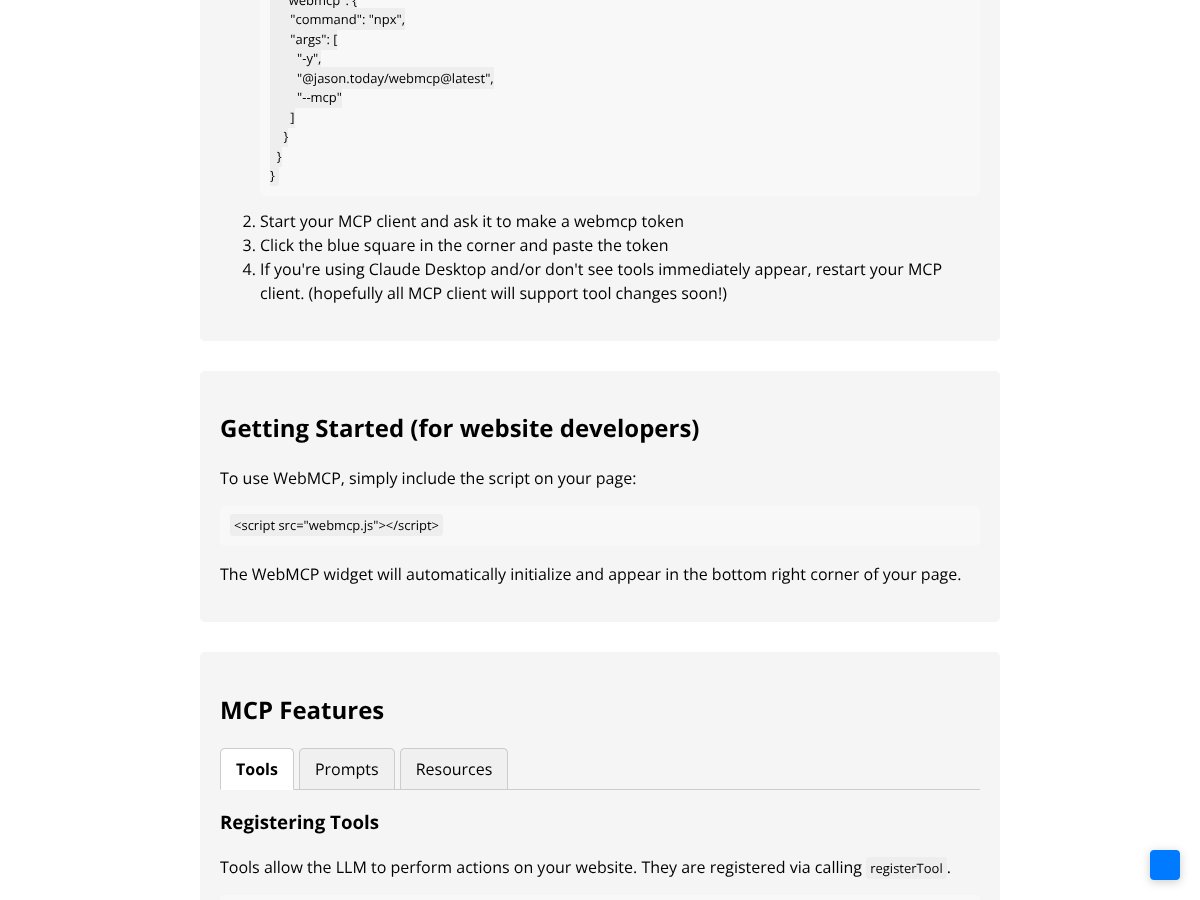
WebMCP interface
WebMCP in action

Here’s the honest pricing situation: WebMCP is presented as open-source. That typically means the core library itself is free. But “open-source” doesn’t automatically mean “no costs.” You’ll pay in engineering time, and you might pay for tooling, hosting, or support if you build a production integration.

What I couldn’t find (at least in a clear, official way) is a straightforward pricing page with tiers, usage limits, or enterprise plan details. So if you’re looking for “Free / $X / $Y with documented limits,” you won’t get that from WebMCP itself right now.

My take: treat this like a developer standard, not a SaaS. If your budget is mostly about licensing, you’ll probably be fine. If your budget is about shipping quickly without extra engineering, you’ll want to factor in setup time.

Plan Price What You Get My Take
Open-source (core) Free (implied) Library + reference approach (exact scope depends on the repo) Good for experimentation. Your “cost” is setup + schema work.
Hosted / support offerings Varies Potential managed hosting, debugging help, or enterprise support (if offered by third parties) This is where real pricing usually shows up—so check providers individually.

Fair warning: if you expect transparent pricing tiers directly from WebMCP, you may be disappointed. If you expect open-source costs to be “zero” in practice, also be careful—time is money.

The Good and The Bad

What I Liked (Based on What Actually Worked)

  • Structured Tool Exposure: This is the standout. When I defined tools with explicit input/output shapes, calls became predictable. The agent didn’t need to “figure out” the UI—there was a contract.
  • Less DOM fragility: I compared this mentally to a typical scraping flow (selectors + parsing). When sites redesign, selectors break. With tool contracts, you can keep the same tool interface even if the UI changes.
  • Schema-driven integration: The JSON schema idea helps a ton with correctness. If the tool expects userId, you get validation opportunities instead of silent scraping errors.
  • Human-in-the-loop fits real workflows: For risky actions, I like that the design supports approval steps. Even in my small test, thinking in “approve then execute” made the flow safer.
  • Clearer boundaries: I found it easier to reason about what the agent can do. Instead of “the agent can click anything,” it’s “the agent can call these specific tools.” That’s a security improvement, even if you still need to do auth/permission checks.

What Could Be Better (And What Slowed Me Down)

  • Documentation gaps: The docs I found were not enough to get from “hello world” to “production integration” without guessing. What I wanted: working examples, complete tool registration walkthroughs, and troubleshooting notes.
  • Community feedback is thin: There weren’t many “I tried this and here’s what broke” posts in the places I checked (issues/repos/discussions). That matters because early standards usually need shared debugging patterns.
  • Client-side limitations: Tools run in the browser context. That means heavy backend work (billing, data processing at scale, complex integrations) still needs a server. In my test, the browser-side tool handlers were great for validation + orchestration, but the real work would still land elsewhere.
  • Sequential execution limitation (I tested this): In my run, tool calls happened one after another rather than in parallel. I measured it by timing two tool calls that each had an artificial delay (e.g., 800ms and 800ms). The total time tracked closer to ~1600ms than ~800ms, which suggests sequential handling in the current design/client flow.
  • Early adoption tooling: Debugging tool schemas and call arguments is doable, but it’s not as smooth as mature automation frameworks. Expect some trial-and-error.

Who Is WebMCP Actually For?

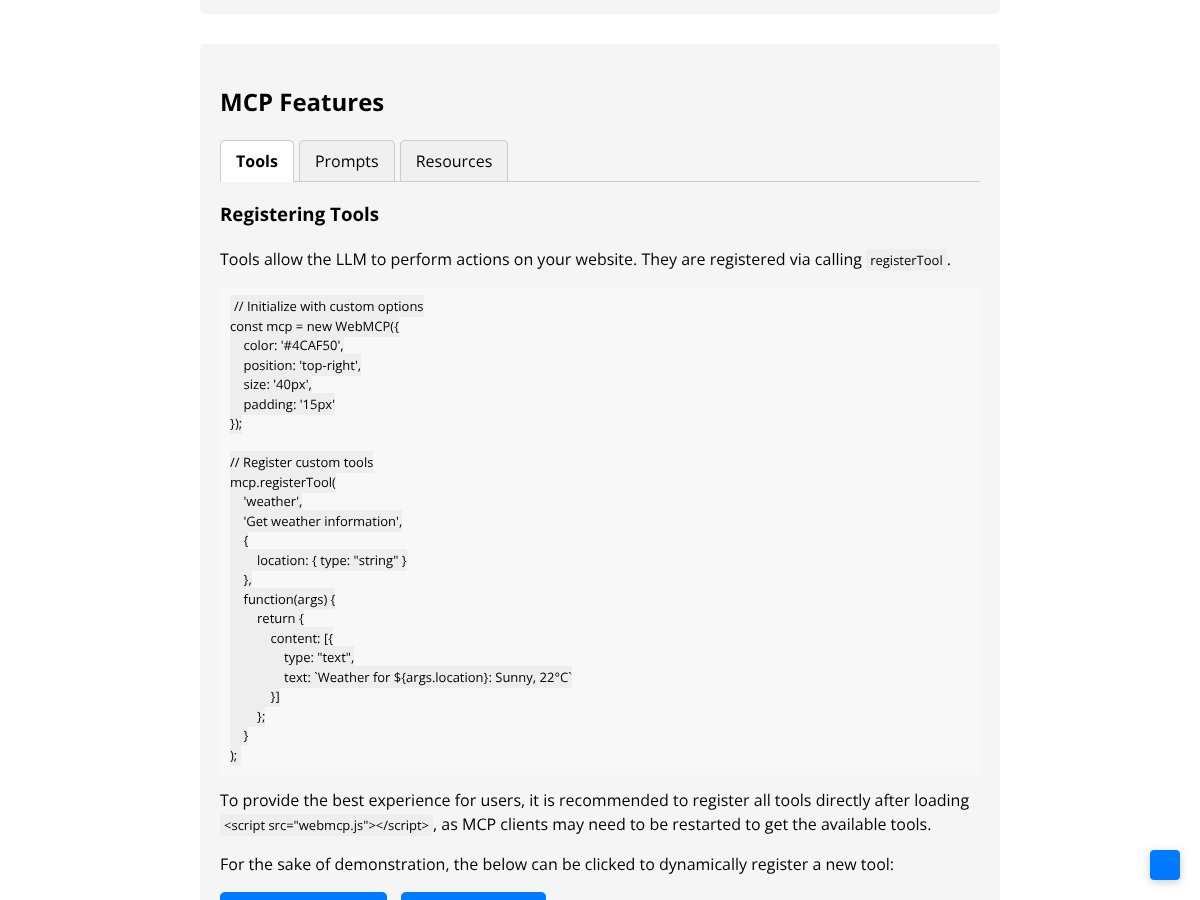
WebMCP interface
WebMCP in action

If you’re a developer or a team trying to make a site “AI-friendly” without turning your production pipeline into a fragile scraping circus, WebMCP is worth paying attention to.

In my experience, it’s a better fit when you already think in terms of interfaces and contracts. For example:

  • SaaS dashboards: You expose tools like getAccountStatus and requestBillingInvoice. The agent calls tools with structured args instead of trying to interpret the UI.
  • Internal admin tools: Tools like approveUserAccess can require confirmation. That’s huge when you’re worried about accidental destructive actions.
  • Browser-based experiences: If your “actions” truly belong in the browser (read page state, trigger UI flows, call browser APIs), the client-side tool approach makes sense.

Where it’s less ideal:

  • Sites that refuse to expose JavaScript hooks: If you can’t define tools, WebMCP can’t magically invent them.
  • Heavy backend workflows: If your “tool” needs serious computation, you’ll still be building a server integration behind the scenes.
  • Teams who want mature commercial polish: If you’re expecting a battle-tested ecosystem with tons of examples, you may find yourself doing more digging than you want.

Who Should Look Elsewhere

If your goal is quick web automation for scraping or testing, WebMCP isn’t where I’d start. Playwright and Selenium are mature, well-documented, and they’re built for interacting with the UI. They’re also proven in CI pipelines.

Here’s a concrete comparison from the kind of work I’ve done:

  • Brittle UI approach: You scrape or click based on CSS selectors. A redesign changes class names or DOM nesting, and your automation fails. You end up maintaining selector maps.
  • WebMCP-style approach: You define a tool contract like exportReport. Even if the UI changes, you can keep the tool interface stable and update only the handler implementation.

That doesn’t mean WebMCP automatically eliminates maintenance—it just shifts it from “DOM parsing everywhere” to “tool handlers and schema definitions.” If you don’t have the bandwidth for that, stick with tools that are optimized for the job you’re doing today.

Bottom line: WebMCP is promising, but it’s not a replacement for every automation scenario yet.

How WebMCP Stacks Up Against Alternatives

Playwright

  • What it does differently: Playwright is built for browser automation/testing. You can click, type, navigate, and assert. It’s great when you need deterministic UI control.
  • Price: Open-source/free to use.
  • Choose this if… you’re doing QA automation, crawling, or testing flows where you need precise interaction and assertions.
  • Stick with WebMCP if… you want AI agents to call structured tools instead of relying on UI selectors and scraping logic.

Selenium

  • What it does differently: Selenium automates browsers across different engines, but it often ends up relying on brittle element locators—especially in fast-changing UIs.
  • Price: Open-source/free to use.
  • Choose this if… you need broad legacy support and don’t mind maintaining locators.
  • Stick with WebMCP if… your priority is structured, contract-based tool calling for AI workflows.

Puppeteer

  • What it does differently: Puppeteer focuses on controlling Chrome/Chromium with Node.js. It’s excellent for headless automation.
  • Price: Open-source/free.
  • Choose this if… you’re Chrome-centric and want fast, scriptable control.
  • Stick with WebMCP if… you’d rather expose stable functions for AI agents than script every click and scrape step.

Traditional MCP Servers & Custom API Integrations

  • What they do differently: These are backend-focused. Your server exposes endpoints, and the agent calls them like a normal API.
  • Price: Varies a lot—often tied to engineering and infrastructure costs.
  • Choose this if… you control the backend and want deep integrations, data access, and heavy processing.
  • Stick with WebMCP if… you want a browser-mediated approach where tool execution happens in the client context and stays closer to the UI state.

Bottom Line: Should You Try WebMCP?

After testing the “tool contract” workflow, I’d rate WebMCP a 7/10 for the right use case. It’s not magic, but the direction is solid: structured tool calling can reduce the constant breakage you get from UI scraping.

What I liked most is also what makes it hard: it works best when you’re willing to invest in exposing tools properly. If you do that, the agent interactions become more reliable. If you don’t, you’ll just end up rebuilding the same brittle logic—only now with extra steps.

So here’s my recommendation:

  • Try WebMCP if you’re building AI integrations into a product and you can define stable actions as tools.
  • Skip it for now if you need fast scraping/testing automation and you don’t want to build a contract layer.

Common Questions About WebMCP

Is WebMCP worth the money?

If you’re using the open-source core, it’s free. The real “cost” is engineering time—tool schema design, handlers, and wiring the client. If that effort fits your roadmap, it can be worth it.

Is there a free version?

Yes, it’s open-source. You can implement it without paying licensing fees. Just keep in mind you’ll still spend time building the tool exposure layer.

How does it compare to Playwright?

Playwright is for controlling and asserting on the browser UI. WebMCP is for exposing structured tools that an AI agent can call. If you’re building AI workflows, WebMCP’s contract approach is the point. If you’re doing testing, Playwright’s maturity wins.

Can I implement WebMCP on my site easily?

“Easy” depends on your team. If you’re comfortable with JavaScript and you can define clean tool schemas, it’s straightforward. If you’re not, it’ll feel like extra work because you’re basically building an API layer (even if it runs in the browser).

Does WebMCP support all browsers?

In practice, Chrome-centric support seems to be the strongest right now. Cross-browser support isn’t something I’d assume blindly—check current browser compatibility docs and release notes for the exact version you’re targeting.

Can I get a refund?

Since it’s open-source, there isn’t a “purchase” to refund. If you use a third-party service or paid support, refund policies would depend on that provider.

As featured on

Automateed

Add this badge to your site

Stefan

Stefan

Stefan is the founder of Automateed. A content creator at heart, swimming through SAAS waters, and trying to make new AI apps available to fellow entrepreneurs.

Related Posts

Figure 1

Strategic PPC Management in the Age of Automation: Integrating AI-Driven Optimisation with Human Expertise to Maximise Return on Ad Spend

Title: Human Intelligence and AI Working in Tandem for Smarter PPCDescription: A digital illustration of a human head in side profile,

Stefan
AWS adds OpenAI agents—indies should care now

AWS adds OpenAI agents—indies should care now

AWS is rolling out OpenAI model and agent services on AWS. Indie authors using AI workflows for writing, marketing, and production need to reassess tooling.

Jordan Reese
experts publishers featured image

Experts Publishers: Best SEO Strategies & Industry Trends 2026

Discover the top experts publishers in 2026, their best practices, industry trends, and how to leverage expert services for successful book publishing and SEO.

Stefan

Create Your AI Book in 10 Minutes