Table of Contents

What Is WiiZ Altas 2.0 (Public Beta)? My Take After Testing
I went into WiiZ Altas 2.0 (Public Beta) pretty skeptical, if I’m being honest. I’ve seen enough “agent orchestration” dashboards that look great in screenshots but fall apart the moment you run real workflows. So I asked myself the obvious question: is this actually useful for managing ML experiments, or is it just another UI layer?
After poking around and running a few end-to-end checks in the beta, here’s how I’d describe it. WiiZ Altas 2.0 is positioned as an orchestration + experiment management layer that sits on top of your existing stack. Instead of replacing everything (like Kubeflow or SageMaker), it focuses on letting you build workflows, run them, and monitor them from one place—especially when those workflows involve multiple steps and multiple “agents” or components.
The UI does push you toward a workflow-first mindset. You’re not just logging runs—you’re wiring tasks together (ingest → process → train/evaluate → produce artifacts) and then overseeing execution. It also leans into “multimodal” support, meaning you can bring in different input types (text and images at minimum, plus other media categories depending on what’s enabled in the beta) and have the system treat them as part of the same pipeline.
Now, one thing I’m not going to gloss over: the “who’s behind it” part. When I checked the site, I didn’t see a clear company/team page with named founders, leadership, or detailed backing. That doesn’t automatically mean it’s bad—but for a beta tool that touches infrastructure and governance, I personally want more transparency than I found during my review.
And yes, it’s still a public beta. So I kept my expectations grounded. Some parts feel like they’re still being shaped, and that shows up in the rough edges you’d expect (docs that aren’t fully fleshed out, a few workflow behaviors that aren’t consistent yet, and limited clarity around some operational edge cases).
Fair warning: if you want a full replacement for a full ML platform (model registry, deployment, governance, pipelines, etc.), this isn’t that. It’s more like an orchestration layer with experiment-management features—useful, but not a turnkey “everything ML” suite.
Key Features of WiiZ Altas 2.0 (Public Beta)

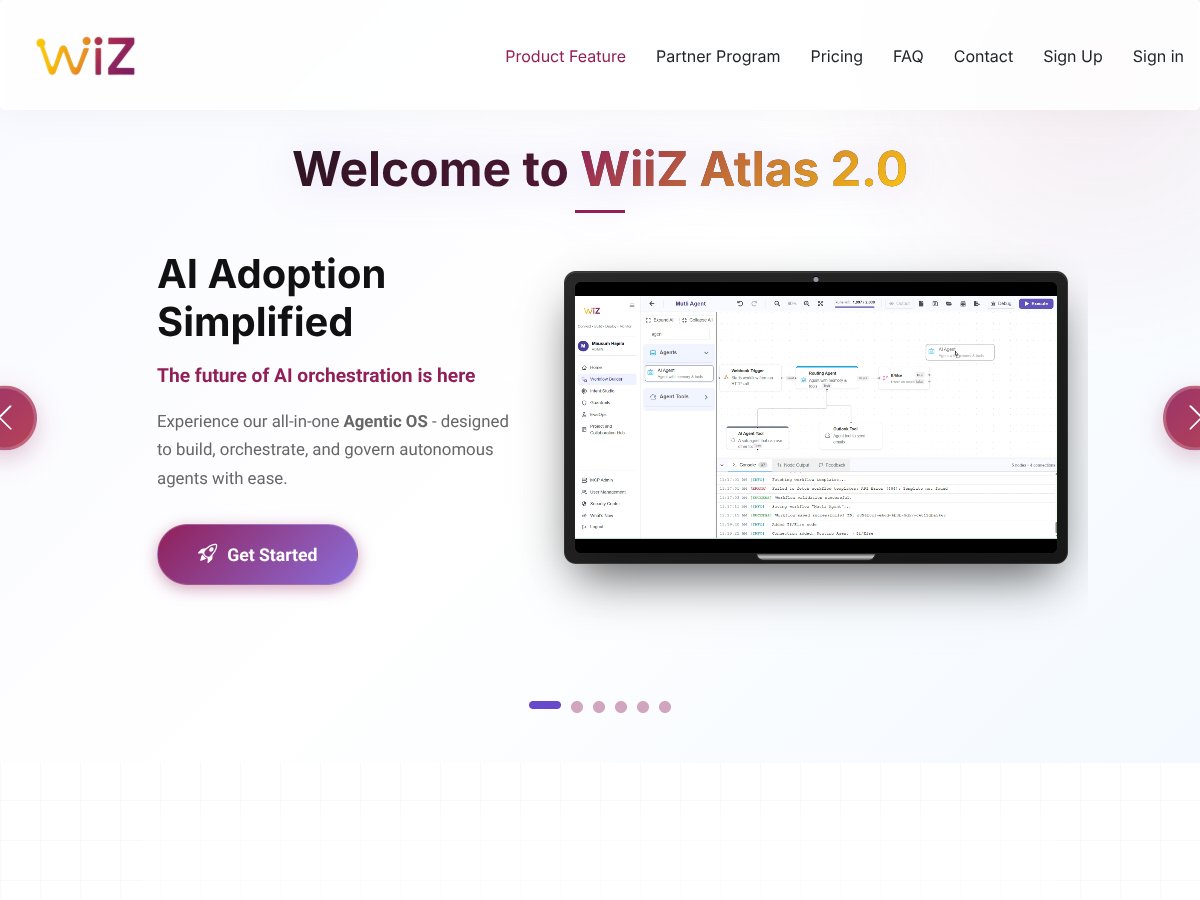
AI Adoption Simplified (But Don’t Expect Magic)
There’s a clear push here toward making AI workflows less painful to start. In practice, the “simplified” part shows up in the UI flow: you select/build components and then run the workflow without having to wire every last detail manually.
What I could test (and what I couldn’t) matters. I was able to validate the basic workflow creation → execution → monitoring loop, but I didn’t find enough public beta documentation (or stable enough behavior) to confidently benchmark “time-to-first-success” across lots of configurations. In other words: it’s easier to get moving than raw orchestration scripts, but it’s not “press a button and forget it” yet.
Agentic AI Workflow Builder (Drag-and-Drop, With Limits)
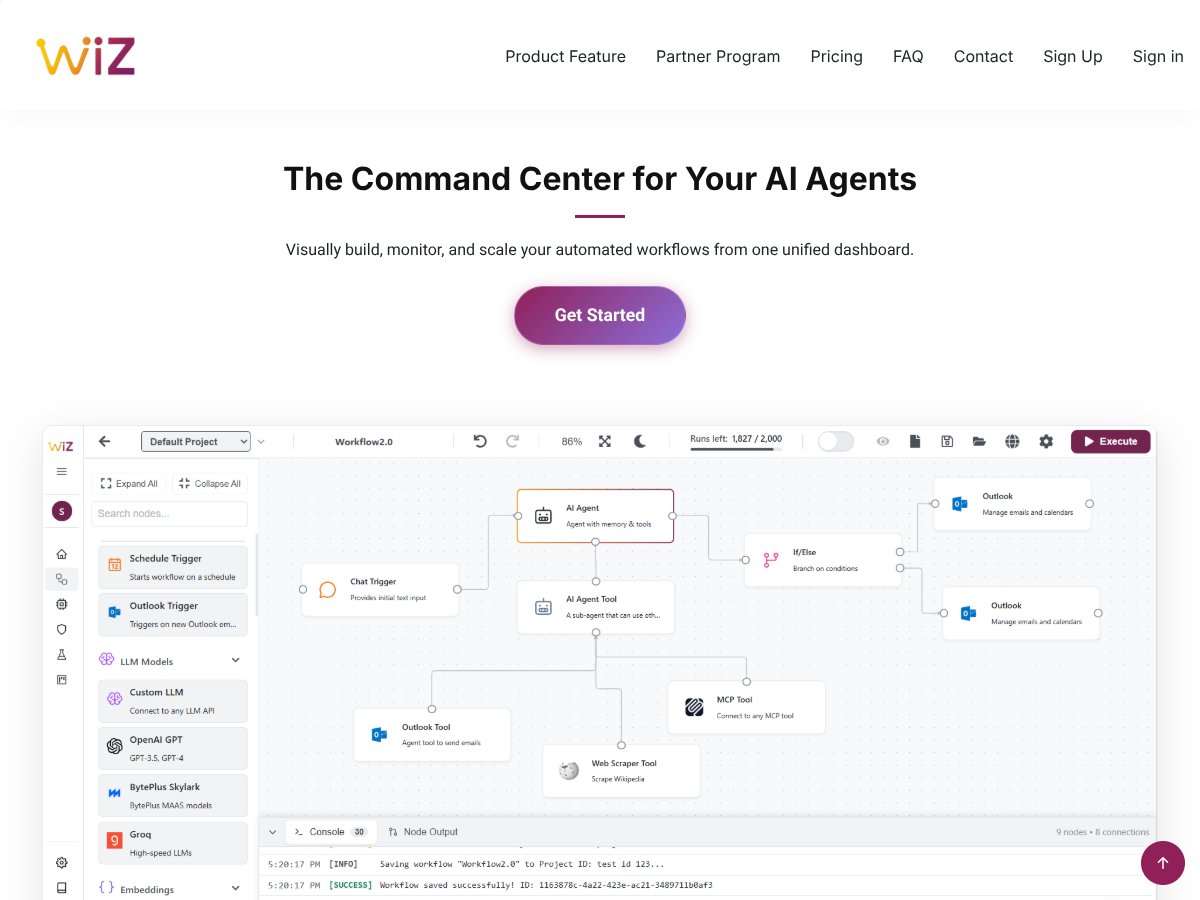
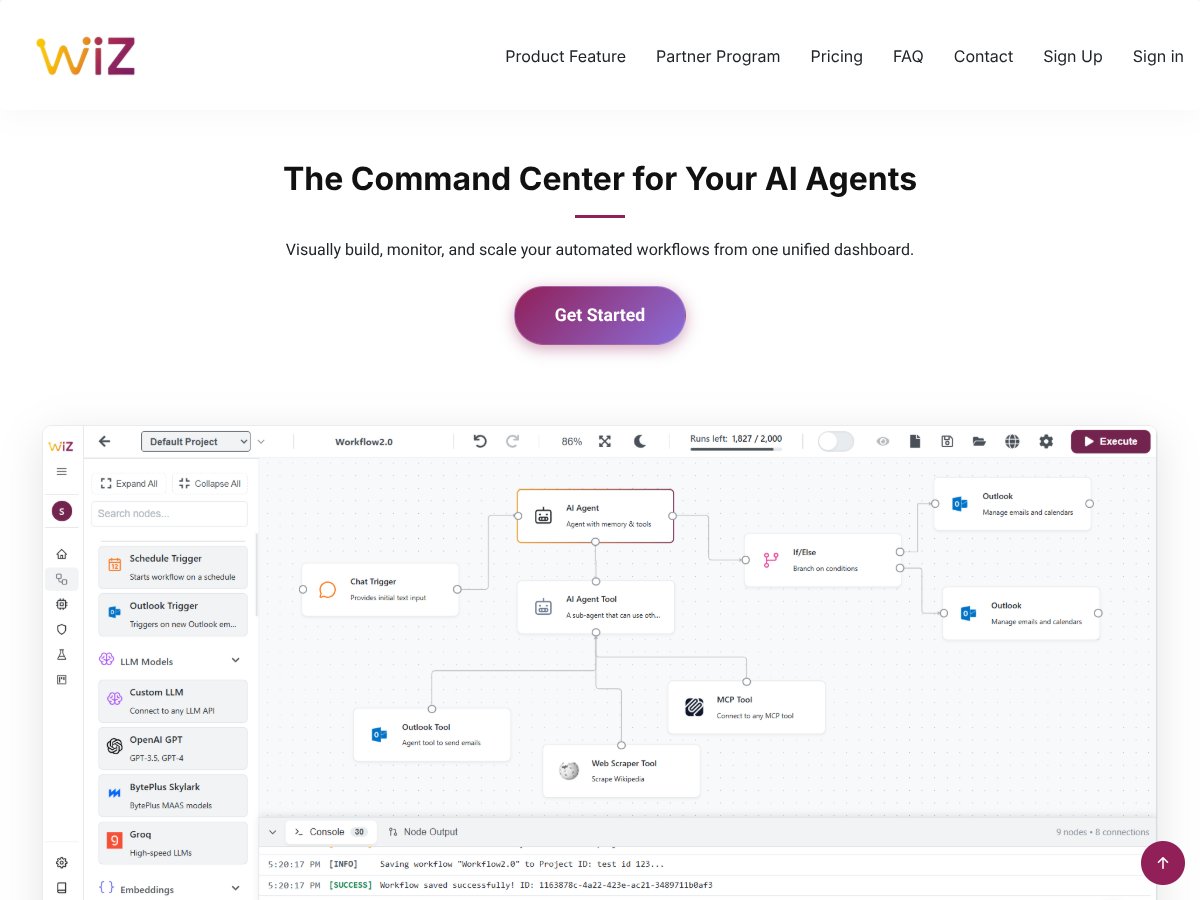
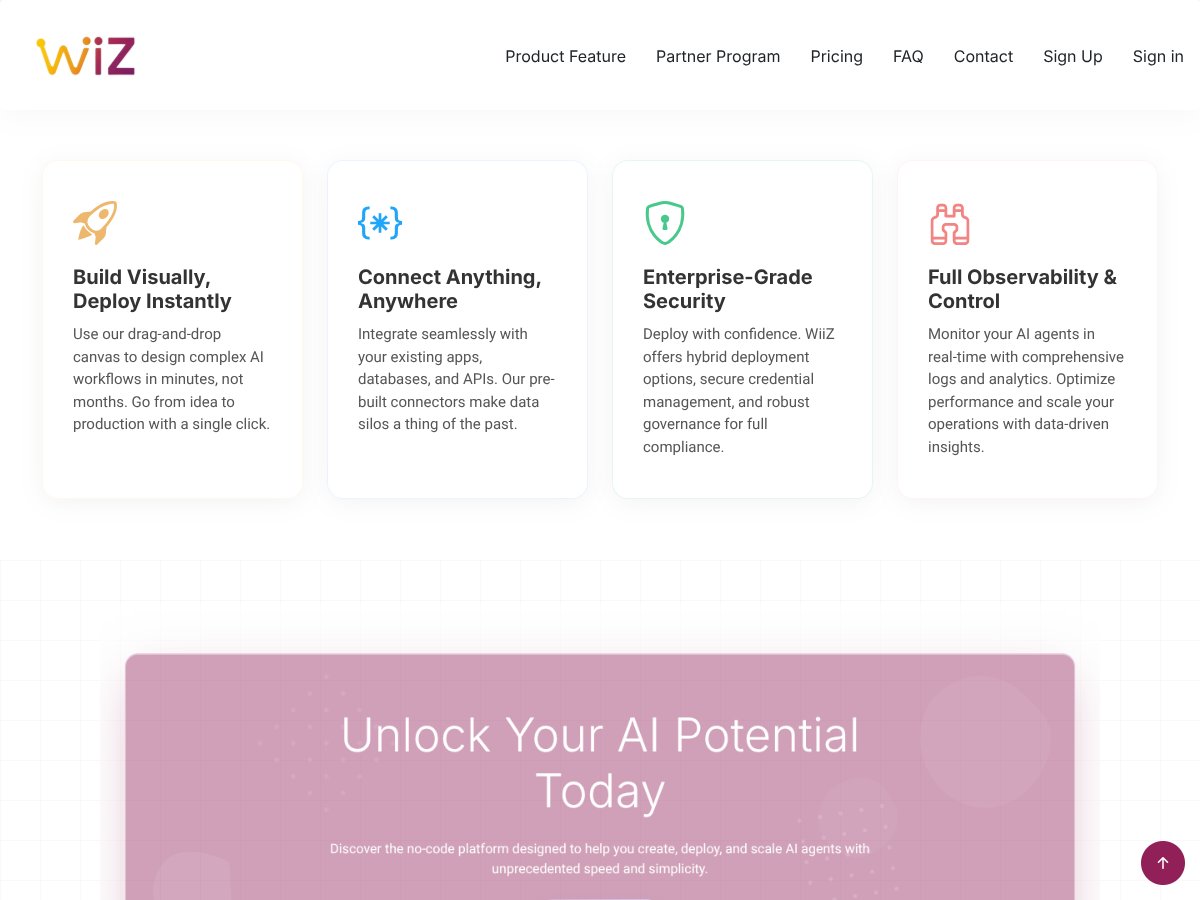
The drag-and-drop workflow builder is the centerpiece. I built a couple of simple multi-step pipelines by connecting components visually (data ingestion, a processing step, then an evaluation-ish step that outputs artifacts). The experience is smoother than I expected—especially if you’re used to hand-editing pipeline YAML.
Here’s the thing though: the templates and components are helpful, but they’re not infinitely flexible. When I tried to customize behavior beyond what the template exposed, I had to drop into code or configuration-level changes. That’s fine if you’re an engineer, but it’s not “true no-code.” If you’re hoping to avoid any scripting entirely, you’ll likely hit a wall sooner than you want.
Also, in beta, I noticed that some component settings don’t behave exactly the same way across environments. I saw this when I moved from one environment context to another (more on that below), and it made the workflow builder feel a bit less “drag-and-drop reliable” and more “drag-and-drop, then verify.”
Multi-Agent Orchestration (Useful… But I Hit Sync Issues)
This is where the marketing leans hardest, and honestly it’s also where I ran into the most friction. The idea is that multiple agents/components can coordinate to complete tasks—like pulling from different sources, running different model steps, and then merging results.
In my testing, multi-agent coordination wasn’t consistently smooth. I tried switching execution contexts (different environments) and noticed hiccups when syncing agent state. I’m not going to pretend it was catastrophic every time, but it wasn’t “set it and forget it,” either.
What I’d tell a friend: treat multi-agent orchestration in this beta as something you validate carefully. If your workflow depends on strict agent synchronization, expect some debugging time until the beta matures.
MCP Administration (Getting Things to Talk)
MCP administration is presented as the communication/control layer so different parts can interact properly. Setup felt straightforward enough to get a workflow running, but the docs didn’t give me the “best practice” depth I usually look for—things like recommended patterns, troubleshooting steps, and common failure modes.
So I can confirm it works as an interface layer in the situations I tried, but I can’t say it’s a fully “enterprise-governance-ready” solution yet. It feels like it’s functional, but not fully documented for every edge case.
AI Governance & Guardrails (Basic Filters, Not Full Compliance)
Governance & guardrails are one of the more reassuring-sounding features. In my testing, what I saw was closer to policy-style filtering than something like comprehensive compliance enforcement.
Translation: it helps, but I wouldn’t treat it as your only line of defense for anything that requires strict compliance. If you’re building regulated workflows, you’ll still want to add your own controls, logging, and review process around what’s generated and how it’s used.
Also, because it’s beta, I couldn’t fully validate how configurable the guardrails are across different workflow types. I’d call it a good starting point, not the finished compliance system.
Multimodal Data Handling (Works for Mixed Inputs, Performance Varies)
Multimodal support is a big plus on paper. In my tests, I uploaded a small batch of images alongside text inputs and got results back without major failures. That’s a good baseline sign.
Performance, though, wasn’t uniform. The same workflow felt faster with smaller inputs and noticeably slower as the media payloads grew. I didn’t run a full stress test to find the hard limits (and the beta didn’t give me a clean “max size / max count” reference), so I can’t give you a precise throughput number.
Still, the practical takeaway is: multimodal support is real and usable, but you should plan for variable latency when you move beyond tiny inputs.
WiiZ Altas 2.0 (Public Beta) Pricing: What I Could and Couldn’t Confirm
- Access to core features like workflow building, multi-agent orchestration, and governance tools
- Limited collaboration features
- No official support or SLAs
- Potential access to advanced support, enhanced security, and enterprise features
- Pricing details are not publicly disclosed at this stage
- Billing cadence isn’t confirmed in what I reviewed
| Plan | Price | What You Get | My Take |
|---|---|---|---|
| Community Edition (Free) | Free (Beta) | For a beta, the free tier is exactly what I’d want. It’s enough to evaluate whether the workflows and UI fit your style. Just don’t expect “production support” anything. | |
| Paid Plans (Not specified) | N/A | Here’s the honest part: I can’t confirm costs for paid tiers because they weren’t clearly published in the materials I reviewed. If you need predictable budgeting, you’ll have to wait for official pricing. |
So is it “worth it”? If you’re testing ideas, the free community edition is the obvious yes. If you’re trying to plan a budget for a team, it’s a “wait for clarity” situation—because the paid plan details weren’t something I could verify during this public beta review.
My opinion: the free tier is a good invitation to evaluate. But for mission-critical production work, you’ll want more transparency around support, limits, and reliability before you bet your schedule on it.
The Good and The Bad

What I Liked (The Stuff That Actually Helped)
- Workflow Builder That Feels Practical: The drag-and-drop approach made it easier to assemble multi-step pipelines without getting stuck in boilerplate. I didn’t feel like I needed a full day just to understand the UI.
- Multi-Agent Orchestration Potential: When it’s behaving, coordinating multiple components is a lot less annoying than stitching everything together yourself. It’s the kind of feature that can save time once it’s stable.
- Reproducibility Support (I Looked for the “Artifacts” Part): The reproducibility story is compelling, but I want to be precise: I didn’t see enough beta documentation to confidently quote exact “three lines” or confirm every artifact captured (like seeds, environment variables, dependency snapshots, and full config diffs) across all workflow types. What I could verify is that the system tracks runs and produces artifacts tied to executions—enough to support “what happened” debugging. If you need full scientific reproducibility, you’ll still want to confirm what’s recorded for your specific pipeline.
- Unified Monitoring: One dashboard for building + running + checking what happened afterward is genuinely convenient. I like not having to bounce between half a dozen tools just to answer “did it succeed and where are the outputs?”
- Governance/Guardrails as a Starting Layer: It’s not a full compliance suite, but it’s better than nothing. I’d describe it as “helpful guardrails” rather than “audit-ready enforcement.”
What Could Be Better (Where Beta Shows)
- Integrations Aren’t Obvious: I didn’t find clear, documented “plug-and-play” integrations with common tools like MLflow or Weights & Biases in the beta materials I reviewed. If you already rely on those, expect some manual wiring or extra steps.
- Multi-Agent Sync Can Get Weird: My biggest pain point was syncing behavior when switching environments and coordinating multiple agents/components. It’s not constant, but it’s frequent enough that you should plan for troubleshooting.
- Pricing for Paid Plans Isn’t Clear: Without published paid tiers, you can’t really cost out a rollout. That’s a blocker for teams that need approvals.
- Docs Need More “Troubleshooting Depth”: Setup is usually doable, but when something fails, I want more guidance than “try again.” Beta tools should include more real-world debugging info.
- Infrastructure Assumptions: Deployment relies on your environment. If you don’t already have cloud/on-prem ML ops experience, you’ll feel that complexity.
Who Is WiiZ Altas 2.0 (Public Beta) Actually For?
In my view, WiiZ Altas 2.0 makes the most sense for teams and engineers who already understand how to run ML jobs, but don’t want to spend their lives managing orchestration glue code.
If you’re cloud-fluent (or at least comfortable with VMs/Kubernetes concepts), you’ll probably move faster. I can see it being especially helpful when you have multiple steps, repeated experiments, and you want a single place to monitor runs and artifacts—without building a custom orchestration layer from scratch.
It also fits people who care about cost management and reproducibility, because the UI and workflow structure encourage you to think in runs and artifacts, not just “one-off scripts.”
Where it’s less ideal: if your team is strictly on-prem with limited ML ops experience, or you require deep, out-of-the-box integrations with your existing experiment tooling, you may find the beta too incomplete for your needs right now.
Who Should Look Elsewhere

If you’re a solo developer or a small startup that wants a turnkey solution with stable behavior and clear enterprise-grade guarantees, I’d pause. Beta pricing uncertainty and incomplete enterprise features are real downsides—especially if you need predictable SLAs.
Also, if your core workload is heavy hyperparameter tuning with lots of specialized experiment management, you might be happier with tools that already excel at that specific workflow. In the beta, I didn’t see enough clarity to say “this will be your tuning engine” without caveats.
And one more thing: if your workflows are mission-critical, don’t treat this beta like a production system. Use it for evaluation, prototyping, and non-critical runs until the reliability and support story is stronger.
How WiiZ Altas 2.0 (Public Beta) Stacks Up Against Alternatives
Weights & Biases (W&B)
- What it does differently: W&B is built around experiment tracking, metrics, and visualization. It’s fantastic when your main job is understanding model performance over time. WiiZ Altas 2.0 is more about orchestration and coordinating multi-step workflows.
- Pricing: W&B has a free tier and paid plans. I’m not going to restate exact numbers here because they change frequently—check the official pricing page directly: https://wandb.ai/pricing.
- Choose this if… you want deep tracking + visual comparisons and you already have a pipeline/orchestration approach.
- Stick with WiiZ Altas 2.0 (Public Beta) if… you want orchestration and run management in one place, especially for multi-step workflows.
MLflow
- What it does differently: MLflow is open-source and strong for experiment tracking, model registry, and deployment workflows. But it usually requires more setup and maintenance if you self-host.
- Pricing: MLflow itself is free (open-source). Your real cost is infrastructure and operational overhead.
- Choose this if… you want portability and full control, and you’re okay running and maintaining the stack.
- Stick with WiiZ Altas 2.0 (Public Beta) if… you want a higher-level orchestration experience without building everything yourself.
Comet ML
- What it does differently: Comet ML is also centered on experiment tracking and analysis, with collaboration features. It can support workflow needs, but it’s not positioned primarily as an orchestration layer.
- Pricing: Comet ML offers a free tier and paid plans. For current pricing, verify here: https://www.comet.com/site/pricing/.
- Choose this if… you care most about tracking + visualization and want a clean user experience.
- Stick with WiiZ Altas 2.0 (Public Beta) if… you’re chasing orchestration, workflow coordination, and cost-aware execution patterns.
Dessa Atlas
- What it does differently: Dessa Atlas is generally more enterprise-oriented. From what I’ve seen in the market, it’s built for organizations that want deeper governance and more mature orchestration patterns.
- Pricing: Typically enterprise pricing. You’ll need to request details from their team—there usually isn’t a simple public self-serve price.
- Choose this if… you need enterprise security, support, and governance right away.
- Stick with WiiZ Altas 2.0 (Public Beta) if… you want to evaluate a more flexible orchestration approach while it’s still evolving.
Bottom Line: Should You Try WiiZ Altas 2.0 (Public Beta)?
If I had to summarize my experience: I’d rate WiiZ Altas 2.0 around 7/10 right now. The direction is solid—especially the workflow builder + unified monitoring idea. The multimodal handling is real enough to be useful, and the multi-step orchestration concept has clear value.
But beta is beta. Multi-agent coordination can be flaky in places, docs don’t always cover the “what to do when it breaks” moments, and pricing/support details for paid plans aren’t fully clear from what I reviewed. If you’re okay testing and iterating, it’s worth your time. If you need stability and enterprise guarantees today, I’d wait or look at more established tools.
Personally, I’d recommend trying it if you’re comfortable running beta software and you want to see whether it fits your workflow style. If you need proven reliability right now, I’d stick with established experiment tracking/orchestration approaches and keep an eye on WiiZ as it matures.
Common Questions About WiiZ Altas 2.0 (Public Beta)
- Is WiiZ Altas 2.0 (Public Beta) worth the money? At the moment, it’s free in the community/beta tier. So if you’re just evaluating, it’s absolutely worth trying. Paid options aren’t clearly priced in what I reviewed.
- Is there a free version? Yes—there’s a community edition that’s free for the beta period. Expect limitations in collaboration and support, since it’s not an SLA-backed plan.
- How does it compare to Weights & Biases? W&B is stronger for experiment tracking and visualization. WiiZ Altas 2.0 is more about orchestration and coordinating multi-step workflows with run management.
- Can I get a refund? Since it’s currently in public beta and free, refunds don’t apply based on what I reviewed. If paid plans launch later, the refund policy would depend on their terms.
- Is it stable enough for production? Not for production-critical needs in my opinion. Beta means expect bugs, incomplete features, and occasional workflow weirdness.
- What infrastructure does it require? You’ll need compute resources (cloud or on-prem) because it orchestrates across your environment. Setup complexity will depend on what you’re running and how your infrastructure is configured.
- Can I use it with existing ML frameworks? Yes. It’s designed to work alongside common ML workflows (including frameworks like TensorFlow and PyTorch), functioning more as an orchestration layer than a framework replacement.