Table of Contents
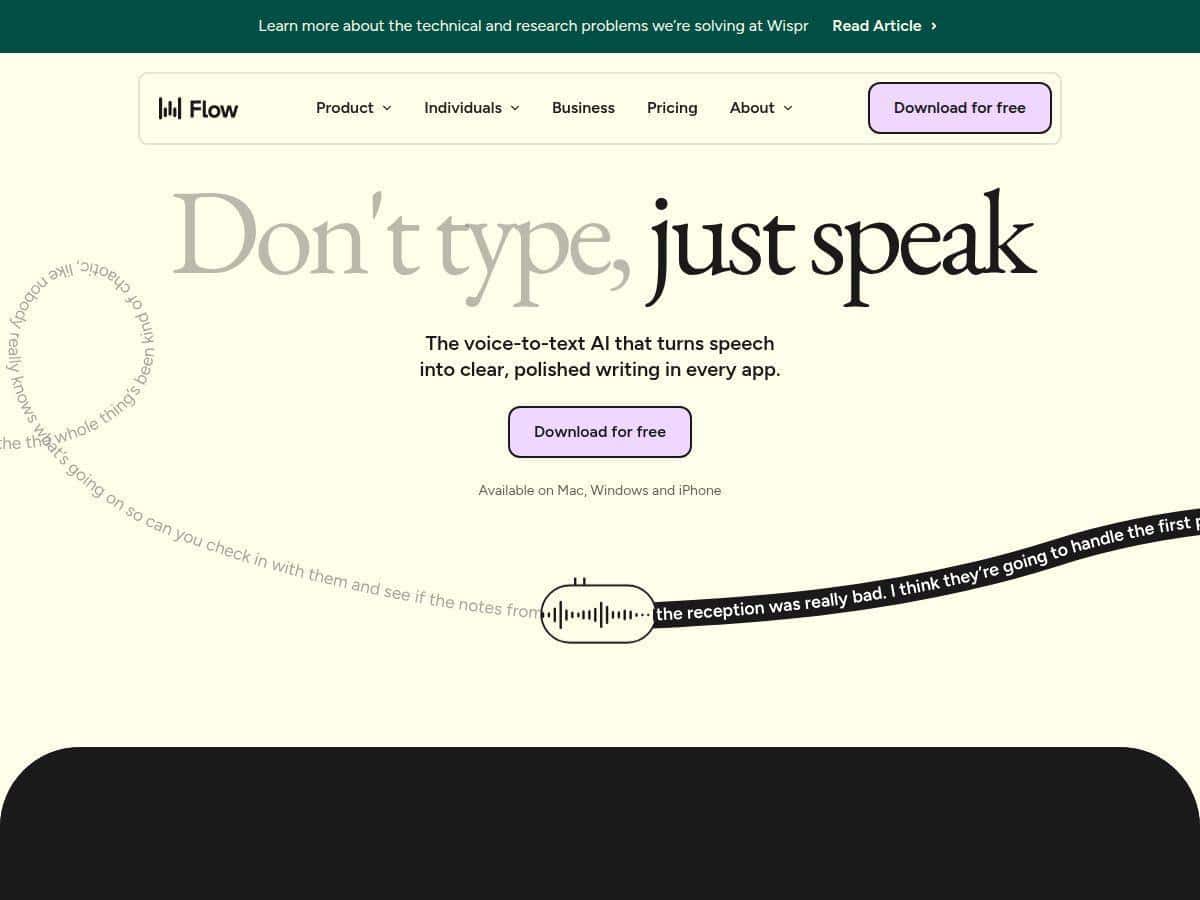
If you’ve ever stared at a blinking cursor thinking, “I can talk this out way faster than I can type it,” then you’ll get why I tried Wispr Flow. The pitch is that it can turn speech into polished text up to 4x faster than typing—but I wanted to know if that’s real or just marketing.
So here’s the honest version: I tested Wispr Flow in my own day-to-day writing workflow (emails, outlines, and a few paragraphs for drafts). I used it on Mac and Windows and also tried the mobile side on iOS when I was away from my desk. I’m not talking about one perfect 10-second clip either—I did multiple sessions ranging from 30 seconds to 5+ minutes of dictation each, then compared the “before and after” edits I still had to make.
Quick question: do you want voice-to-text that just transcribes… or do you want something that actually helps you finish the writing? That’s where Wispr Flow made the biggest difference for me.
Wispr Flow Review: What I Noticed After Real Dictation Sessions
Setup was pretty straightforward, but the first thing I did was look for the “how do I start dictating fast?” part. I didn’t want to constantly open a window, click a button, or babysit the app. The good news: Wispr Flow has a background voice recording mode that lets you dictate more like you’re using a quick voice note—hit the hotkey, start talking, and it starts capturing.
In my experience, that changes everything. When voice-to-text is frictionless, you actually use it for longer writing blocks. When it’s annoying, you revert to typing halfway through.
My test method (so the claims aren’t floating in space)
To sanity-check the “4x faster” style promise, I used a simple comparison:
- Baseline: I typed the same rough content (short email drafts + a few paragraphs) in one sitting.
- Dictation: I dictated the same type of content using Wispr Flow, then edited only what was necessary (spelling, a couple word choices, and formatting tweaks).
- Sessions: multiple runs, including both clean speech and messier real-life speech (pauses, faster talking, and a few “uh/um” moments).
What I tracked in practice wasn’t just “it worked” or “it failed.” It was: how much editing I had to do, how often it made obvious wrong turns, and whether the output looked like something I could send without a rewrite.
Accuracy and formatting: where it shines
Wispr Flow’s biggest strength for me was AI auto-editing and formatting. It didn’t just dump raw transcription. It cleaned up filler words and punctuation in a way that made the text feel more “written” than “recorded.”
Here’s what that looked like in my own workflow:
- When I dictated a messy outline, I still had to fix a few words, but the structure was already readable.
- For email-style writing, it handled commas and sentence breaks better than the basic dictation I’ve used before—so I spent less time going back to make the message look professional.
- When I used a consistent set of terms (names, project titles, recurring phrases), it got noticeably easier to work with because the output stayed closer to what I actually meant.
Latency and “almost instant” conversion
Was it literally instantaneous? It’s close, but I wouldn’t call it perfect. In longer dictation, there’s a small delay between me finishing a sentence and the text being fully reflected with formatting. Still, it felt fast enough that I wasn’t constantly interrupting myself to “wait for the app.”
If you’ve ever used voice tools that lag badly, you’ll know what I mean—this didn’t feel like that.
Where it struggled (and I think you should know)
This is the part that matters. I did notice accuracy dips with:
- strong accents (especially where pronunciation diverges from what the model expects)
- specific speech patterns—fast talking, lots of informal phrasing, and a couple times when I switched topics mid-sentence
- occasional homophones where it picked the wrong word (the kind you can catch quickly, but it’s still extra editing)
It wasn’t unusable. It was just inconsistent enough that I didn’t want to pretend it’s “set it and forget it” for every voice and every scenario.
Voice-only input isn’t always practical
One more thing I ran into: there are moments where you need to control formatting precisely—headings, bullet structure, or specific wording. Voice can do it, but you’ll still occasionally switch back to typing for the final polish. That’s normal, and honestly, I’d rather have a tool that helps me get 80–90% there quickly than one that pretends it can replace editing entirely.
Key Features: What You Actually Get
- Cross-Platform Compatibility (Mac, Windows, iOS): I tested across desktop and mobile, and the workflow felt consistent.
- AI Auto-Editing and Formatting: It doesn’t just transcribe—it improves readability right away.
- Personal and Shared Dictionaries: Great for recurring names, project terms, and jargon.
- Voice Shortcut Snippets: Useful when you repeat the same phrases (common email openers/closers, standard explanations).
- Tone Adjustment for Different Contexts: I tried shifting tone for different writing styles and it helped reduce back-and-forth edits.
- Support for Over 100 Languages: Helpful if you write multilingual content or collaborate internationally.
- Whispering Mode for Discreet Dictation: Nice when you don’t want to speak at full volume.
- Background Voice Recording: The hotkey workflow is the reason I kept using it.
- Secure Data Handling with Enterprise Features: This is where businesses will want to dig in to understand the exact controls.
Pros and Cons (Based on My Use, Not Just the Marketing)
Pros
- Editing time dropped in my tests. Auto-editing/punctuation cleanup meant I wasn’t doing as many “basic cleanup passes.”
- Works across platforms without turning into a totally different experience depending on the device.
- Formatting is readable—especially for emails, outlines, and draft paragraphs.
- Cross-device sync helped keep my terminology consistent when I jumped between desktop and mobile.
- Accessibility-friendly: If typing is slow for you or you prefer speaking, it’s genuinely easier to get started and keep momentum.
Cons
- Accuracy varies with accents and certain speech patterns. You’ll want to proofread, especially for names and technical terms.
- Internet dependency for full functionality means you’re not always covered offline (at least for the core “smart” features).
- Voice-only writing has limits: sometimes you still need to type for precision.
- Setup + learning curve: hotkeys, dictionaries, and snippets take a little time to dial in—once you do, it’s better.
- Privacy concerns may apply because the service relies on cloud processing for the “AI” parts. If you’re handling sensitive info, you should review the exact data handling and retention details in their policy and settings before using it for confidential documents.
Pricing Plans: What I Could Confirm (and what to check next)
Wispr Flow does offer a free basic plan, and I think it’s a solid way to test whether the dictation + editing workflow fits your style. If you’re expecting enterprise-grade controls, though, you’ll likely need a paid tier.
Here’s the honest snag: exact pricing isn’t always shown clearly in the same place (or it can change over time). Because of that, I recommend checking the official pricing page directly and noting the date you checked.
Last checked: 2026-04-20 (please verify on the pricing page since plans and costs can change).
If you want to be extra safe, open the pricing page and look for these details:
- What’s included in the free tier vs. paid tiers (languages, formatting quality, editing features)
- Whether “background recording” and “snippets” are limited on lower tiers
- What “enterprise security” actually includes (admin controls, retention options, compliance claims)
Once you confirm your tier, you’ll know whether the tool is worth it for your exact use case—quick drafts, accessibility use, multilingual work, or team workflows.
Wrap up
After using Wispr Flow for real writing sessions, my take is pretty simple: it’s one of the more helpful voice-to-text tools because it doesn’t stop at transcription. The auto-editing + formatting is what makes it feel like you’re getting closer to “send-ready text” instead of starting from a messy transcript.
That said, I wouldn’t oversell it as flawless. Accents and certain speech patterns still cause mistakes, and you’ll still do some editing—just less of it than you would with basic dictation.
If you’re the type who talks through ideas faster than you type them, Wispr Flow is absolutely worth trying—especially if you’re willing to spend a little time setting up dictionaries and getting comfortable with the hotkey workflow.