Table of Contents

What Is WOZCODE?
Honestly, when I first heard about WOZCODE claiming to cut AI coding costs in half, I was skeptical. I’ve tested plenty of tools that promise savings but rarely deliver on both speed and price. So, I was curious to see if this plugin for Claude Code actually lives up to its bold claims.
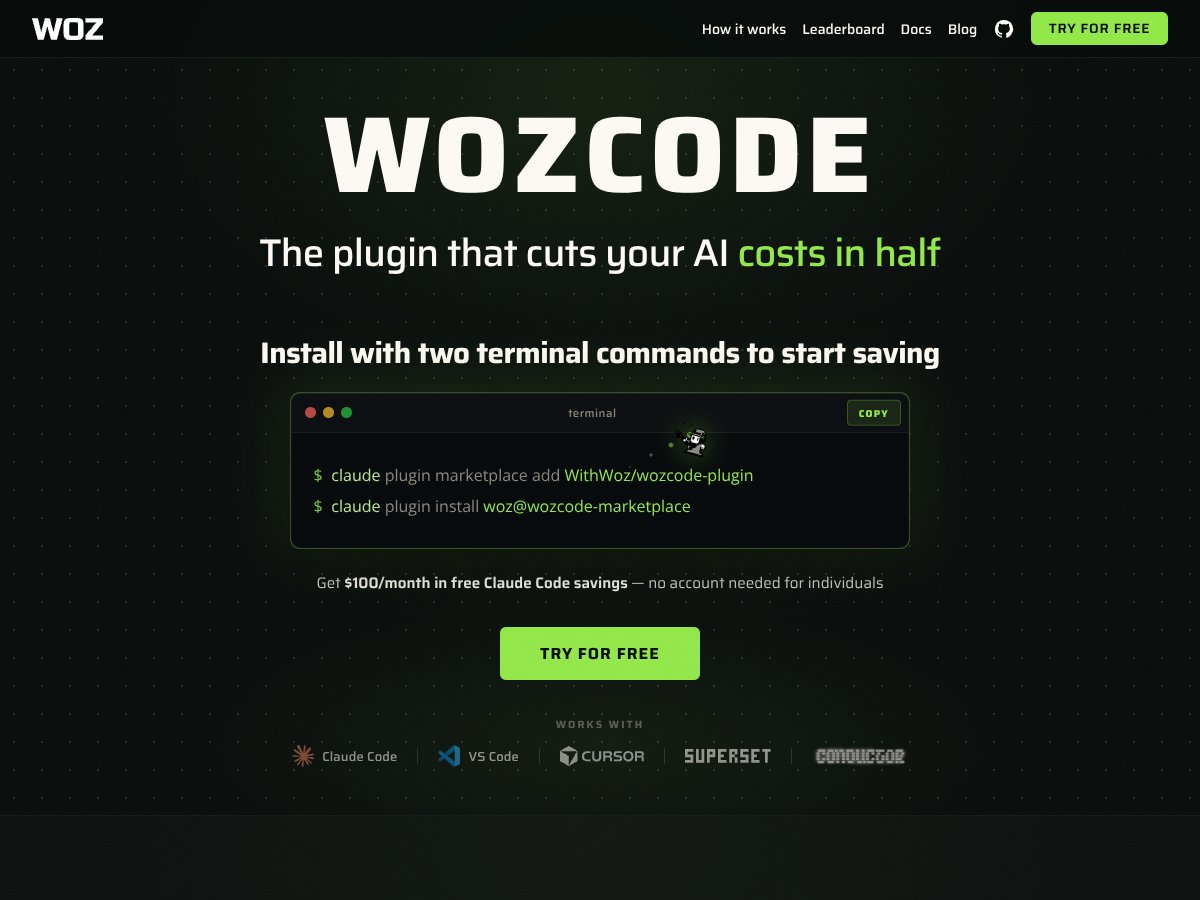
In plain English, WOZCODE is a plugin you install into Claude Code—Anthropic’s AI coding environment—that aims to make your AI-assisted coding faster and cheaper. It does this by optimizing how Claude Code consumes tokens, which are basically the billing units for AI usage. The idea is that it reduces the amount of tokens you need, which in turn lowers your costs, while also speeding up the process.
What it’s really trying to solve is the high cost and sometimes sluggish performance of AI coding tools. If you’re a developer or a team relying heavily on Claude Code, this could mean significant savings—potentially up to 50%—and less waiting around for your code to generate.
The folks behind WOZCODE are Woz, Inc., a company that seems to focus on optimizing AI workflows. I couldn’t find much about the team, but given the technical claims, I’d guess they have a decent background in AI tooling and optimization tech.
My initial impression was that it’s straightforward to install and integrate—pretty much as advertised. No signups or complex setup, which is a plus. But I also kept in mind that this is a niche tool tied to Claude Code, so it’s not a standalone product that you can run outside that environment. That’s worth noting early on: if you don’t use Claude, this isn’t relevant.
What it’s NOT is a general-purpose coding assistant or an IDE replacement. It’s a specific optimization plugin for Claude, so don’t expect it to handle your entire workflow on its own. Also, I couldn’t find any demos or detailed feature lists—so some of what it promises remains a bit vague until you try it yourself.
WOZCODE Pricing: Is It Worth It?

| Plan | Price | What You Get | My Take |
|---|---|---|---|
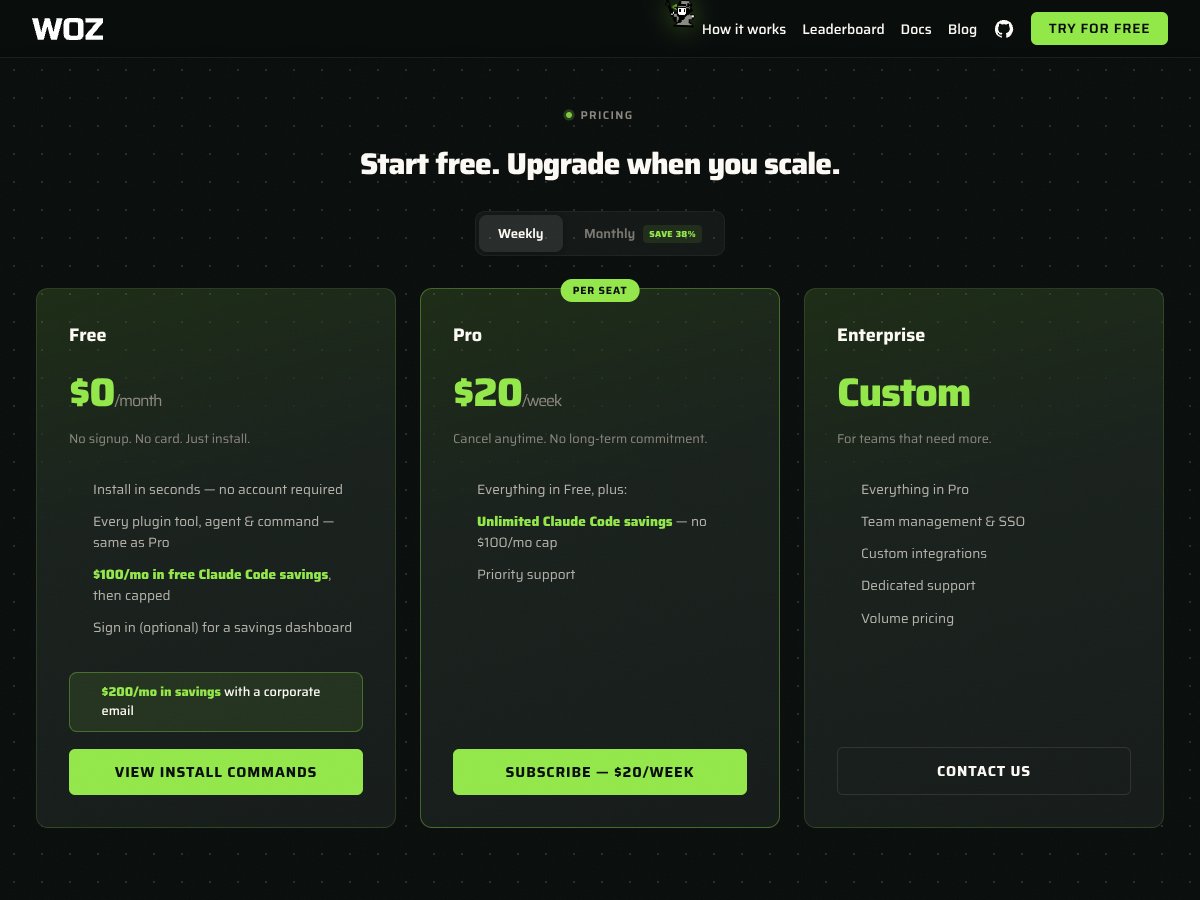
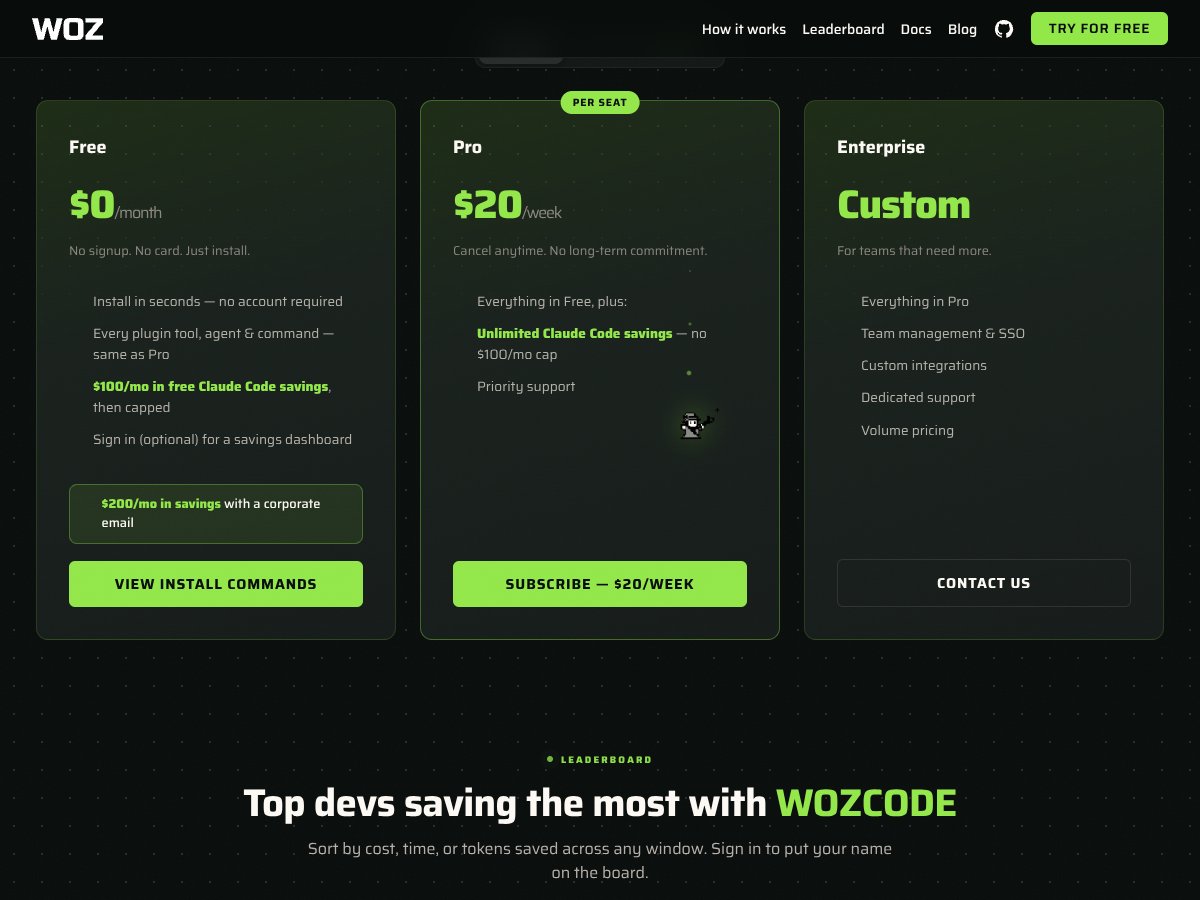
| Free | $0/month | Install in seconds, access all features comparable to Pro, $100 in Claude Code savings cap, optional dashboard | Honestly, this is a pretty solid entry point. No signup or credit card needed, so you can test out the core functionalities without commitment. But keep in mind, the free tier caps at $100 in savings, so if you’re a heavy user, you’ll quickly hit that limit. |
| $100/month | $100/month | All features of the plugin, higher savings cap, better support, possibly more frequent updates | This might be a decent middle ground if you’re already heavily relying on Claude Code and want consistent savings. But for smaller projects or casual users, it could feel steep without clear ROI evidence. |
| $200/month | $200/month | Premium support, maximum savings, possibly custom integrations, priority updates | For enterprise-level teams or heavy-duty developers, this could make sense. But for individuals or small startups, it seems like overkill unless your Claude usage is truly massive. |
| Pro: $20/week | $20/week | Flexible weekly billing, access to all features, ideal for short-term intensive projects | Fair warning: weekly billing can add up quickly if you’re not careful. Great for short bursts of heavy work, but not the best for long-term, steady use. |
| Enterprise | Custom | Tailored solutions, dedicated support, custom pricing based on scale | If you’re running a large team or have specific compliance needs, this could be worth exploring. But expect to negotiate and possibly sign a multi-year contract. |
Here’s the thing about the pricing: without a clear, publicly listed subscription cost (the affiliate info suggests around $50/month), it’s hard to say if it’s fair or competitive. The free tier is attractive for initial testing, but beware of the caps. My honest assessment? For solo developers or small teams, the value depends heavily on how much you save with Claude. If you’re only doing light coding, the free might suffice, but heavy users should carefully calculate whether the savings outweigh the monthly costs. Also, keep in mind that there may be hidden limitations—like usage caps or feature gates—that aren’t crystal clear from the marketing alone. It’s worth testing the free version thoroughly before jumping into a paid plan.
The Good and The Bad
What I Liked
- Seamless installation: It’s literally a one-command setup, which is a breath of fresh air compared to clunky integrations.
- Token savings: Claims of reducing token usage by up to 55% aren’t just marketing fluff; if true, that’s a huge cost saver, especially for heavy Claude users.
- Zero-cloud architecture: This means you can run it locally or in your CI/CD pipelines without worrying about cloud costs or data privacy issues.
- Headless support: For power users working in SSH or remote environments, this is a major plus. It integrates well into custom workflows.
- Leaderboard and metrics: The live tracking of savings can motivate you to optimize your coding sessions and get more value.
- Custom tools and advanced tech: Features like batched edits and AST truncation show they’re serious about performance and efficiency—something I haven’t seen in many other plugins.
What Could Be Better
- Limited transparency on features: The product seems to promise a lot, but there’s a lack of detailed documentation about what specific tools or commands are included, which makes it hard to evaluate its full potential.
- No free tier with unlimited use: The free plan caps at $100 savings, which might be limiting for some, and the paid plans are somewhat opaque in pricing—no clear per-user or usage-based breakdown.
- Dependence on Claude: It’s a niche product that only works with Claude Code, so if you’re not already in that ecosystem, it’s not an option.
- Pricing ambiguity: The lack of public, transparent pricing tiers makes it hard to compare and decide whether it’s worth the investment—especially when alternatives like GitHub Copilot or open-source tools are free or cheaper.
- Potential feature gaps: Without detailed docs or user reviews, I worry about missing out on essential features or limitations that could impact productivity or cost savings.
Who Is WOZCODE Actually For?

If you’re a solo developer or part of a small team heavily invested in Claude Code, WOZCODE could be a game-changer. It’s best suited for those who want to cut their token costs without sacrificing speed or functionality. Specifically, if your workflow involves repetitive searches, batch edits, or complex code transformations, the advanced tech under the hood can save you both time and money. Think of it as an efficiency booster—if you’re already spending hundreds on Claude, and those costs are starting to add up, this plugin claims to halve those expenses while boosting performance. It’s ideal for developers working in remote or headless environments where traditional IDE plugins fall short, or for teams managing multiple projects in CI pipelines. But don’t expect it to be a plug-and-play solution for casual coding or those not already using Claude; it’s tailored for power users aiming to optimize their AI-assisted development process.
Who Should Look Elsewhere
If you’re not already using Claude Code or have a different coding environment, WOZCODE isn’t for you. It’s not a standalone IDE or a general-purpose AI assistant; it’s an add-on designed to squeeze more value out of Claude. Also, if you’re on a tight budget and prefer open-source or free tools, the paid subscription might be a dealbreaker. Those expecting detailed documentation, a transparent feature list, or a broader ecosystem of integrations should look at alternatives like GitHub Copilot, Cline, or open-source CLI tools that can work in your environment without additional costs. Fair warning: if you’re not comfortable with subscription-based models or don’t want to be locked into Claude, you’ll probably be disappointed. Lastly, if your work is primarily low-volume or non-cost-sensitive, the potential savings may not justify the investment.
How WOZCODE Stacks Up Against Alternatives

Cursor AI
- What it does differently: Cursor AI is integrated directly into popular IDEs like VS Code and JetBrains, offering real-time suggestions and code completion with some agent capabilities. It emphasizes seamless IDE integration and a more native experience.
- Price comparison: Cursor AI offers a free tier with limited features, then plans typically start around $20–$30/month, making it more accessible upfront than WOZCODE’s subscription model.
- Choose this if... you want a more integrated experience within your IDE and are okay with limited agent functionalities. It’s ideal if you prefer a free tier to test basic features first.
- Stick with WOZCODE if... you need higher performance, significant token savings, and robust agent features tailored for Claude Code. WOZCODE excels in cost efficiency and advanced AI tooling.
GitHub Copilot Workspace
- What it does differently: Copilot is embedded directly in GitHub and VS Code, focusing on code completion and suggestions, with some automation but less emphasis on high-performance AI agents or token savings.
- Price comparison: About $10/month for individual plans, making it cheaper than WOZCODE’s subscription but with less emphasis on cost savings or performance optimization.
- Choose this if... you primarily code within GitHub ecosystem and want straightforward autocompletion rather than advanced agent features.
- Stick with WOZCODE if... you’re after advanced tooling that reduces token usage and offers a high-performance, cost-efficient AI coding experience outside standard autocompletion.
Aider (Open Source CLI)
- What it does differently: Aider is open-source, runs locally, and supports various models, giving you full control over your environment. It’s more DIY and flexible but requires technical setup.
- Price comparison: Free, but you need to host and configure it yourself, which can be time-consuming and resource-heavy.
- Choose this if... you want complete control, have technical skills, and prefer open-source solutions over paid tools.
- Stick with WOZCODE if... you prefer a plug-and-play, high-performance AI coding assistant that works seamlessly without setup hassles.
Cline (Terminal-Based AI Coding)
- What it does differently: Cline operates directly in terminal environments, focusing on command-line interactions for AI coding assistance, often with less integration complexity.
- Price comparison: Usually open-source or low-cost, but may lack the advanced token savings and performance features of WOZCODE.
- Choose this if... you prefer terminal-based workflows and need quick, lightweight AI assistance.
- Stick with WOZCODE if... you want a more comprehensive, high-performance solution with savings and multi-environment support.
Continue.dev
- What it does differently: Focuses on autopilot features for web development and integrates into JetBrains and VS Code, emphasizing automation and workflow management.
- Price comparison: Open-source with paid tiers, depending on usage, but generally less focused on token savings and more on automation.
- Choose this if... you’re into automating web dev workflows and want a tool that manages tasks with minimal manual input.
- Stick with WOZCODE if... you need high-performance, cost-effective coding assistance with Claude Code and detailed savings metrics.
Bottom Line: Should You Try WOZCODE?
Overall, I’d give WOZCODE a solid 7/10. It’s a powerful tool for those already using Claude Code who want to cut costs and boost performance. The tech is impressive—especially the token savings and zero-cloud architecture—but the paid-only model might turn off some, especially if you’re just starting out or want to test without a commitment.
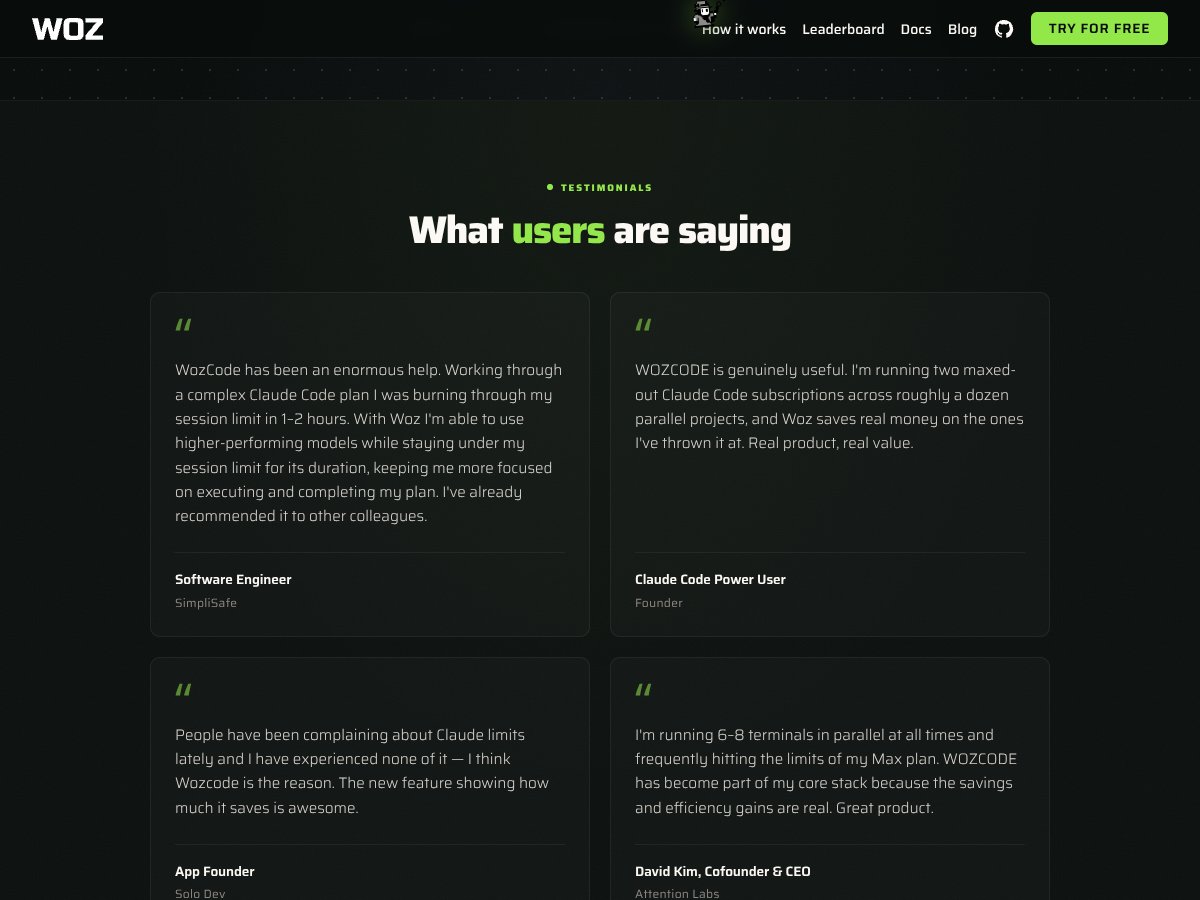
If you’re a developer or team heavily invested in Claude, need to optimize costs, and want a tool that integrates easily with multi-environment setups, WOZCODE is worth trying. The quick install, active leaderboard, and custom tools make it a compelling choice.
However, if you’re on a tight budget, prefer free or open-source solutions, or need a more general IDE assistant, alternatives like Cursor AI or GitHub Copilot might serve you better. WOZCODE isn’t the best if you prefer a free tier to evaluate before committing or if you want a broader ecosystem outside Claude.
Personally, I’d recommend giving the free trial (if available) a shot—see if the savings and performance translate into real benefits for your workflow. If you’re already paying for Claude and want to maximize its potential, WOZCODE could be a worthwhile upgrade. Otherwise, your money might be better spent on a free or cheaper alternative that fits your needs.
Common Questions About WOZCODE
- Is WOZCODE worth the money? It’s a solid investment if you use Claude Code heavily and want to save tokens and costs. If your budget is tight or you’re just exploring, it might be less appealing.
- Is there a free version? No, WOZCODE currently offers no free tier. You need a subscription to access its features, but a trial might be available.
- How does it compare to Cursor AI? Cursor AI is more IDE-integrated and budget-friendly for basic needs, while WOZCODE offers higher performance, cost savings, and advanced agent tools for Claude users.
- Can I run WOZCODE locally? Yes, it supports zero-cloud architecture and SSH/headless modes, making local execution straightforward.
- What about refunds? Specific refund policies aren’t publicly detailed, so it’s best to check directly with WOZCODE’s support or during purchase.
- Is it compatible with other models besides Claude? Currently, WOZCODE is designed specifically for Claude Code, so compatibility outside that ecosystem is limited.