
Table of Contents
Writing an annual report can feel like a daunting task, right? All those numbers, narratives, and expectations piled up can make anyone’s head spin.
But don’t worry, we’re in this together. By the end of this guide, you’ll have a clear roadmap to craft an engaging and effective annual report.
Let’s dive in and make this process as smooth as possible!
Key Takeaways
- Understand that annual reports tell your organization’s story and build trust through transparency.
- Structure your report with an executive summary and clear sections using headings and subheadings.
- Create engaging content by writing in a conversational tone, asking rhetorical questions, and sharing personal stories.
- Follow best practices: be transparent, acknowledge successes and challenges, cite reliable sources, and include visuals like charts and graphs.
- For nonprofits, highlight your mission’s impact, show how contributions are used, and address challenges openly.
- Finalize by proofreading thoroughly, designing attractively, offering an online version, and promoting it across your communication channels.

Step 1: Understand the Purpose of Annual Reports
Annual reports aren’t just formalities; they’re your chance to tell your organization’s story for the year. They provide transparency, build trust with stakeholders, and highlight your achievements and challenges. By clearly understanding the purpose of your annual report, you can tailor it to resonate with your audience and effectively communicate your message.
Think of your annual report as a conversation with your stakeholders. What do you want them to know? Perhaps it’s the progress you’ve made on key projects or the impact you’ve had in your community. By defining the objectives of your report upfront, you set the stage for a compelling narrative that engages readers.
Step 2: Structure Your Annual Report Effectively
Having a clear structure makes your report easy to navigate. Start with an executive summary that gives a snapshot of the year’s highlights. Break down the report into sections like financial performance, operational achievements, and future goals. Use headings and subheadings to guide readers through your content.
For instance, when presenting data—like the estimated 2,041,910 new cancer diagnoses projected in the U.S. for 2025—organize information with charts or bullet points to make it digestible. A well-structured report not only looks professional but also helps keep your audience engaged from start to finish.
Step 3: Create Engaging Content
Let’s face it, not everyone finds annual reports thrilling. That’s why creating engaging content is crucial. Write as if you’re talking to a friend, using simple language and a conversational tone. Ask rhetorical questions to draw readers in, such as, “Did you know that global internet users have reached 5.35 billion as of early 2024?” This makes your report more relatable and interesting.
Including personal stories or anecdotes can also make a big difference. Share a success story from a team member or highlight a testimonial from a satisfied client. This adds a human touch that pure data can’t convey.
Remember to keep sentences and paragraphs short to enhance readability, especially on mobile devices. Use bullet points or numbered lists to break up text and highlight key points. For example, if you’re discussing methods to boost engagement, you might list strategies like:
- Utilizing AI Tools for Business to streamline operations
- Implementing feedback from customers to improve services
- Expanding online presence through social media
If you’re looking for more ideas on crafting compelling narratives, check out these Winter Writing Prompts. They can spark inspiration and help you think outside the box when presenting your annual report content.
Step 4: Follow Best Practices for Reporting
Sticking to industry best practices ensures your annual report is not only informative but also credible. Be transparent with your data, acknowledging both successes and areas for improvement. Remember, stakeholders appreciate honesty—it builds trust over time.
When presenting statistics, like the decline in cancer mortality rate by 34% from 1991 to 2022 in the U.S., it’s crucial to cite reliable sources and provide context. This helps your readers understand the significance of the data. If you’re discussing digital trends, mentioning that global internet users have reached 5.35 billion as of early 2024 can highlight the importance of your organization’s online initiatives.
Another best practice is to ensure your financial reports are accurate and comply with accounting standards. Double-check numbers and consider having an external auditor review your financials. This extra step can prevent errors and boost confidence among investors or donors.
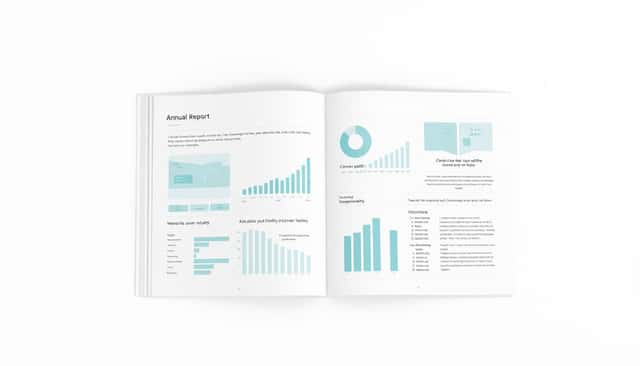
Don’t forget to include visuals like charts and graphs to make complex information more digestible. For example, a pie chart showing the allocation of funds or a line graph illustrating growth over the past year can speak volumes.
Step 5: Address Special Considerations for Nonprofits
If you’re a nonprofit organization, your annual report carries additional weight. It’s not just about numbers; it’s about showcasing the impact of your mission. Share stories that highlight how your work has made a difference. For instance, if you’ve contributed to reducing cancer diagnoses—part of the estimated 2,041,910 new cases in the U.S. for 2025—share a testimonial from someone you’ve helped.
Transparency is key for nonprofits. Donors want to know how their contributions are used. Break down your expenditures, perhaps showing that 85% of funds go directly to programs and services. This not only satisfies donor curiosity but also encourages continued support.
Also, consider discussing challenges openly. Maybe missionary work in 2024 faced hurdles due to global events. Addressing these issues shows resilience and a proactive approach to problem-solving.
To engage your audience further, you might want to explore creative ways to present your report. One idea is to include compelling narratives, much like those found in Realistic Fiction Writing Prompts. This can make your report more relatable and memorable.
Step 6: Finalize and Publish Your Report
After pouring all that effort into creating your annual report, it’s time to polish it up. Proofread thoroughly to catch typos or inconsistencies. It might help to have someone unfamiliar with the content review it—they can spot mistakes you might have missed.
Consider the design and layout. A well-designed report is more inviting to read. Use professional templates or hire a graphic designer if budget allows. Remember, first impressions matter.
When it comes to publishing, think about how your stakeholders prefer to receive information. In today’s digital age, offering an online version is a must. Given that the average daily internet use per user is 6 hours and 40 minutes, as of 2024, many people will appreciate easy access from their devices.
You could also make your report interactive. If you’re curious about how to create engaging digital content, check out How to Create an Interactive Ebook for Free. This could give your report an edge and make it stand out.
Finally, once published, promote your report across your communication channels. Send it via email, share it on social media, and perhaps even host a webinar to discuss the highlights. Engaging with your audience ensures your hard work gets the attention it deserves.
FAQs
An annual report provides a comprehensive overview of a company’s performance over the past year, highlighting achievements, financial results, and future goals. It aims to inform stakeholders and build trust through transparent communication.
Organize your report with a clear structure: start with an executive summary, followed by company overview, financials, achievements, and future outlook. A logical flow enhances readability and engages your audience effectively.
Use compelling storytelling, include visuals like charts and infographics, and highlight success stories. Keep the content concise and focus on the most impactful information to maintain reader interest throughout the report.
Nonprofits should emphasize mission impact, detailing how funds were used to achieve goals. Transparency is key. Include stories of those served, acknowledge donors, and ensure compliance with regulatory requirements to build trust with stakeholders.