Table of Contents
What Is Year Designed? (And What I Actually Did With It)
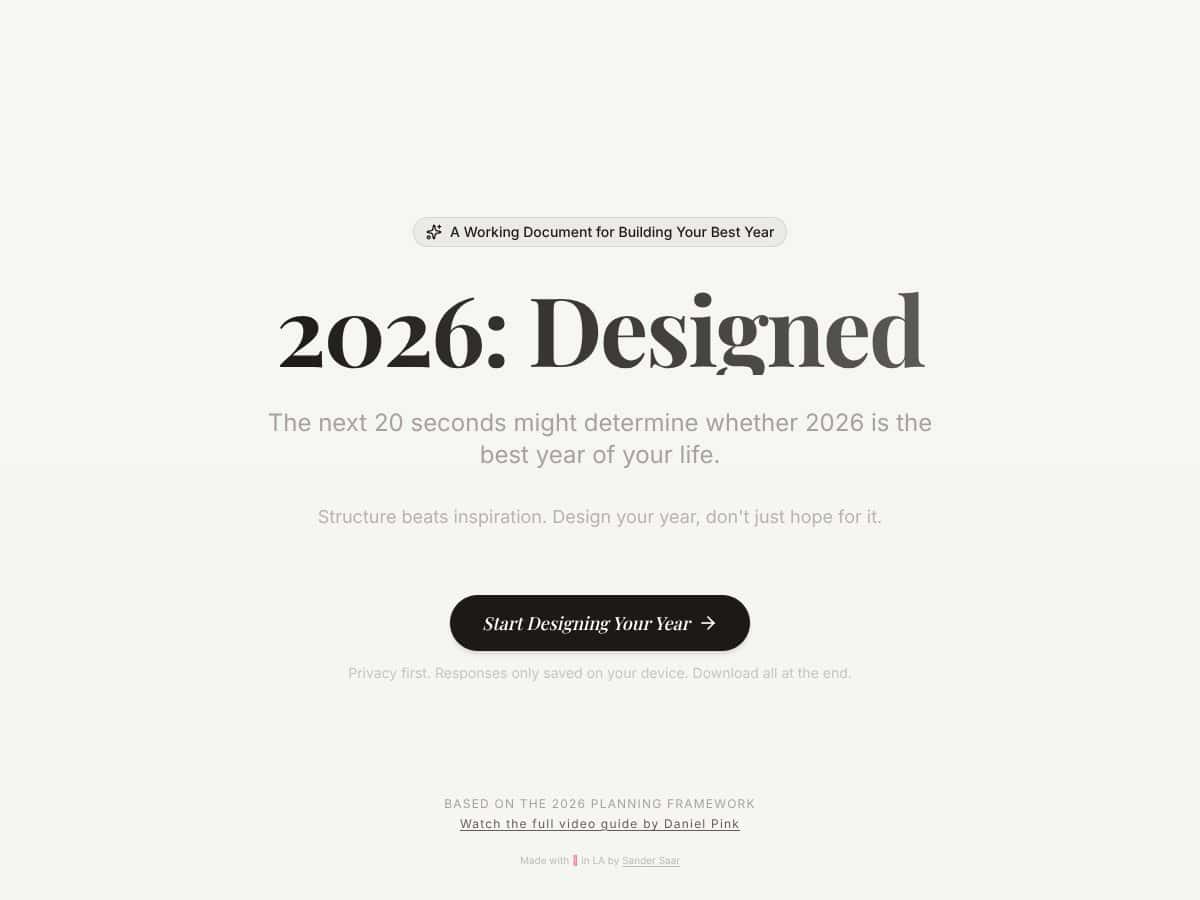
I went into Year Designed pretty skeptical, if I’m being honest. I’ve tried goal-setting apps and planner templates before, and a lot of them either turn into busywork or feel oddly empty once the “new year energy” fades. So when I saw Year Designed was a free, interactive workbook built around Daniel Pink’s planning framework, I wanted to see if it was real—or just another pretty interface with vague prompts.
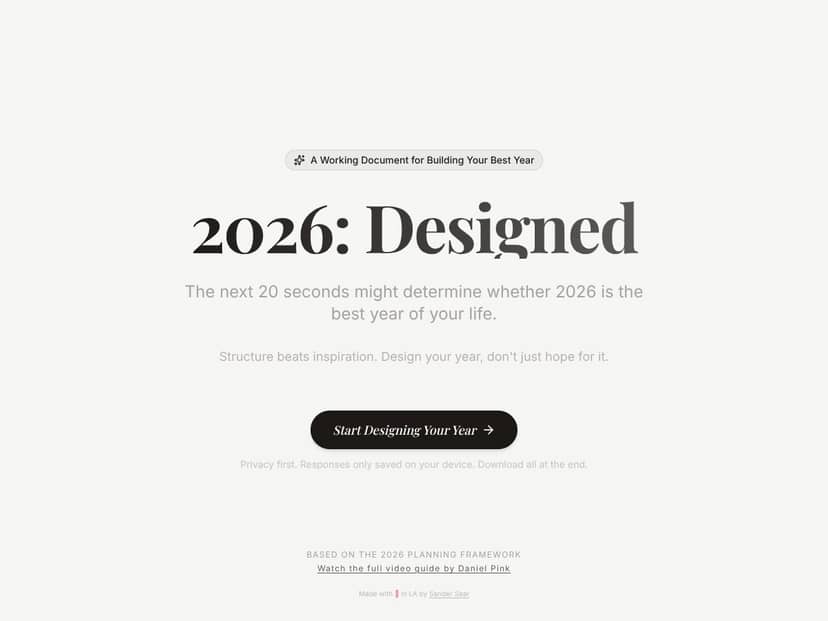
In practice, Year Designed is exactly what it sounds like: a digital workbook. There’s no dashboard, no calendar sync, no reminders. It’s a structured, text-based flow where you answer questions, write your thoughts, and build a plan you can download.
Here’s what I noticed right away when I tested it: the design is very minimal and a little old-school (in a good way, in my opinion). It doesn’t try to distract you. You just move through the exercises. I used it on a laptop browser (Chrome) and took notes as I went, mostly because I wanted to see what kind of output the workbook actually produces—not just how it “feels.”
The core promise is that it helps you design your best year for 2026 by clarifying goals, shaping habits, and creating momentum. The “research-backed” part comes from Daniel Pink’s framework (the same general planning ideas Pink is known for in his work on motivation and behavior). I couldn’t find much about the creator team beyond what’s on the site, so I can’t speak to the company side beyond the workbook itself.
One important limitation: this isn’t meant to track your progress in real time. It won’t automatically adjust your goals. It won’t nudge you when you miss a habit. You’re creating a plan—and then you’re responsible for using it.
So, does it do what it promises? Mostly, yes. It gave me clarity and structure. But I’ll also say this: if you’re looking for automation, integrations, or a full “system” that runs in the background, you’ll probably bounce off it pretty quickly.
Quick context on my test: I completed the full workbook flow over one sitting plus a short follow-up the next day to refine a couple answers. I didn’t rush. I spent about 1 hour 20 minutes total (including reading prompts carefully and rewriting a few sections). If you’re the type who writes fast and doesn’t overthink, you could probably finish closer to an hour.
What I like most is that it forces you to slow down and think. What I don’t like is that if you hate journaling-style prompts, you’ll feel the friction immediately.
Year Designed Pricing: What I Found (And What’s Still Unclear)
| Plan | Price | What You Get | My Take |
|---|---|---|---|
| Free Tier | Free | Access to the interactive workbook; limited to basic exercises | Good for testing the approach. I was able to go through enough of the workbook to understand the tone and structure, but I didn’t see full details about what’s locked vs. fully available. If you want everything, you’ll need to verify what’s included before you upgrade. |
| Premium Plans | Prices not publicly listed | Likely includes additional features, downloadable plans, or expanded exercises | This is the part I don’t love. If the site doesn’t show exact pricing and plan names, it’s harder to judge value. I don’t want to guess—so if you’re cost-sensitive, check the pricing page directly (or ask support) before committing. |
Here’s my honest take on the value: Year Designed feels like something you’d pay for only if you actually use the workbook outputs and want the full version. The free tier is enough to answer one question: “Does this prompt style work for me?” If it does, then paying might make sense.
But if you’re expecting a full integrated planning app like Notion templates (where you can build your own system) or you want habit tracking plus reminders, you’ll likely feel like you’re missing features. Year Designed is closer to a guided planning session than a productivity platform.
Fair warning: without publicly listed premium prices, it’s not easy to compare “cost per feature.” I’d only upgrade after confirming exactly what you unlock (which exercises, whether downloads/export are expanded, and what the premium workbook includes).
Year Designed vs. Alternatives: Where It Wins (and Where It Doesn’t)
Todoist
- What it does differently: Todoist is a task manager. It’s great for to-dos, projects, and deadlines. It doesn’t really try to reshape your year through motivation or behavior-style planning.
- Price: Free tier is available; Premium is typically around $4/month billed annually (pricing can change, so double-check on the Todoist site).
- Choose this if... you want something you can use every day to manage tasks and keep momentum through execution.
- Stick with Year Designed if... your problem isn’t “I don’t know what to do this week,” but “I don’t have a clear direction for the year and my habits feel random.” Year Designed is better for that big-picture clarity.
Notion (Templates / Databases)
- What it does differently: Notion is flexible. You can build a yearly planning system, track goals, and create dashboards—but you’re doing the setup. You’ll spend time designing it, not just using it.
- Price: Free for personal use; paid plans usually start around $8/month depending on billing (again, confirm current pricing on Notion’s site).
- Choose this if... you want total control and don’t mind building your own workflow.
- Stick with Year Designed if... you want a guided structure with prompts that lead you through thinking. Year Designed does the “thinking framework” part for you. Notion won’t—unless you build that logic into a template.
Moleskine / Paper Planners
- What it does differently: Paper planners are tactile and distraction-free. You can write freely without screens, and that matters for some people.
- Price: Usually $10–$30 depending on brand and format.
- Choose this if... you want a simple, low-tech way to plan.
- Stick with Year Designed if... you want the structure of a research-backed planning flow plus the convenience of generating a downloadable output.
Full Focus Planner
- What it does differently: Full Focus Planner leans heavily into productivity routines—daily/weekly planning, goal tracking, and accountability-style structure.
- Price: Often around $40 for the planner, with optional add-ons/coaching depending on what you buy.
- Choose this if... you want a physical system that pushes consistency through routine.
- Stick with Year Designed if... you care more about the “why” and behavior side of planning—getting your year direction clear—before you worry about daily execution.
My Review of the Year Designed Workbook (Exercise-by-Exercise)
Okay, this is the part I think most reviews skip. So I’m going to be specific about what the workbook actually made me do, what I wrote, and what I realized. (I’m not going to copy every prompt word-for-word, but I’ll describe the question style and give you examples of the kinds of outputs you’ll generate.)
Note: Year Designed’s exact wording can change slightly by version/year. The themes below are what I experienced while completing the 2026 workbook flow.
Exercise 1: Define What “Best Year” Means to You
The workbook starts by getting you to describe what a “great year” looks like in your real life—not just what sounds impressive. The prompt is basically: “When you look back at 2026, what would have made it feel successful?”
What I wrote: I listed 3–4 outcomes across career, health, and personal life. I intentionally avoided generic stuff like “be better” and instead used measurable phrases like “ship X,” “hit Y fitness milestone,” and “spend Z quality time with friends.”
What it made me realize: I had been thinking in vague goals. This exercise forced me to translate “success” into something I could recognize later.
Did it work? Yes. It set a clear tone immediately, and it made the later habit/goals sections feel less random.
Exercise 2: Identify the Patterns That Currently Drive Your Behavior
Next, it pushes you to look at the habits and patterns you already have—especially the ones that quietly steer your days. The prompt style is reflective, like “What tends to happen when you try to change?” or “What’s been getting in the way?”
What I wrote: I admitted my “default mode” was inconsistent. I’d start strong, then lose momentum when weeks got busy. I also noticed I was relying on motivation instead of systems.
Outcome: This section helped me stop blaming myself and start looking for leverage points—like reducing friction and designing a habit that survives chaotic weeks.
Did it work? Pretty much. It wasn’t “fun,” but it was useful.
Exercise 3: Choose Your Year’s Priorities (Not a Giant List)
This is where the workbook gets more structured. The prompt is essentially asking you to narrow your focus: if 2026 had only a few priorities, what would they be? It’s not “write 20 goals.” It’s “pick what matters most.”
What I wrote: I picked 3 priorities and backed them with short reasoning. For example: one priority tied to career output, one tied to health consistency, and one tied to relationships.
What I noticed: When I tried to add a fourth, it felt like a distraction. The exercise made it obvious what was actually pulling my attention.
Did it work? Yes. It reduced overwhelm immediately.
Exercise 4: Turn Priorities Into “If–Then” Actions
One of the most practical parts is converting big intentions into actions you can execute under real conditions. The prompts push you toward “if this happens, then I will do that” style planning.
What I wrote: I created conditional habit triggers like: “If my schedule gets packed, then I’ll do the minimum version of my habit (10 minutes) instead of skipping.”
Outcome: This is where I felt the workbook was actually behavior-aware. It wasn’t just “want it harder.” It was “design for reality.”
Did it work? Definitely. This section was one of the main reasons my plan felt usable.
Exercise 5: Build Habits That Don’t Collapse Under Stress
The workbook then asks you to think about habit design—what makes it stick, what makes it fail, and how you’ll respond when you fall off track.
What I wrote: I identified my “failure mode” (overcommitting when I feel motivated) and built a habit plan around a smaller baseline. I also wrote what I’d do after missing a day.
What it made me realize: I don’t need a perfect habit. I need a resilient one.
Did it work? Yes, and it directly influenced how I set expectations for myself.
Exercise 6: Decide What You’ll Measure (Without Making It Miserable)
Instead of turning your life into spreadsheets, the prompt asks you to choose indicators that tell you whether you’re moving in the right direction.
What I wrote: I chose a few simple measures (like consistency counts and one monthly output metric). I avoided tracking everything because I know I’ll quit if it becomes too heavy.
Outcome: My plan became less “performative” and more grounded.
Did it work? Yes. It helped me pick metrics that match how I actually operate.
Exercise 7: Set Goals That Match Your Priorities
This section is about aligning goals with the priorities you picked earlier. It’s basically “what are the goals that support the year you described?”
What I wrote: I wrote goals that were specific enough to act on, but not so detailed that I’d feel trapped. I also linked them back to the priorities so I could sanity-check later.
Did it work? Yes—this is where my goals stopped feeling like random wishes.
Exercise 8: Plan the “Momentum” Part (How You Keep Going)
Daniel Pink’s influence shows up here. The workbook focuses on momentum—how you create conditions where progress feels natural instead of forced.
What I wrote: I outlined a weekly review ritual (short and realistic) and defined what “progress” means even when results lag.
Outcome: I stopped thinking about “motivation” as the main engine.
Did it work? This was another strong section for me.
Exercise 9: Map Your Environment (Because Your Environment Wins)
This is the one people often ignore. The workbook nudges you to consider what in your environment makes your habits easier or harder.
What I wrote: I listed friction points (like distractions and late-night scrolling) and adjusted my setup: reminders, physical placement, and time boundaries.
Did it work? Yes. It made my plan feel more like a system than a wish.
Exercise 10: Anticipate Obstacles and Write Your Response
This section asks you to think ahead about what will derail you—and what you’ll do instead. It’s not doom-and-gloom. It’s “be prepared.”
What I wrote: I planned for busy weeks and wrote fallback actions: shorter work blocks, minimum habit versions, and a reset plan after disruptions.
Outcome: I felt calmer about the year after this—because I wasn’t pretending life would be smooth.
Did it work? Absolutely.
Exercise 11: Clarify Your Commitments (So You Don’t Drift)
This part is about commitment—what you’re willing to do consistently and what you’re not going to keep renegotiating every week.
What I wrote: I defined my non-negotiables (the small habits) and what I’d flex (the intensity). That distinction mattered.
Did it work? Yes. It made my plan feel “owned,” not just created.
Exercise 12: Review and Download Your Plan
At the end, you consolidate what you wrote. The workbook is designed to help you create a usable output you can download and revisit.
What I noticed: the downloadable plan is the moment where it stops being a worksheet and becomes something you can actually use. I reviewed my final version and highlighted the parts I knew I’d forget (habit triggers, minimum baseline, and what I’ll do when I miss a day).
Did it work? Yes. I ended with a document that felt like it belonged to me.
Mini Case Examples: How It Played Out for Me (and What Changed)
Case 1: “I had goals, but no habit plan”
Before the workbook, I had goals I cared about, but my habits were inconsistent. After completing the “If–Then” action and habit resilience exercises, I rewrote my routines around minimum viable actions. Result: I didn’t “become perfect,” but I stayed consistent more often—especially during busy weeks.
Case 2: “My priorities were too broad”
I initially had a long list of things I wanted to improve. The priority-narrowing exercise forced me to pick 3 clear priorities. Result: my weekly planning got easier because I stopped trying to do everything at once.
Case 3: “I tracked too much when I was motivated”
I used to track everything when I felt on a roll, then burn out. The measurement exercise helped me pick a few indicators only. Result: it was easier to keep checking in without turning my life into a performance dashboard.
Bottom Line: Should You Try Year Designed?
I’d rate Year Designed 7/10 based on my testing. It’s a solid planning workbook if you want structure and prompts that push you toward clarity. It’s not flashy, and it doesn’t try to replace a task manager or habit tracker.
Where it shines for me:
- It forces specificity. I left with clearer goals and habits than I started with.
- The prompts are reflective but not fluffy. They lead to concrete decisions like baseline habits and action triggers.
- The output is usable. Downloading/reviewing the plan made it feel real.
Where it falls short:
- No integrations or automation. If you want calendar sync, reminders, or progress tracking inside the tool, this won’t satisfy you.
- It’s only as good as your willingness to write. If you hate journaling-style work, you’ll feel stuck.
- Premium pricing isn’t transparent. That makes it harder to justify an upgrade without confirming what you get.
If you want a gentle but serious way to plan 2026—and you’re okay using a workbook instead of an app—then yes, I think it’s worth trying. Start with the free tier first. If the prompt style clicks, upgrade only after you confirm the premium plan details.
Common Questions About Year Designed
- Is Year Designed worth the money? The free version is enough to tell you if the workbook approach works for you. For paid plans, I’d only upgrade after you confirm exactly what’s included—especially pricing and which exercises unlock.
- Is there a free version? Yes. The basic workbook is free, and it’s enough to experience the flow and tone.
- How does it compare to other planning tools? Compared with Todoist, it’s not a task manager. Compared with Notion templates, it’s less customizable but more guided. Compared with paper planners, it’s more structured and produces a downloadable output.
- Can I get a refund? I didn’t verify the refund policy during my test. If you upgrade, check the policy on the site before paying, because paid upgrades are often non-refundable.
- Is it suitable for team planning? No. This is built for individual reflection and personal clarity, not team workflows.
- How long does it take to complete? For me, it took about 1 hour 20 minutes to complete the full flow carefully. If you move faster, you could likely finish closer to an hour.
- Can I use it for ongoing planning? It’s primarily designed for the start of the year. That said, I can see revisiting specific sections (habits, obstacles, priorities) monthly or quarterly if you want to stay aligned.




