Table of Contents
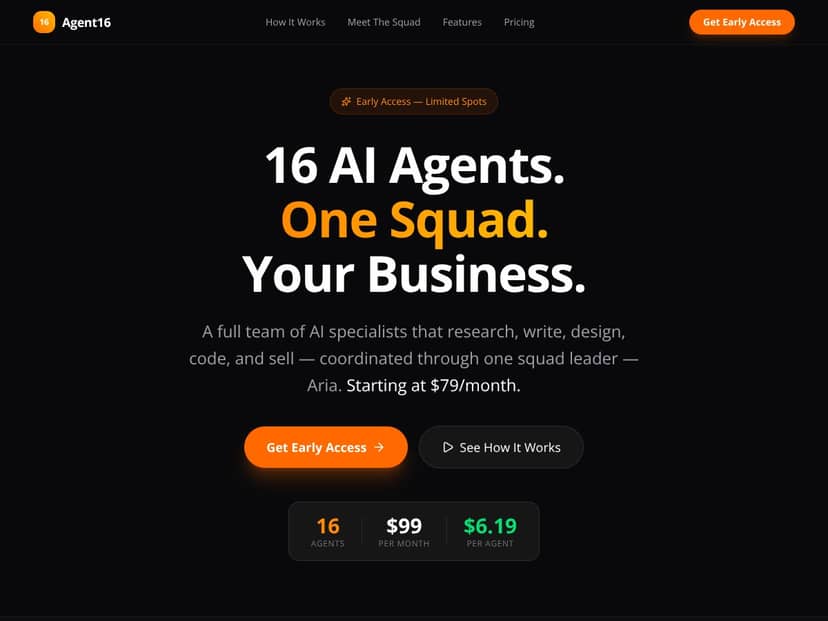
What Is Agent16? (And what it actually felt like to set up)
When I first heard about Agent16, I’ll be honest—I was skeptical. “A team of 16 AI agents” sounds like one of those marketing phrases that either turns out to be magic… or turns out to be a lot of hype. I’ve tested plenty of automation tools before, and most of them are either single-purpose (great at one thing) or they’re so open-ended that you end up doing half the work yourself.
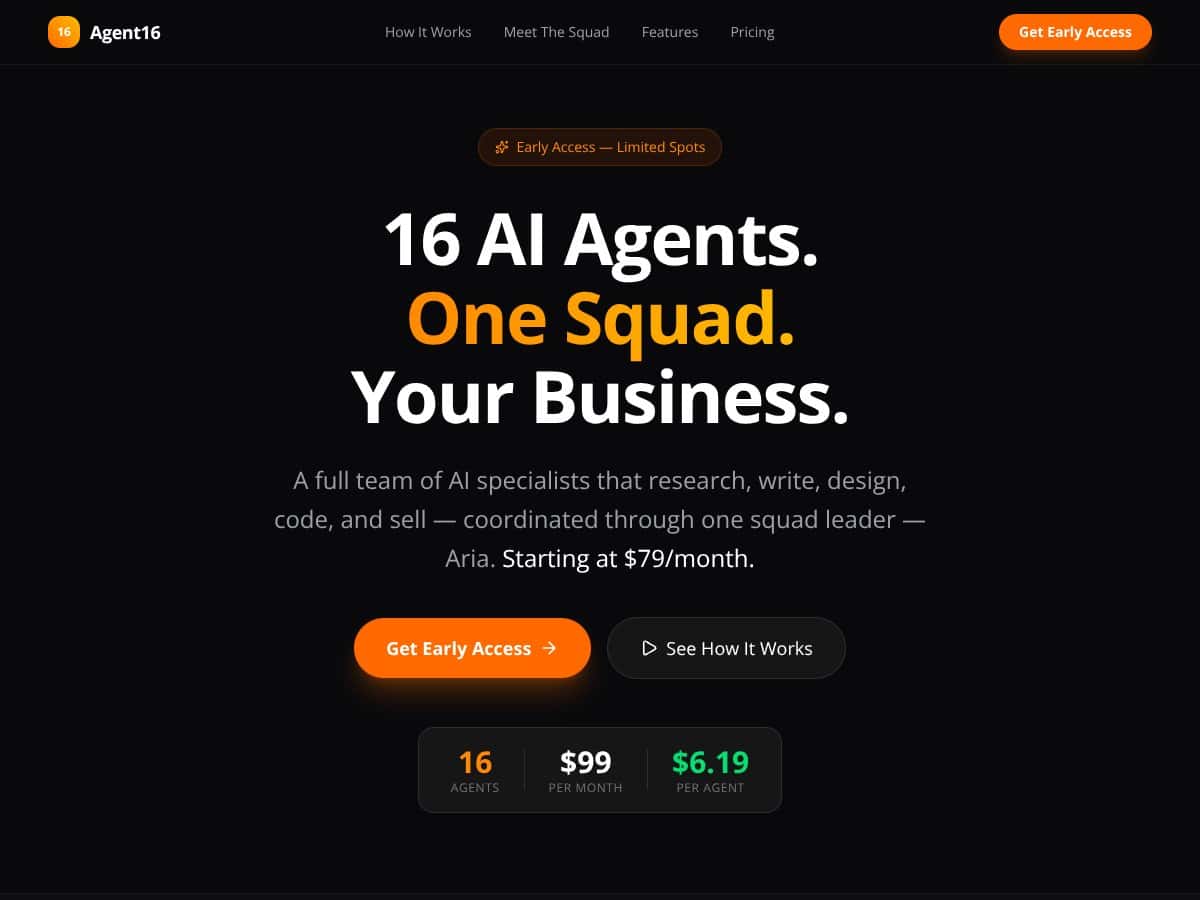
Agent16’s pitch is different. It’s built around the idea of a squad of specialists coordinated by a central “squad leader” called Aria. Instead of you manually bouncing between tools, the platform tries to break your goal into steps and assign those steps to different agents.
Here’s how I understood it in practice: you start with a business goal, then the agents decompose it into tasks, decide who should do what, and then run. The dashboard is where you can watch the process unfold and intervene if something goes off the rails. That “one place” part matters, because I’m tired of stitching multiple AI tools together with duct tape.
On the tech side, the site says it’s powered by Claude (from Anthropic) and it integrates with OpenAI APIs. I can’t pretend I verified every backend detail, but those are the two concrete model references they provide publicly. In my experience, when a platform is this multi-agent, the model routing and tool permissions make or break the whole thing—so I paid attention to how the system behaved once tasks started running.
What I want to be upfront about: Agent16 isn’t plug-and-play. There’s no “press this button and your business runs itself” moment. In my setup, I didn’t get a guided walkthrough that told me exactly what to do step-by-step. It felt more like a framework where you build your first workflow, test it, then refine. Also, I didn’t see a bunch of detailed success stories or user reviews on their site, so I had to rely on my own testing to judge how reliable it is for real work.
So yeah—promising, but you’ll need to put in some effort. If you’re the type who likes experimenting and tightening prompts, workflows, and tool access, you’ll probably have a better time than someone expecting instant automation.
How Agent16 Stacks Up Against Alternatives
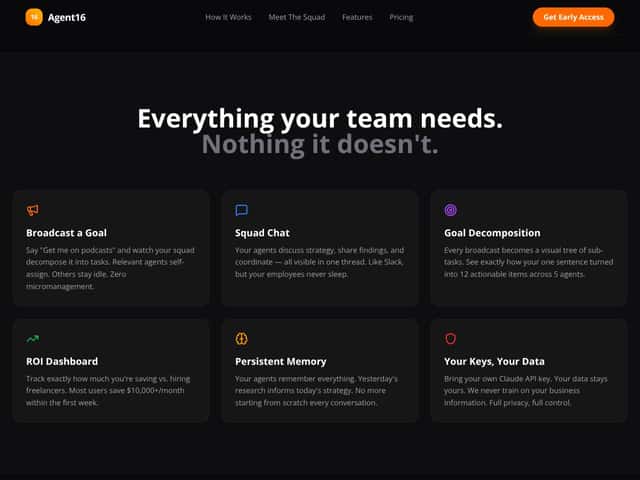
Before I compare, I’ll say this plainly: “multi-agent” means different things across tools. Some platforms orchestrate agents inside a specific ecosystem. Others are basically chat assistants with a workflow wrapper. Agent16 sits somewhere in the middle—more structured than a plain assistant, but still not the same as a fully governed enterprise automation platform.
Microsoft Autogen
- What it does differently: Autogen is all about orchestrating multiple agents, especially when you’re living in the Microsoft ecosystem. In theory, it can integrate deeply with Azure and other Microsoft services. That tends to appeal to teams that already have enterprise security, identity, and infrastructure in place.
- Pricing: Microsoft pricing is usually “it depends,” and it often ends up tied to Azure usage and enterprise agreements. In other words: not always friendly for small teams trying to test without thinking about cloud bills.
- Where I saw the tradeoff: The moment you’re not already in Microsoft-land, Autogen can feel like more engineering than you bargained for. Agent16 felt more workflow-forward, even if it’s not as “enterprise-native.”
- Choose this if... your org already relies heavily on Microsoft tools and you want tighter enterprise governance.
- Stick with Agent16 if... you want a quicker path to building multi-agent workflows without committing to a specific cloud stack on day one.
UiPath Robots
- What it does differently: UiPath is RPA-first. It’s designed to automate repetitive workflows through UI interactions and integrations—think “do this click-by-click task reliably,” not “reason through a business goal like a team.”
- Pricing: UiPath licenses are often enterprise-priced. Depending on scale, it can run into serious subscription costs.
- Where I saw the tradeoff: If your goal is “automate a known process with stable UI steps,” RPA wins. If your goal is “have agents coordinate and adapt to changing inputs,” RPA can feel rigid.
- Choose this if... you need to automate repetitive tasks inside existing systems and you care most about execution reliability.
- Stick with Agent16 if... you want more autonomy and multi-step coordination rather than simple UI automation.
Anthropic Claude-based Agents (and similar decomposer setups)
- What it does differently: Claude-style agent systems typically focus on breaking work into steps and executing those steps using an LLM. They can be great at decomposition, writing, and structured reasoning. But they’re not always built to run end-to-end workflows with tool calling, permissions, and state tracking like a dedicated automation platform.
- Pricing: Most of these setups are pay-per-use API models. That can be totally fine for small projects, but it can get expensive when you’re running lots of iterations or long multi-step chains.
- Where I saw the tradeoff: With a pure LLM decomposition approach, you often end up stitching execution yourself. Agent16 tries to be the “execution and coordination layer,” which is the part I cared about most.
- Choose this if... you want strong task decomposition and language understanding, and you’re okay handling execution tooling.
- Stick with Agent16 if... you want a more integrated multi-agent workflow experience, not just a decomposition brain.
Operator or Genspark
- What they do differently: Operator/Genspark-style tools are usually more general-purpose—helping with research, writing, and simple automations via chat or assistant flows. They’re less about orchestrating a structured “team” around a goal.
- Pricing: Usually subscription-based with tiers, often more affordable for individuals. That’s a big reason people start here.
- Where I saw the tradeoff: For quick help, a chat assistant is fast. For multi-step, multi-output workflows that need coordination, those tools can feel like they’re “helping you,” not “running with you.” Agent16 felt closer to the latter.
- Choose this if... you want a straightforward assistant for content and research without complex orchestration.
- Stick with Agent16 if... you need multi-faceted workflows that coordinate multiple roles and outputs.
Bottom Line: Should You Try Agent16?
After testing, I’d rate Agent16 a 7/10. That’s not a “wow, perfect” score. It’s more like: it’s genuinely useful if you approach it the right way, and frustrating if you expect instant reliability.
Here’s the part that impressed me: the multi-agent coordination idea is real. When the system works, it feels like you’re delegating different pieces of a job instead of asking one agent to do everything. The output quality (especially for structured deliverables) was noticeably better than what I usually get from a single-shot prompt.
Now for the honest part: reliability depends on the workflow and the clarity of your goal. In my runs, I saw failures when a task required a very specific format or when tool access wasn’t explicit enough. Sometimes the agents would “agree” on a plan but then stall on execution details. Other times, the run would complete but require cleanup because it didn’t fully follow the structure I asked for.
Who should try this: If you’re a small business, marketer, or solo operator who wants to automate multiple parts of a marketing/e-commerce workflow (content + outreach + basic research + repurposing), Agent16 is worth experimenting with—especially if you don’t mind iterating.
Who should skip this: If you need mission-critical automation where a single mistake is unacceptable (finance approvals, legal filings, anything where you can’t review outputs), Agent16 might be too unpredictable right now. It’s not a “set it and forget it” system in my experience.
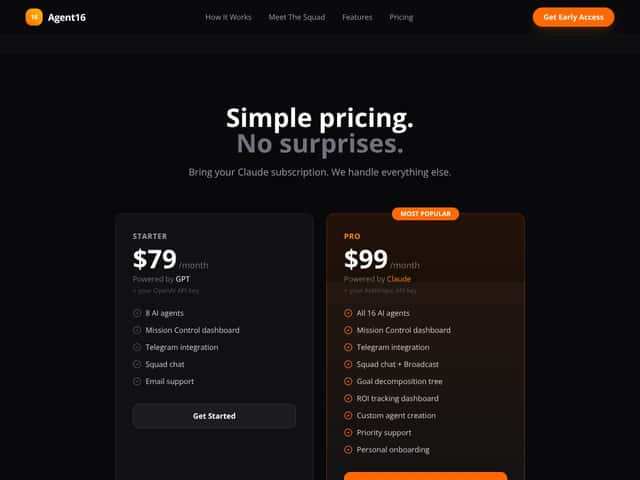
Cost reality check: I can’t give you exact pricing numbers because the original page content here doesn’t include them, and pricing can vary by plan and usage. What I can say is that multi-agent workflows can turn into higher token/API usage quickly—especially if the system loops or retries. If you’re cost-sensitive, start with short test runs and measure what each workflow consumes.
My suggestion: Try it for a workflow you can review quickly. Don’t start with your biggest, most sensitive project. If you’re getting clean outputs and the run finishes consistently, then expand. If not, you’ll save yourself time and frustration.
So, if you want a flexible multi-agent system to help with complex tasks and you’re okay doing some setup and tuning, give Agent16 a shot. If you prefer tightly controlled automation with predictable behavior, you’ll probably be happier with RPA or more deterministic workflow tools.
Common Questions About Agent16
Is Agent16 worth the money?
For me, it was worth it as a testing tool and a workflow builder. If you can get value from multi-step automation and you’re willing to iterate, the payoff can be real. If you’re expecting fully reliable automation out of the gate, it may feel overpriced—because you’ll likely spend time debugging workflows and tightening instructions.
If you want a simple way to judge: run 3–5 small workflows first (like “research + outline,” “draft + revise,” or “content repurpose”) and track how often you get outputs you can use without heavy editing.
Is there a free version?
I didn’t see a clearly advertised free tier in the info provided. Some platforms offer trials, though, so your best bet is to check the current signup options and see if they let you run a limited number of jobs before paying.
How does it compare to [competitor]?
Compared to UiPath or Microsoft Autogen, Agent16 leans more toward autonomous, multi-agent workflow execution rather than just orchestration inside a specific enterprise stack (Autogen) or deterministic UI automation (UiPath). The tradeoff is that you may not get the same level of “guaranteed stability” at scale, at least not without careful workflow design and guardrails.
Can I integrate it with my existing systems?
Yes, the platform claims support for things like API calls, databases, and browser automation. In practical terms, that means your workflows can connect to tools you already use—just be ready to define what the agents can access (and what they should output) so the run doesn’t drift.
Is it suitable for non-technical users?
It’s designed to be approachable, but I wouldn’t call it “no technical skills required.” In my experience, non-technical users will do better if they’re comfortable with basic setup tasks like defining goals clearly, providing example inputs/outputs, and reviewing results. If you can’t/won’t review outputs, you’ll run into issues fast.
Can I get a refund if it doesn’t meet my needs?
Refunds depend on the provider’s terms, which aren’t included here. The practical move is to use any trial window (if it’s available) to test the exact workflows you care about. That’s the safest way to avoid paying for a setup that doesn’t match your use case.