Table of Contents

What Is AskAIBase?
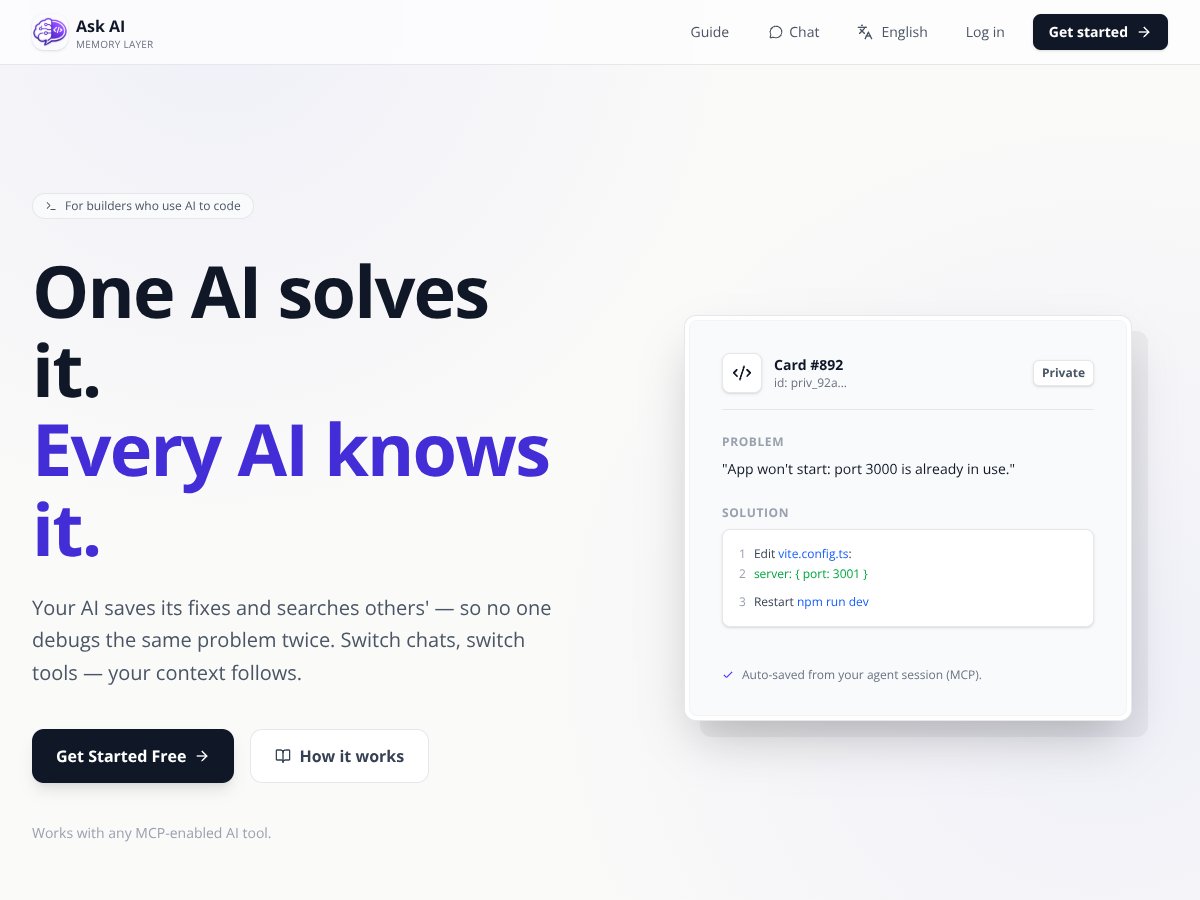
If you've ever used AI tools for coding or debugging, you know how frustrating it can be to repeat the same fixes over and over. Sometimes, the AI solves a problem, but you have to remember exactly what fix it used or copy-paste solutions from previous sessions. That’s where AskAIBase caught my attention. It claims to be a memory layer for AI coding agents—essentially a way to save, search, and reuse solutions so you don’t have to solve the same problem twice.
In plain English, AskAIBase is a backend system that lets your AI agents store their problem-solving steps as structured 'cards.' These cards are like notes or snippets you can revisit later—kind of like a knowledge library for your debugging process. The main idea is to avoid wasting time re-deriving solutions when the same issues pop up again, whether in your current project or in future sessions with different AI tools.
Who’s behind it? From what I found, the project is developed by Charlie Cheng, a full-stack AI builder and a student at NYU. The focus seems to be on developer tooling—making AI coding workflows smarter and more efficient. That’s promising, since it’s built by someone with hands-on experience in building AI products, rather than just a startup chasing buzzwords.
My initial impression? It pretty much does what it advertises—at least on paper. The idea of saving solutions as searchable cards is straightforward, and I could see how it might reduce redundant work. However, I also noticed that the tool is still quite early-stage; the website and docs are sparse, and I couldn’t find any user reviews or community feedback to gauge real-world use. So, while it looks promising, I’d say it’s more of a developer-focused utility than a polished product ready for broad adoption.
Now, a quick heads up on what it isn’t: AskAIBase isn’t an AI assistant or a chatbot. It’s not a replacement for your main coding IDE or a project management tool. It’s a backend memory layer, which means you’ll still need to connect it to your AI agents and workflows yourself. Also, I couldn't find any detailed tutorials or onboarding guides, so expect a bit of a learning curve if you’re not used to integrating APIs or working with developer tools.
All in all, it’s an intriguing concept—especially if you’re deep into AI coding and tired of reinventing the wheel. But it’s early days, and I’d recommend approaching it as an experimental tool rather than a plug-and-play solution.
Key Features of AskAIBase

Structured Solution Cards
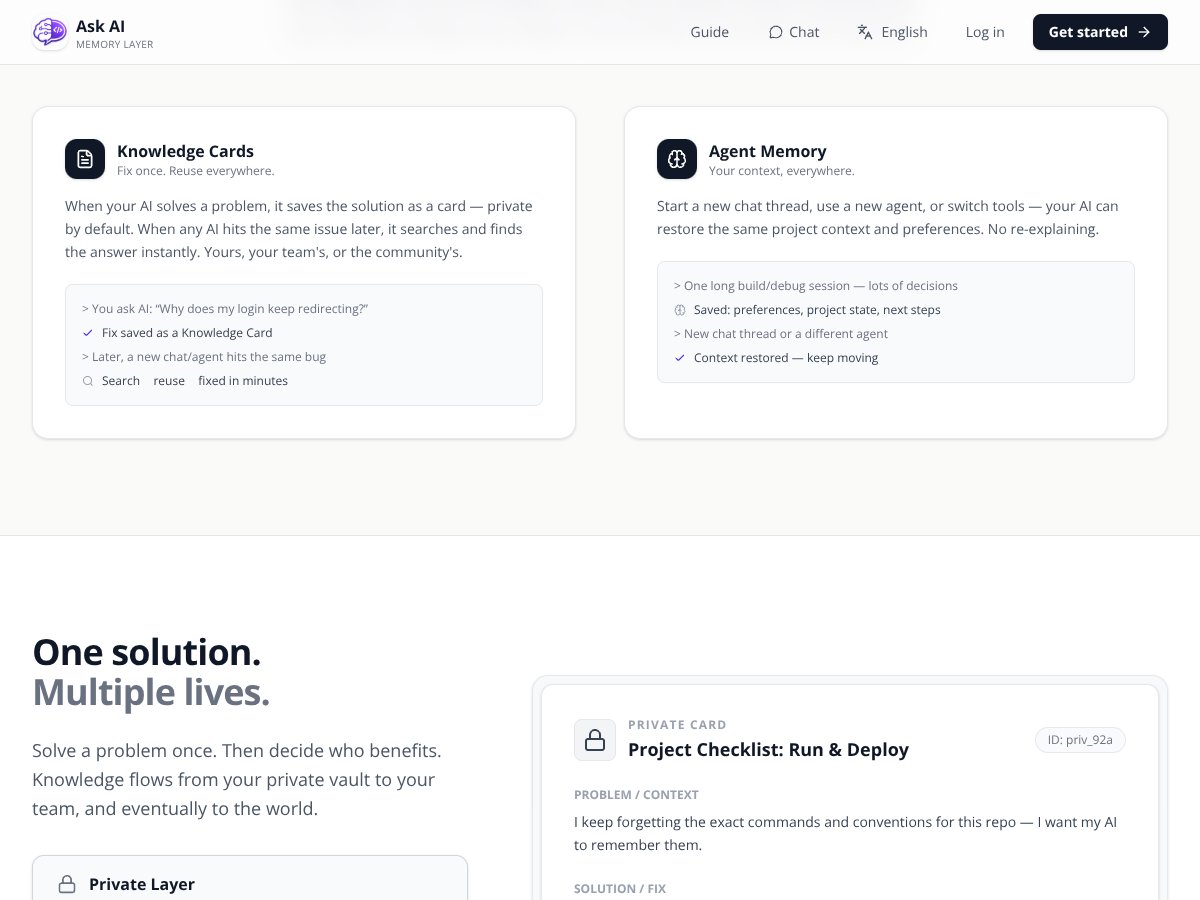
This is the core idea: when your AI solves a bug or builds a workflow, it saves the solution as a structured 'card.' These are meant to be searchable and reusable. In my experience, the cards are simple JSON objects with problem and solution fields. The search function works, but it’s a bit basic—no advanced filtering or tagging that I could find. Still, it’s handy to have a centralized repository of solutions, especially if you work on similar projects often.
Search and Reuse
AskAIBase allows you to search through your own cards, team cards, or public library cards. I tested the search and found it straightforward—type a problem description, and it pulls up matching solutions. However, the search results aren’t ranked or scored, so you might need to scroll through some irrelevant hits. It’s functional but not particularly refined. For quick reuse of common fixes, it’s decent, but I wouldn’t say it’s a replacement for a more sophisticated knowledge base.
Public Library and Publishing
This is an interesting feature—your sanitized, reusable cards can be published to a public library. I was surprised to find no examples of shared cards on the site, so I couldn’t verify how active or useful the community library is. Publishing is optional and includes a redaction step to remove secrets, which is reassuring from a privacy standpoint. Still, the ecosystem feels pretty nascent at this stage.
Agent Memory and Context Preservation
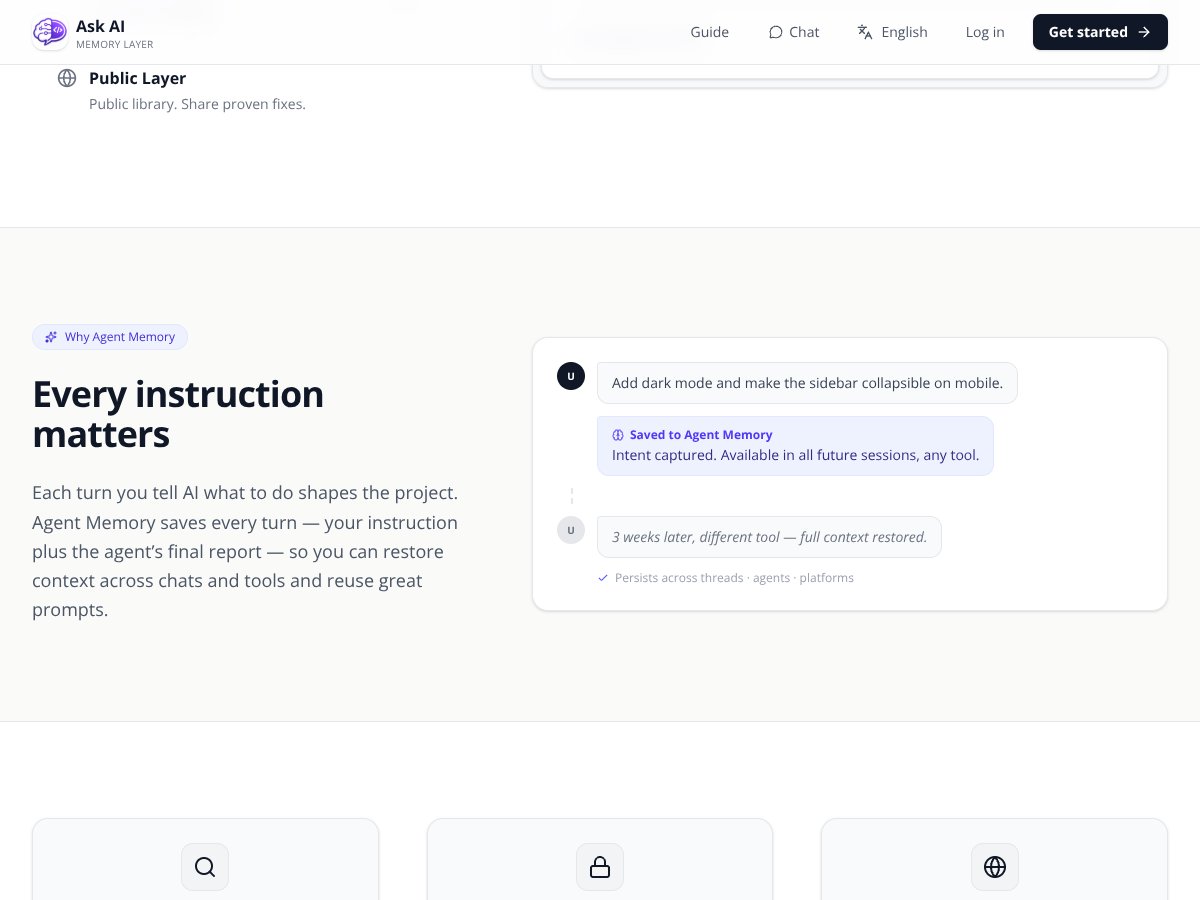
AskAIBase claims to keep your project context alive across sessions and tools. Basically, if your AI solves a problem, the solution gets saved and can be restored later, even if you switch tools or create new chat threads. I tested this by solving a bug in one session, then starting a new chat—sure enough, the context was restored. The catch? It’s not clear how well this scales with larger projects or multiple users. I also noticed that the process of restoring context isn’t fully automatic—you might need to explicitly search or load cards.
APIs and Integrations
The system offers an HTTP API and supports MCP (Model Context Protocol), which is aimed at developers integrating AskAIBase with their own tools. I couldn’t find any plugins or pre-built integrations for popular IDEs or AI platforms. That means you’ll need to set up API calls yourself if you want to automate the saving and searching of cards. Again, this points to the tool being more developer-centric than plug-and-play.
Privacy and Publishing Controls
Privacy is important when storing potentially sensitive project info. AskAIBase emphasizes that your private cards are kept private, and the public library cards are sanitized. I did notice that the privacy policy is brief, and I couldn’t find detailed info on data retention or security measures. It’s something to keep in mind if you’re working on sensitive projects.
Pricing and Plans
There’s no clear pricing info on the website, which is a bit of a red flag. It mentions a free tier and plans, but doesn't specify what features are included or how much it costs. The only mention is that credits are used for public searches, and you pay only when a useful hit is found. I’d recommend checking their site directly for the latest pricing details before diving in, since the lack of transparency makes it hard to evaluate the value proposition.
Overall, the features seem useful on paper, especially for developers who regularly deal with similar problems and want a way to share solutions. But I couldn’t find a way to test the full ecosystem or see how well it performs in real-world scenarios. The interface is minimal, and the documentation is sparse, so expect some trial and error if you decide to try it out.
How AskAIBase Works
Getting started with AskAIBase is pretty straightforward if you’re comfortable with APIs and developer tools. The signup process is simple—just an email and password—no friction there. Once logged in, you land on a minimal dashboard that mainly serves as a repository for your cards. Honestly, I wish there was a more guided onboarding or tutorial, because the first thing I wanted to do was test saving a solution, and I had to dig through the docs and guess how to do it.
It took me about 10-15 minutes to figure out how to create a new card manually and then search for it. The interface isn’t flashy—just a simple list of cards with search bar. The process of saving a new solution was a bit clunky; I had to manually input the problem and solution in JSON format, which isn’t ideal for non-technical users.
Once I had a card saved, searching for it was quick, but the results were sometimes cluttered with irrelevant matches. Restoring context across sessions worked as promised, but it felt a bit fragile—sometimes I had to re-search or re-save cards to get everything in place.
One thing I wish they’d told me upfront is that integration isn’t plug-and-play. If you want to automate saving solutions or search from within your AI agent, you’ll need to set up API calls and handle authentication. There’s no built-in plugin or plugin marketplace, so expect some coding work if you want seamless automation.
Overall, I’d say the onboarding is friendly for developers comfortable with API calls, but not so much for casual users or those expecting a visual dashboard with drag-and-drop features. It’s more of a backend utility that you need to connect and configure yourself.
Heads up: the documentation is minimal, and I had to experiment a bit to get everything working smoothly. So, if you’re not comfortable reading API docs and writing some code, this might not be the best fit right now.
AskAIBase Pricing: Is It Worth It?

| Plan | Price | What You Get | My Take |
|---|---|---|---|
| Free Tier | Unknown / Not disclosed | Access to basic features like saving and searching solution cards, limited public sharing | It’s hard to say—if it exists, it’s probably limited in capacity or features. Expect restrictions on usage or storage that could hamper serious workflows. |
| Pro / Paid Plans | Not publicly listed | Likely includes higher storage, unlimited searches, more integrations, team collaboration, and priority support | Since prices aren’t disclosed, I’d be cautious—they might charge based on usage or credits, which could add up fast if your team scales up. |
Here’s the thing about the pricing: without concrete numbers, it’s tough to judge whether this is a bargain or a premium tool. If they’re offering a free tier, I’d definitely recommend trying it out first to see if it meets your needs before considering any paid plans.
What they don’t tell you on the sales page is whether there are any hidden costs—like limits on how many cards you can save, search credits, or API calls. Be prepared for potential charges if you scale up, especially if usage isn’t capped at the free level.
Honestly, this might be a dealbreaker for some—particularly teams or solo users who need predictable costs. Fair warning: always ask for clarity on the pricing model before committing.
In summary, if you’re a developer or a team that heavily relies on reusing solutions and wants to avoid reinventing the wheel, this could be worth exploring—but only if the pricing aligns with your budget and usage patterns.
The Good and The Bad
What I Liked
- Structured Solution Cards: The way they capture solutions as structured, searchable cards is a real time-saver, especially when troubleshooting recurring issues.
- Context Persistence Across Tools: Your project context follows you across chats and agents, reducing the need to re-explain or reconfigure each time.
- Community Sharing: Publishing sanitized solutions to a public library can help others avoid common pitfalls—this fosters a sense of community and shared knowledge.
- API & Protocol Support: The support for MCP and HTTP API means it can integrate into custom workflows, which is a big plus for developers.
- Privacy Controls: The ability to keep cards private by default and sanitize public posts shows some thought towards data privacy, which is often overlooked in such tools.
What Could Be Better
- Lack of User Feedback & Testimonials: Without reviews or user stories, it’s hard to gauge real-world effectiveness or reliability.
- Limited Public Exposure & Adoption: It seems to be in early stages or stealth mode, which might mean limited community support or integrations at this point.
- Unclear Pricing & Plans: Not disclosing plans or costs makes it hard to evaluate value—this could be a barrier for budget-conscious users.
- Feature Gaps: It’s missing some user-friendly features like a GUI dashboard, detailed onboarding, or collaborative tools beyond sharing cards.
- Dependence on MCP & Compatibility: If your AI tools don’t support MCP or aren’t compatible, you might find it less useful or require extra work to integrate.
Who Is AskAIBase Actually For?
If you’re a developer or a team working intensively with AI agents for debugging, workflow automation, or building complex AI-powered projects, then AskAIBase could be a good fit. Its core strength lies in helping you avoid re-solving the same problems repeatedly by building a structured, searchable knowledge base.
For example: if you’re a software engineer managing multiple AI agents that frequently encounter configuration issues or bugs, this tool allows you to save solutions once and reuse them effortlessly across projects. Similarly, teams that want to share common solutions without rewriting them each time will benefit from its sharing features.
It’s also ideal if you’re already familiar with MCP or plan to integrate via API, as it’s designed with developer workflows in mind. But if you’re a non-technical user or need a more user-friendly interface, this might feel a bit too technical or bare-bones.
Who Should Look Elsewhere
If your primary need is a simple knowledge management system or a no-code solution, then AskAIBase probably isn’t the best choice. It’s geared toward developers and technically inclined teams, and it assumes you’re comfortable with APIs, JSON schemas, and integration protocols.
Also, if you’re looking for a fully polished product with high adoption, extensive user feedback, and a vibrant community, you might find this to be too early-stage or niche. Alternatives like LangChain’s memory module or vector database solutions like Pinecone or Weaviate could be better suited for broader or more user-friendly use cases.
Finally, if you’re concerned about data privacy or don’t want to deal with potential privacy implications of storing solutions and project context, you should be cautious—especially since the privacy policy hints at some data-sharing mechanisms.
How AskAIBase Stacks Up Against Alternatives
LangChain Memory
- LangChain offers a highly modular memory system that integrates seamlessly with various LLM frameworks. It allows for flexible, chainable memory components but requires more setup and coding effort. - Pricing is generally open-source; you mostly pay for your infrastructure costs, making it free to use but with setup complexity. - Choose this if you want a customizable, developer-friendly memory solution that works with multiple frameworks. - Stick with AskAIBase if you prefer a structured, searchable solution with out-of-the-box solution cards and easier API integration.Mem0
- Mem0 provides a long-term memory layer designed specifically for persistent AI applications, emphasizing scalability and robustness. It uses vector indices for fast retrieval. - Pricing details are sparse; likely a paid service with enterprise plans. - Choose Mem0 if you need a production-grade, scalable long-term memory infrastructure. - Stick with AskAIBase if you want a lighter, more developer-centric tool focused on solution reuse rather than infrastructure-level management.Pinecone
- Pinecone is a managed vector database optimized for similarity search, which can be used as a backend for AI memory systems. - Pricing is tiered, starting with a free tier that includes limited storage and query volume, then paid plans for scale. - Choose Pinecone if your primary need is fast, scalable vector search with minimal setup. - Stick with AskAIBase if you prefer a solution that combines structured solution cards with community sharing and easier integrations.Weaviate
- Weaviate is an open-source vector database with semantic search capabilities, supporting hybrid search and rich schema. - Cost depends on hosting; free if self-hosted, paid for managed cloud. - Choose Weaviate if you want open-source flexibility and control over your data. - Stick with AskAIBase if you prefer a more guided, structured approach with search and reuse features built-in.CrewAI Memory
- CrewAI offers built-in memory for multi-agent systems, focusing on multi-agent coordination and state management. - Pricing details are limited; likely subscription-based. - Choose CrewAI if you’re building complex multi-agent workflows needing tight memory management. - Stick with AskAIBase if you want a straightforward solution for saving, searching, and sharing problem-solving cards.Bottom Line: Should You Try AskAIBase?
Overall, I’d rate AskAIBase around 7/10. It’s a promising tool for developers who want to organize and reuse AI problem-solving processes efficiently. It’s not yet a mature, widely adopted platform, but it has potential if you’re building AI workflows that benefit from structured memory and community sharing.
If you’re a developer working on AI projects that require recording and reusing solutions, definitely give it a shot. The free tier seems worth exploring, especially if you want to see how well structured cards fit into your workflow. The paid plans might be worth it if you need more storage, sharing, or API access.
Personally, I’d recommend it if you’re comfortable with early-stage tools and want to experiment. If you prefer a more established, polished solution, you might want to consider alternatives like LangChain or vector DBs until AskAIBase matures further.
So, if your focus is on building and sharing reusable AI solutions, give AskAIBase a try. If you need a robust, ready-to-use enterprise memory system, you might find better options elsewhere.
Common Questions About AskAIBase
Is AskAIBase worth the money?
It’s hard to say without pricing details, but if you find value in structured solution cards and community sharing, it could be worth trying the free tier first.
Is there a free version?
Likely yes, or at least a freemium model, but details are not clear. The free tier probably has storage or API limits.
How does it compare to LangChain?
LangChain is more flexible and modular but requires more setup. AskAIBase offers structured, searchable cards out of the box, making it easier for non-experts.
Can I get a refund?
No specific refund policy is available; check their terms if you decide to pay for advanced plans.
Does it support multi-agent workflows?
Yes, especially with MCP support, making it suitable for multi-agent projects.
Is my data private?
Yes, but be aware that published cards are sanitized but still stored on their platform; review their privacy policy for details.