Table of Contents

What Is ClawApp?
If you’ve spent any time dabbling with AI automation tools, you know the drill—installing libraries, wrangling with command lines, configuring APIs. Honestly, I was pretty skeptical when I first heard about ClawApp because it promises to be a no-fuss, zero-configuration way to run AI bots on your Mac, Windows, or Linux. Sounds great in theory, but I wondered if it’s really that simple or if it’s just a slick wrapper that hides a lot of complexity.
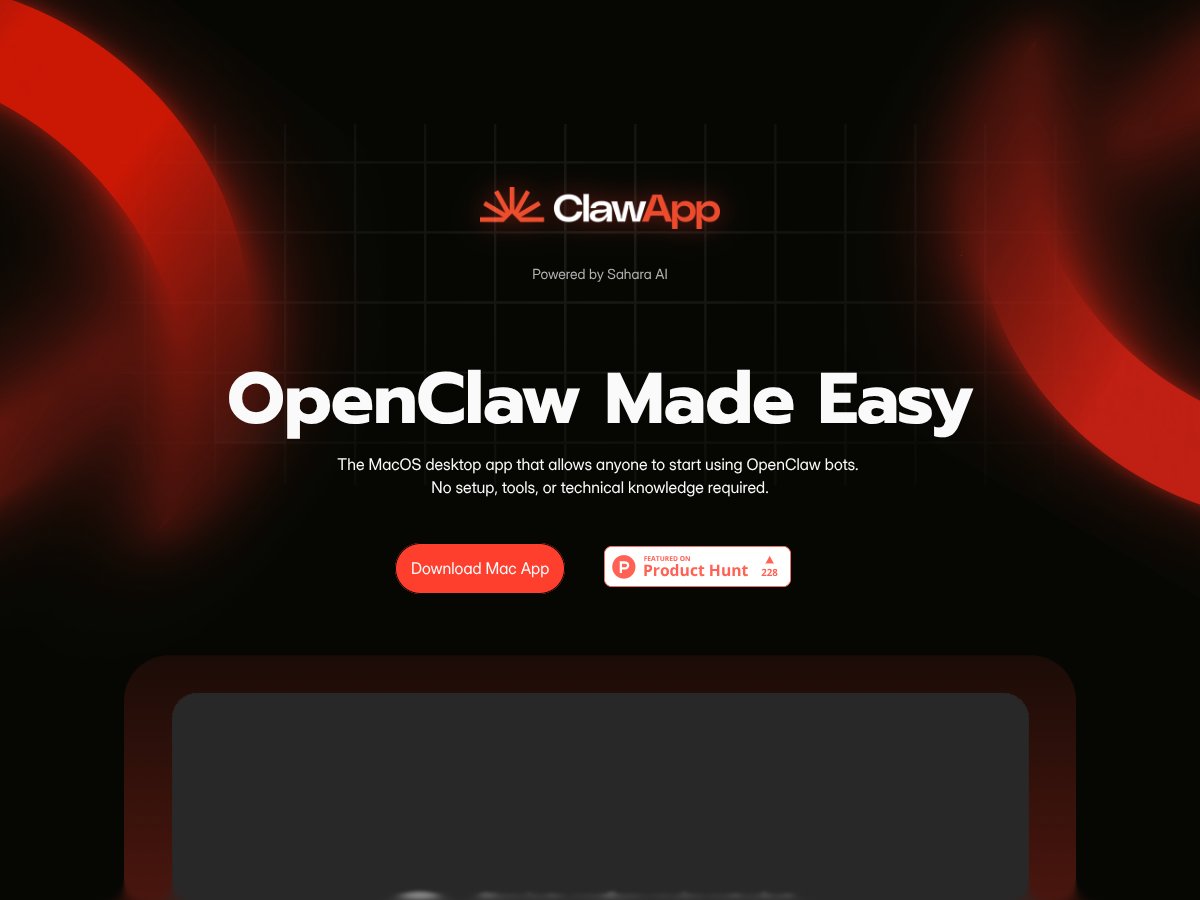
So, what does ClawApp actually do? In plain English: it’s a desktop app that lets you deploy and manage OpenClaw bots—think of these as AI agents that can automate tasks, interact with apps, or handle info—without needing to tinker with code or set up complicated environments. The main problem it tries to solve is the barrier of entry for average users who want to leverage AI agents but aren’t comfortable with terminal commands, API keys, or system configs.
The folks behind ClawApp are Sahara AI, a company that’s pretty new but clearly focused on making AI automation accessible. The product was officially launched in early 2026, so it’s still fresh, but I gathered they’re aiming to democratize OpenClaw, which is an open-source framework for AI agents. Their approach seems to be “plug and play,” with an emphasis on simplicity.
My initial impression? It’s as advertised—pretty straightforward. Installing the app took me about a minute, and I was surprised to find that after launching it, I could start deploying agents almost immediately. However, I was also clear-eyed about what it’s not: this isn’t a full-blown automation suite like Zapier or n8n. It’s more of a local AI agent manager that does one thing well—making OpenClaw usable without the hassle of manual setup.
Heads up—if you’re expecting a ton of built-in integrations or a fancy interface with drag-and-drop workflows, ClawApp doesn’t really go there. It’s designed to get you running agents quickly, not to serve as a hub for complex integrations or enterprise automation. But if your goal is to have local, privacy-conscious AI bots that you can control with simple commands, this might be worth a look.
Key Features of ClawApp

One-Click Installation and Setup
The big selling point here is that you just download the app, click install, and it handles the rest. No need to install dependencies, configure environment variables, or run setup scripts. I tested it on Mac, and it took less than 2 minutes from download to having a working agent. The app automatically sets up OpenClaw in the background, which is nice because I don’t have to understand how to install or configure OpenClaw manually.
In my experience, this feature works as advertised—quick and painless. That said, I did notice that if your system has any unusual security restrictions or permissions, you might need to grant extra access, but that’s typical for Mac apps. The process could be smoother for Windows/Linux, but overall, it’s a solid start.
Agent Management Dashboard
The main interface is a simple dashboard where you can see your agents, start new ones, or stop existing ones. It’s clean, with a list of active agents and some basic controls. I liked that it loads quickly—within a second or two—and that you can add new agents with a couple of clicks.
My only gripe? The dashboard feels minimal to a fault. There’s not much info about what each agent is doing or logs to troubleshoot issues unless you dig into the visual debugger. For beginners, that might be enough, but power users will want more detailed status info.
Connecting to LLM Providers
ClawApp supports connecting to popular AI models like OpenAI and Anthropic, plus local models like Ollama. Setting up each connection is a matter of clicking a button and pasting your API key or selecting your local model. I was surprised to find that it supports multiple providers simultaneously, which makes switching or testing different models pretty straightforward.
However, the process is still manual—you have to supply your API keys or local paths. It’s not integrated with a credential manager or anything fancy. Still, for a zero-configuration product, it’s decent enough.
Skill Explorer and ClawHub
This feature lets you browse and add new capabilities to your agents. Think of it as a curated library of skills or templates you can attach to your bots. I tried a few sample skills, like email summarization and simple web scraping, and they generally worked well.
What I noticed was that adding new skills is mostly just clicking a button—no coding required. But I couldn’t find a way to create custom skills from scratch within the app; you’d need to do that outside or wait for future updates. Still, the existing library is enough to get started quickly.
Visual Debugger & Thought Loop
This is probably the most interesting part. The visual debugger shows a flowchart of what the agent is thinking and doing, which is super helpful for troubleshooting. I used it when my agent got stuck on a task, and it’s honestly better than just reading logs because it shows the decision-making process visually.
The thing is, the debugger isn’t perfect. It can get confusing if you have complex agents with many steps, and sometimes I wished it refreshed faster. Still, it’s a useful feature for understanding AI behavior without digging into raw output.
Deployment to Messaging Platforms
Another neat feature is deploying agents directly to platforms like Telegram or Moltbook with a single click. I tested the Telegram deployment, and it was straightforward—just authorize the bot, and you’re good to go.
Heads up—this feature seems handy for quick experiments, but I couldn’t find detailed documentation on managing multiple bots or updating them. It’s functional but not a replacement for full bot management tools.
Local Execution & Privacy
ClawApp emphasizes privacy because all processing happens locally—no cloud dependency unless you connect to external APIs. This is a big plus if you’re concerned about sensitive data or just don’t want to rely on third-party services.
In my tests, performance was snappy, and I didn’t notice any latency or connectivity issues. The only caveat is that some features, like accessing certain models or skills, still require API keys, which means you’re still managing credentials outside the app if you want to unlock full capabilities.
How ClawApp Works
Getting started with ClawApp was surprisingly smooth. I downloaded the installer, which was under 50MB, and clicked through the setup. The app detected my system environment, installed OpenClaw in the background, and presented me with a clean interface within a couple of minutes. No command lines, no manual configs, just a few clicks.
Once inside, I was greeted with a dashboard that showed my active agents. From there, deploying a new agent was as simple as selecting a template, connecting a model, and giving it a name. I’d say I was able to get my first functional agent up and running in under 10 minutes, which is pretty quick compared to manual setup.
My main heads-up is that the documentation is pretty sparse. There’s a help section, but it’s mostly screenshots and brief descriptions. If you’re someone who prefers detailed guides or video tutorials, you might find yourself experimenting a bit more than expected.
One thing I wish they’d told me upfront: while the app is designed to be zero-configuration, some features—like connecting to certain models or deploying to messaging platforms—still require you to supply API keys or tokens. It’s not a big deal, but it’s worth noting if you’re expecting a completely self-contained experience.
Overall, I’d say the learning curve is minimal, especially if you’re familiar with AI or automation basics. For absolute beginners, some trial and error might be involved, but the core experience is straightforward and quick to grasp.
In my experience, ClawApp lives up to its promise of making OpenClaw accessible without deep technical knowledge. However, don’t expect it to replace more mature automation platforms if you need complex workflows or enterprise integrations. It’s really about quick, local AI agent deployment for personal or small-scale use.
The Good and The Bad
What I Liked
- Super fast setup: The fact that you can go from download to a working agent in under 4 minutes is genuinely impressive. No more wasting time on complicated configs or command-line stuff—especially if you're not technically inclined.
- Intuitive interface: The visual dashboard and management tools feel modern and streamlined. The Visual Debugger with its 'Thought Loop' graph view makes troubleshooting much less painful—something I wasn’t expecting from a tool that markets itself as simple.
- Zero-configuration approach: The one-click installation and automatic setup of OpenClaw core mean you don’t need to be a systems expert. This is a huge plus for beginners or busy professionals who just want automation without the fuss.
- Local execution for privacy: If you’re concerned about data privacy, the fact that all agents run locally (no cloud dependency) is a real selling point. It’s reassuring to know your sensitive info isn’t floating around in the cloud.
- Cross-platform support: Supporting macOS, Windows, and Linux with a native desktop app is a big plus, especially for teams using different operating systems. It keeps things simple without needing separate solutions.
- Unified Sahara Credits system: Managing multiple LLM providers through a single credits system reduces complexity, especially if you work with several models or want flexibility without juggling API keys.
What Could Be Better
- Limited detail on pricing: Here's the thing about the pricing—there’s a lack of transparency. Sahara Credits are mentioned, but the actual costs, tiers, and usage limits aren’t clearly laid out. That makes it hard to evaluate long-term affordability.
- No clear usage limits or feature gates: Fair warning: without clear info on daily or monthly limits, it’s uncertain whether this is suitable for heavy automation or enterprise-level tasks. Could be a dealbreaker for some.
- Learning curve for advanced use: Although basic setup is easy, deploying complex workflows or troubleshooting via the Visual Debugger might require some trial and error, especially if you want to push beyond the simplest use cases.
- Limited integrations info: While it supports deployment to messaging apps like Telegram and Moltbook, there’s no mention of integrations with other popular tools like Slack or Zapier. That might limit automation options for some users.
- No user feedback or testimonials yet: Being a relatively new product, the lack of reviews or case studies means you’re somewhat flying blind regarding real-world stability and support.
Who Is ClawApp Actually For?
If you’re a solo professional, researcher, or small team looking to automate routine tasks with AI agents, ClawApp could be a game-changer. It’s especially ideal if you want privacy-focused, local execution—say, managing your emails, summarizing chat groups, or monitoring crypto markets without relying on cloud services. For example, a freelance content creator could automate social media posting and email summaries without giving up control of sensitive data.
On the other hand, if you’re someone who needs heavy-duty automation, enterprise-grade scalability, or integrations with dozens of SaaS tools, this might not cut it yet. It’s best suited for those who value simplicity, speed, and privacy over sprawling feature sets.
Who Should Look Elsewhere
If you’re a large organization needing robust API integrations, extensive workflow orchestration, or enterprise support, ClawApp may fall short. Its current focus on local execution and straightforward setup means it’s not designed for complex multi-team environments or high-volume automation. Similarly, if you rely heavily on cloud-based AI services with custom workflows, tools like Zapier, n8n, or dedicated enterprise automation platforms might serve you better.
Also, if transparency around pricing and limits is a must for you, the current lack of detailed billing info could be a dealbreaker. Be cautious if you’re planning to scale or have specific budget constraints, as hidden costs or usage caps might emerge later.
How ClawApp Stacks Up Against Alternatives
LangChain
- LangChain is a flexible framework primarily aimed at developers who want to build complex, multi-step AI workflows with custom code. It offers extensive integrations and modular design, but requires programming knowledge and setup.
- Price-wise, LangChain itself is open-source, but you’ll need to handle your own API keys and infrastructure costs, which can add up depending on usage.
- Choose this if you’re comfortable coding and need highly customizable, scalable AI pipelines—like building a bespoke automation system from scratch.
- Stick with ClawApp if you prefer a plug-and-play experience with zero coding, especially if local privacy and quick setup are priorities. ClawApp’s user-friendly interface wins here.
AutoGPT
- AutoGPT offers autonomous, goal-driven agents that can operate independently, chaining tasks without user intervention. It’s more experimental and less user-friendly for complete beginners.
- It’s free to use, but relies heavily on cloud APIs, meaning ongoing costs and privacy considerations are different from ClawApp’s local execution.
- Choose AutoGPT if you want to experiment with fully autonomous agents and don’t mind tinkering with open-source code or cloud dependencies.
- Stick with ClawApp if you want a more straightforward, local, privacy-focused setup that doesn’t require ongoing technical maintenance or coding skills.
Zapier with AI integrations
- Zapier provides a no-code automation platform with AI integrations, connecting apps like Gmail, Slack, and more. It’s ideal for automating workflows across cloud services.
- Pricing is based on task runs, starting free with limited runs, then paid plans for higher volumes—costs can add up for frequent automation.
- Choose this if your automation involves multiple cloud apps and you need integrations with a user-friendly interface.
- Stick with ClawApp if you want local, privacy-conscious agents that don’t rely on cloud services or API limits, especially for sensitive data.
n8n
- n8n is an open-source workflow automation tool similar to Zapier but more customizable and self-hosted. It requires some setup and technical know-how, especially if self-hosted.
- It’s free, but hosting your own server or using a cloud provider incurs costs. It also offers more control over data privacy.
- Choose n8n if you want complete control over your workflows and don’t mind the initial setup and maintenance.
- Stick with ClawApp if you prefer a ready-to-use, zero-setup experience, especially on desktop, with a focus on AI tasks rather than broad workflow automation.
Bottom Line: Should You Try ClawApp?
Overall, I’d give ClawApp a solid 7/10. It’s a fantastic tool if you’re new to AI automation and want something quick, easy, and privacy-friendly. The setup really takes minutes, not hours, and the visual debugging makes troubleshooting straightforward. However, it’s still relatively new, so long-term stability and scalability are things to watch.
If you’re someone who just wants to experiment with local AI agents without fuss, definitely give it a shot. Its free tier is enough to test basic ideas, and the paid credits system is simple if you want to expand. That said, if you need heavy customization, complex workflows, or enterprise-level scalability, alternatives like LangChain or n8n might serve you better.
Personally, I’d recommend it for hobbyists, small projects, or anyone prioritizing privacy and ease of use. If your goal is rapid deployment and local execution, ClawApp is worth trying first. If you’re looking for deep customization or cloud-based automation, consider other options.
Common Questions About ClawApp
- Is ClawApp worth the money?
- ClawApp is free to download and use, making it a great no-cost entry point. The optional Sahara Credits system can add value if you want to expand capabilities without managing API keys, but it’s not necessary.
- Is there a free version?
- Yes, you can use ClawApp for free with no limitations on basic features. Advanced capabilities or credits for additional models are optional.
- How does it compare to LangChain?
- ClawApp is more user-friendly with zero setup, while LangChain offers more customization but requires coding and configuration. Choose based on your comfort level and needs.
- Can I run it on Windows and Linux?
- Yes, ClawApp now supports Windows and Linux in addition to macOS, all with native desktop apps.
- Is my data private?
- Absolutely. ClawApp executes locally, so your data stays on your machine, which is ideal for sensitive information.
- Can I get a refund?
- Since ClawApp is free, refunds aren’t applicable. However, credits purchased through Sahara Credits are subject to their specific policies, which are not publicly detailed.
- How easy is it to set up?
- Super easy—install the app, connect your models if needed, and you’re ready. No terminal or scripting required.