Table of Contents

What Is Hermes Markdown?
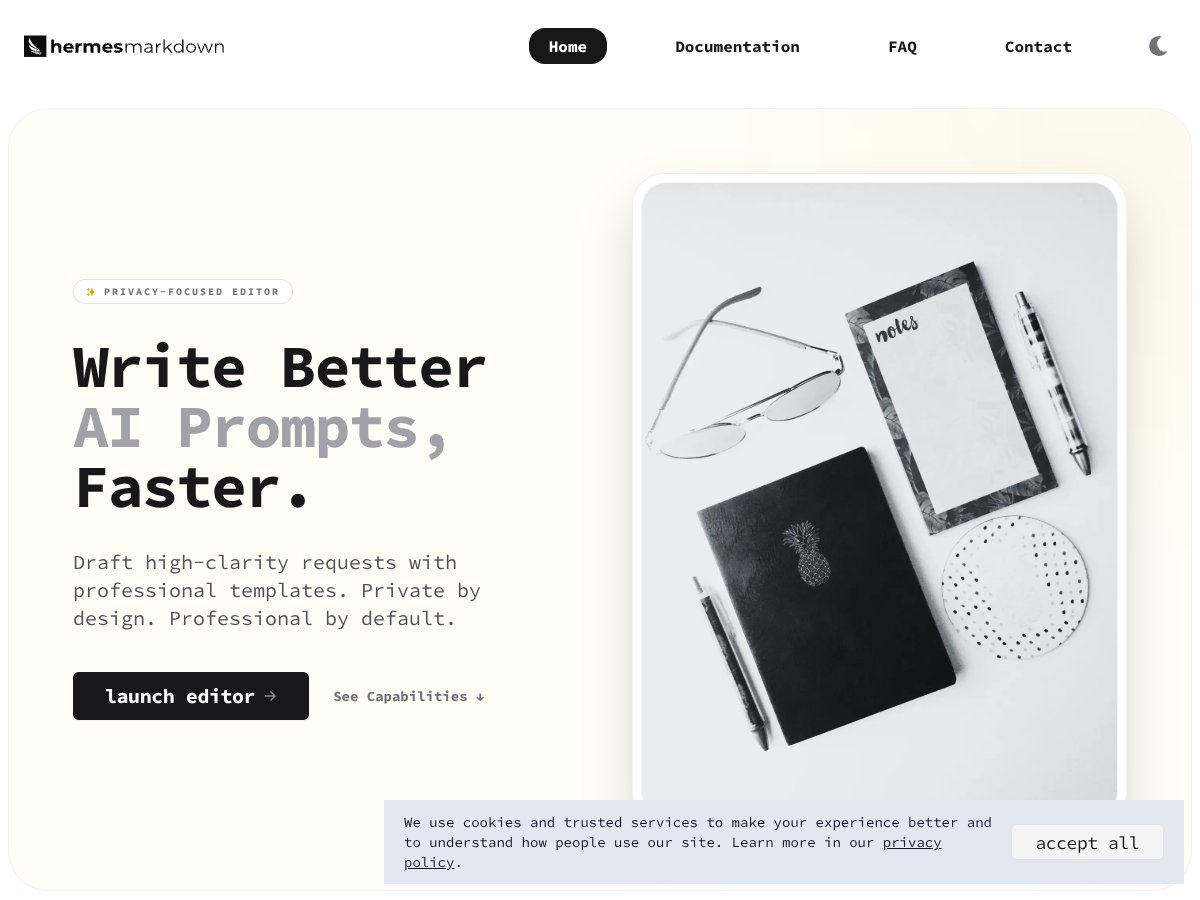
Honestly, I was pretty curious about Hermes Markdown because I’ve seen a few tools promising to make prompt engineering easier, but most of them either rely on cloud storage or feel overly complicated. So, when I heard Hermes was a free, offline, privacy-focused markdown editor specifically designed for crafting AI prompts, I figured I’d give it a shot.
In plain English, Hermes Markdown is a local-first text editor that helps you write, organize, and refine prompts for AI models. Think of it like a specialized notebook—only for prompts—where you can use templates, check readability scores, estimate token counts, and keep everything on your device without uploading anything online.
What it’s trying to solve is the problem of prompt clutter and the difficulty of organizing complex instructions. Instead of juggling multiple files or relying on cloud apps, it keeps everything local, which is a plus for privacy. It’s developed by Mares Popa, a developer who seems to focus on privacy and simplicity.
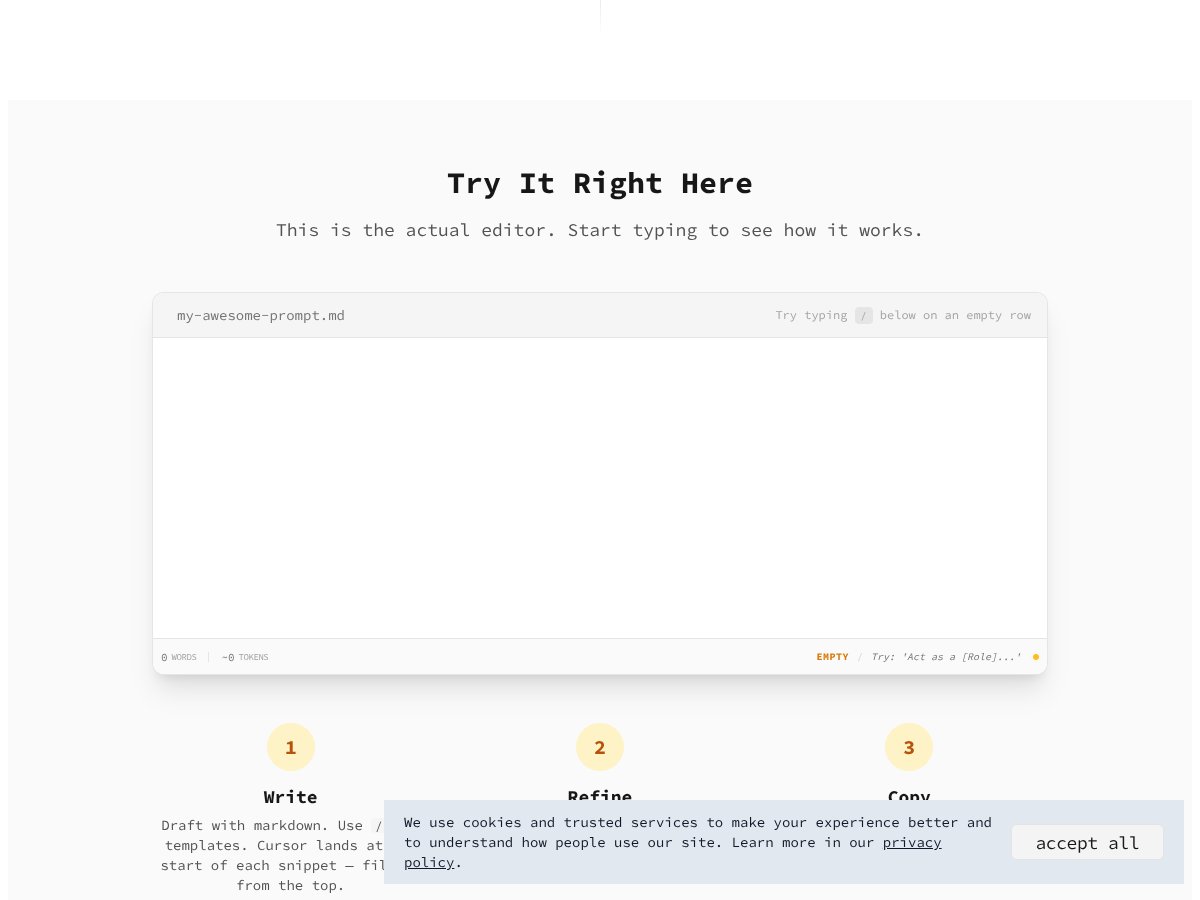
My initial impression was that it’s pretty straightforward—exactly as advertised. The interface is clean, and I could start typing right away without signing up or creating an account. That said, it’s not a full-blown IDE or a prompt library platform. It’s more like a smart markdown editor with some AI-specific tools baked in. So, if you’re expecting collaboration features or cloud integrations, you’ll be disappointed. It’s very much a 'write and refine offline' tool.
Hermes Markdown Pricing: Is It Worth It?

| Plan | Price | What You Get | My Take |
|---|---|---|---|
| Free Tier | Free | Core features: draft, refine, organize prompts, slash command templates, local storage, offline work | Honestly, the free version seems to cover the essential tools for prompt engineering without any hidden costs. But it’s unclear if there are limitations on the number of snippets or prompts you can save, which might be a concern for power users. |
| Paid Plans | Not publicly listed | Information not available; likely no paid plans given the open, free nature | What they don't tell you on the sales page is that there may not be any paid tiers at all. It appears to be a fully free, open-source style tool, but double-check the website for updates — sometimes paid plans are added later. |
My Honest Take
Here's the thing about the pricing: Hermes Markdown is essentially free, which is rare for a tool with such specialized features. That means no subscriptions, no hidden charges, and you don't need to create an account — just download and start using it. However, if you're expecting a premium tier with dedicated support, cloud sync, or advanced integrations, you won't find those here. This might be a dealbreaker for some who rely on collaboration or cloud features.
Fair warning: since the tool is entirely local-first and privacy-focused, you won't get cloud backups unless you set up your own. For most solo prompt engineers or privacy-conscious users, this is a plus. But if you’re used to SaaS tools with seamless syncing and team sharing, Hermes might feel limited.
All in all, I’d say the pricing model is straightforward and fair — especially for individual users who are comfortable managing their files locally. Just keep in mind that the lack of paid plans or premium features might mean you’re getting a very skeletal version of what some paid tools offer, but for many, that’s a plus rather than a minus.
The Good and The Bad
What I Liked
- Privacy-first design: No cloud, no data leaks, which is a huge plus for sensitive prompts or confidential projects.
- Offline operation: Works entirely locally, so you can craft prompts anywhere, even without internet — perfect for travel or secure environments.
- Built-in templates and slash commands: The 30+ prompt templates help speed up the drafting process, especially if you’re working on similar tasks repeatedly.
- Token estimation and readability metrics: Real-time feedback helps you optimize prompts for efficiency, saving tokens and reducing costs in some AI models.
- Custom snippets and file management: You can create your own prompts and organize them in markdown files, which is great for long-term projects.
- Simple, clean interface with real-time preview: The editor feels intuitive, and seeing your prompt's structure as you write is helpful.
What Could Be Better
- Lack of native app or self-hosting options: If you prefer desktop apps or self-hosted solutions, Hermes doesn’t offer that, which could be a dealbreaker for some.
- Limited markdown support: It handles basic markdown well, but if you need advanced features like live collaboration, real-time commenting, or integrations, you’ll be out of luck.
- No integrated prompt library sharing: You have to manually import/export prompts; there's no built-in community or sharing platform.
- No detailed documentation on advanced workflows: If you're looking for guidance on complex prompt engineering, the tool provides the basics but not deep tutorials or examples.
- Potentially limited scalability: For large teams or complex projects requiring version control, Hermes might fall short.
Who Is Hermes Markdown Actually For?
If you’re a solo prompt engineer, researcher, or privacy-conscious writer who values offline work and local control, Hermes Markdown could be a perfect fit. It’s ideal if you frequently craft prompts for language models and need a dedicated workspace that keeps your data private. For example, a freelance AI consultant managing multiple prompt templates might appreciate the ability to organize everything locally with real-time metrics.
Also, if your workflow involves refining prompts over time, the templates, snippets, and markdown organization features can speed things up significantly. It’s especially useful for those who prefer a minimalistic, distraction-free environment without cloud dependencies.
However, if collaboration, cloud sync, or native app support are non-negotiable, you might want to look elsewhere. Hermes is best suited for individual users who prioritize privacy and offline access above all else.
Who Should Look Elsewhere
If you need a collaborative platform with real-time editing, version control, or integrations with your existing tools, Hermes isn’t the right choice. Similarly, if you prefer a polished desktop app, or a web-based tool with team sharing, you’ll find better options like Obsidian, Notion, or dedicated prompt management SaaS solutions.
Fair warning: those who rely on cloud backups or want seamless syncing across devices will be disappointed. Hermes’ offline, local-first approach is a double-edged sword — great for privacy, but less flexible for teamwork or multi-device workflows. Also, if you’re looking for a tool with extensive built-in tutorials or a large community, this might feel too barebones.
How Hermes Markdown Stacks Up Against Alternatives
Obsidian
- Obsidian is a powerful knowledge base tool that supports markdown with extensive plugin support, enabling features like backlinks, graph views, and custom templates. It’s more geared towards long-term knowledge management rather than prompt engineering specifically.
- Price-wise, Obsidian is free for personal use, but some plugins and features might require paid plans or community plugins. Hermes Markdown is completely free with no hidden costs.
- Choose Obsidian if you’re building a complex interconnected knowledge system and want a highly customizable environment.
- Stick with Hermes Markdown if your primary goal is prompt drafting, instant previews, and privacy-focused offline prompt editing without the extra complexity.
Typora
- Typora offers a minimalist, distraction-free markdown editing experience with a gorgeous live preview. It’s great for clean writing and straightforward markdown editing but doesn’t include prompt-specific templates or AI-focused features.
- Cost is around $14.99 (one-time purchase), making it affordable for dedicated markdown users.
- Choose Typora if you need a simple, elegant markdown editor for general writing tasks without prompt engineering features.
- Stick with Hermes Markdown if you want built-in prompt templates, token estimation, and offline AI prompt work — features Typora lacks.
Gollum
- Gollum is a git-backed markdown wiki editor, ideal for version-controlled documentation and collaborative editing. It’s more about team workflows than individual prompt crafting.
- It’s free and open-source, but requires some setup with Git and hosting, so it’s less plug-and-play than Hermes Markdown.
- Choose Gollum if you’re managing collaborative projects or documentation with version history.
- Stick with Hermes Markdown if you prefer a simple, offline, prompt-focused environment rather than a wiki-style system.
Inke
- Inke is an AI-powered markdown-like web editor that offers smart suggestions and cloud sync features, supporting collaboration and sharing.
- Pricing varies; basic plans are free, but advanced features are paid. Hermes Markdown is free and local-only, prioritizing privacy.
- Choose Inke if you want AI-powered suggestions and seamless online collaboration.
- Stick with Hermes Markdown if you value offline work and data privacy over cloud features.
Final Verdict: Should You Try Hermes Markdown?
Overall, I’d give Hermes Markdown a solid 7/10. It’s a niche tool that nails the core needs of prompt engineers—privacy, offline access, and built-in templates—without unnecessary bells and whistles. It’s not a full-fledged markdown editor for complex writing projects, but it excels at what it’s designed for.
If you’re someone who frequently drafts prompts, values privacy, and prefers a focused, distraction-free environment, this tool is definitely worth trying. The free version offers plenty to get started, and the offline, local-first setup is a huge plus.
On the flip side, if you need advanced markdown features, collaboration, or a more general writing environment, other tools like Obsidian or Typora might be a better fit. Hermes Markdown isn’t the best choice if you want extensive file management or team sharing capabilities.
Personally, I’d recommend giving it a shot if prompt engineering is your main gig. If you’re just looking for a markdown editor for casual writing or documentation, you might want to explore other options first.
If you want a privacy-first, prompt-focused environment without fuss, give Hermes Markdown a try. If your needs are broader or more collaborative, spend your time on a different tool that suits those needs better.
Common Questions About Hermes Markdown
- Is Hermes Markdown worth the money? It’s free, so there’s no cost to try. It’s worth it if you need privacy-focused prompt editing; otherwise, other paid tools might offer more features.
- Is there a free version? Yes, Hermes Markdown is completely free with no premium tiers or subscriptions.
- How does it compare to Obsidian? Hermes is simpler, focused on prompts, and offline, while Obsidian supports extensive knowledge management and plugin support. Choose based on your specific needs.
- Can I import and export files? Yes, it supports markdown files with YAML frontmatter, allowing easy import/export and seamless workflow.
- Does it support collaboration? Not natively. It’s designed for offline, solo prompt engineering, with import/export for sharing.
- Can I customize templates? Absolutely, you can save custom snippets and templates to streamline your prompt workflow.
- Is it possible to self-host or run as a native app? Currently, Hermes Markdown is browser-based and offline-only; no native app or self-hosting options are available.
- Can I get help or support? As an open, community-driven free tool, support is limited to documentation and community discussions.