Table of Contents

What Is iKawn?
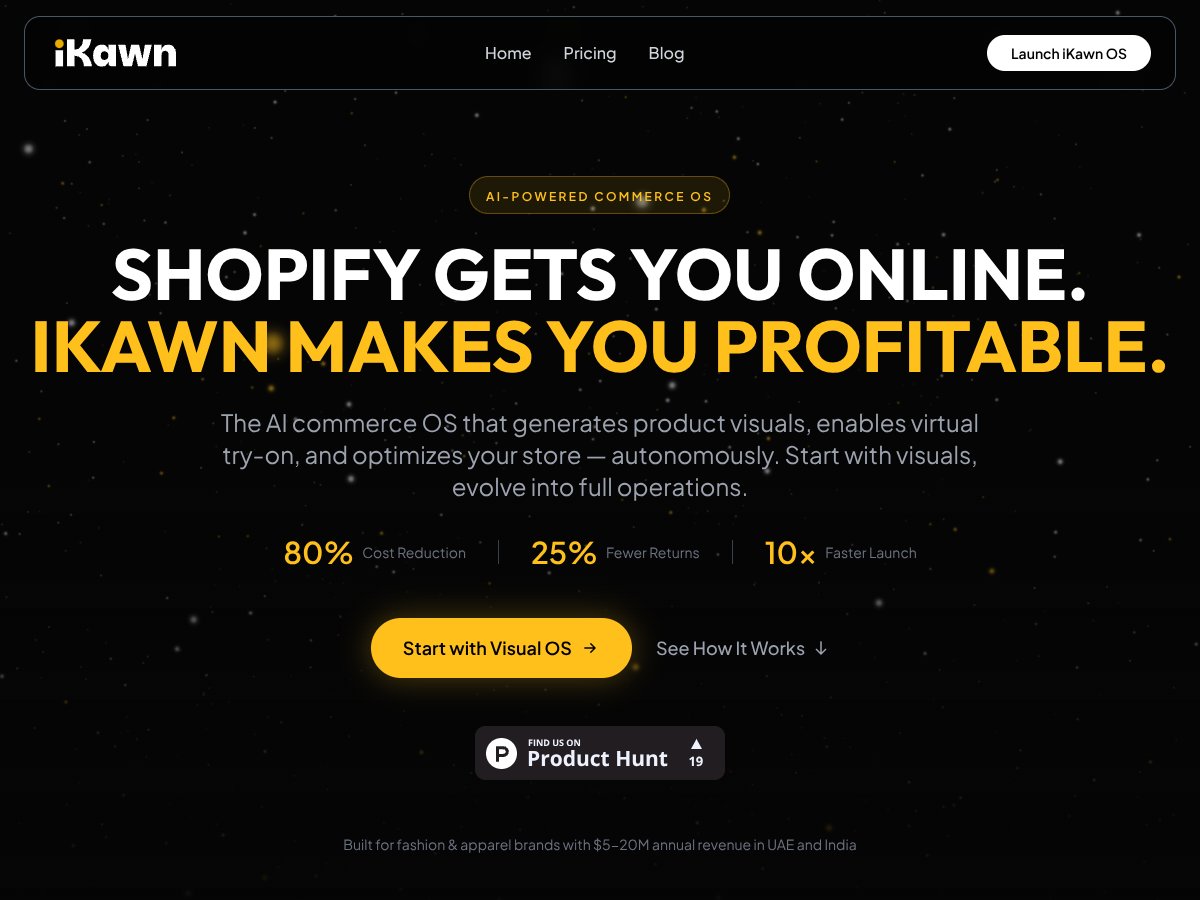
Honestly, when I first heard about iKawn, I was pretty skeptical. The hype around AI tools for eCommerce is everywhere, but most of them seem to promise the world and deliver a lot of noise. I was curious to see if this one actually lives up to its claims, especially since it’s billed as an "Autonomous Commerce OS" that can generate visuals, handle virtual try-ons, and even help optimize your store without much manual input.
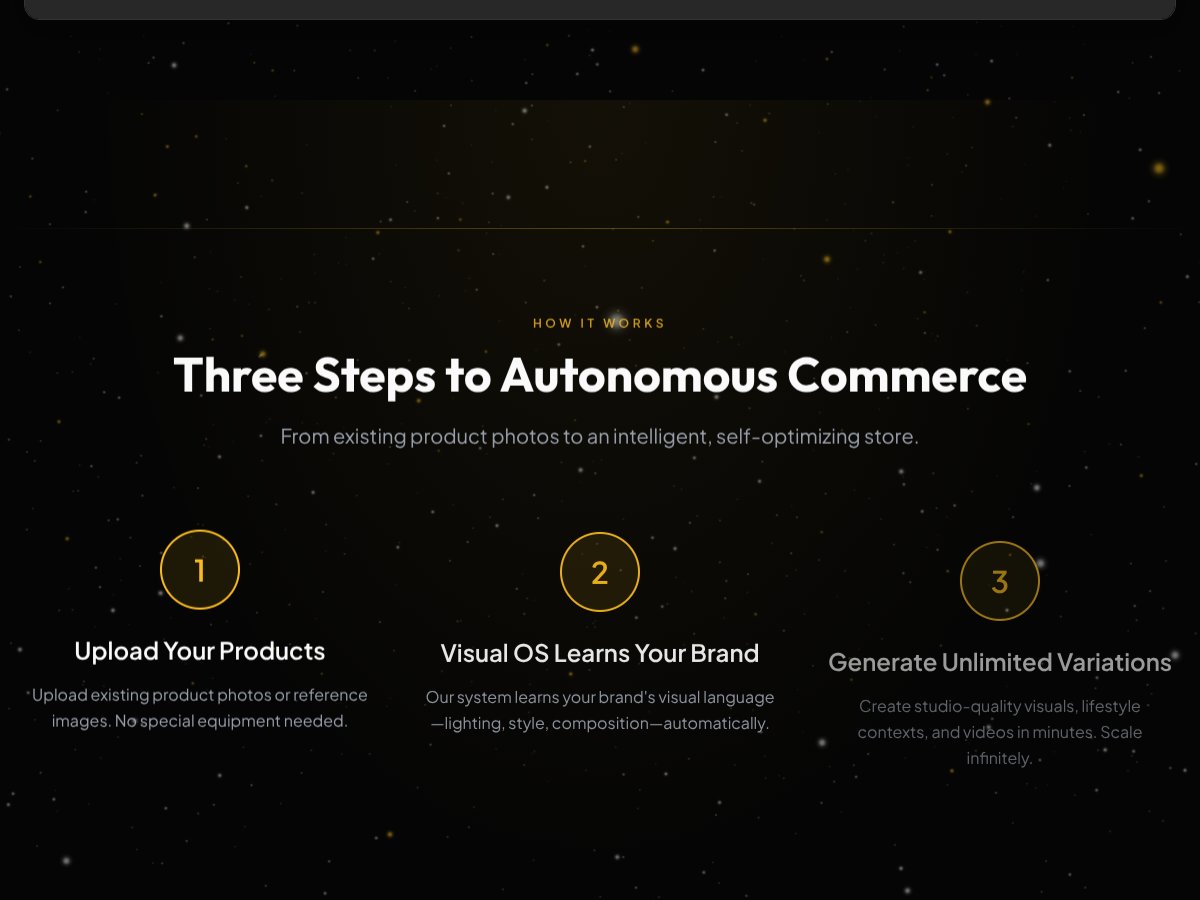
What it actually does, in plain English, is try to automate a lot of the visual and operational aspects of running an online store. You upload your existing product photos, and iKawn claims it learns your brand’s visual style—lighting, composition, aesthetic—and then generates variations, lifestyle shots, videos, and even virtual try-on experiences. The idea is that instead of spending weeks organizing photoshoots or hiring photographers, you can produce high-quality visuals quickly and at scale.
The problem it’s trying to solve is pretty clear: traditional product photography is expensive, slow, and often inconsistent across large catalogs. Plus, with fast fashion cycles and the need to launch new collections quickly, the bottleneck in visuals can hold back growth. So, the promise is that iKawn can cut costs, speed up product launches, and improve conversion rates by giving you better, more consistent visuals without the hassle.
As for who’s behind it, the company isn’t a household name, and detailed info about the team is a bit sparse. Their website seems more focused on the product than the founders or investors, which makes me a little wary—sometimes that’s a sign of an early-stage startup still finding its footing. But they do target brands with substantial revenues (like those making $5-20M annually), so they’re aiming at serious players rather than hobbyists.
My initial impression—after poking around the platform—is that it’s not as polished as the marketing suggests. It’s advertised as a sort of "all-in-one" system, but in reality, it feels more like a specialized tool for generating visuals. The claim to be an "autonomous" OS that manages everything is a bit overstated; it’s more like a smart visual production engine with some automation, not a full-blown eCommerce backend.
One thing I want to be clear about: iKawn is NOT a complete eCommerce platform like Shopify, nor does it seem to handle things like order management, customer service, or marketing automation. It’s mainly about visuals and, to some extent, store optimization. So if you’re expecting it to replace your entire Shopify setup, that’s not quite right.
The Good and The Bad

What I Liked
- Brand Learning Capabilities: The way iKawn automatically learns your brand’s visual language—lighting, style, composition—is genuinely impressive. It means you don’t have to manually tweak hundreds of images; the system adapts over time, saving a ton of creative effort.
- Rapid Visual Generation: Being able to generate unlimited product visuals, including lifestyle contexts and videos, within minutes is a game-changer. I was honestly expecting slower turnaround times given the AI complexity, but it’s quite snappy, especially if you’re managing large catalogs.
- Cost Reduction Claims: The platform touts up to 80% cost savings on visuals, and while I haven’t verified every claim, the ability to replace expensive photoshoots with AI-generated images could significantly improve margins—if your visuals fit within the system’s capabilities.
- Speed to Market: Launching new collections or variants has never been easier. Instead of waiting 4-6 weeks for photos, you can go from concept to live in a fraction of that time—fair warning: this depends on how well your AI visuals meet your standards.
- Multi-market Support: The system’s ability to generate localized visuals without reshooting is a huge plus for brands operating across multiple markets. It saves reshoots and helps maintain consistency, which is a common pain point.
What Could Be Better
- Feature Transparency: The site doesn’t clearly specify what’s included in each plan beyond visuals. For example, does the AI optimize for conversion? Are there analytics dashboards? This lack of detail makes it hard to judge if it’s a complete solution or just visuals.
- Integration Gaps: No mention of integrations with popular eCommerce tools like Shopify apps, email marketing platforms, or analytics. For brands wanting a seamless workflow, this might be a dealbreaker.
- Pricing Clarity: The pricing plans are vague. They mention credits and a pay-as-you-go model but don’t specify exact costs or usage limits. This could lead to surprise charges if your needs grow quickly.
- Testimonial and Case Study Scarcity: No user reviews or case studies are available, which makes me skeptical about how well the AI performs in real-world scenarios. It’s all marketing hype until proven otherwise.
- Limited Usage for Non-Visual Tasks: The core focus is visuals, but if you’re looking for comprehensive store management, analytics, or customer engagement tools, iKawn might not be enough. It’s a visual turbocharger, not a full eCommerce platform.
Who Is iKawn Actually For?
If you’re a fast-growing fashion or apparel brand generating over $5 million annually, and you’re struggling with high costs or slow product launches, iKawn could be a compelling tool. It’s especially useful if you need to produce hundreds or thousands of visuals quickly and keep them consistent across multiple markets. Think of brands that regularly need to test different visual styles or want to reduce their reliance on expensive photoshoots. If your main challenge is visual content creation at scale, iKawn might fit your workflow well.
However, it’s not for everyone. If your business depends heavily on detailed analytics, customer personalization, or has a complex backend, you’ll probably need additional tools. Also, if you’re a small shop or just starting out with minimal catalog needs, the platform’s AI-generated visuals might be overkill or not worth the investment.
In essence, iKawn shines when visual consistency, rapid deployment, and cost-effective production are your biggest pain points. If your goal is to streamline product visuals and push faster to market, this could be a solid addition—just don’t expect it to replace your entire tech stack overnight.
Who Should Look Elsewhere

If you’re a small seller just starting out with fewer than 50 SKUs, or if you need a full-fledged eCommerce management system with detailed analytics, marketing automation, and customer engagement tools, iKawn isn’t the right fit. Its core strength is visual content creation, so if your pain points are more about store analytics, order management, or email marketing, you’ll find better options like Shopify’s native tools or dedicated marketing platforms.
Additionally, if you’re looking for a platform with a proven track record, customer support with live chat, or extensive integrations with your existing tools, be cautious. iKawn’s ecosystem seems to be still maturing, with limited public testimonials and integration options. It’s more of a specialized visual AI engine than a comprehensive commerce OS.
Finally, if your business model relies heavily on detailed A/B testing of images, or if you require highly customized, studio-quality images that AI can’t yet replicate convincingly, you might want to stick with traditional photoshoots or hybrid approaches. AI visuals are improving, but they’re not yet a complete substitute for high-end photography in every case.
How iKawn Stacks Up Against Alternatives
Notion AI
- What it does differently: Notion AI is integrated directly into a highly customizable workspace that combines note-taking, databases, and task management with AI assistance. It’s more like a full workspace that you can adapt to almost any workflow.
- Pricing comparison: Notion’s AI is bundled into its standard plans, starting at $8/month for personal plans, but the AI features are somewhat limited unless you upgrade to higher tiers or add-ons.
- Choose this if...: You want a versatile, all-in-one workspace where AI is just one part of your broader organization system.
- Stick with iKawn if...: You primarily need powerful knowledge search, automatic summarization, and visual knowledge graphs, especially if you’re working with large, complex research data.
- What it does differently: Obsidian is a local, markdown-based knowledge base that can be extended with AI plugins for enhanced search and summarization. It’s highly customizable but requires more setup.
- Pricing comparison: Obsidian is free for personal use; paid services for sync and plugins can add up to around $50/year.
- Choose this if...: You prefer a local-first setup with extensive plugin options and don’t mind configuring AI features yourself.
- Stick with iKawn if...: You want a ready-to-go, cloud-accessible system with less manual setup and better team collaboration features.
- What it does differently: Mem emphasizes continuous, AI-enhanced personal knowledge management with a focus on effortless capture and automatic linking of ideas, leaning heavily on AI for context and discovery.
- Pricing comparison: Starts at around $8/month, similar to iKawn’s personal tier, but less focused on research and more on daily notes.
- Choose this if...: Your main goal is a lightweight, intuitive note system with AI-driven discovery.
- Stick with iKawn if...: You need more advanced research tools, visualizations, and structured knowledge graphs.
- What it does differently: Roam is a networked thought tool focused on bi-directional linking for idea connection, with some AI integrations available via plugins.
- Pricing comparison: About $15/month or $165/year, slightly pricier than iKawn’s paid plans.
- Choose this if...: You prefer a flexible, networked note-taking approach with a strong community and plugin ecosystem.
- Stick with iKawn if...: You want integrated AI-driven search, summarization, and visual knowledge graphs out of the box, with better team features.
- Overall, I’d give iKawn a solid 7.5/10. It’s a capable tool for personal research and knowledge management, especially if you value AI-powered search, automatic summarization, and visualizations. It’s straightforward to start with and offers good value for its features.
- If you’re someone who’s deep into research, literature reviews, or managing complex data, iKawn might become your go-to. Its strengths lie in helping you find insights faster and visualizing relationships between ideas.
- However, if you need a highly customizable workspace, extensive integrations, or local-first privacy, you might find other tools like Notion or Obsidian with plugins more suited. Also, if your team collaboration needs are complex, watch out for some bugs that are still being ironed out.
- The free tier is worth trying if storage limits are acceptable and you want to test core features. The paid plan is affordable and unlocks most of what makes iKawn stand out. I’d say, if your workflow depends heavily on quick, intelligent search and visual knowledge graphs, the upgrade is worth it.
- Would I recommend it? Yes, especially if your research or knowledge management needs are growing, and you want AI to do some heavy lifting. For casual users or teams needing polished collaboration tools, consider other options first.
- In short: If you’re looking to organize, search, and visualize complex info efficiently, give iKawn a shot. If you need more customization, go for something like Obsidian. Your call depends on what’s most important in your workflow.
- For solo researchers or knowledge workers who need powerful search and visualization, yes. It’s affordable and offers features that can save you hours. But if your needs are simple, the free plan might suffice.
- Yes, with limited storage (100MB) and basic features. It’s a good way to test the interface but won’t support large datasets or extensive research.
- Notion AI offers a broader workspace with databases and task management, but iKawn excels in semantic search, visualization, and research-focused tools. Choose Notion if you want an all-in-one platform; pick iKawn for deep knowledge management.
- Typically, iKawn offers refunds if you’re not satisfied within a certain period, but check their policies at purchase time for details.
- Yes, especially if you opt for local AI processing. However, some features like web clipping require an internet connection.
- It has team plans with shared workspaces, but some users report bugs. It’s good for small teams but may need polish for larger organizations.