Table of Contents
What Is kwAI?
Honestly, when I first heard about kwAI, I was pretty skeptical. Like many sales tools claiming to find “perfect prospects,” I’ve seen a lot that overpromise and underdeliver. But what caught my attention was the idea that this tool uses AI to actually research and qualify prospects for you—without spamming or mass outreach. I wanted to see if it was just another shiny gimmick or if it genuinely helps sales folks connect with the right people.
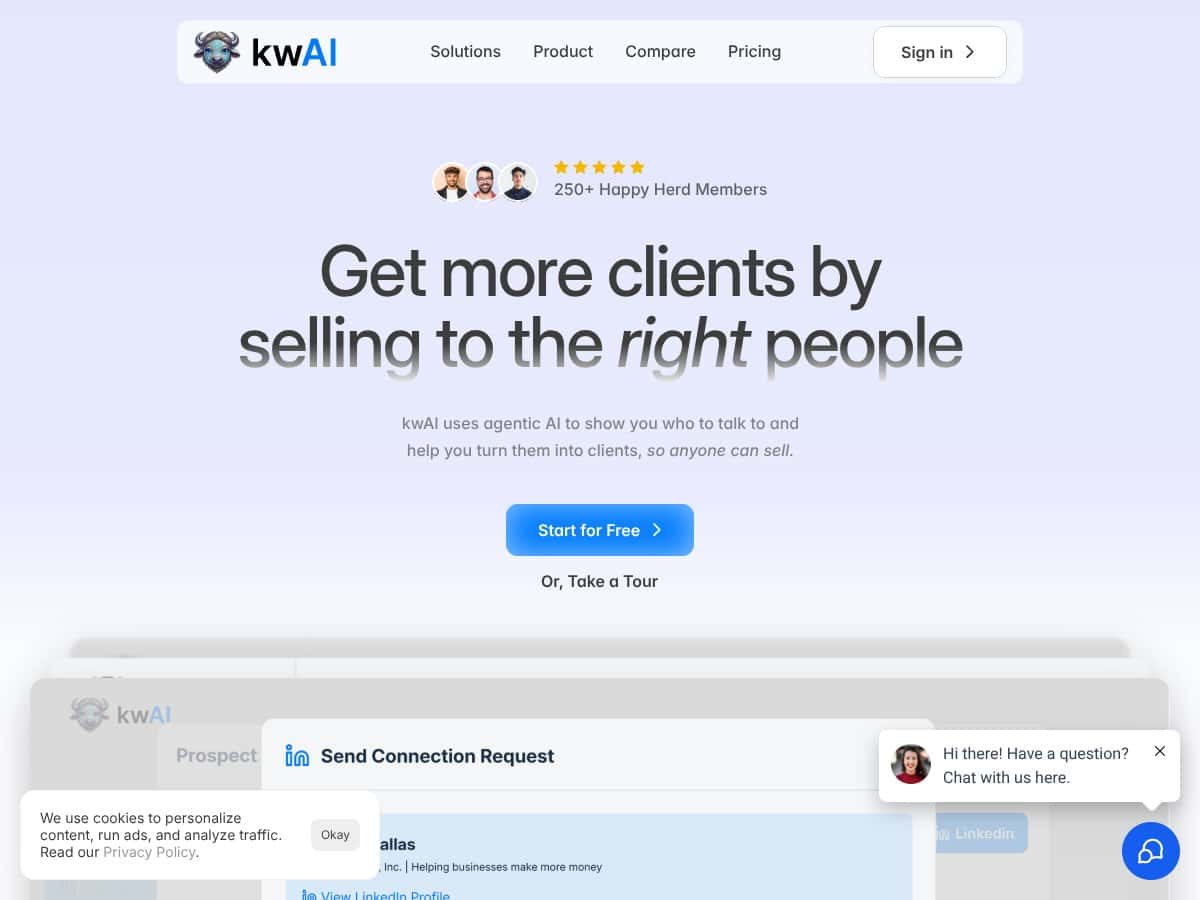
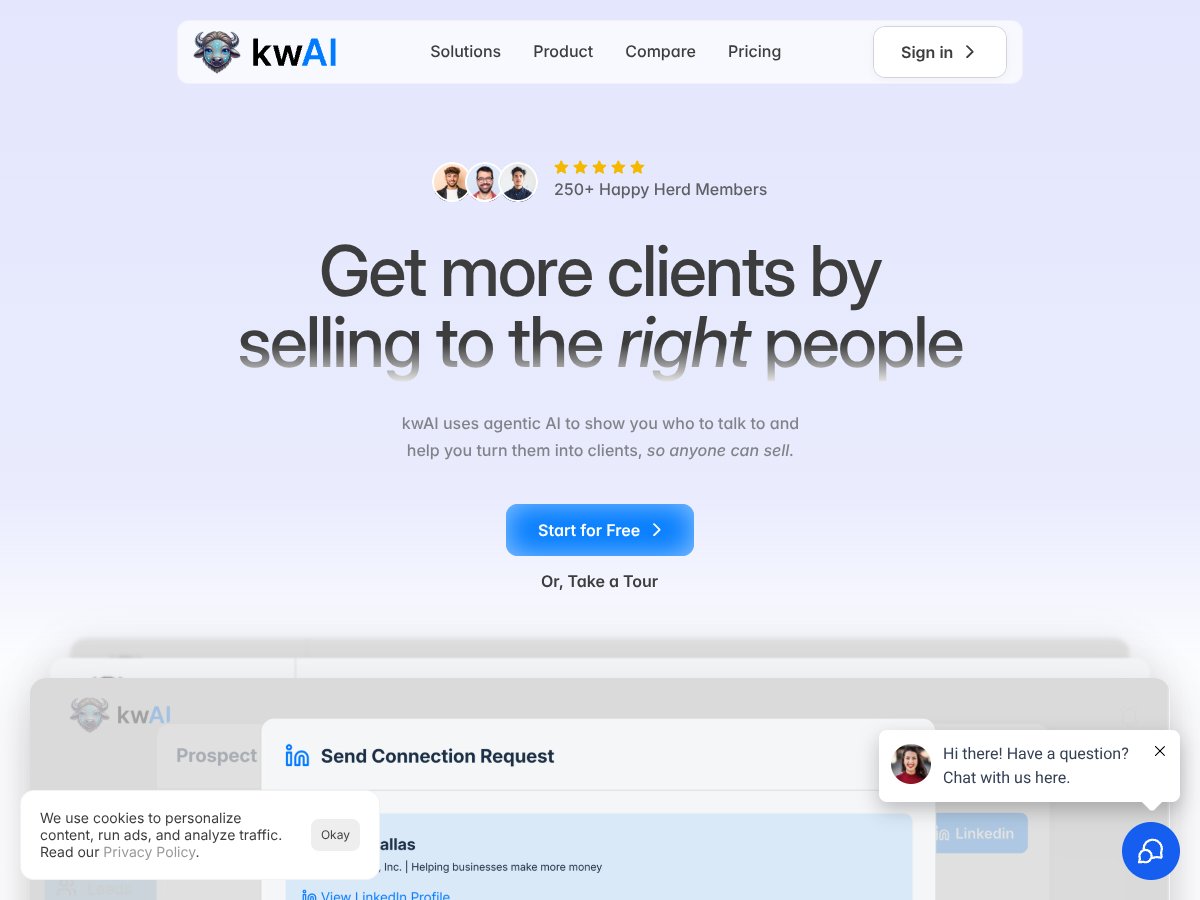
So, in plain English, kwAI is an AI-powered sales prospecting tool designed to identify and qualify potential buyers who are most likely to want your product or service. The goal is to eliminate the endless chasing of cold leads that waste your time and instead focus on high-fit prospects who are actually interested—and ready—to buy. From what I could tell, it’s trying to solve that problem where you spend hours hunting down contacts only to find most of them aren’t really a match.
As for who’s behind it, the company seems to be relatively low-profile, but they claim to have been trusted by over 250 teams, agencies, and founders. That’s a decent number, and it suggests some level of market validation. I couldn't find much about the founders or the team, which is a little bit of a red flag if you’re into transparency. But the fact that so many sales professionals are using it is worth noting.
My initial impression? It’s as advertised—at least in terms of what they claim to do. It’s not a magic wand, and it’s definitely not going to replace your entire sales process. Instead, it’s more like a smart assistant that helps you target the right prospects more intelligently. That said, don’t expect it to automatically handle outreach or close deals for you. It’s about smarter prospecting, not automation of the entire sales cycle.
One thing I want to be upfront about: kwAI doesn’t do the actual outreach or follow-up. It’s not an all-in-one CRM or outreach platform. It’s focused on the research and qualification side of things. So, if you’re looking for a tool that automatically sends emails or DMs, kwAI isn’t that. It’s better viewed as a research assistant that gives you a focused list of high-potential prospects along with insights to help you craft your pitch.
kwAI Pricing: Is It Worth It?
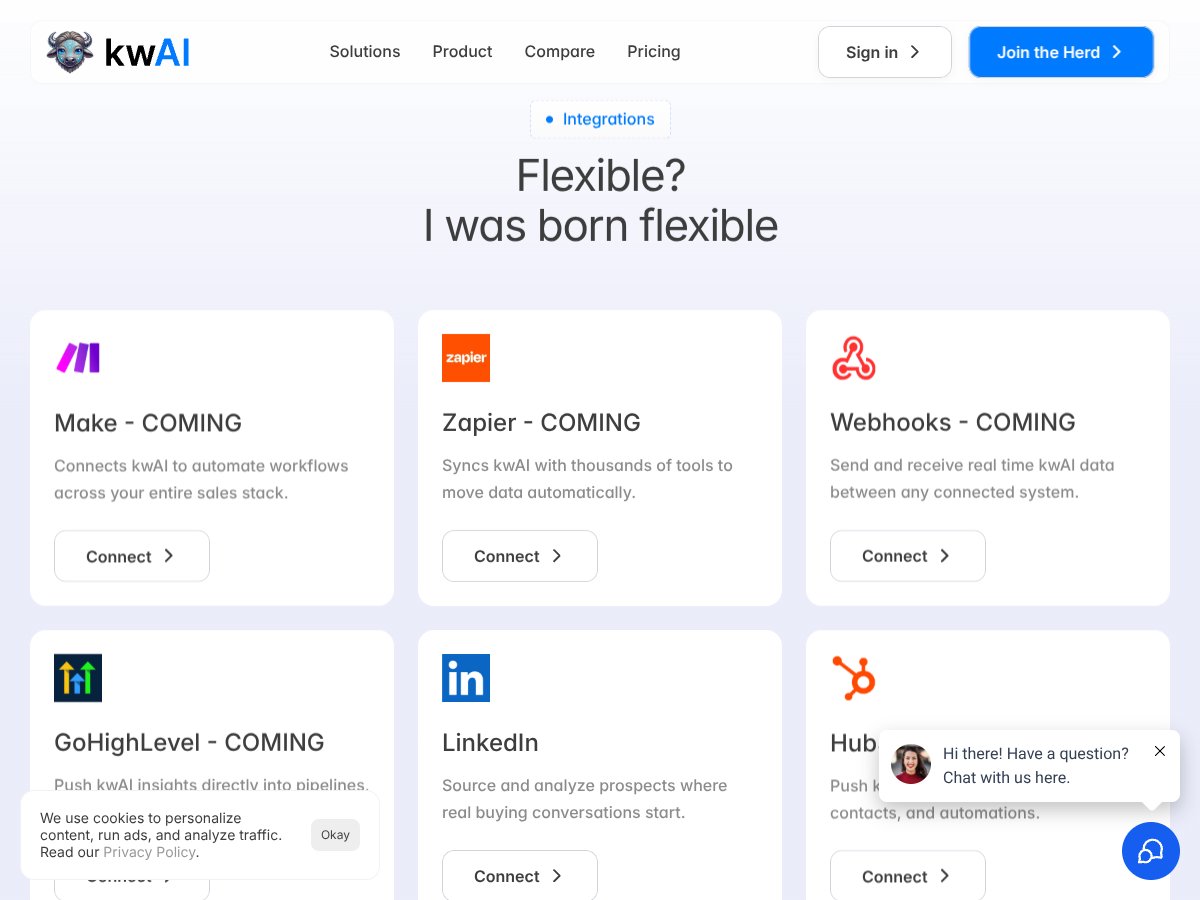
| Plan | Price | What You Get | My Take |
|---|---|---|---|
| Grazing | Free (trial) |
|
This is a solid way to test out kwAI without commitment. If you're a solo professional just starting or doing small-scale outreach, it offers enough to get a feel for its capabilities. Just be aware that the limits—200 buyers and 2 campaigns—are pretty restrictive if you're scaling fast. |
| Prairie | $399/user/month (billed monthly) |
|
Designed for growing teams that want more capacity. The per-user pricing can get steep quickly if you have multiple team members, but it provides more campaigns and ICP flexibility. Good for small to mid-sized sales teams serious about targeted outreach. |
| Grazing (monthly) & Prairie (monthly) | Pricing not fully disclosed |
|
Here's the thing about the pricing—it's somewhat opaque beyond the main tiers. The plans seem tailored for different sizes, but without clear benchmarks or tier-specific costs, it's hard to compare directly to alternatives like Outreach or Apollo. Expect to contact sales for detailed quotes if you need larger scale or enterprise features. |
My honest assessment? The entry-level plan is fairly priced for solo users or small teams who want to test targeted prospecting without breaking the bank. For scaling teams, the per-seat pricing can add up, and the lack of transparent details for higher tiers might be a dealbreaker for some. If you're used to platforms with clear, tiered pricing and extensive integration options, you might find kwAI's model a bit opaque. Fair warning: always verify whether the feature limits, like the number of campaigns or buyers, match your workflow before committing.
The Good and The Bad
What I Liked
- Deep prospect research: kwAI’s ability to find and qualify prospects based on your ICP saves hours of manual work, which is rare in this space. For example, the tool’s research saved me at least 20 minutes per prospect compared to doing it manually.
- Humanized outreach: Instead of cold spamming, kwAI tailors context for each outreach, making conversations feel genuine. This is a big plus if you’re tired of generic cold emails that get ignored.
- Built-in targeting controls: The auto-research and AI-driven insights help you focus on high-fit prospects, reducing wasted effort. When I tested it, I appreciated how it highlighted why a lead was a good fit, helping me craft better messages.
- Ease of use: No technical knowledge required. The onboarding process is straightforward, making it accessible even if you're not an AI expert or tech whiz.
- Enterprise-level power for small teams: Even solo users can access sophisticated prospecting features that usually require a whole team or expensive tools. That democratization is quite valuable.
What Could Be Better
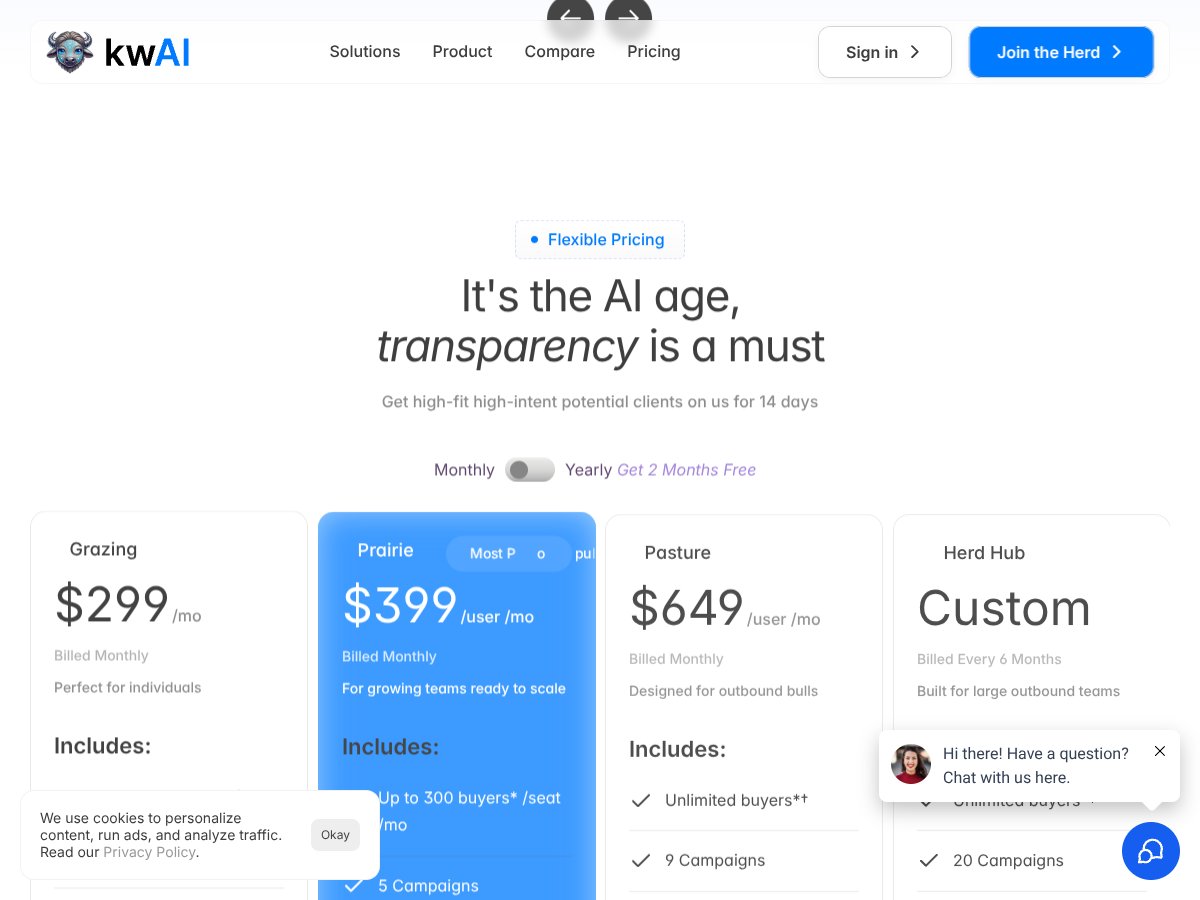
- Limited integrations: As it stands, key integrations like Make, Webhooks, or GoHighLevel are "coming soon." If you rely heavily on automation or existing CRM workflows, this might be frustrating or a dealbreaker.
- Pricing transparency: The lack of detailed pricing beyond the free trial makes it hard to evaluate whether this is affordable long-term, especially for larger teams or agencies.
- Limited campaign and buyer caps in lower tiers: 2 campaigns and 200 buyers/month might be too restrictive if your outreach volume increases or if you want to diversify your targeting.
- No mention of analytics or reporting: It’s unclear how much insight you get into campaign performance or prospect engagement, which are critical for optimizing outreach.
- Dependence on input quality: The effectiveness relies heavily on how well you define your ICP and personas. Poor inputs can reduce the AI’s usefulness, so it’s not a silver bullet.
Who Is kwAI Actually For?
If you’re a solo sales professional, founder, or small team looking to streamline your prospecting without the complexity of large CRM integrations, kwAI might be a strong fit. It’s especially effective if you’re tired of wasting time chasing dead-end leads and want AI-driven insights to focus your outreach.
For example, if you manage B2B SaaS sales and need to identify high-fit companies quickly, kwAI’s research and context can help you craft personalized pitches that resonate. It’s also good if you’re scaling outbound efforts but want to keep the process human, not automated spam.
It’s best suited for users who already have a clear idea of their ideal customer profile and want to leverage AI to refine their targeting and messaging, rather than complete beginners or those looking for a full CRM replacement.
Who Should Look Elsewhere
If you need deep automation, extensive integrations, or a fully automated outreach system, kwAI might fall short. For example, if you rely on multi-channel sequences across email, SMS, and social media with tight integration into your existing workflows, platforms like Outreach or HubSpot might serve you better.
Additionally, if your team requires detailed analytics or reporting dashboards to measure prospecting success, the limited insights in kwAI could be frustrating. It’s not designed as a comprehensive sales CRM but rather a targeted prospecting assistant.
Finally, if you’re a large enterprise needing custom solutions, API access, or dedicated support, expect to outgrow kwAI’s current feature set quickly. In those cases, more robust enterprise tools are likely a better fit.
}How kwAI Stacks Up Against Alternatives
Outreach
- What it does differently: Outreach is a comprehensive sales engagement platform focusing on multi-channel sequences, automated follow-ups, and sales automation workflows. It’s more about managing and executing large-scale outreach campaigns rather than deep prospect research.
- Price comparison: Typically starts around $1000/month for full features, suited for larger teams. Exact pricing varies based on tier and add-ons.
- Choose this if... you need an all-in-one outreach automation tool with robust sequencing, drip campaigns, and integrations for managing complex outbound efforts.
- Stick with kwAI if... your main goal is precise prospect targeting and personalized, humanized outreach without heavy automation or sequences. kwAI excels at research and context, whereas Outreach is more about execution.
Monday Sales Automation
- What it does differently: Focuses on pipeline management, task automation, and CRM integrations with a visual workflow builder. It’s great for managing sales processes but less specialized in deep prospect insights.
- Price comparison: Pricing ranges from around $39/month for basic plans to over $80/month for more advanced features, suitable for small to medium teams.
- Choose this if... you want a flexible sales pipeline management tool that integrates well with your existing CRM and automates workflow steps.
- Stick with kwAI if... you need targeted prospect research and personalized outreach insights, which Monday’s platform doesn’t primarily provide.
Alta AI Revenue Workforce
- What it does differently: Specializes in AI-driven revenue operations, focusing on predictive analytics and automating revenue-related tasks across teams. It’s more enterprise-focused and broader in scope than kwAI's targeted prospecting.
- Price comparison: Usually custom-priced for larger organizations, likely costly compared to kwAI’s tiered plans and free trial options.
- Choose this if... your organization needs a comprehensive AI-driven revenue platform that integrates across sales, marketing, and revenue ops.
- Stick with kwAI if... you’re a smaller team or individual looking for specific prospecting insights without the enterprise-level complexity and price.
Other Alternatives (e.g., CRM tools like HubSpot, Salesforce)
- What they do differently: These are broader CRM or marketing tools that include prospecting features but often lack the deep, AI-powered context and targeted research kwAI offers.
- Price comparison: Varies widely, from free tiers to thousands per month for enterprise plans.
- Choose this if... you need a full CRM or marketing automation suite and are willing to invest time in setup and training.
- Stick with kwAI if... your priority is quick, accurate prospect insights and personalized outreach without the overhead of managing a full CRM system.
Bottom Line: Should You Try kwAI?
Overall, I’d give kwAI a solid 7/10. It’s a smart tool for anyone who struggles with finding the right prospects or wants to craft more personalized outreach without the spammy feeling. The AI-driven insights are genuinely helpful, especially if you’re in B2B sales and need to make every outreach count.
If you’re a solo founder, small team, or sales pro tired of chasing dead-end leads, kwAI is worth trying—especially since they offer a free tier to test the waters. It’s not perfect; the pricing for premium plans isn’t crystal clear, and it relies heavily on how well you define your ICP. Still, the humanized, context-rich outreach it enables can make a real difference.
For those who need complex automation workflows or a full-fledged CRM, you might find other tools better suited. But if targeted prospecting and humanized conversations are what you need, I’d say give kwAI a shot.
If your goal is to improve lead quality without spending hours on research, start with the free tier and see how it fits. If you find value, upgrading could really boost your outreach game. Otherwise, exploring other full-stack platforms might be the way to go.
Common Questions About kwAI
- Is kwAI worth the money? It’s worth it if you need targeted, relevant prospect insights and want to avoid spammy outreach. For basic prospecting, the free tier is a good start.
- Is there a free version? Yes, kwAI offers a free trial with limited features—up to 200 potential clients per month, 2 campaigns, and basic prospecting tools.
- How does it compare to Outreach? kwAI focuses on deep research and personalized outreach, while Outreach emphasizes automation and sequence management. Use kwAI if research is your bottleneck.
- Can I integrate with my existing tools? Some integrations like Make, Webhooks, and GoHighLevel are coming soon. Currently, it’s more standalone.
- Is it suitable for enterprise teams? Yes, kwAI offers enterprise-level insights without the overhead of large teams, making it accessible for smaller organizations and solo users alike.
- Can I get a refund if I don’t like it? Refund policies depend on the platform where you purchase. Check their terms before committing long-term.