LIFETIME DEAL — LIMITED TIME
Get Lifetime AccessLimited-time — price increases soon ⏳
AI Tools

PDF2Quiz Review – Harness AI for Effortless Quiz Creation

Updated: April 20, 2026
4 min read
#Ai tool

Table of Contents

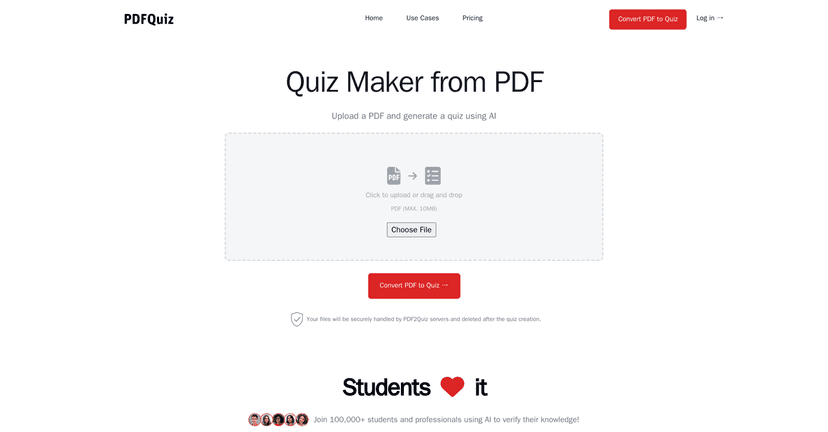
If you’ve ever stared at a PDF and thought, “I’m never going to actually retain this,” you’re not alone. I tested PDF2Quiz to see if it could turn lecture notes and articles into something that feels more like active studying—quizzes, not just reading. And honestly, it’s one of those tools that can save you a lot of time, especially when you’re working from PDFs you can’t easily edit.

Pdf2quiz

Table of Contents

PDF2Quiz Review: Turning PDFs into Quizzes (Without the Busywork)

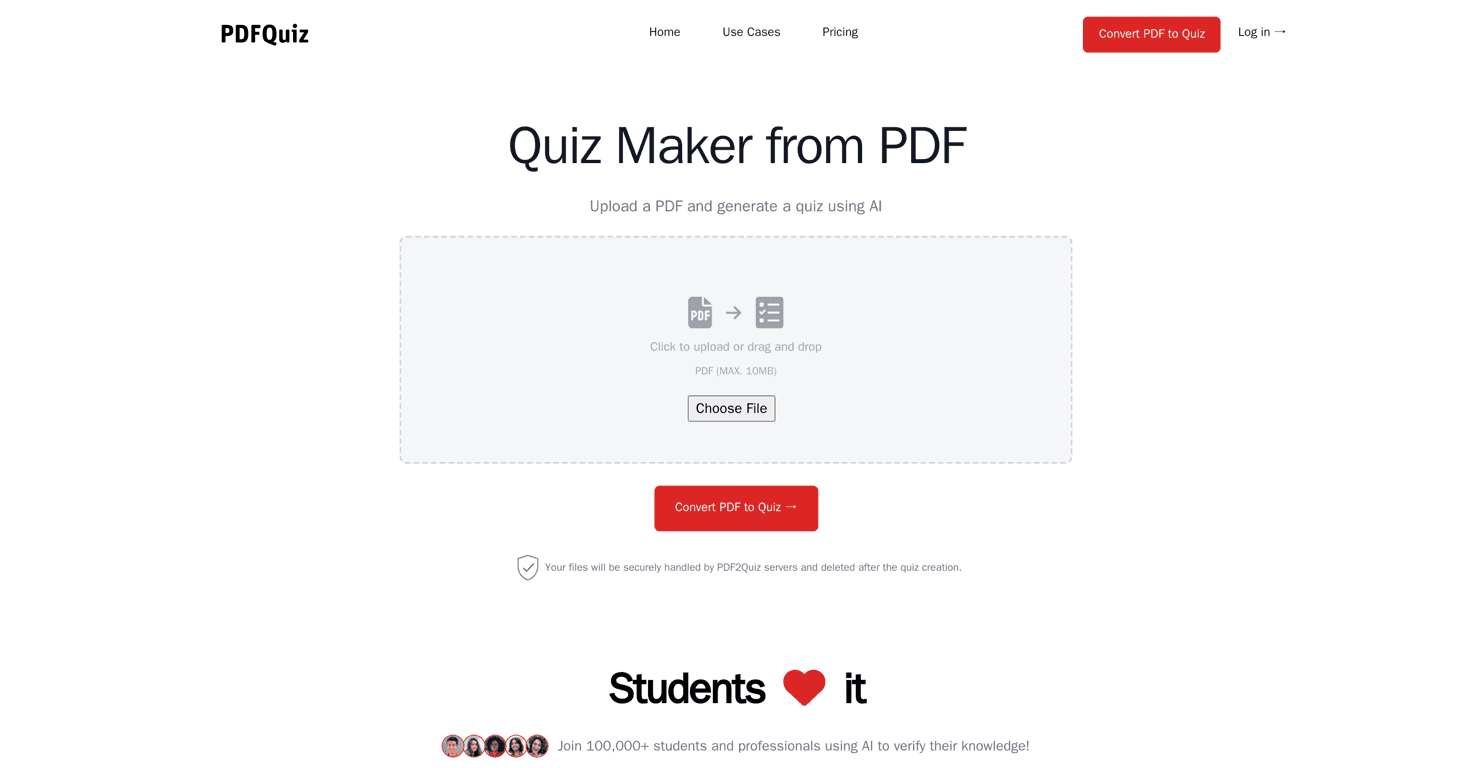
PDF2Quiz is built for one main job: take your PDF content and generate quizzes you can actually work through. I like this approach because it’s practical. Instead of spending an hour rewriting notes into question form, you upload the PDF and let the tool do the first pass.

In my experience, the biggest win is when you’re dealing with:

  • Course handouts you can’t edit easily
  • Research articles where you want quick recall practice
  • Language study material where repetition matters
  • Scanned PDFs that normally feel “locked”

PDF2Quiz also leans on OCR (optical character recognition), which matters a lot. If your PDF is mostly scanned pages or images, OCR is the difference between “nothing useful” and “okay, I can study this.”

Now, I’ll be upfront: it won’t magically produce perfect exam-level questions from every document. But for review sessions, it’s genuinely helpful—especially if you’re trying to build momentum and keep studying active.

Key Features That Actually Matter

  1. AI-powered quiz generation that turns PDF content into questions quickly. What I noticed: the output speed is great when you’re testing different sections or chapters.
  2. Multilingual support so you can generate quizzes in different languages. If you’re studying abroad or working with multilingual documents, this is a big deal.
  3. OCR for non-editable PDFs so scanned documents can still be converted into quiz content. In practice, OCR quality depends on how clean the scan is.
  4. Customizable quiz options like question count, language, and difficulty. I like that you can adjust the quiz length—sometimes you only want 10 quick questions, not a full quiz marathon.
  5. Review functionality to check performance and see what you missed. This is where the tool becomes more than “question generator” and turns into actual study practice.
  6. Downloadable quizzes for offline use. I used this when I wanted to study during commutes where I don’t always have stable internet.
  7. User-friendly interface with a straightforward upload flow (drag-and-drop type of experience). If a tool is annoying to use, you won’t come back to it.

Pros and Cons (My Honest Take)

Pros

  • Easy uploads: The interface is simple enough that you can get started without digging through menus.
  • Fast quiz creation: You’re not waiting around forever, which helps when you’re studying in short bursts.
  • Multilanguage output: Useful if your PDFs aren’t in English or you want practice in another language.
  • OCR support: Big advantage for scanned PDFs—though the cleaner the scan, the better the results.
  • Review helps you learn: The performance/insight part is where it becomes useful for retention, not just generating questions.

Cons

  • Question depth can be limited: Sometimes the quizzes skew toward surface-level recall. If you need deep conceptual questions, you may have to supplement with your own.
  • PDF quality matters: If the PDF has messy formatting, tiny text, or poor scans, OCR and extraction can struggle—then the quiz content reflects that.

If you’re expecting “turn any PDF into a perfect test,” you’ll probably be disappointed. But if you want a quick way to turn materials into practice questions, PDF2Quiz does a lot right.

Pricing Plans: What to Expect

I didn’t see detailed pricing spelled out directly in the content I reviewed. Instead, the site appears to direct you to check the latest options on the website. That’s pretty common with tools like this, since plans can change depending on usage or features.

My tip: before you commit, upload a small PDF first (like 1–3 pages). That way you can see how the quiz output looks and whether it’s worth paying for the full workflow.

Wrap up

PDF2Quiz is a solid option if you want to turn PDF learning materials into quizzes without spending forever manually creating questions. The combination of quiz generation, OCR support for scanned documents, and downloadable quizzes makes it practical for real study sessions.

Just keep your expectations grounded. If your PDFs are high quality and you’re using this for review and recall practice, it can be surprisingly effective. If your goal is complex, exam-style depth every time, you may need to tweak or add your own questions afterward.

Either way, it’s worth trying—especially if you’ve got a stack of PDFs you’ve been avoiding.

Stefan

Stefan

Stefan is the founder of Automateed. A content creator at heart, swimming through SAAS waters, and trying to make new AI apps available to fellow entrepreneurs.

Related Posts

author tax featured image

Author Tax: Top Strategies & Trends for 2026 Income Tax

Discover the latest author tax research, best practices, and tools to optimize your income tax strategies in 2026. Stay compliant and maximize deductions today!

Stefan
indie writers featured image

Indie Writers in 2026: Essential Strategies for Success

Discover how indie writers are thriving in 2026 with direct sales, AI tools, and community strategies. Learn expert tips to boost your indie author journey today!

Stefan
urban publishing companies featured image

Urban Publishing Companies: Top Trends & Self-Publishing Tips for 2026

Discover the latest in urban publishing companies, including top publishers, self-publishing platforms, and industry trends shaping urban fiction in 2026. Learn how to succeed today!

Stefan

Create Your AI Book in 10 Minutes