Table of Contents
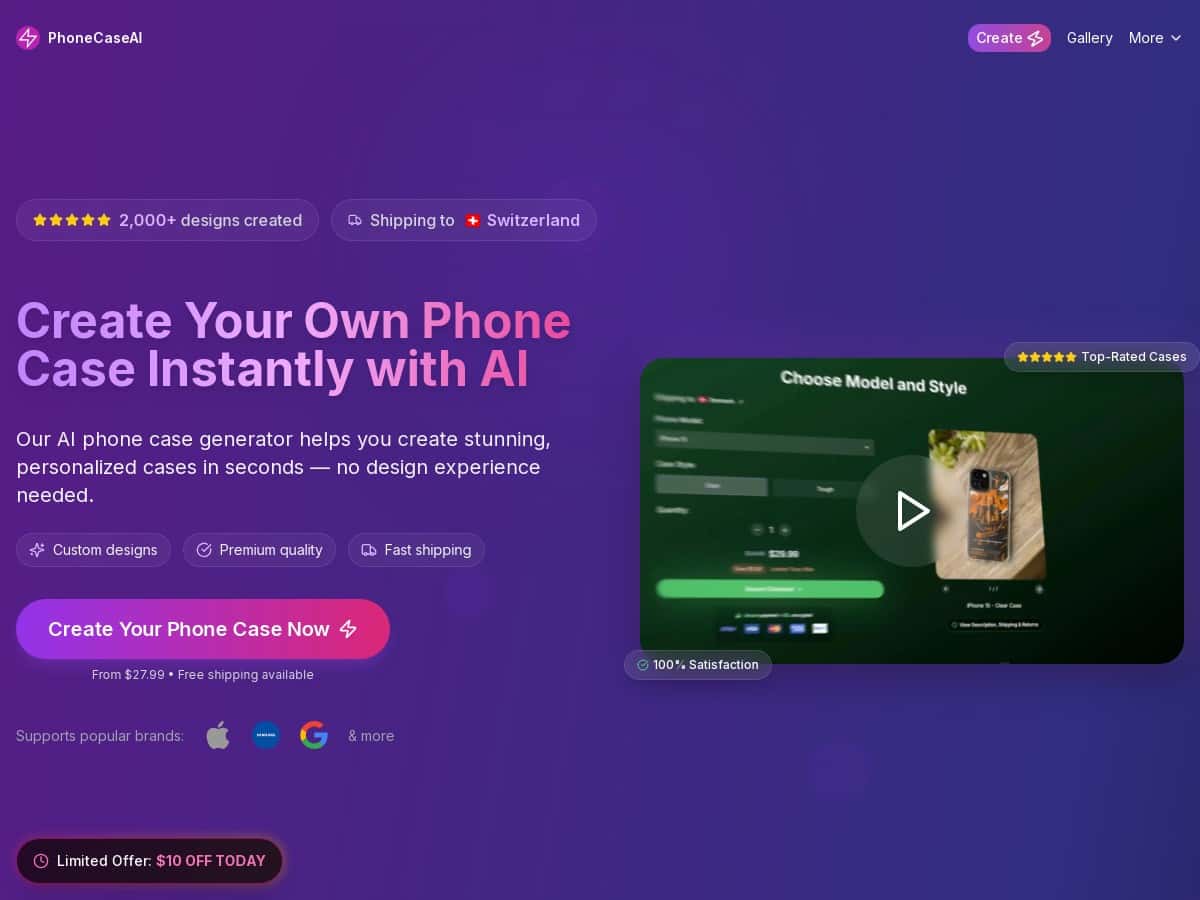
If you’ve ever looked at your phone case and thought, “I could do way cooler than this,” you’ll probably like PhoneCaseAI. I tested it specifically because it claims you can generate custom designs with AI—no design skills required. Spoiler: it’s genuinely easy, and the results are fast. But is it actually worth the money? I’ll tell you what I did, what I got, and the few things I’d watch out for before ordering.

PhoneCaseAI Review: What It’s Like to Order a Custom Case (From My Test)
I started with PhoneCaseAI because I wanted something personalized without spending hours designing. The flow is simple: pick your phone model, describe what you want, and the AI generates options. That part is true. What surprised me was how quickly I could get usable designs, even when I wasn’t super specific.
My exact setup:
- Order date: May 18 (I placed the order in the evening)
- Phone model selected: iPhone 15 Pro
- Prompt style test: I tried both a vague prompt and a more detailed one
Prompt #1 (vague, to see what happens): “Aesthetic neon coffee shop sign, night vibes, cute but not childish.”
Prompt #2 (more specific): “Neon coffee sign in a black background, teal and magenta glow, include the words ‘MOCHA MOOD’ in a clean sans font, small sparkles, minimal style.”
Time-to-first designs: I had the first batch of AI designs in about 10–20 seconds after submitting (it wasn’t instant like a slideshow, but it was definitely fast).
Number of design options: For each prompt, I received 6 options to pick from. I liked that I wasn’t forced to commit to one idea immediately.
What the AI actually produced:
- For the vague prompt, I saw a mix of styles—some designs leaned more “city night” while others looked closer to a storefront sign. One option had an obvious neon sign shape, but the words were a little off (the phrase looked similar to “MOCHA” but not perfectly readable).
- For the specific prompt, the “MOCHA MOOD” text was much more consistent, and the glow colors matched the teal/magenta direction better. Two designs looked clean enough that I could’ve used either without tweaking.
Here’s the thing: if you want readable text, don’t be too vague. The AI can be creative, but it won’t magically know your exact typography preferences unless you tell it.
Checkout, price, and what I paid
Pricing depends on model + design complexity, so I can’t give one universal number. But I can tell you what I paid for my test case, which should help you sanity-check the cost.
My checkout example:
- Product: Custom case for iPhone 15 Pro
- Design complexity: medium (neon sign + text + glow)
- Base price: $27.99
- Shipping: I didn’t see “free shipping” at checkout for my region, so shipping was added (final total included shipping)
- Final checkout total: $34.12 (tax/shipping included as shown at checkout)
If you’re trying to decide whether it’s “worth it,” I’d compare that final total (not the starting price) against what you’d pay for a decent case locally or on other custom sites.
Shipping timeline and what arrived
After ordering, I watched for updates. My timeline looked like this:
- Ordered: May 18
- Production/shipping status: tracking started about 1–2 business days later
- Delivered: May 27
So, in my case, it was about 9 days from order to delivery. Not next-day shipping, but pretty reasonable for a custom item.
Packaging: The case arrived in a standard protective mailer. Nothing fancy, but it wasn’t flimsy either—no crushed corners or loose items inside.
Case type/material (what I noticed): The case felt like a typical protective custom phone case: a firm back with flexible edges. It had a good grip texture, and the camera area had a raised ring around the lenses for protection.
Fit & cutouts: I checked the side buttons and charging/port cutouts right away. Everything lined up well—buttons had clear openings and didn’t feel blocked. The speaker/mic openings also looked accurate.
Print quality: The neon glow effect looked crisp. The colors didn’t look washed out, and the text (“MOCHA MOOD”) was readable on the version that used my more specific prompt. On the “vague prompt” style, the text wasn’t as clean, which matches what I saw in the design preview.
Durability test (quick but real)
I’m not going to pretend I did a lab-grade drop test, but I did a few practical checks:
- Scratch resistance: After a couple days in a pocket with keys, the design still looked intact. No obvious peeling or fading.
- Flex check: I pressed around the corners to see if the edges would warp—no weird creasing.
- Camera protection: The raised lip around the lenses helped when I set the phone down on a flat surface.
Bottom line: it feels like a “normal-use” durable case, not something I’d treat like collectible art.
Key Features: What PhoneCaseAI Actually Does Well
- AI-powered design generation (text or voice): You describe what you want, and it turns that into multiple visual options. In my test, the first batch came back in under ~20 seconds.
- Multiple design options per prompt: I consistently got 6 choices to pick from. That matters because at least one is usually “close enough” to start from.
- Phone model support: It supported my iPhone 15 Pro selection. I didn’t test every model, but the picker didn’t feel limited to just a couple of phones.
- Unique artwork: Even when I used similar themes, the AI outputs weren’t identical. You don’t end up with the same design copy-pasted across orders.
- Production after you order: The site isn’t just printing a static template. My order required processing before tracking kicked in, which makes sense for custom work.
Pros and Cons: My Honest Take After Testing
Pros
- Easy to use: I didn’t need any design background. The prompts + selection flow is straightforward.
- Speed: Getting designs in ~10–20 seconds made it feel interactive instead of slow.
- Readable results when you’re specific: My “MOCHA MOOD” version came out much better when I included exact text + style direction.
- Good fit and cutouts: Buttons and ports matched properly on my iPhone 15 Pro.
- Design quality looked sharp: Neon/glow effects were crisp rather than blurry.
Cons
- Vague prompts can produce messy text: If you don’t specify wording, font style, or layout, you might get designs that look cool but don’t have perfectly readable text.
- Not the cheapest option when you factor total cost: Starting at $27.99 is nice, but shipping/taxes can push it up (my final was $34.12).
- Delivery isn’t instant: For a custom case, I saw about 9 days to delivery. If you need something tomorrow, this isn’t it.
- Bulk orders may take longer: I didn’t place a large bulk order, but the custom production step means larger quantities likely add processing time.
Pricing Plans: What You Can Expect to Pay
PhoneCaseAI lists pricing starting around $27.99. In practice, your final cost depends on your phone model and the complexity of the design you choose during checkout.
My cost example (so you can compare):
- iPhone 15 Pro custom case
- Design: neon coffee sign + “MOCHA MOOD” text + glow
- Final total at checkout: $34.12 (including shipping/tax as shown)
One tip I’d actually use: if you’re trying to keep costs down, go for “clean and minimal” designs instead of super detailed scenes. More complexity usually means more cost, and it also increases the chance the AI might overdo small details.
If you see promotions at checkout, grab them—but don’t base your decision on the starting price alone. Check the final cart total before you commit.
Wrap it up
After using PhoneCaseAI, I’d call it a solid option if you want a custom phone case without design skills and you’re okay with waiting about a week. The AI generation is fast, the fit/cutouts on my iPhone 15 Pro were accurate, and the print looked good. Just don’t be lazy with your prompt—if you care about readable text, be specific. That’s the difference between “cool idea” and “I actually want to keep this case.”