Table of Contents
What Is Shavely (and What It Actually Does)?
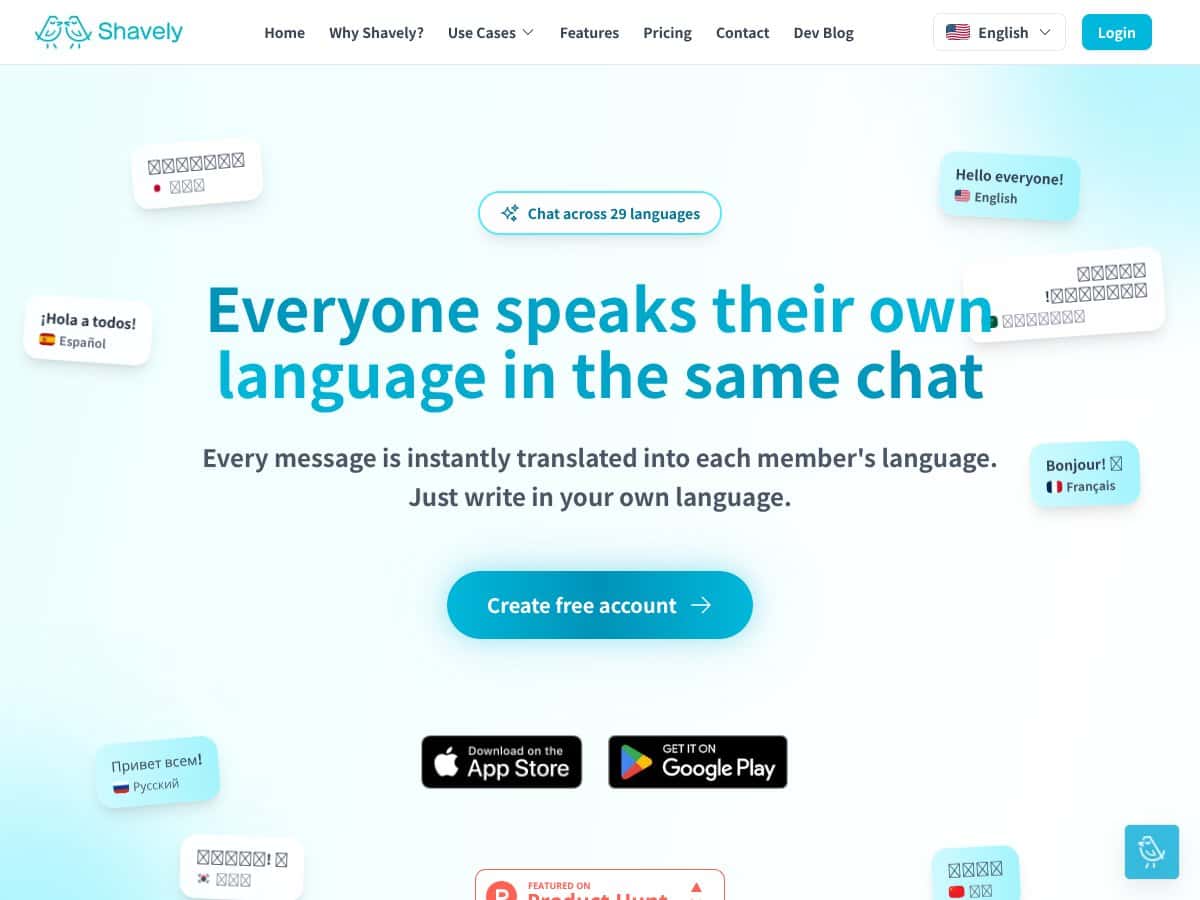
I went into Shavely expecting something pretty simple: a chat tool that translates messages automatically so everyone can read in their own language. And honestly? That’s basically what it is.
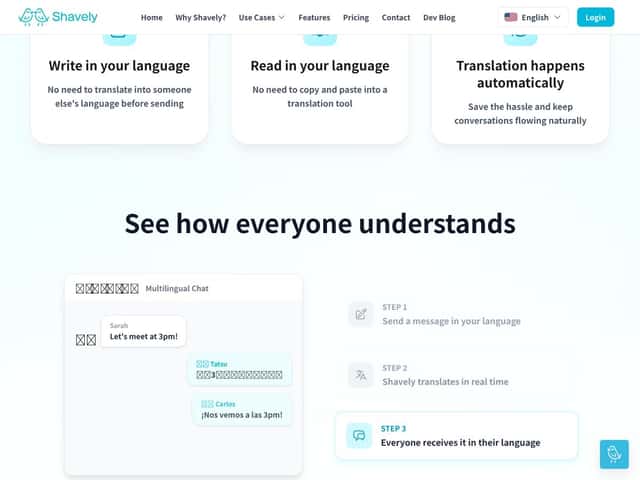
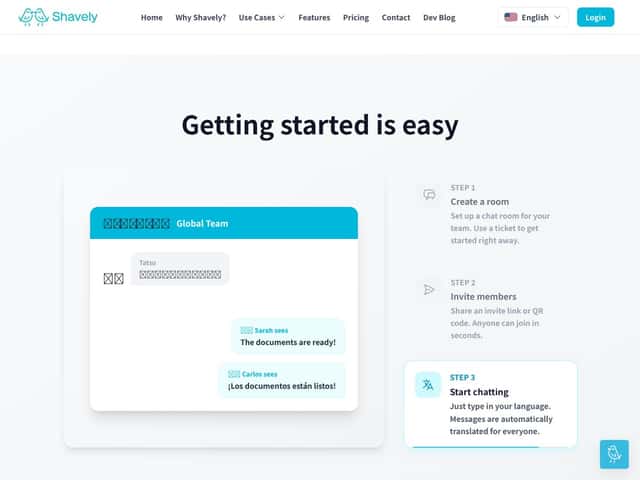
Here’s the workflow in plain English. You create a chat room, invite people, and then you just type like normal. As messages go out, Shavely translates them into each participant’s preferred language—so you don’t have to copy/paste into a separate translator tab for every message.
On the site, Shavely positions itself around multinational teams and customer support teams who communicate across borders. They also claim support for 29 languages, which is a big part of why I wanted to test it in the first place.
One thing I noticed right away: it feels more like a product built specifically for translation-in-chat, not a broader collaboration platform. The landing-page vibe is strong, and the “who’s behind this” info is light. If you’re the type who likes to vet companies (I am), you may find that slightly annoying—especially if you’re thinking about long-term adoption.
Also, don’t assume it’s going to replace your project tools. In my experience, Shavely is focused on one job: chat translation. There aren’t project management features, integrations, or anything that looks like a full team workspace. If you’re looking for a “Slack replacement,” this won’t scratch that itch.
Shavely Pricing: Is It Worth It?
This is where Shavely gets a little frustrating. The pricing page (at least from what I could access during my trial/testing) doesn’t clearly lay out public plan tiers, costs, or even what “free” means in practical terms. I’m not talking about “details on the fine print.” I mean the basics are missing.
So what can I say confidently? Not much on price. And without numbers, I can’t honestly tell you if it’s “cheap,” “mid-range,” or “enterprise-only expensive.” It’s a black box right now, which makes value judgments tough.
I did try to look for clues about what you’d be paying for. The site messaging suggests features like encryption, exports, and AI-driven translation, but I couldn’t confirm the exact plan breakdown from the public info I reviewed. If Shavely is genuinely targeting businesses, then I’d expect at least a simple table (even if it’s “Starter / Business / Enterprise”). Instead, you’re basically left to request a quote.
Here’s my honest take: if you’re a small team, you’ll probably want to ask very specific questions before you commit. Things like:
- Do you get a free tier for real (and what are the limits—messages, rooms, languages, retention)?
- Is there a minimum monthly spend?
- What exactly is included in “enterprise security” (and where is that documented)?
- If the API is in development, will it cost extra later?
Without those answers, I can’t call it a straightforward “worth it” product for everyone.
| Plan | Price | What You Get | My Take |
|---|---|---|---|
| Free Tier | Unknown | Not clearly documented publicly (likely basic chat translation, but limits aren’t transparent) | I’d love this to be truly useful, but the lack of clear limits makes it hard to judge whether “free” is enough to evaluate. |
| Premium/Business | Unknown | Messaging suggests full feature access (security features, exports, and more), but specifics aren’t clearly listed | This sounds aimed at teams that need translation at scale. Just don’t upgrade blind—ask for a written feature list and pricing. |
If you’re considering Shavely, my advice is simple: contact them for a quote and ask for a plan comparison. Then compare it to whatever you’re already using for multilingual communication (even if it’s messy). That’s the only way to know if Shavely’s pricing matches your needs.
How Shavely Stacks Up Against Alternatives
Google Translate
- Google Translate is great when you just need translation fast—text, voice, and a ton of languages (often 100+). It’s flexible, but it’s not built for team chat workflows.
- In my testing mindset, the biggest difference is “context in conversation.” Google Translate can handle phrases well, but you’re still switching tools. With Shavely, the goal is that you don’t have to copy/paste every few minutes.
- Privacy is also a consideration. Google is a consumer-grade tool with enterprise options, but you’re not getting the same “chat room translation” experience that’s designed around team communication.
- Choose this if... you need quick, occasional translations and you don’t mind doing it outside your chat workflow.
- Stick with Shavely if... you want translations embedded directly into ongoing chat messages for a multilingual team and you care about keeping the workflow in one place.
Microsoft Teams with Translator
- Teams Translator is convenient if your company already lives inside Microsoft 365. Translation happens within the Teams experience, so there’s less friction.
- Where it can feel weaker (depending on your setup) is that it’s part of a bigger collaboration suite. Shavely’s whole purpose is translation-first, which can matter if multilingual chat is your main pain point.
- Pricing is the tradeoff: Teams translation is tied to your Microsoft plan. If you already pay for Microsoft, it’s a win. If you don’t, it can feel like you’re paying for a lot you won’t use.
- Choose this if... your team already uses Teams daily and you want translation without adopting another tool.
- Stick with Shavely if... you want a translation-first chat experience, not a feature inside a suite.
Slack with Translation Apps (like Translatr)
- Slack doesn’t natively do real-time translation the way Shavely is designed to. You’d typically rely on third-party apps that translate messages inside Slack channels.
- In practice, app-based translation can mean extra setup, app permissions, and sometimes uneven performance based on the app’s model and configuration. I’ve seen translation “work” but still feel clunky because it’s not always truly seamless message-by-message for every participant.
- Pricing varies a lot for Slack translation apps—some are free-ish, others are subscription-based. The total cost can creep up if you need more seats or premium translation quality.
- Choose this if... your team already uses Slack and you want translation without changing your chat platform.
- Stick with Shavely if... you want a dedicated chat translation environment rather than bolting translation onto Slack.
Zoom with Live Transcription & Translation
- Zoom translation is mainly for meetings—live captions, transcription, and translation during spoken sessions. It’s not meant for ongoing written chat the way Shavely is.
- It can be useful for real-time spoken communication, but if your day is mostly written (support tickets, customer messages, internal chat), meeting translation won’t solve the bulk of your workflow.
- Pricing depends on your Zoom plan, and some features are limited to higher tiers. Again, it’s fine for meetings—but not a replacement for persistent multilingual chat.
- Choose this if... your biggest language problem happens during live calls and you need spoken translation.
- Stick with Shavely if... your biggest issue is written communication and you need translation that stays with the messages.
Final Verdict: Should You Try Shavely?
After testing the core idea, I’d put Shavely at about 7/10 for teams that communicate in chat across languages. The “type once, everyone reads in their language” concept is genuinely useful. It reduces the constant switching that usually kills momentum.
But I can’t give it a higher score because two things are still unclear:
- Pricing transparency. If you don’t know what you’ll pay, it’s hard to call it a great deal.
- Feature depth. This isn’t a full collaboration suite. It’s translation in chat, and that’s the boundary.
Where Shavely feels strongest is for international teams that want translation to be part of the chat experience—especially if your conversations are ongoing and message-by-message.
Where it might disappoint you: if you only need translation occasionally, or if you’re already deeply set up in Google/Microsoft ecosystems and don’t want another tool. Also, if you require a clearly documented free tier (with limits spelled out), you’ll want to verify that before you invest time.
If you do try it, here’s what I’d do (and what I’d ask you to do too): use it for a real chunk of your workflow—like a day of customer messages or internal updates—then check whether the translation quality holds up for the kinds of text you actually send. Slang, names, short back-and-forth messages, and emoji-heavy messages are usually where translation apps either shine or fall apart.
And yes—if there’s a free version available, try that first. But don’t stop at “it translated.” Look for consistency across multiple languages and multiple messages. That’s the real test.
Common Questions About Shavely
Is Shavely worth the money?
It could be, but I can’t responsibly call it a “yes” without clear pricing and plan details. If your team truly needs real-time translation in chat and you’ll use it daily, it may justify the cost. If you only need occasional translation, there are cheaper or free options that might be enough.
Is there a free version?
Shavely appears to offer a free tier, but the limits aren’t clearly spelled out publicly. In my view, that’s the key thing to confirm before you build a workflow around it—ask what’s restricted (messages, rooms, languages, exports, etc.).
How does it compare to Google Translate?
Google Translate is more versatile for personal and ad-hoc translation, and it supports a huge language list. Shavely’s advantage is that translation is built into team chat, so you don’t keep breaking your workflow to translate elsewhere.
Can I integrate Shavely with other apps?
Integration options aren’t fully clear from the public info I reviewed. The API is mentioned as being in development, but I wouldn’t plan around it yet. For now, Shavely is best treated as a standalone chat translation experience.
Is my data protected?
Shavely claims strong encryption/security, but I didn’t see enough clearly verifiable detail in the public materials I checked to make specific promises like “end-to-end” in the strict technical sense (who holds keys, what’s stored, and how metadata is handled). If data protection matters for you, I’d ask Shavely directly for their security documentation and privacy policy specifics before committing.
Can I get a refund if I don’t like it?
Refund terms aren’t clearly laid out in the public content I reviewed. If refunds matter to you, reach out to support/sales and get the policy in writing before you pay.