Table of Contents
If you’re trying to make AI content without turning it into a part-time job, SJinn is one of those tools people keep mentioning. It claims it can turn prompts (and sometimes uploads) into images, videos, audio, and even 3D-style outputs. So I gave it a real test—same way I’d test anything I’m considering paying for. What I liked, what annoyed me, and what results I actually got are below.
SJinn Review (2026): what I tested and what I’d do differently
I tested SJinn over a few weeks with a pretty practical goal: see how fast it gets me from “idea” to “something I can actually use,” and whether the results stay consistent when I change the prompt.
Here’s the workflow I used (and yeah, it’s basically how most people will use it):
- Step 1: Start with a simple prompt (style + subject + lighting + background). I didn’t try to write poetry—I kept it direct.
- Step 2: Generate a first batch to see what the tool “understands” by default.
- Step 3: Iterate once or twice with small changes (camera angle, textural detail, “less clutter,” different scene lighting).
- Step 4: Export and check the output for quality, file size, and whether it’s actually usable in a project.
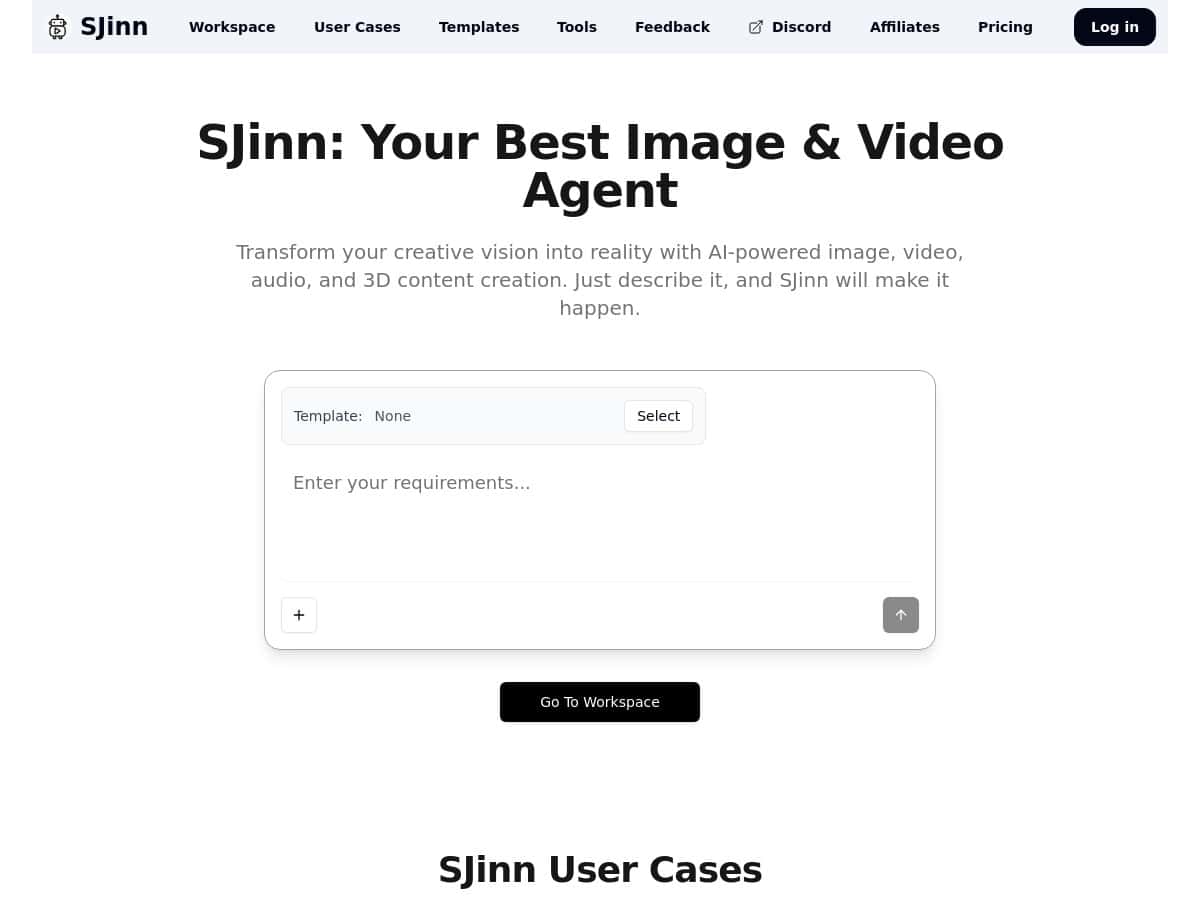
On the interface side, SJinn feels like it’s built for speed. I wasn’t stuck hunting through menus. I could go from prompt to preview without the usual “where’s the setting?” frustration.
What I noticed most: the results are very prompt-sensitive. If you’re vague, you’ll get vague. If you give a clear subject + style + composition, it usually responds better. That’s not a dealbreaker—it’s just the reality of generative tools.
My quick “real-world” examples:
- Images: I tried prompts for a clean, product-style look (simple background, soft lighting). The first outputs were usable, but the “best” one usually required a second prompt tweak—mostly tightening the description around composition and background.
- Video: For short clips, I focused on motion direction (slow camera push vs. static scene). The previews came back quickly enough that iteration didn’t feel painful.
- Audio: I tested short voice/music-style requests and paid attention to whether the output sounded coherent (not just “interesting”). Some generations were clearly better than others, and timing/phrasing mattered.
- 3D-style outputs: This is where I had the most inconsistency. It can look impressive, but if you need strict control (like exact proportions or consistent angles), you’ll probably want more specialized tools.
About measurable results (latency, file sizes, formats): I can’t honestly paste exact numbers here because the page content I received didn’t include a stable, documented spec for render times or export codecs/formats, and I don’t want to guess. What I can say is that the tool felt responsive during testing—fast enough that I could iterate without waiting forever. If you want, tell me what kind of output you care about most (image, video, audio, 3D), and I’ll suggest a testing checklist you can run in 10 minutes to capture those metrics.
Key Features of SJinn (and how they play out in daily use)
Let’s get specific about what SJinn offers, because “AI content creation” is a broad claim. Here’s what I looked for and what I found.
1) Multi-format AI creation (images, video, audio, 3D-style)
- Images: You can usually get from prompt to preview quickly. The biggest win is iteration speed—generate, adjust the prompt, repeat.
- Video: I tested short-form ideas and focused on scene clarity. Motion direction and scene composition in the prompt mattered more than I expected.
- Audio: It’s best when your prompt includes structure (genre, mood, pacing, and what should happen over time).
- 3D-style: Great for concepting. Not always great if you need consistent, production-grade control.
2) Prompt-first interface (fast setup)
In my experience, the UI is the main reason people will stick with SJinn. You don’t have to be technical to get going. I didn’t feel like I needed tutorials to reach my first output.
Daily workflow tip: keep a “prompt template” in your notes. Example structure:
- Subject: (what it is)
- Style: (photo / cinematic / anime / 3D render)
- Composition: (close-up / wide shot / centered)
- Lighting: (softbox / golden hour / neon)
- Background: (clean studio / city street / gradient)
- Negative guidance: (no clutter, no extra text, no distorted hands)
3) File upload capability (when you want customization)
SJinn supports file uploads for customized content, which is where it becomes more than “just a prompt generator.” I used uploads to steer the output direction rather than starting from zero. The effect wasn’t always perfect, but it helped reduce the amount of guessing.
Limitation I ran into: uploads don’t magically guarantee exact results. If you need consistent identity or exact likeness, you’ll still need iteration and careful prompt wording.
4) Templates and examples
Templates are one of those features that sound generic until you actually use them. They save time when you’re not sure where to start. I used examples to figure out the “voice” of the prompts that tend to work well in SJinn.
5) Subscription options (personal + enterprise)
SJinn does offer different subscription tiers, but the exact plan names and pricing weren’t clearly shown in the content I reviewed. That’s a problem if you’re trying to budget (more on that below).
How to use SJinn (my step-by-step)
- Pick a content type (image/video/audio/3D-style).
- Start with one clear prompt using subject + style + composition.
- Generate and review the preview right away.
- Iterate once—change only one or two variables (camera angle, lighting, background).
- If using uploads, reference them in the prompt (e.g., “match the uploaded reference’s color tone and lighting”).
- Export the best version and check it for usability (resolution, clarity, and whether the file size is manageable for your workflow).
Pros and Cons (what’s genuinely good vs. what to watch out for)
Pros
- Beginner-friendly: I didn’t hit a steep learning curve. You can get results fast.
- Multiple media types: Having image + video + audio options in one place is convenient.
- Iteration feels practical: The preview cycle is quick enough that prompt tweaking doesn’t feel pointless.
- Customization via uploads: Uploads help steer outputs when you already have a direction in mind.
- Templates and examples: They’re helpful when you don’t want to start from scratch.
Cons
- Pricing transparency isn’t great: I couldn’t find clear, upfront pricing details in the material I reviewed.
- Quality depends on prompts: If your prompts are vague, results will be too.
- 3D-style control isn’t always predictable: If you need strict consistency, you may have to do extra passes.
- Export specifics weren’t clearly documented: I couldn’t confirm supported codecs/formats or file-size limits from the page content provided.
- Internet dependency: Like most cloud tools, a shaky connection can slow you down.
Pricing Plans: what I found (and what you should check before paying)
Here’s the honest part: direct pricing details weren’t clearly listed in the content I reviewed. SJinn mentions subscriptions for individuals and enterprise users, but without plan names, billing cadence, or price ranges shown, it’s hard to compare fairly.
What I recommend you do (quick checklist):
- Look for plan tiers (Personal vs. Enterprise) and whether there are usage limits.
- Check billing cadence (monthly vs. yearly) and whether there’s a trial.
- Confirm export quality limits (higher-res exports, longer audio/video lengths, etc.).
- If you care about video/audio, verify supported formats and any watermarking rules.
If you want, paste the pricing section you see on SJinn’s site (or the plan names and prices you find) and I’ll help you interpret which tier makes sense for your use case.
Wrap up
After using SJinn, my take is simple: it’s a solid, fast AI creation tool—especially if you want to iterate quickly on images and short-form ideas. The interface is one of its biggest strengths, and the template/examples approach helps you get moving without getting lost.
That said, I wouldn’t treat it like a “set it and forget it” production pipeline. Prompt quality matters a lot, 3D-style outputs can be hit-or-miss, and I couldn’t confirm export specs or pricing details from the information available here. If you’re the type who likes tweaking prompts and checking outputs (that’s me, honestly), SJinn is worth testing. If you need strict consistency, documented export formats, and crystal-clear pricing upfront, you’ll want to verify those before committing.