Table of Contents

What Is Synra?
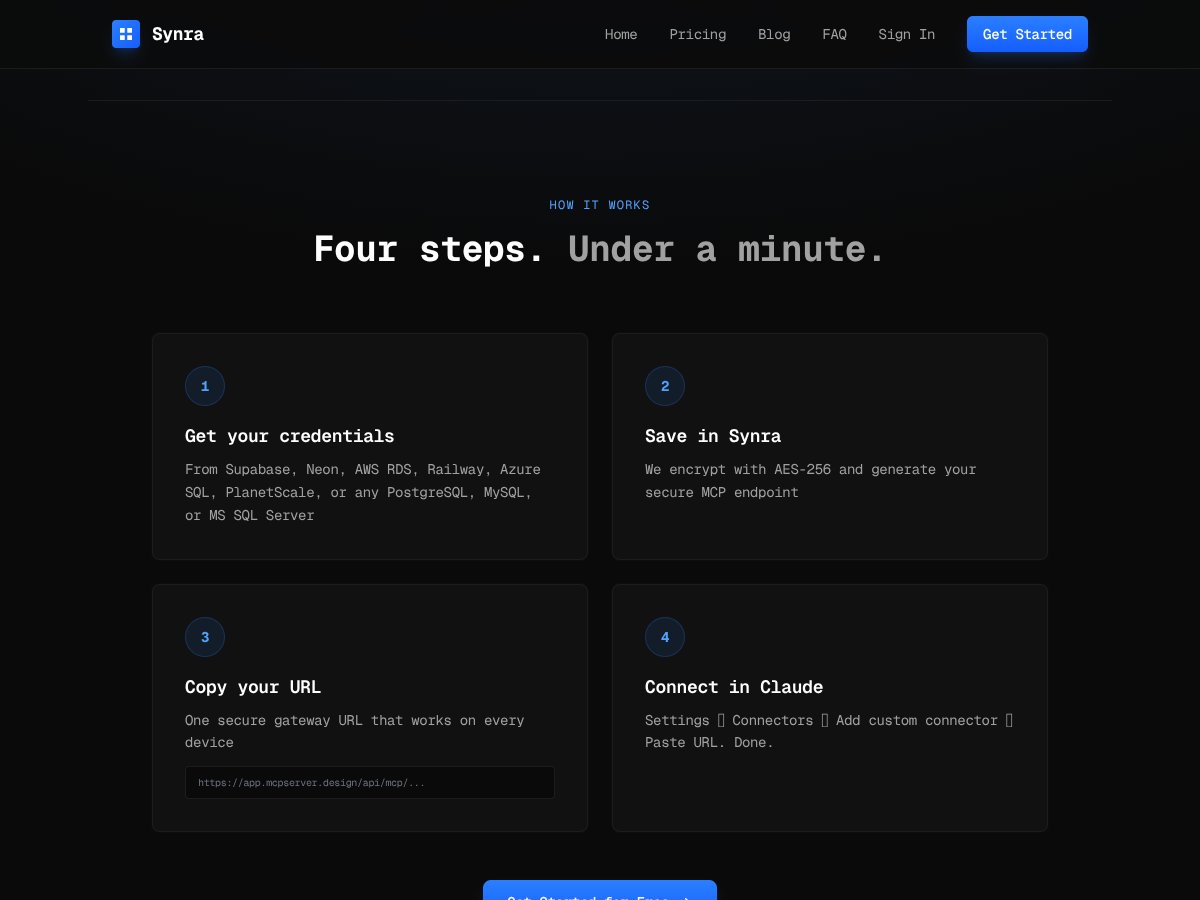
Honestly, I was pretty curious about Synra because dealing with database connections for AI models like Claude can be a real pain — especially when you’re trying to avoid exposing sensitive credentials or messing around with complicated config files. So when I heard about a tool that promises to connect Claude directly to your databases in under a minute, I had to give it a shot.
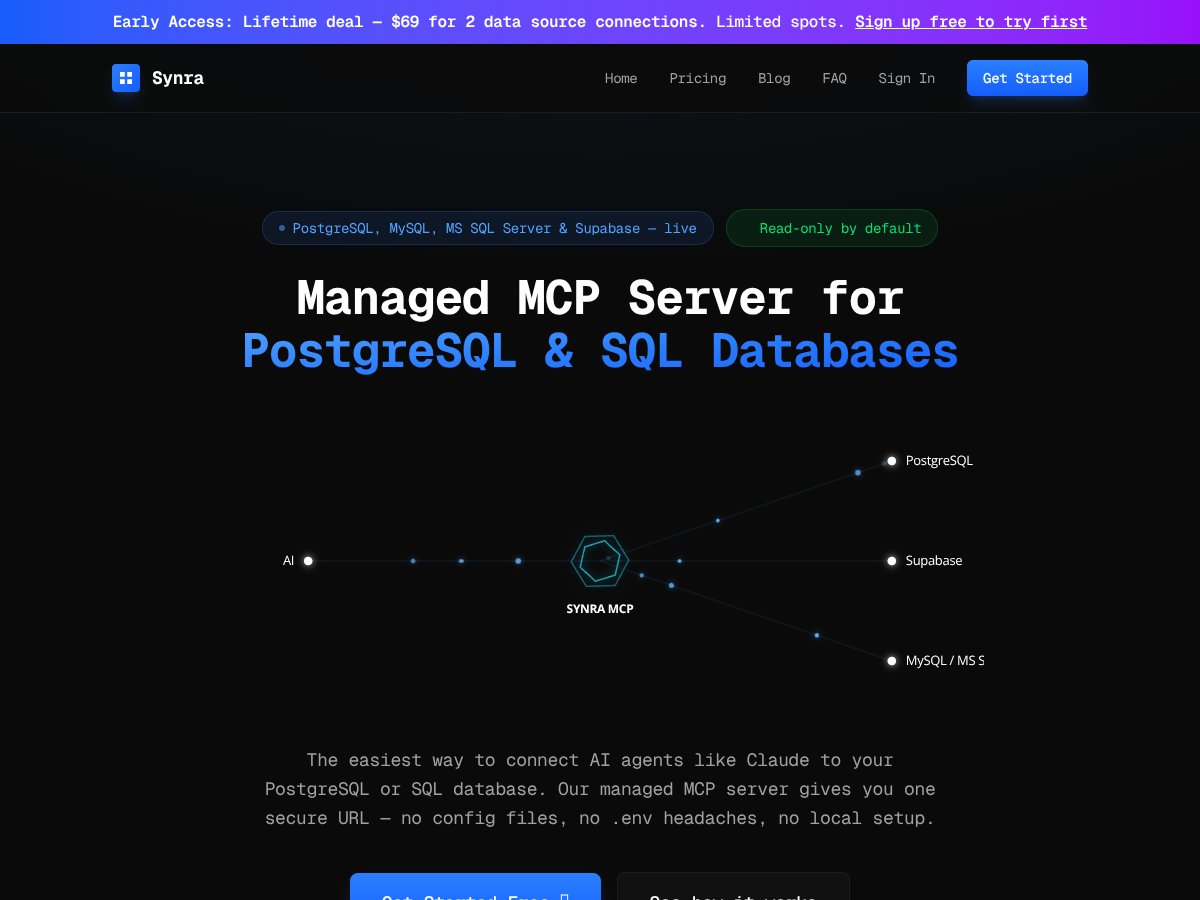
In plain English, Synra is a managed service that acts as a secure gateway between your SQL databases (PostgreSQL, MySQL, MS SQL, or even Supabase) and AI models like Claude. Instead of setting up your own server, handling API keys, and worrying about security, you get a single URL that your AI can query. It’s like a middleman — one that’s supposed to handle security, encryption, and schema browsing all in one package.
The main problem it tries to solve is the complexity and risk of self-hosted MCP servers. Setting up your own involves juggling config files, environment variables, and API keys scattered across multiple devices. Plus, it’s pretty nerve-wracking knowing that a misstep could accidentally give your AI access to write or modify your production database. Synra aims to make this safer and faster, especially for teams that want shared access without the hassle of managing local servers.
As for who’s behind it — the website and launch talk about it being a managed MCP server but don’t go deep into the team or company details. Based on the website and the focus, it looks like a small team or startup trying to carve out a niche for quick, secure database access for AI integrations. I couldn’t find any prominent company name attached, so I’d take it as a niche product from a small dev team.
My initial impression? It’s as advertised — a simple, quick way to connect Claude to your databases without the usual setup fuss. The promise of under 60 seconds is real, and the process is straightforward enough. But I was also aware that it’s a managed service with limitations: read-only by default, a cap on requests, and the usual trade-offs of trusting a third-party with your encrypted credentials.
What it’s NOT is a full SQL management tool or a way to do anything beyond simple queries. It’s not designed for database administration or complex schema editing. It’s solely geared towards safe, read-only querying via AI. So if you’re expecting write capabilities or deep database management, this isn’t your tool. Keep that in mind — it’s a specialized bridge, not a replacement for your database client.
Synra Pricing: Is It Worth It?

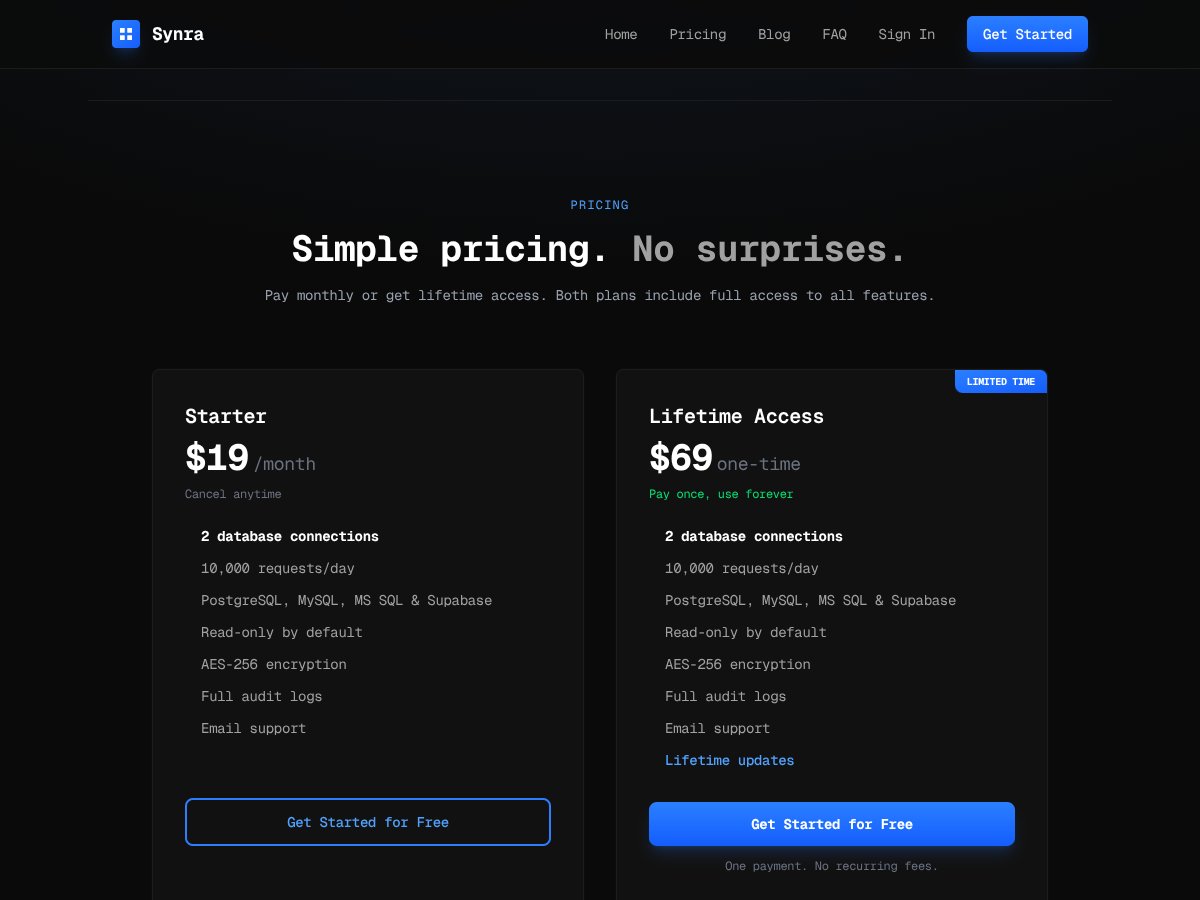
| Plan | Price | What You Get | My Take |
|---|---|---|---|
| Starter | $19/month |
|
Fairly priced for small teams or solo users who need quick, secure access. The limit of 10k requests/day could be a bottleneck if you have high-volume needs, but for most casual or development purposes, it's reasonable. |
| Lifetime Access | $69 one-time |
|
This might be a good deal if you prefer a one-and-done payment and don’t want monthly billing. However, it’s limited to the same request and connection caps, so consider your expected usage. |
Here’s the thing about the pricing: it’s straightforward, with no hidden fees or surprises, which is rare in this space. Both plans include full feature access—no feature gating based on price—and the lifetime option is an appealing one-time payment if you’re confident in the product.
What they don’t tell you on the sales page is how the limits might impact your workflow. If you’re hitting 10,000 requests a day or need more than 2 database connections, you’ll need to upgrade, and those costs aren’t specified here. Also, the plans are geared towards small teams or solo users—larger organizations with complex needs might find these caps restrictive.
Fair warning: if you’re looking for an enterprise-grade, high-volume solution with custom SLAs, Synra’s current pricing might not cut it. It’s best suited for lightweight, secure database access rather than heavy-duty analytics or multi-team environments.
The Good and The Bad
What I Liked
- Super quick setup: Under 60 seconds and no config files—if you’ve ever struggled with JSON or environment variables, this is a breath of fresh air.
- Strong security features: AES-256 encryption at rest and SQL sanitization protect your credentials and prevent destructive queries. That’s not common in all managed database tools.
- Read-only by default: This is a huge plus for safety—no accidental data modifications, and it enforces good practices without extra effort.
- Centralized URL for team sharing: Instead of managing multiple configs, your team shares one secure URL. This simplifies collaboration and reduces setup time.
- Audit logs: Full query history with timestamps and user info help with accountability and troubleshooting, especially for teams or regulated environments.
- Supports multiple databases: PostgreSQL, MySQL, MS SQL, and Supabase—covering most common SQL environments.
What Could Be Better
- No write access yet: While read-only is great for security, many users will want to run INSERTs or updates via AI, especially for automation. The roadmap mentions this, but it’s a current limitation.
- No team or user management: The centralized dashboard is helpful, but it’s not clear if you can assign permissions or view individual query logs beyond audit logs, which could be a limitation for larger teams.
- Request limits: 10,000 requests per day might be enough for many, but heavy users or those with complex queries may find this restrictive. Overages aren’t discussed, which could mean extra costs or throttling.
- Limited integrations: No mention of integrations with Slack, Zapier, or other automation tools—though it’s primarily focused on database connectivity.
- No dedicated support tiers: Email support is included, but for urgent or enterprise needs, you might need higher support levels, which aren’t detailed here.
Who Is Synra Actually For?

If you’re a developer, data analyst, or small team who frequently needs to give safe, read-only access to a SQL database—especially in a context where security, speed, and simplicity matter—Synra is a solid choice. It’s ideal if you’re working with AI models like Claude that require quick, secure database access without the hassle of managing local servers or complex configs.
Imagine a scenario where you’re building a chatbot that answers customer queries based on your database. Instead of exposing your database directly or writing complex API layers, you set up Synra once, and your AI can query it instantly via a secure URL. This streamlines your workflow and keeps your data safe.
It’s also perfect for solo users or small teams who want to avoid the headache of self-hosting, especially if security and auditability are priorities. If you’re doing prototype or MVP work, or need to run ad-hoc queries through AI, this tool fits neatly into that niche.
Who Should Look Elsewhere
If you need to write data back into your database, Synra isn’t the right fit yet. The read-only default is a dealbreaker if your workflows involve updating records or complex transactional operations.
Large enterprises or teams with high query volumes (more than 10,000 requests per day) will likely find the caps limiting. They might need a custom, scalable solution with dedicated support, SLAs, and higher limits.
For organizations that require full user management, detailed permission controls, or integration with other tools like Slack or Zapier, Synra’s current feature set might fall short. Additionally, if your database is behind strict firewalls or private networks, Synra’s cloud-based connection could pose challenges unless future support for agents or proxies is introduced.
Finally, if you’re looking for a free, open-source alternative that you can self-host and customize heavily, Synra’s managed service—while more convenient—is probably not the best choice. You’ll want to look into setting up your own MCP server or using direct database integrations.
How Synra Stacks Up Against Alternatives
Supabase Direct Integration
- Supabase offers a built-in connection to your database with minimal setup, often through their dashboard or API keys. Unlike Synra, it doesn't require a separate gateway — it's more straightforward if you're already using Supabase.
- Price-wise, Supabase is free for small projects (up to certain limits) and then paid plans as you scale, which can be cheaper for low-volume use. Synra’s paid plans start at $19/month, with limits on requests and connections.
- Choose this if you want a tight, native integration with Supabase and are comfortable managing security and configurations yourself.
- Stick with Synra if you prefer a managed, quick-to-deploy solution that supports multiple databases and offers built-in security features, especially if you need to connect to databases outside of Supabase.
Self-Hosted MCP (via SDK or SDKs)
- Self-hosted MCP servers give you full control over setup, security, and customization. You’ll need technical expertise to configure server, security, and connection details manually.
- Cost-wise, self-hosting is free aside from your server costs, but it can be time-consuming and complex to maintain.
- Choose this if you need complete control, want to avoid third-party services, and have the technical skills to handle the setup.
- Stick with Synra if you prefer a quick, secure, read-only gateway without the hassle of self-maintenance or complex configs.
Managed MCP Alternatives (e.g., other providers)
- Some providers offer similar managed MCP gateways but may lack features like built-in SQL sanitization, audit logs, or support for multiple databases. Others might be more expensive or less flexible.
- Prices vary widely, from free tiers to hundreds of dollars per month, depending on features and limits.
- Choose this if you need enterprise features or dedicated support and are willing to pay a premium.
- Stick with Synra if you want a balance of security, simplicity, and affordability without sacrificing key features.
Direct Database Connection (e.g., via custom code)
- Connecting directly to your database via custom code is the most flexible but also the most complex approach. You’ll need to handle security, sanitization, and connection management yourself.
- Cost is minimal in terms of software, but development and ongoing maintenance can be significant.
- Choose this if you want full control and are comfortable with coding and security management.
- Stick with Synra if you prefer a secure, ready-made gateway that minimizes setup time and security risks.
Final Verdict: Should You Try Synra?
I'd give Synra a solid 7/10. It’s a great tool if you need a quick, secure way to connect Claude to your databases without fuss. Its ease of setup and security features make it appealing for teams that want to get up and running fast without deep technical overhead.
Who should try it? If you're a developer or data team looking for a simple, safe way to give AI models read-only access to your databases, Synra is definitely worth a shot.
Who should skip it? If you need write access, full control, or have very private, firewalled databases that require a dedicated agent, you might want to look elsewhere or wait for future updates.
The free trial is a nice way to test drive its capabilities, and if you find it fits your workflow, upgrading can be worthwhile. Personally, I recommend it if your use case aligns with its strengths. If your needs are more complex or security-critical, consider alternative solutions like self-hosted MCP or direct integrations.
In short, if you need a quick, secure, read-only gateway for small to medium projects, give Synra a try. If you require more control or write access, your money might be better spent on a custom or self-hosted solution.
Common Questions About Synra
Is Synra worth the money?
For teams that want quick, secure, read-only database access without fuss, yes. It offers good value compared to the time and effort of self-hosting or custom setups.
Is there a free version?
There's a free trial, but ongoing use requires a paid plan starting at $19/month. The free tier is limited to 10,000 requests per day and 2 connections.
How does it compare to other solutions?
Synra excels in ease, security, and speed compared to self-hosted MCP setups, but if you need write access or full control, those options might serve you better.
Can I connect multiple databases?
Yes, the base plans support two database connections, with higher tiers offering more. It works well for managing multiple data sources in one place.
Is my data secure?
Yes, Synra uses AES-256 encryption for credentials and enforces read-only access by default, adding a layer of safety for your data.
Can I get a refund?
Refund policies depend on the platform where you purchase. Usually, contacting support within the trial period is your best bet to resolve issues.