Table of Contents
I’ve been testing a bunch of AI assistants lately, and Athena AI caught my attention pretty quickly. The big promise is simple: get help with repetitive work, turn messy info into something usable, and make day-to-day decisions a bit faster. The question is—does it actually feel practical, or is it just another “chatbot + hype” product?
From what I noticed while using it, Athena AI is built around three main things: a chatbot assistant, some real analytics/reporting, and workflow automation you can tweak. If you run a small team or you’re managing customer questions and internal updates, that mix can be genuinely useful. But if you’re expecting a fully hands-off system with no setup at all, you’ll probably want to adjust your expectations.
Athena AI Review: What It’s Like to Use Day to Day
Let’s get into the practical stuff. Athena AI positions itself as more than a simple assistant. It’s designed to help automate repetitive tasks, pull out insights from data, and support better decisions—especially when you’re juggling customer questions and internal reporting.
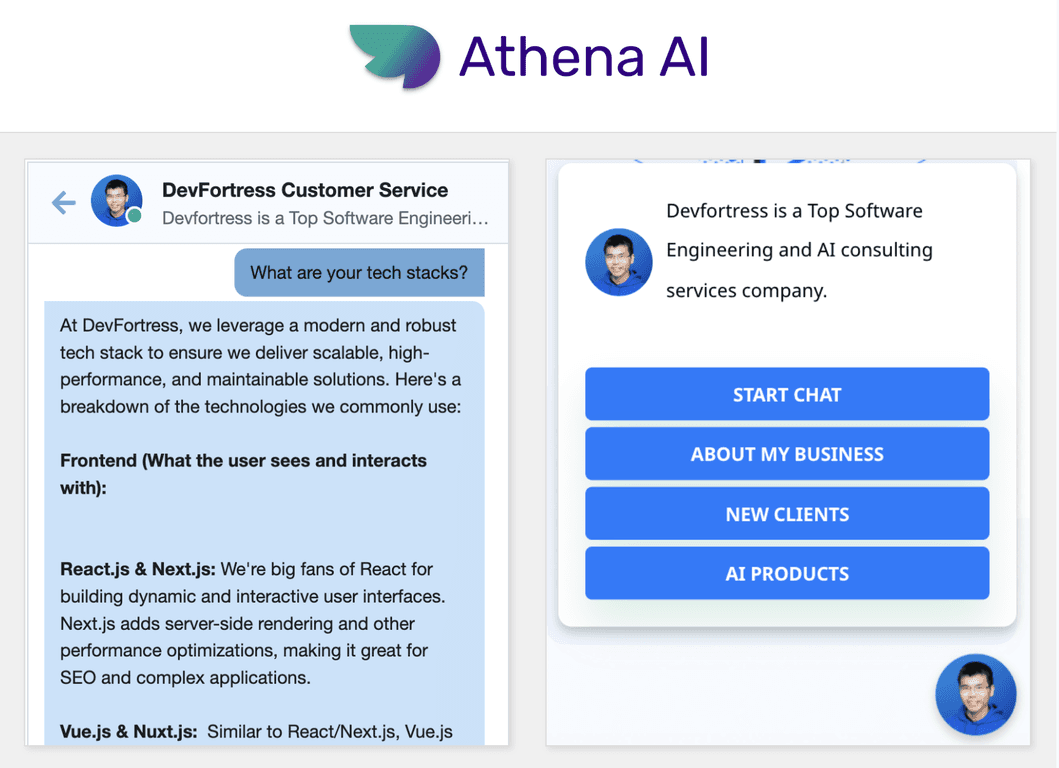
In my experience, the chatbot is the first thing you’ll touch. It’s useful for drafting responses, turning rough notes into cleaner language, and helping you structure ideas faster. Where it really starts to feel valuable is when you pair it with the rest of the platform—analytics and reporting—so you’re not just talking, you’re also acting on information.
One thing I liked: the platform feels aimed at businesses, not just individual users. You can tell it’s trying to fit into workflows rather than being a standalone “cool demo.” Still, you’ll want to spend a little time setting things up—especially if you’re not tech-inclined. No tool is truly plug-and-play, and Athena is no exception.
Key Features That Actually Matter
- Multilingual support: Helpful if you handle customers or teams across different languages. In real use, this means fewer awkward back-and-forths when someone asks a question in their native language.
- Real-time data analytics and insights: This is where the product stops being “just a chatbot.” You can look at what’s happening and spot patterns faster than manually digging through reports.
- Customizable workflows: I like that you can shape the automation to match how your business works. It’s not one-size-fits-all, which is a big deal if you’ve got specific processes.
- AI-driven chatbot for customer interactions: Great for handling common questions, drafting replies, and keeping responses consistent—especially when customer volume is high.
- Integrations with popular software tools: This matters more than people think. If it doesn’t connect to what you already use, the “automation” stays trapped inside the app.
Pros and Cons (The Honest Version)
Pros
- Easy to navigate: I didn’t feel lost jumping between the chatbot and the analytics areas.
- Time savings on repetitive tasks: If you’re constantly rewriting similar messages or summarizing updates, Athena helps reduce the grind.
- Useful data analytics and reporting: The insights are the part that makes it feel like a business tool, not just an assistant.
- Scales for different business sizes: Whether you’re small or growing, the structure looks like it can support more than just one person.
Cons
- Some learning curve: If you’re not comfortable setting up workflows or integrations, you’ll likely need a bit of trial and error.
- Free version feels limited: You can test the basics, but the “real value” tends to show up when you move to paid plans.
- Internet dependency: Like most modern AI platforms, performance depends on a solid connection. Offline use isn’t really the point here.
If you’re the type who loves tinkering and improving processes, you’ll probably enjoy it. If you want everything to work instantly with zero setup, you might find yourself frustrated at first.
Pricing Plans: What You’ll Pay
Athena AI uses a tiered subscription model, including a free basic version. The paid plans add more features and integrations.
Based on the pricing info available, plans start around $19 per month for the basic paid package, with higher tiers for bigger teams and enterprise needs. If you’re evaluating it for customer support or internal reporting, I’d recommend using the free tier to test your actual workflows first—because that’s where you’ll see whether the paid features are worth it.
Wrap up
Overall, Athena AI feels like a solid option if you want an AI assistant that goes beyond chat and actually supports productivity with analytics, reporting, and workflow automation. It’s not perfect—there’s a learning curve, and the free version won’t show you everything—but in day-to-day use, it can save time and make information easier to act on.
If you’re already thinking about using AI for customer interaction and business insights, Athena AI is definitely worth a closer look—especially if you’re willing to spend a little time setting it up the way you need.
Promote Athena AI