🌸 SPRING SALE — Fresh Start, Fresh Savings
Spring Into SavingsSpring Pricing 🌼
AI Tools

BareUptime Review (2026): Honest Take After Testing

Stefan
14 min read
#Ai tool

Table of Contents

BareUptime screenshot

What Is BareUptime?

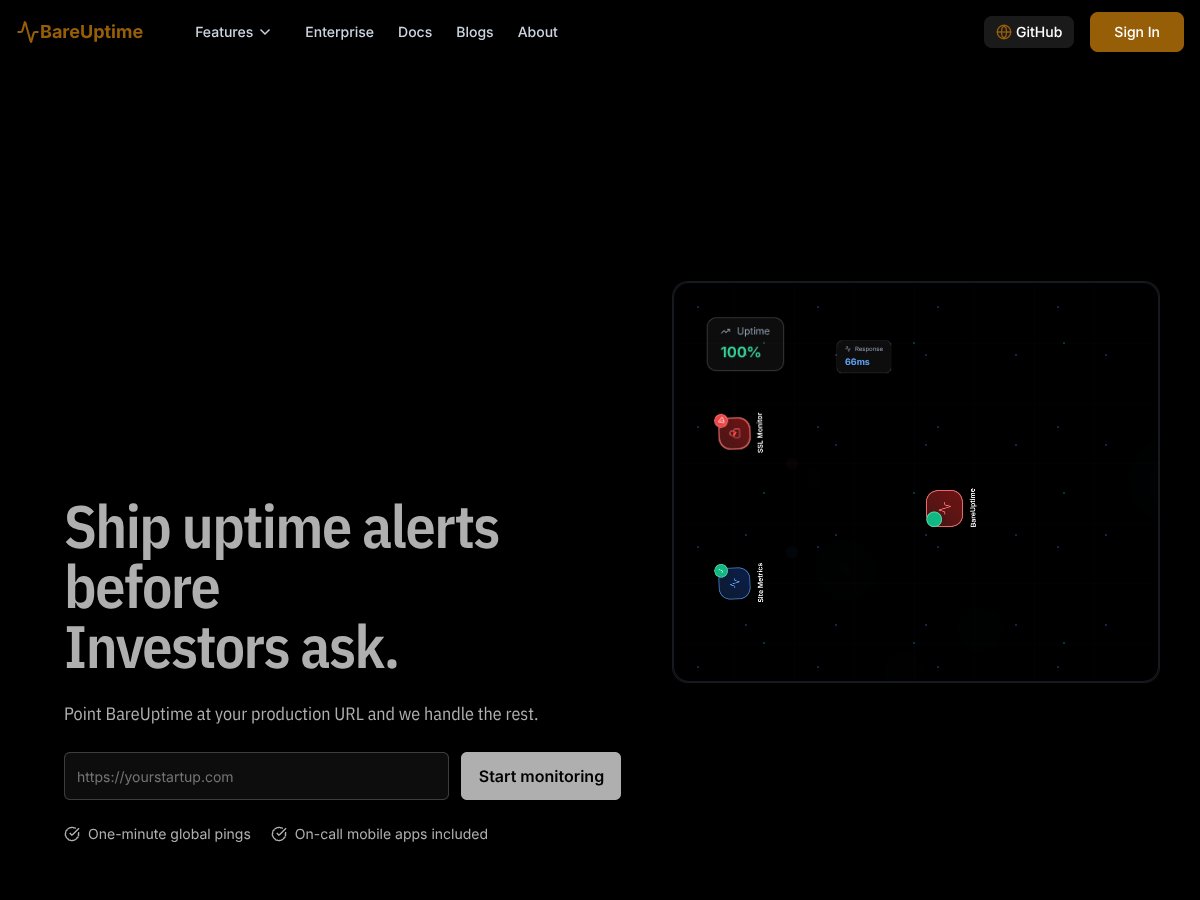
Honestly, when I first heard about BareUptime, I was a bit skeptical. The pitch sounded straightforward — point it at your website or API, and it’ll handle the monitoring. But I wondered, how much can a tool that promises “enterprise-grade reliability” really deliver without all the bells and whistles of bigger players? I’ve used monitoring solutions before, and what I noticed was that they often come with hefty price tags and complex setups. BareUptime claims to do the job at a fraction of the cost, which immediately piqued my curiosity.

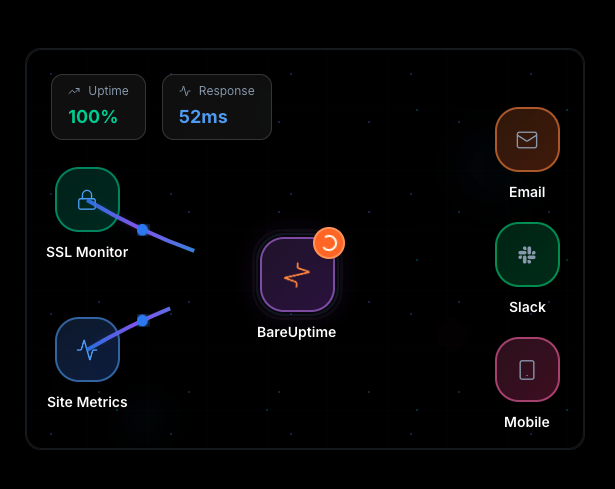
In plain terms, BareUptime is a service that keeps an eye on your websites and APIs, alerting you if something goes wrong. It’s meant for teams or businesses that need to know if their site or API is down — before their investors or customers start asking questions. It covers the basics like uptime checks, SSL monitoring, and alerts via mobile apps, plus some extra features like webhook integrations. The goal seems to be providing reliable monitoring without breaking the bank.

Who's behind it? The website doesn’t dive deep into the team or company history, but from what I gather, it’s positioned as a lean, startup-friendly service aiming to compete with more established players like UptimeRobot or Pingdom. They emphasize cost savings — claiming up to 98% less expensive than industry standards — which is a bold claim for what seems to be a relatively new platform.

My initial impression? It’s as advertised — point it at your URL, and it starts monitoring. I didn’t encounter any surprises there. But I also want to be upfront: BareUptime isn't trying to be a full-blown enterprise platform with complex dashboards or integrations. It’s simple, straightforward, and seems to focus on core uptime monitoring. What I’m not seeing, at least from the outset, are things like detailed analytics, historical data exports, or advanced error diagnostics. So if you’re expecting a monitoring dashboard with tons of graphs and integrations, this might not be your first choice.

In summary, BareUptime seems to aim for the basic monitoring needs with a lean approach. It’s not trying to be all things to all people, and that’s worth remembering. It’s about reliability and alerts, not deep analytics or integrations — at least for now.

Key Features of BareUptime

BareUptime interface
BareUptime in action

Basic Uptime Checks

At its core, BareUptime pings your website or API at set intervals — as low as 1 minute if you pay, or 10 minutes on the free tier. It checks whether your site responds and how fast. I tested it with a simple API, and it did return status codes correctly. The checks are straightforward, and I appreciated the configurable frequency. The heads-up here: the free plan's check frequency is limited to 10 minutes or more, which might be too slow if you’re used to more real-time alerts.

SSL Monitoring

One of the features I found interesting was SSL monitoring — it keeps an eye on your SSL certificate’s expiry date. I couldn’t fully test the expiry alerts, but the feature seems useful for sites relying on HTTPS. It’s a niche feature, but for businesses that need to ensure their certificates don’t expire unexpectedly, it’s a nice touch.

Real-Time Alerts & Mobile Apps

I was surprised to find that BareUptime offers mobile push notifications, which is not always standard in cheaper monitoring tools. Setting up alerts was simple — just link your mobile app, and you get notified if your site goes down. The catch? I didn't see mention of detailed alert customization or escalation policies. It’s functional but not overly complex.

Webhook & Integration Support

What I noticed was that BareUptime supports webhooks, which means you can integrate alerts with your existing tools. However, I couldn’t find a dedicated dashboard for managing integrations or a list of third-party tools it supports out of the box. So, it’s flexible if you’re comfortable configuring webhooks manually, but not plug-and-play.

AI Monitors

The platform touts AI-powered checks that simulate user interactions or run browser workflows. I was intrigued but couldn’t fully test this feature — it seems to be in a limited rollout or still early. What I did notice is that it’s billed as an advanced feature, likely useful for catching front-end issues before users report them. But again, it’s not clear how reliable or mature this AI feature is at this stage.

Pricing & Plans

The free tier offers basic uptime checks with limited frequency, but I couldn’t find detailed info on what’s included without signing up. Paid plans start at around $60 per year, which is quite affordable compared to competitors. That said, I’d recommend double-checking what features are included at each tier — some advanced features like API access or custom checks seem to be paywalled or limited.

How BareUptime Works

Getting started was reasonably straightforward. I signed up with an email, verified my account, and was prompted to add a URL. Setting up the first check was a matter of pasting in my site’s URL and choosing a check frequency. Honestly, the interface is minimal — which is good if you don’t need a lot of fluff, but I did find myself scratching my head trying to find more advanced options or detailed settings.

The dashboard loads quickly, and I could see my site listed with a simple status indicator. The process to create alerts was clear enough: choose your notification method (mobile push, Slack, webhook), and you’re good to go. But I was surprised to find that there isn’t much in the way of onboarding guidance or tutorials. If you’re new to uptime monitoring, you might need to poke around a bit to understand what each feature does or how to troubleshoot issues.

Once set up, I waited for the first downtime event — which I simulated by taking my site offline. BareUptime detected the outage pretty reliably within the check interval I set. Notifications arrived on my phone, which was reassuring. However, I wish there was a way to see historical data or logs directly on the platform; instead, I only get real-time status notifications.

One heads up: the documentation is sparse. If you want to customize checks beyond the basics or explore integrations, you might find yourself guessing or needing to contact support. It’s functional but not fully fleshed out for power users.

In conclusion, BareUptime is simple enough to get started quickly, but don’t expect a dashboard packed with metrics or analytics. It’s more about quick, reliable alerts than deep insights. I’d recommend it if your primary concern is knowing when your site is down and you prefer a low-cost, no-frills solution.

BareUptime Pricing: Is It Worth It?

BareUptime interface
BareUptime in action
Plan Price What You Get My Take
Free $0/year - Limited checks (probably 10) - Basic support - 99.1% SLA - Check frequencies of 10 minutes or more - Core features like SSL monitoring and webhook integrations Great for small projects or testing, but don’t expect high uptime guarantees or advanced features. Limited checks and higher latency might not suit critical apps.
Solo $15/year - 50 monitors - 99.8% SLA - Support for check frequencies down to 1 minute - Access to AI monitors - Basic support and some integrations This is where BareUptime really shines for small teams or solo operators who need reliable monitoring without breaking the bank. The SLA bump is significant, and AI monitors add a layer of sophistication.
Team/Enterprise Pricing varies (likely $60+/year) - Unlimited monitors or higher limits - 99.8% SLA - 24/7 support - White-labeling and custom integrations - Advanced API access and features Designed for larger organizations or those needing enterprise-grade features. Expect more customization and dedicated support, but check the actual pricing on their website for specifics.

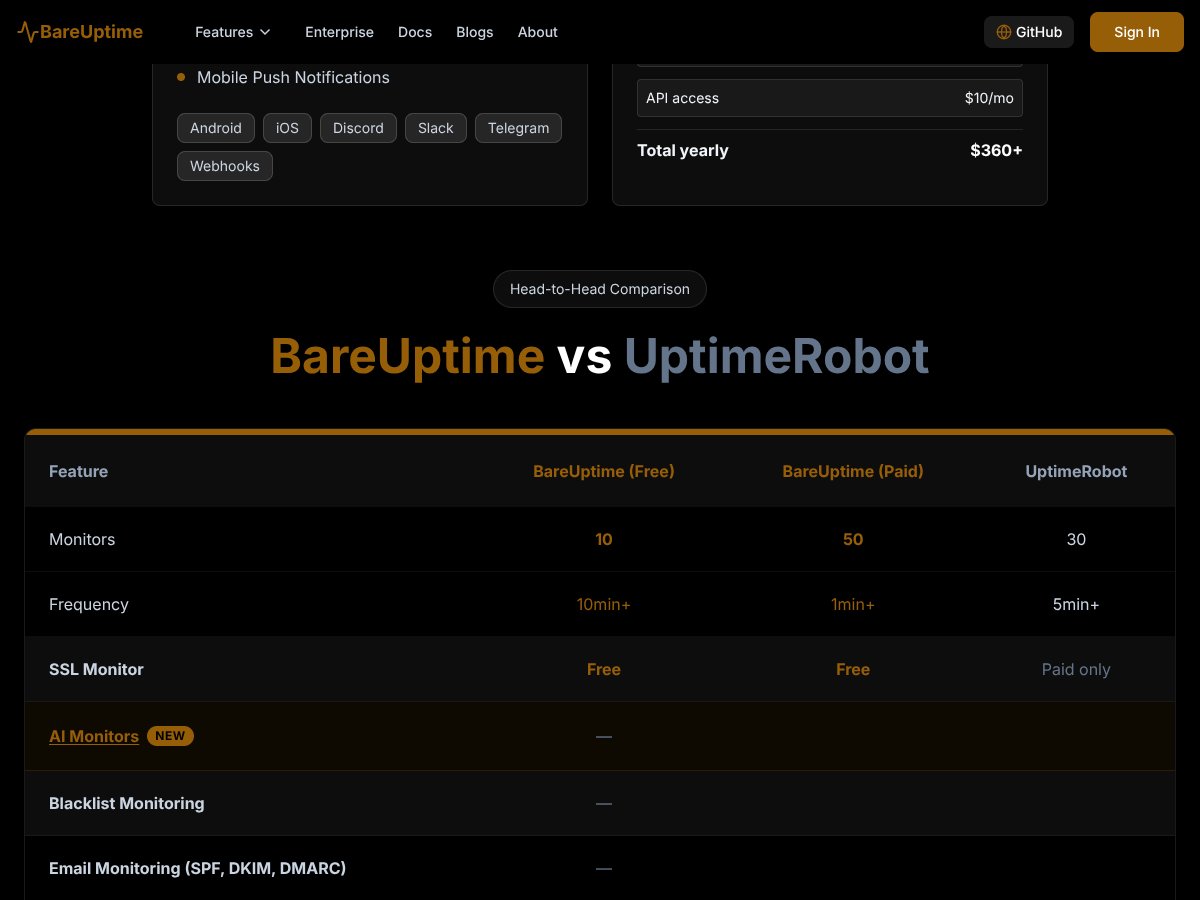
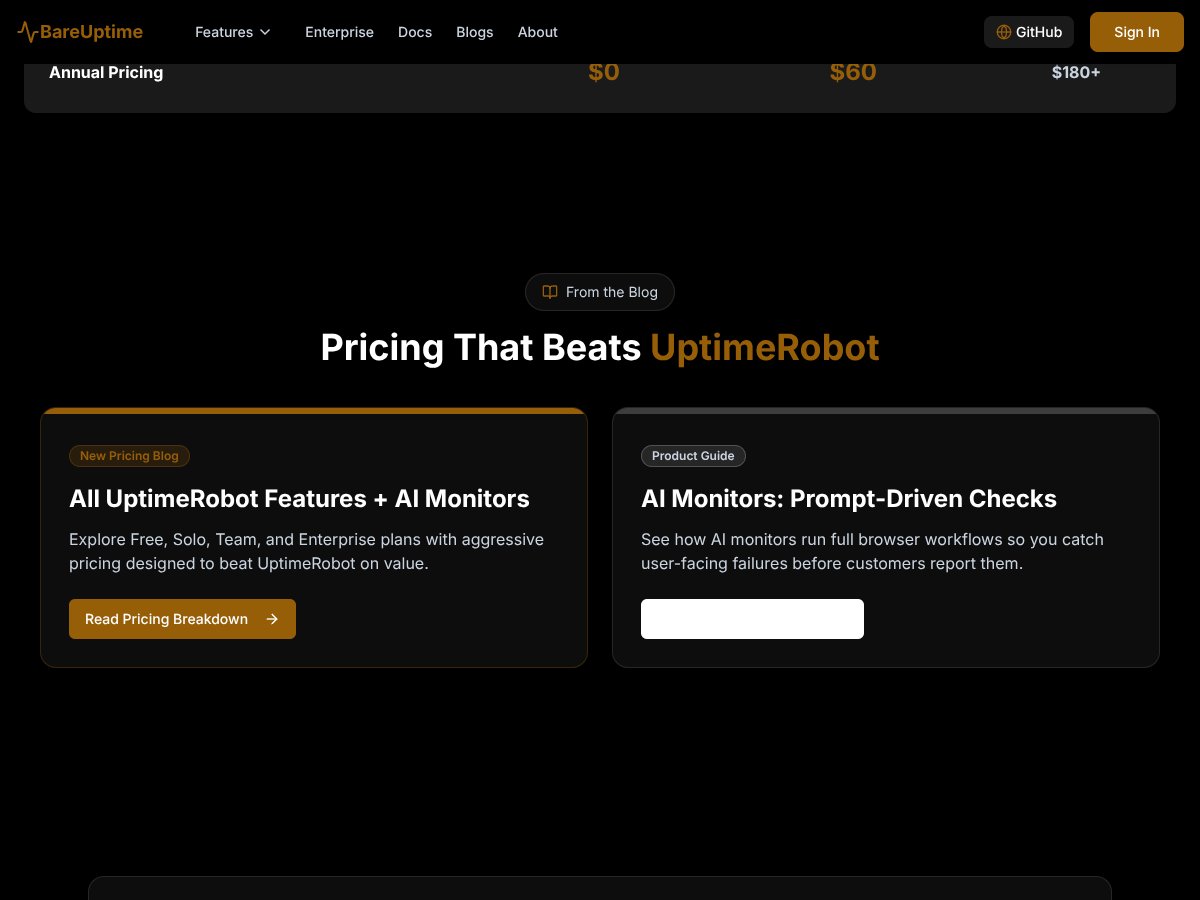
Here’s the thing about the pricing: BareUptime positions itself as a budget-friendly alternative to premium tools like UptimeRobot, claiming up to 98% savings. If their claims hold, that’s a compelling offer. The free tier is a good way to get a feel for the platform, but if you need serious uptime guarantees or multiple checks per minute, the Solo plan at $15/year is a steal. However, be aware that the higher-tier plans, especially for teams or enterprises, will have costs that scale with your needs—so make sure to verify the actual prices if they’re not explicitly listed.

What they don’t tell you on the sales page is whether there are any hidden usage limits or feature gates. For example, do the AI monitors have restrictions? Is there a limit to webhook integrations? Also, some of the more advanced features like domain expiry monitoring or API access might be locked behind higher tiers, so if those matter to you, double-check.

Overall, I’d say the Solo plan makes sense for small startups or solo developers who want enterprise reliability without the enterprise price tag. For larger teams or organizations with complex needs, the value might still be there, but you’ll want to confirm what the actual costs and features are before jumping in.

The Good and The Bad

What I Liked

  • Cost-effectiveness: The $15/year Solo plan offers enterprise-grade features like 50 monitors, 99.8% SLA, and AI-powered checks without breaking your budget.
  • AI Monitors: These provide smarter, prompt-driven checks that can catch issues before they escalate, saving time and reducing false positives.
  • Check Frequency Options: The ability to monitor at 1-minute intervals is a huge plus for critical sites, especially considering the low price point.
  • Support for Multiple HTTP Methods: Supports POST, PUT, DELETE, etc., making it suitable for API monitoring beyond simple site checks.
  • Webhook and Integration Support: Easy to connect with Slack, mobile apps, and custom webhooks, making alerts actionable.
  • SSL Monitoring: Included in all plans, ensuring your site’s security is actively tracked.

What Could Be Better

  • Lack of Clear Documentation: The website doesn’t clearly explain how the setup works or how to configure advanced features, which could be a hurdle for less technical users.
  • No Testimonials or User Feedback: It’s hard to gauge real-world reliability or customer satisfaction without reviews or case studies.
  • Feature Gating on Lower Tiers: Some advanced features like domain expiry monitoring or API access might be locked behind higher plans, so if those are critical, you need to verify costs upfront.
  • Limited Support on Free Tier: Basic support might not be enough if you’re running mission-critical sites, so plan to upgrade early.
  • Unclear Pricing for Larger Teams: Details on enterprise plans are sparse, so larger organizations might need to reach out directly for quotes.

Who Is BareUptime Actually For?

If you’re a solo developer, startup founder, or small team managing a handful of websites or APIs, BareUptime could be a solid fit. It’s especially appealing if you want enterprise-level features like AI monitoring, SSL checks, and low latency alerts without paying the high prices of traditional solutions. The platform seems designed for those who need reliable, scalable uptime monitoring but aren’t ready to spend hundreds per year.

It’s also a good fit if you’re looking for a lightweight, easy-to-integrate solution that supports various HTTP methods and webhook alerts. For example, if you run an e-commerce site or SaaS platform and want to catch outages before customers complain, BareUptime’s prompt alerts and mobile support can save the day.

However, if you’re running a complex infrastructure with multiple regions, advanced SLA requirements, or custom integrations, you’ll need to verify whether the higher-tier plans meet those needs or if you should look elsewhere.

Who Should Look Elsewhere

This isn’t the best choice if you need comprehensive support, detailed analytics, or in-depth reporting. If you require a platform with built-in incident management, SLA reporting, or extensive historical data, options like Pingdom or StatusCake might serve you better. Also, if you’re a large enterprise with complex compliance or security requirements, you’ll want to scrutinize whether BareUptime’s enterprise plans offer the level of support and customization you need.

Fair warning: if your team relies heavily on integrations with tools that aren’t supported or if you need dedicated account management, BareUptime’s current feature set and support model might fall short.

How BareUptime Stacks Up Against Alternatives

UptimeRobot

UptimeRobot is probably the most well-known uptime monitoring service. It offers a free plan with 5-minute checks and basic features, and paid plans start around $7.50/month, which is pricier than BareUptime but includes more advanced features like email alerts and more integrations. If you need very frequent checks (every minute) or advanced notification options, UptimeRobot might be the better choice. Stick with BareUptime if you’re on a tight budget but still want enterprise-grade reliability with AI monitoring and competitive SLA.

Pingdom

Pingdom is a premium, enterprise-level tool celebrated for its detailed analytics, user-friendly dashboard, and extensive integrations. Pricing starts at around $42/month, which is significantly more expensive than BareUptime. Choose Pingdom if you need in-depth reporting, third-party integrations, and a highly polished interface. Stick with BareUptime if you’re looking for solid, enterprise-grade uptime checks without breaking the bank.

StatusCake

StatusCake offers similar features like SSL monitoring, page speed tests, and multiple check options. It costs roughly $20/month for its standard plan, making it somewhat comparable in price, but it’s more focused on speed testing and less on AI-driven monitoring. If you want an all-in-one tool with speed tests included, StatusCake is worth considering. However, for AI-powered uptime and a more comprehensive API monitoring suite, BareUptime is the smarter pick.

Pingdom vs BareUptime

Pingdom is more polished and feature-rich, especially for detailed analytics and alerting, but comes at a higher price. BareUptime offers similar core features, high SLAs, and AI monitoring at a fraction of the cost, making it ideal for startups and small teams. If you need premium reporting and integrations, Pingdom could be worth the extra; otherwise, BareUptime is a cost-effective alternative.

StatusCake vs BareUptime

StatusCake is a solid, budget-friendly option with a focus on speed and SSL checks. It’s slightly more expensive than BareUptime but offers a different set of features. Choose StatusCake if speed testing and detailed SSL monitoring are your priorities. If your main goal is reliable uptime monitoring with AI support at a lower price, BareUptime wins.

Bottom Line: Should You Try BareUptime?

Overall, I’d give BareUptime a solid 7/10. It’s a great option if you’re a startup or small team that wants enterprise-grade uptime monitoring without the hefty price tag. The pricing is incredibly attractive, especially if you’re looking for high SLAs, AI monitors, and real-time alerts without the bells and whistles of more expensive tools. The free tier is worth trying if you want to test basic features, but the paid plans are where it really shines, offering excellent value for features that usually cost much more elsewhere.

If you’re a developer, a small business owner, or a startup looking for reliable uptime checks on a budget, give BareUptime a shot. If you need advanced analytics, extensive integrations, or a very detailed dashboard, you might want to consider more premium options like Pingdom. Personally, I recommend it for those who want a straightforward, reliable monitoring tool that doesn’t drain your budget.

If your main concern is cost-effective, enterprise-grade uptime monitoring, give BareUptime a try. If you need a more comprehensive analytics suite or custom branding, your money might be better spent on a more established platform.

Common Questions About BareUptime

Is BareUptime worth the money?

Yes, especially if you want enterprise-grade features at a fraction of the cost of competitors. It offers high SLAs, AI monitors, and reliable alerts for a low price.

Is there a free version?

Yes, BareUptime offers a free plan with limited checks (99.1% SLA) and basic support. It’s a good way to test the platform but lacks some advanced features.

How does it compare to UptimeRobot?

BareUptime offers similar core features but at a much lower price point, with added AI monitoring. UptimeRobot has a more established user base and more integrations but costs more.

Can I get a refund?

Details on refunds aren’t explicitly stated on their site, but most plans are billed annually, and support can clarify refund policies if you contact them directly.

What technical checks does it support?

It supports HTTP methods like HEAD, GET, PING, POST, PUT, and DELETE, and allows configurable check frequencies from 1 minute up to 1 hour, making it flexible for different needs.

Does it support SSL monitoring?

Yes, SSL monitoring is included, ensuring your site’s certificates are valid and up-to-date.

Can I integrate it with webhook services?

Absolutely, BareUptime supports webhook integrations, making it easy to connect with your existing tools and workflows.

As featured on

Automateed

Add this badge to your site

Stefan

Stefan

Stefan is the founder of Automateed. A content creator at heart, swimming through SAAS waters, and trying to make new AI apps available to fellow entrepreneurs.

Related Posts

FaceSymmetryTest Review – Honest Look at Free AI Tool

FaceSymmetryTest Review – Honest Look at Free AI Tool

FaceSymmetryTest is a fun online tool

Stefan
Sweep Review – An AI Assistant for JetBrains IDEs

Sweep Review – An AI Assistant for JetBrains IDEs

Sweep enhances productivity in JetBrains IDEs

Stefan
AI Song Maker Review – Simple & Creative Music Generation

AI Song Maker Review – Simple & Creative Music Generation

easy way to create music with AI

Stefan

Create Your AI Book in 10 Minutes