Table of Contents
Let’s be honest—some books and articles are just… hard. You read a paragraph, then you’re like, “Wait, what did that actually mean?” That’s where BookRead AI caught my attention.
In my experience, the app does a pretty simple thing well: you highlight a phrase or section, and it gives you a clearer explanation right away. No hunting through three different websites. No “read it again but slower” (unless you want to).
BookRead AI Review: Does It Actually Help You Read Faster?
When I tested BookRead AI, I focused on one thing: how well it handles “the annoying parts” of reading—dense explanations, jargon, and those sentences that feel like they were written to confuse you.
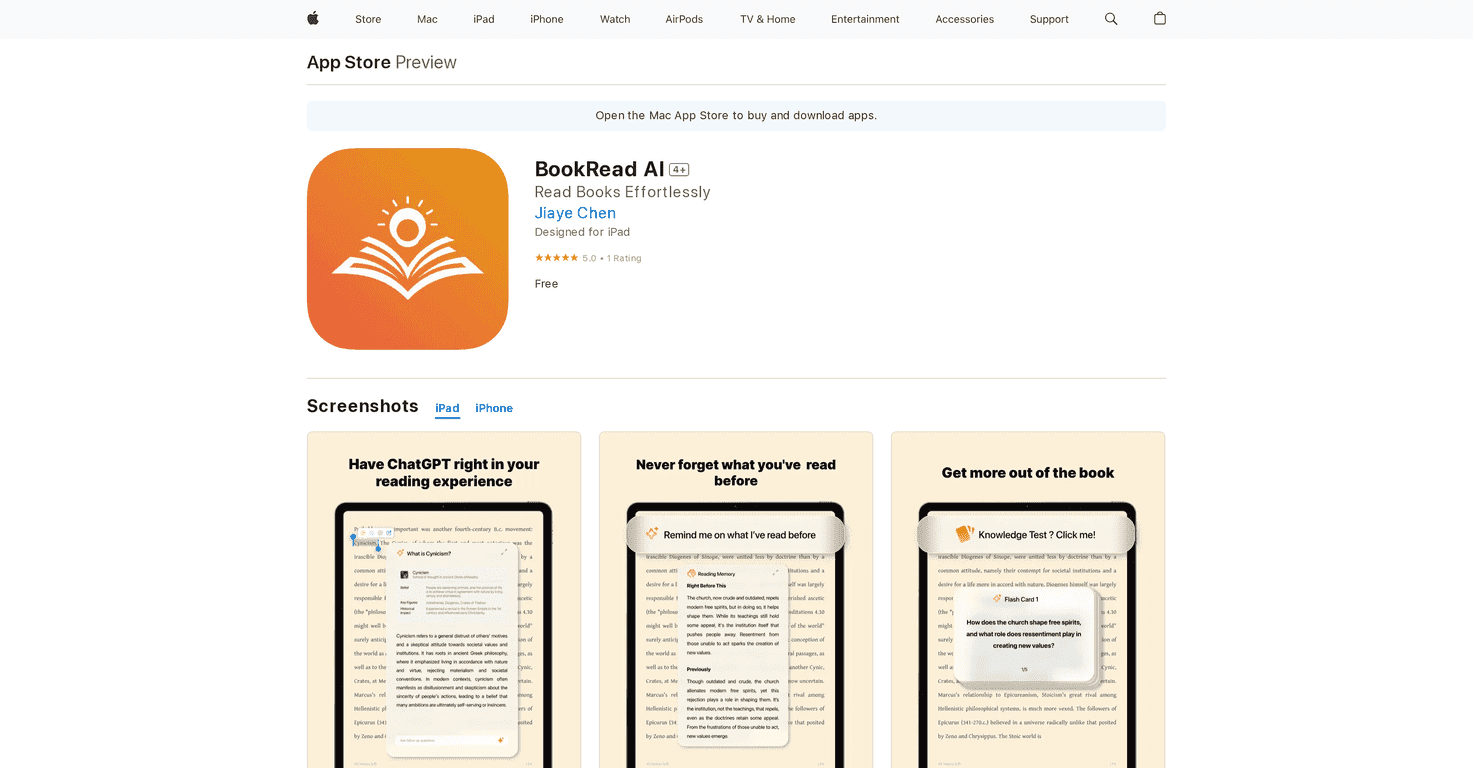
Text explanations (the highlight-and-understand part) is the main attraction. I’d pick a phrase, tap for an explanation, and get a simplified breakdown that’s usually easier to connect to the surrounding context. It’s not just repeating definitions. What I liked is that it tries to translate the idea into something you can actually follow.
That said, I did notice the quality can swing depending on the content. If the text is really abstract or oddly phrased, the explanation can be more “general” than “specific.” Still helpful, but not always the level of clarity you’d get from a human teacher.
Recap feature is where the app starts feeling practical. I’m the type who puts books down for a couple days and then forgets where I left off. With BookRead AI, it’s easier to get back into the flow because the recap gives you a quick reminder of what you were already working through. It doesn’t replace a full reread, but it definitely reduces that “starting from zero” feeling.
Flashcards were honestly my favorite surprise. At the end of a chapter, you get key insights turned into flashcards. I used them like a quick review before bed (like 5–10 minutes). If you’re studying for anything—school, certification, even just learning a topic—you’ll probably appreciate having something you can review without scrolling back through the whole chapter.
Targeted questions also help. Instead of only explaining, it nudges you to think about the content you just read. I noticed that this makes the reading “stick” more. It’s easy to read passively, but answering questions forces you to pay attention.
Overall, BookRead AI feels best for readers who want clarity and retention without spending extra time searching for explanations. If you’re looking for deep literary analysis or a super detailed academic breakdown, you might find it too simplified. But for everyday comprehension, study support, and making dense reading less painful? Yeah, it delivers.
Key Features
- Text Explanation – Highlight a phrase and get a clearer, simplified explanation so you can keep moving.
- Recap Feature – Helps you jump back in after breaks by summarizing what you were reading.
- Flashcards – Auto-generated flashcards that summarize key points at the end of each chapter.
- Targeted Questions – Prompts you with questions to test understanding and improve retention.
Pros and Cons
Pros
- Helps you understand difficult passages by turning confusing text into something easier to digest.
- Great for retention thanks to flashcards and recap summaries.
- Encourages active learning with targeted questions (not just passive reading).
- Simple to use—you can get help without leaving the reading flow.
- Free access makes it easy to try before committing.
Cons
- Explanation quality can vary depending on how dense or abstract the original text is.
- Not ideal for deep analysis if you want a detailed, nuanced breakdown instead of simplified explanations.
- Best for study-style reading—if you’re reading purely for enjoyment, the extra prompts might feel a bit “school-like.”
Pricing Plans
Free
Wrap Up
If you struggle with dense reading, BookRead AI is worth checking out. The highlight-to-explain feature is the core win, and the recap + flashcards + questions are what make it more than just a “quick dictionary.” It won’t replace a full teacher or a deep textbook explanation, but it can absolutely help you understand what you’re reading and remember it later.
So yeah—if you want a smoother reading journey without getting stuck on every hard sentence, BookRead AI is a solid try.
Promote BookRead AI