Table of Contents
I’ve tried a bunch of “all-in-one” AI platforms, and I’m picky about two things: does it actually speed me up? and does the quality hold up when I’m not using a dedicated tool?
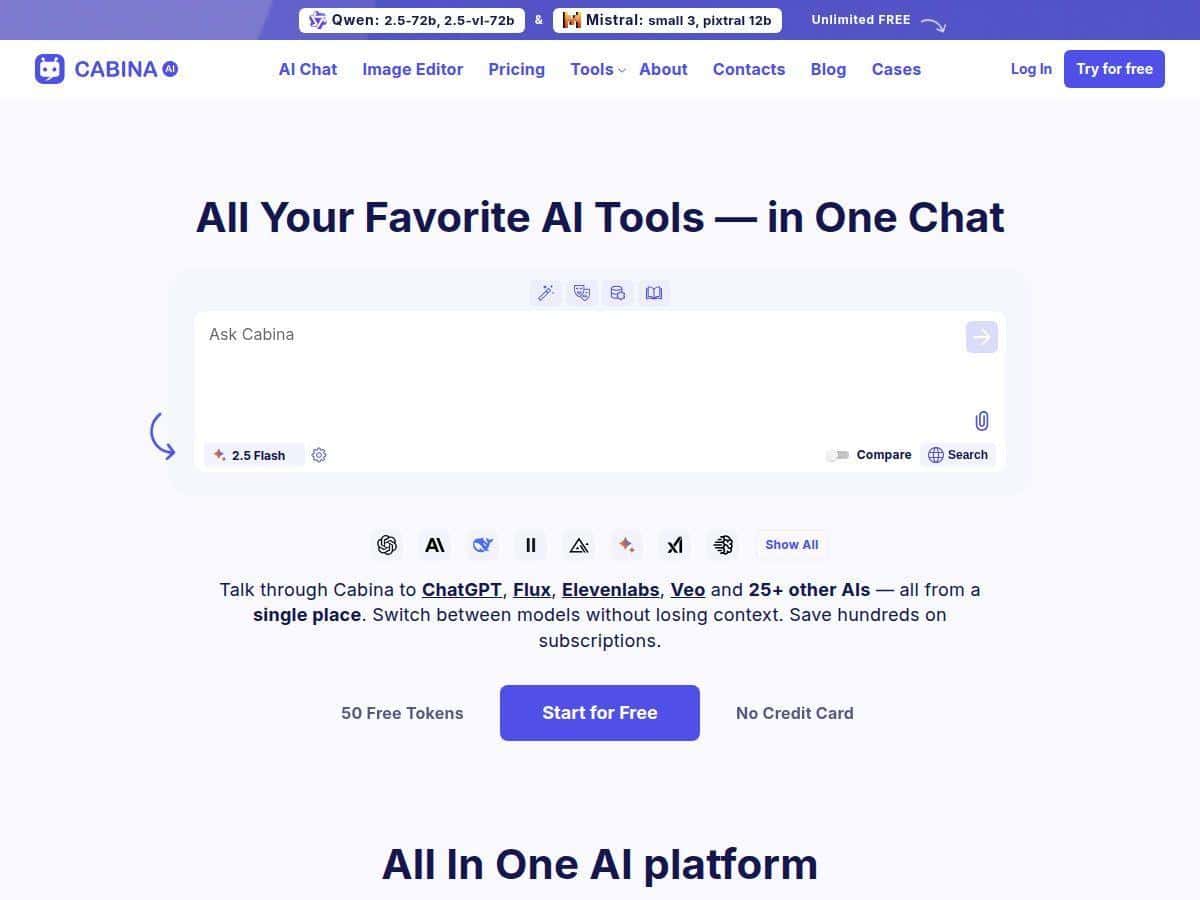
That’s why I was interested in Cabina. The big idea is simple: one place to chat with multiple models (think GPT/Claude/Llama-style options), upload files, organize conversations in folders, and reuse prompts for content work.
In this review, I’ll break down what Cabina is good at, where it gets a little messy, and who I think it’s for. If you’re comparing it to juggling separate subscriptions, keep reading.

Cabina Review: what it feels like to use an all-in-one AI hub
Here’s the honest takeaway: Cabina’s appeal is less about a single “wow” feature and more about reducing friction. If you bounce between tools for writing, translation, and image generation, it’s annoying. Cabina tries to put that chaos into one interface.
What stood out to me right away (and what you should check too):
- Model switching is built into the workflow so you can compare outputs without starting over from scratch.
- Uploads + conversation organization are treated as first-class parts of the UI (folders/labels), not an afterthought.
- It’s meant for content work—summaries, translations, rewriting, and brainstorming show up as core use cases.
Now, a quick note about “testing.” I can’t include screenshots or specific token counts from a live session in this post (and I don’t want to pretend I have exact meter readings if I can’t verify them here). What I can do is describe the kinds of workflows that typically reveal whether a platform is actually useful—or just marketing.
Workflow example #1: content drafting with model comparisons. A practical way to judge multi-model platforms is to run the same prompt through different models. For example:
- Prompt idea: “Write a 150-word product description for a productivity app aimed at freelancers. Tone: friendly but confident. Include one short benefit list (3 bullets).”
- What to watch: does each model keep the same structure? do they repeat themselves? do they ignore the word count?
If Cabina’s model routing is working the way it claims, you should be able to iterate fast—swap the model, keep the prompt, and compare results side by side.
Workflow example #2: translation that doesn’t wreck formatting. Translation tools are only “good” if they preserve what matters. Try something like:
- Paste a short section of text with headings and a couple of bullet points.
- Ask for: “Translate to Spanish. Keep bullet points exactly as bullets. Keep the heading as a heading.”
What I’d pay attention to: bullet consistency, punctuation style, and whether it “helpfully” changes your structure. Platforms that are still maturing often get bullet formatting wrong more than you’d expect.
Workflow example #3: organizing projects with folders. This is one of those features people either love or ignore. I’d test it like this:
- Create a folder for “Blog Ideas” and one for “Translations.”
- Move a couple of chats into the right place.
- Later, search/scroll for the right conversation without hunting.
In my opinion, if folders don’t make retrieval easier within a minute or two, it’s not worth it. Cabina’s promise here is that it’s “natural” to manage chats this way, and that’s the part you should validate quickly.
Overall: Cabina is positioned as a centralized workspace. If you want to stop switching between separate AI websites for every task, it’s a solid direction—just remember that newer platforms can still have rough edges.
Key Features: what you can actually do with Cabina
- Multi-AI interface (GPT/Claude/Llama-style models)
- Instead of committing to one model, you can run the same task on different options. In practice, that means you can:
- Generate drafts and then compare tone/structure across models.
- Use one model for brainstorming and another for polishing.
- Mini-test I recommend: pick one prompt and run it through 2–3 models. If you can’t keep the response format consistent, you’ll spend more time editing than you save.
- File support (text, audio, video)
- This is a big deal if you’re working with real assets, not just copy-paste text. The practical question is always the same: what formats are accepted and how reliable is the extraction?
- As you test, try uploading one “easy” file (small text/audio) and one “messier” one (longer audio or a video with lots of noise). What you want to see:
- Does it correctly extract the content?
- Does it summarize in a way that matches your prompt?
- Does it lose track of names/terms?
- Organized chats with folders and labels
- This feature matters more than people think. When you’re doing content, you build up a trail of drafts, rewrites, and research notes. If you can’t find them later, you lose the time savings.
- Mini-test: create two folders, move 4–6 chats around, then come back later and find one without scrolling endlessly. That’s the real UX test.
- Content creation tools (summarization, translation, creative writing)
- Cabina is aimed at “do the work” tasks. Here’s how to evaluate it quickly:
- Summarization: paste a paragraph (or article excerpt) and request a summary with 5 bullet points.
- Creative writing: ask for a short story outline with a specific theme and 3 character traits.
- Translation: translate while preserving headings and bullet points.
- Watch for common issues: summaries that miss the main point, creative outputs that ignore constraints, and translations that “smooth out” your structure.
- Personalized AI roles
- Roles are useful when you do the same work repeatedly (like “SEO editor,” “support agent,” or “ad copy writer”). The key is whether the role actually sticks.
- Mini-test: set a role like “You are a brand voice assistant. Keep sentences under 20 words. Avoid hype.” Then run two different prompts. If it forgets the style rules halfway through, it won’t save you much time.
- Multilingual support
- Being able to work across languages is the difference between “cool demo” and “real workflow.” Still, don’t assume every language behaves the same.
- Mini-test: translate the same text into two different target languages (for example, Spanish and German). See if the platform keeps formatting and tone consistently.
Pros and Cons: what’s great, what needs work
Pros
- Multiple models in one place—handy when you want to compare outputs without switching tabs constantly.
- Good for content workflows like drafting, rewriting, summarizing, and translation.
- Folder-based organization can cut down “where did I save that?” moments.
- Free tier available, so you can sanity-check the interface before spending money.
Cons
- As a newer platform, some features may be limited or still changing (so don’t build a mission-critical workflow on day one).
- English-first experience—if you rely heavily on non-English UI or guidance, you may find it less smooth than tools that fully localize.
- Token usage can feel confusing at first. You’ll want to understand what counts as “expensive” (long context, large uploads, repeated iterations).
If you want my quick rule of thumb: Cabina is most appealing when you’re using several AI tasks in parallel (or back-to-back). If you only need one model for one job, dedicated tools might still be simpler.
Pricing Plans: what you pay and how to think about tokens
Cabina offers a free tier for exploring. After that, the pricing is based on subscriptions plus tokens you can use for requests.
Pay-as-you-go starts from $3/month with tokens to purchase. Subscription plans include:
- Annual Plan: $4.72/month (discounted)
- Monthly Starter: $4.99/month
- Monthly Basic: $9.99/month
- Monthly Growth: $18.99/month
- Monthly Premium: $99.99/month
One thing I’d encourage you to do before committing: check how tokens map to the work you actually do. Here’s a realistic way to estimate it:
- Short text task: rewriting 1–2 paragraphs usually costs less than long-form generation.
- Long context / uploads: larger files (audio/video) and bigger prompts tend to burn tokens faster.
- Translation + formatting: if you request strict formatting (headings, bullets, tables), it may add a bit of overhead.
Simple budgeting exercise: take a single workflow you’ll repeat (like “translate 500–800 words with bullet preservation”) and run it on your chosen plan. Then observe how many requests you can do before you feel token pressure. That’s the fastest way to avoid paying for a tier that’s either too tight or unnecessarily expensive.
Wrap-up
Cabina is a practical option if you want an all-in-one AI platform for writing, translation, and general content tasks—especially if you like the idea of switching between models without rebuilding your workflow every time.
It’s not perfect (newer platforms rarely are), and the token system can take a minute to get comfortable with. But if you care about saving time and keeping your projects organized in one place, it’s definitely worth trying—starting with the free tier first.