Table of Contents
What Is CalChat? (And What I Actually Used)
I’ll be honest—I came across CalChat and immediately thought, “Okay… but what’s the catch?” The whole premise is simple: you send a message and it turns into a calendar event. No calendar app. No clicking around. Just text or email and you’re done. Sounds almost too easy, right?
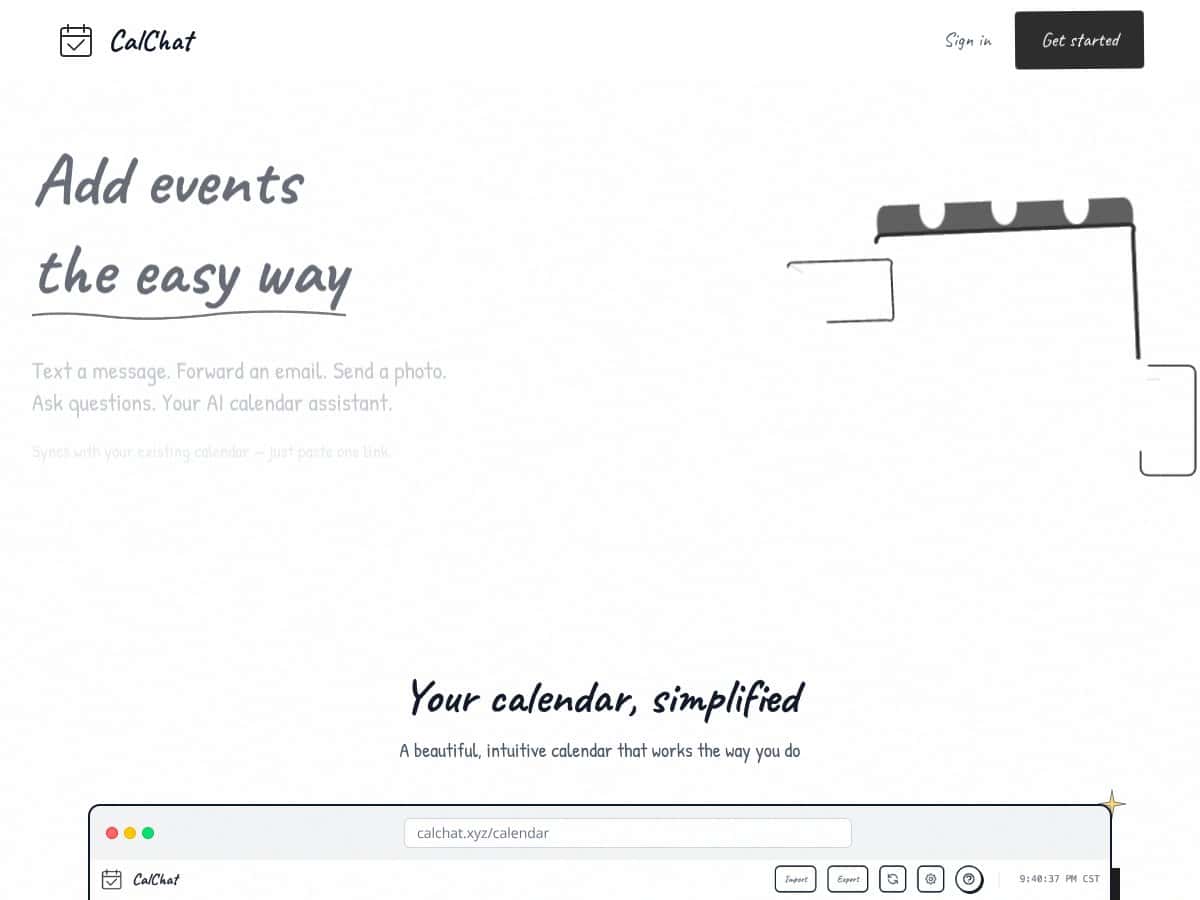
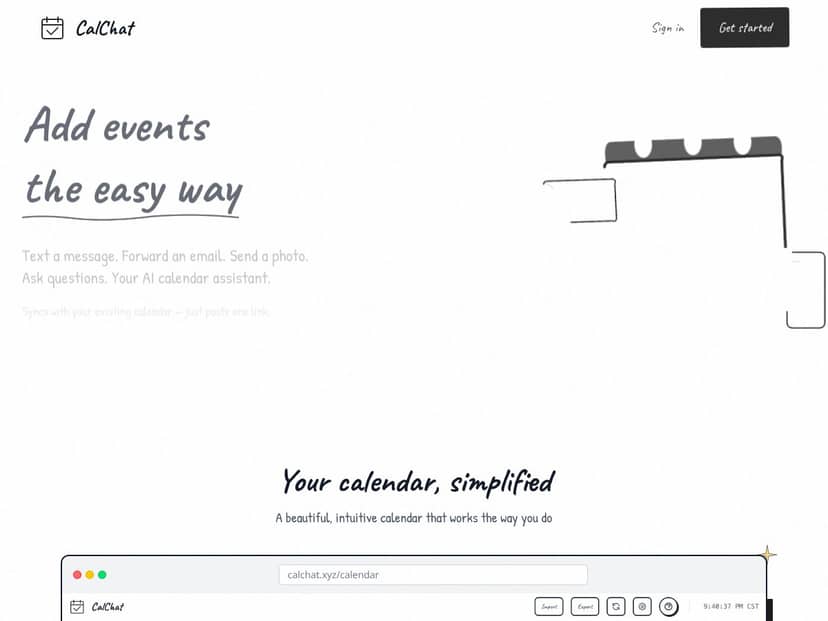
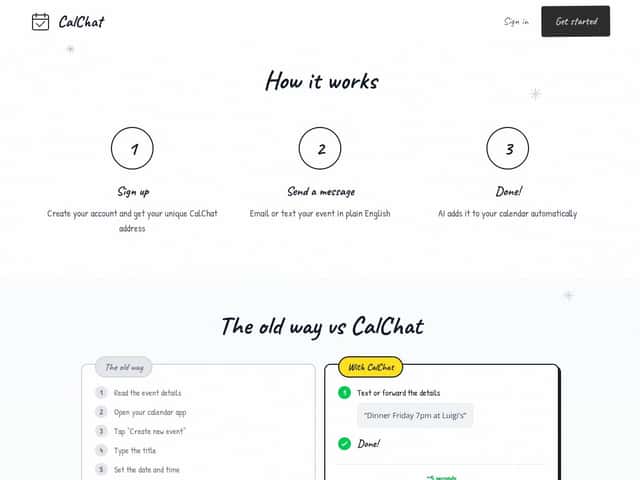
After testing it, here’s the clearest way I can describe it: CalChat is basically an event-adding assistant. You link your calendar, then you send a message (either by SMS or email). CalChat reads what you wrote and creates the event on your linked calendar.
In my experience, the magic is that you don’t have to format everything perfectly. If you type something like “Dinner Friday at 7pm at Luigi’s” it understands the intent and creates the event. That’s the main value—cutting the “manual entry tax” that adds up when you’re juggling a bunch of appointments.
What problem is it trying to solve? Mostly the annoying parts of calendar management: remembering to add things, and then spending time typing them in. I’m the kind of person who’ll remember an appointment while I’m already in a different app—chatting with someone, checking email, or replying to a client—and the moment I stop to open my calendar, I lose momentum. CalChat is aimed at keeping that momentum.
Now, about the company side: I couldn’t find much detail about who’s behind it. The website is pretty minimal, and there isn’t a team page or clear company info. The domain being privately registered isn’t automatically a dealbreaker, but it does make me think this is likely a smaller operation. So if you’re the type who wants enterprise-level support, you might want to keep that in mind.
Also, don’t expect a fancy dashboard. CalChat doesn’t feel like a standalone calendar app with a sleek interface. It’s more of a behind-the-scenes service that works through your phone number or email address. That’s not bad—it just means you should set expectations: it’s for quick event creation, not for managing your whole calendar visually.
One limitation I noticed right away: it’s not a full scheduling system in the “reminders, notifications, week-at-a-glance” sense. It’s focused on adding events quickly. I also didn’t see anything suggesting deep integrations beyond calendar sync—no task managers, no project tools, no “all-in-one” suite.
So yeah—CalChat delivers on its core promise. It’s just a pretty barebones experience. If you want fast, one-off event entries (especially from your phone), it makes sense. If you’re looking for a complete calendar replacement, it won’t scratch that itch.
CalChat Pricing: What You’ll Pay (And Where It Gets Tight)
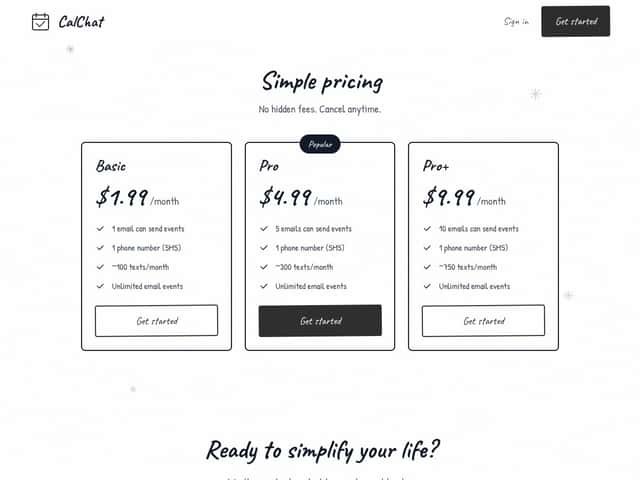
| Plan | Price | What You Get | My Take |
|---|---|---|---|
| Basic | $1.99/month |
|
If you’re testing it or you only add a handful of events each month, this is a pretty low-risk price. But if you’re the type who lives in SMS and constantly updates appointments by text, 100 texts/month can disappear fast. |
| Pro | $4.99/month |
|
This feels like the “okay, I’ll actually use it” plan. More email slots and a bigger SMS allowance help. Still, if you regularly send event updates by text (not just one-time additions), you’ll want to watch that SMS quota. |
| Pro+ | $9.99/month |
|
For heavier users, this is where it starts to feel workable. The jump to 750 texts/month is meaningful. But if you’re regularly exceeding that, you’ll likely need to switch strategies (or look at a more full-featured calendar tool). |
Here’s the real pricing question: how often are you sending event details via email vs SMS? There’s no clearly advertised free tier on the site (at least nothing obvious), so you’re basically paying to see if it fits your workflow. The plans are simple, but they’re also capped in a way that matters if you’re a high-volume user.
What I wish they were clearer about: whether going beyond the listed limits triggers extra charges, and whether there are any additional caps not shown on the pricing page. Without that info, you’re left to test it yourself. And if you’re a busy person relying on this daily, that’s not ideal.
Fair warning: For light use, the pricing seems reasonable. For heavy scheduling, the SMS and email limits can become a bottleneck. If you’re considering it, I’d try it cautiously first—send a few events, see how consistent it is, then decide if the monthly cost is worth it.
The Good and The Bad (After Using It)
What I Liked
- Simplicity of Use: Honestly, this is the biggest win. Sending an event is basically like texting someone—no calendar app UI, no hunting for buttons.
- Natural Language Parsing: What I noticed is that you don’t need to follow a rigid format. Phrases like “Dinner Friday at Luigi’s 7pm” read like normal speech and it still creates an event.
- Multiple Ways to Send Events: Using SMS and email is convenient. When I’m on the go, being able to just fire off a message is the whole point.
- Calendar Sync: It connects to Google, Apple, and Outlook calendars via linking. In practice, that means your events land where you already expect them to.
- Transparent Pricing: The plan costs are laid out clearly and you can cancel. After dealing with subscription clutter in other tools, I appreciate when it’s not a mystery.
What Could Be Better
- Not a Full Calendar Manager: There’s no obvious way (at least from what I could find) to edit, delete, or adjust events after they’re created. That’s fine for one-time entries, but it’s limiting if plans change.
- Limited Integrations: If you rely on Slack, task managers, or project tools, CalChat doesn’t seem built for that. It’s mostly “message in, event created.”
- Small Set of Use Cases: CalChat is focused. It’s not trying to replace a full calendar app—it’s trying to remove friction from adding events.
- Little Public Proof: I didn’t find much in the way of testimonials or lots of user feedback. That makes it harder to judge reliability long-term, especially if you plan to depend on it heavily.
- Costs Can Add Up for Power Users: The caps on texts and email slots matter. If you’re constantly adding or updating events, you may end up paying more or hitting limits.
Who Is CalChat Actually For?
If you’re busy—freelancer, consultant, sales, anyone who schedules meetings on the fly—CalChat can genuinely save time. Picture this: you’re at a coffee shop and a client texts, “Dinner Thursday at 7?” Instead of opening your calendar, creating a new event, and typing everything, you can reply/forward the details and let CalChat handle the entry.
I also think it fits people who like conversational workflows. If you’d rather talk or type naturally than fill out forms, CalChat’s approach is refreshing. I tested a few entries like “Meet with Jordan Tue at 10:30am” and it felt like the message-to-event part was the whole product.
Small teams or solo entrepreneurs might like it too—especially if they don’t want to integrate a bunch of tools. If your day is mostly “add appointments as they come in,” it’s a pretty direct solution.
But if you need a calendar that supports lots of changes—rescheduling, editing event details frequently, and complex coordination—CalChat probably won’t feel like enough. It’s more of an event-capture tool than a full management system.
Who Should Look Elsewhere?
Let me put it plainly: if you need complex scheduling, recurring events with custom rules, or deeper integrations with other apps, CalChat will likely frustrate you. It’s not built for heavy-duty calendar management or team collaboration workflows.
If you’re trying to run something like appointment booking, resource management, or advanced scheduling logic, you’ll be happier with tools designed for that. Think Calendly, Fantastical, or even Outlook’s more robust scheduling features.
Also, if you rely on automation, webhooks, or API-level integrations, CalChat doesn’t appear to offer that kind of flexibility. And if you want detailed event editing, reminders, or shared/collaborative calendar features, this is too simple for that job.
How CalChat Stacks Up Against Alternatives
Google Calendar (With Email Integration)
- What it does differently: You can add events via email or text, but you’re still living inside Google Calendar for the heavy lifting. Google is what you’ll use day-to-day.
- Price comparison: Free if you already have a Google account.
- Choose this if... you want a familiar calendar system and you occasionally need to add events via email/text.
- Stick with CalChat if... you want a dedicated messaging-based way to add events without opening your calendar app.
Fantastical
- What it does differently: Fantastical is a full calendar app with a polished interface and strong natural language features. It’s not just “add events from messages.”
- Price comparison: Usually around $40–$50/year (depending on the plan and platform).
- Choose this if... you want a feature-rich calendar experience with advanced scheduling and a clean cross-device workflow.
- Stick with CalChat if... your main priority is quick event creation via email/SMS and you don’t want extra complexity.
Microsoft Outlook Calendar
- What it does differently: Outlook is deeply tied to Microsoft’s ecosystem. It’s great if you live in Office/Teams and want email + calendar + contacts in one place.
- Price comparison: Often included with Microsoft 365 (commonly around $69/year), though free versions exist with limited features.
- Choose this if... you’re already in Microsoft land and want more than just calendar entry.
- Stick with CalChat if... you want a lightweight messaging shortcut to add events without the full suite.
Any.do
- What it does differently: Any.do blends tasks and calendar features, so it’s more of a combined productivity app than a pure event-capture tool.
- Price comparison: Free basic plan, with premium around $3/month.
- Choose this if... you want to manage tasks and schedule events from the same place.
- Stick with CalChat if... your goal is specifically quick event entry from email or text, and you don’t want to manage tasks too.
Bottom Line: Should You Try CalChat?
After using it, I’d land at about 6.5/10. CalChat is genuinely useful if you often need to add events while you’re already messaging—email, SMS, quick forwards. It’s simple and it gets out of your way.
That said, it’s not feature-rich. It doesn’t feel like a replacement for your main calendar. It’s more like a fast shortcut for capturing events and getting them into your calendar without manual typing.
Who should definitely try it: People who rely on messaging and want a straightforward way to keep their calendar updated without switching apps all the time.
Who should skip it: Anyone who wants a full-featured calendar app with robust editing, recurring rules, integrations, and task/project workflows. In those cases, Fantastical or Google Calendar will be a better fit.
And about the “free tier” situation—since it’s not clearly advertised, I’d treat this as a “test carefully” purchase decision. If your usage matches what it’s good at, it can save time. If not, you’ll probably end up back in your main calendar app anyway.
If you mainly need quick, email-based event adding without fuss, CalChat is worth a shot. If you want advanced scheduling and control, look elsewhere.
Common Questions About CalChat
Is CalChat worth the money?
It depends on how you schedule. If you want a simple way to add events via email or text, it can be worth it—especially if you’re not constantly hitting limits. If you need advanced calendar features, the cost won’t really justify the gaps.
Is there a free version?
I couldn’t find clear info about a free tier. It’s possible they offer limited functionality without charge, but the details aren’t easy to confirm from what I saw.
How does it compare to Google Calendar?
CalChat is focused on adding events through messaging. Google Calendar is a full calendar platform with much broader scheduling and management features. If your main pain is quick event entry, CalChat may feel faster. If you want comprehensive management, Google wins.
Can I get a refund?
I didn’t see official refund details. If refunds matter to you, check their website or support policy before paying.
Is it easy to set up?
From what I tested, it’s pretty straightforward. You connect/link your calendar and then start sending messages to add events.
Does it work on all devices?
Because it works through email and SMS, it’s pretty device-agnostic. If you can text or email, you can use it.
Can I sync it with other calendar apps?
There isn’t a lot of clarity, but the intent seems to be that you add events to your existing calendar via the linked account. Syncing beyond that depends on what your calendar app supports.




