Table of Contents
If you already pay for a tool that generates images, you may not need to spend anything extra on illustration software. If you need a new subscription, Midjourney starts at $10 for one month. Hiring an illustrator is a different purchase: you are paying someone to develop and draw the book, with full picture-book projects ranging from $2,000 to $10,000 according to Reedsy’s illustrator pricing guide.
That is a wide gap, but it makes more sense once you separate the software from the work. An image generator gives you a way to create pictures. An illustrator may also help you decide what each picture should show, how the characters look and how the story moves from page to page. With either route, someone still needs to put the pictures and words together.
You do not need to buy several subscriptions before you begin. Start with the tools you have, try a small part of the book and see where you actually need help. Here is how to turn that into a budget you can use.
How much do AI illustration tools cost?
Your first expense may already be covered. If your current subscription includes image generation, try it before paying for another service. For example, ChatGPT has image generation function built-in in any plan you subscribe to. The additional cost can be $0 while you work within that plan’s limits, although the subscription itself still has a price.
If you are starting from scratch, a month of one tool gives you a smaller commitment than paying for a year. What matters is whether it can produce the pictures your story needs, including edits and repeat appearances of the same character. A cheap plan that does that may be enough; a more expensive plan is useful only when its features solve a problem you have.
But whatever tool you use, you don't just want to take the first AI output you get and use it as illustration. You can edit and rework anything AI gives you. Nowadays, you can select image area and edit with Ai. It's that simple. So, don't be lazy to add a prompt or two in order to get the illustration where you want it to be.
I took ChatGPT as an example, and now I'm going to list all the major ones here, including ChatGPT, again.
ChatGPT and Codex: check what you already have
For someone who already uses ChatGPT or Codex, the simplest starting point is the image-generation access available in that account. You can describe a scene, add a character reference and ask for changes without setting up another illustration service.
Included access does have limits. OpenAI’s Codex pricing documentation says image generation uses the general usage allowance and is not available on the Codex Free plan. Last time I used it on the free plan it had like 3 generations and then limits. Check the allowance in your own account before planning a large batch of illustrations. Because there is nothing worse than starting a new chat for the same style of output you want to get. AI tends to forget or doesn't know exactly what was your preferred style, so you'd have to start all over again with training, providing illustrations in hope you might get the desired output in the same style as the previous chat developed.
If your account can already handle the work, you can put off buying another subscription until you need something it cannot do. If you hit a limit, you can decide whether to wait for it to reset or pay for more access. But honestly, $20 plan should suffice for this.
Midjourney: $10 or $30 for a month
Midjourney’s monthly plans start at $10 for Basic. Standard costs $30 and includes unlimited image generation in Relax mode, which uses a slower queue. Basic has a limited amount of generation time, so the lower price comes with a tighter allowance.
For a small test, Basic may give you enough room to see whether the tool suits your book. Standard gives you more room to keep trying scenes without buying extra generation time. Neither plan guarantees that a book will be finished in a month; that depends on how much art you need and how the results hold up across the story.
The annual prices shown as monthly equivalents require a year’s payment upfront. For a single project, compare the actual checkout total with the cost of paying month by month. Midjourney also says there is currently no free trial on its website or Discord.
However, it's important to note that if you are not a fan of Discord, this runs entirely though chat rooms there, so it's not as friendliest as it should be. In my opinion, at least!
Higgsfield: check the model and allowance together
Higgsfield is another option when you want to try different image models in one place. Its plans can combine credits with access to particular unlimited models or included generations, so the subscription price alone does not tell you how much you can make.
Before choosing a plan, check the model you want on the current pricing page and see what that plan includes. Higgsfield’s credit guide explains that unlimited access and included free generations apply on its website; automated routes such as MCP and CLI still use credits. Subscription credits also expire at renewal. Those differences matter if you are comparing a manual workflow with an automated one.
2 things that are really important to note - and this is from a founder who really understands it.
They will always try to upsell you with different newer models, constantly! For example, I bought the annual subscription, only to see promo messages all around my higgsfield account. "Upgrade for faster que", unlock unlimited something something:

....then the upsells, downsells and what not. Although it's a good provider, be careful what you subscribe to because it might not be included in your plan. And since the plans change ALMOST daily, it's pointless for me to place one here.
Second thing to be careful of is their supercomputer. It's designed to literally eat your credits alive. If you don't specify the limits of an action, it can consume them pretty quickly, especially if you do video generation - it tends to use the priciest models (newest). Same goes with connectors. So if you connect Chatgpt or Claude or any other LLM to their MCP, unless you specify how much you want spent, you are going to get eaten.
What that means for your software budget
These examples show subscription spending before tax. They assume you handle the artwork and layout yourself and do not buy add-ons or outside help.
Your situation | Additional image-tool spending |
|---|---|
Your existing plan covers the work | $0 extra |
One month of Midjourney Basic | $10 |
Two months of Midjourney Basic | $20 |
One month of Midjourney Standard | $30 |
Two months of Midjourney Standard | $60 |
If you decide to use another service, add its actual price to your spending list. You can also set some money aside for unexpected costs, but keep that reserve separate from money you have committed to spend.
These prices were checked on October 15, 2026. They are software costs, not promises that a complete, print-ready book will cost the same amount.
What does the low-cost AI route involve?
The subscription is only the starting point. You will be choosing the style, building the scenes, checking the results and arranging the pages. That can be an enjoyable part of making the book, especially if you want to try several visual directions before settling on one.
Rather than generating the whole book immediately, try your main character in three different situations: a close-up, a scene with movement and a scene with another character. Put those pictures next to each other. Does the character still look recognizable? Do the clothes, colors and proportions stay consistent? This small test tells you more than one attractive portrait.
The style deserves the same check. If the pictures feel too glossy or detailed for your story, describe the qualities you want more clearly: soft watercolor, simple shapes, a limited palette or textured pencil lines. Use a reference you have permission to use where the tool supports one. Try the chosen style across several scenes before committing to it; one successful image is not enough to judge the whole book.
Once the character and style hold together, try placing the actual story text on a few pages. A lovely scene may still need changing if the only clear space is behind a character’s face. Making that discovery early saves you from choosing a whole set of images that are difficult to use.
Keep the selected pictures together in page order as you go. You will spot a changed scarf, an object that disappears or a room that looks different more easily when you can see the sequence. Some scenes will take more attempts than others. Your early test will help you judge the work involved and whether your current allowance is enough.
Your time matters here, but it is not another software bill. You can record your hours to decide whether doing the work yourself is worthwhile. When comparing that with hiring an illustrator, allow for the time you would spend briefing the artist and reviewing their work too.
How much does a children’s book illustrator charge?
The Reedsy guide linked above reports $60–$200 for a single-page illustration and $100–$400 for a two-page spread, with full picture-book projects at $2,000–$10,000. Those figures come from its marketplace quotes; they are a useful reference, not a minimum price or a rate every illustrator follows.
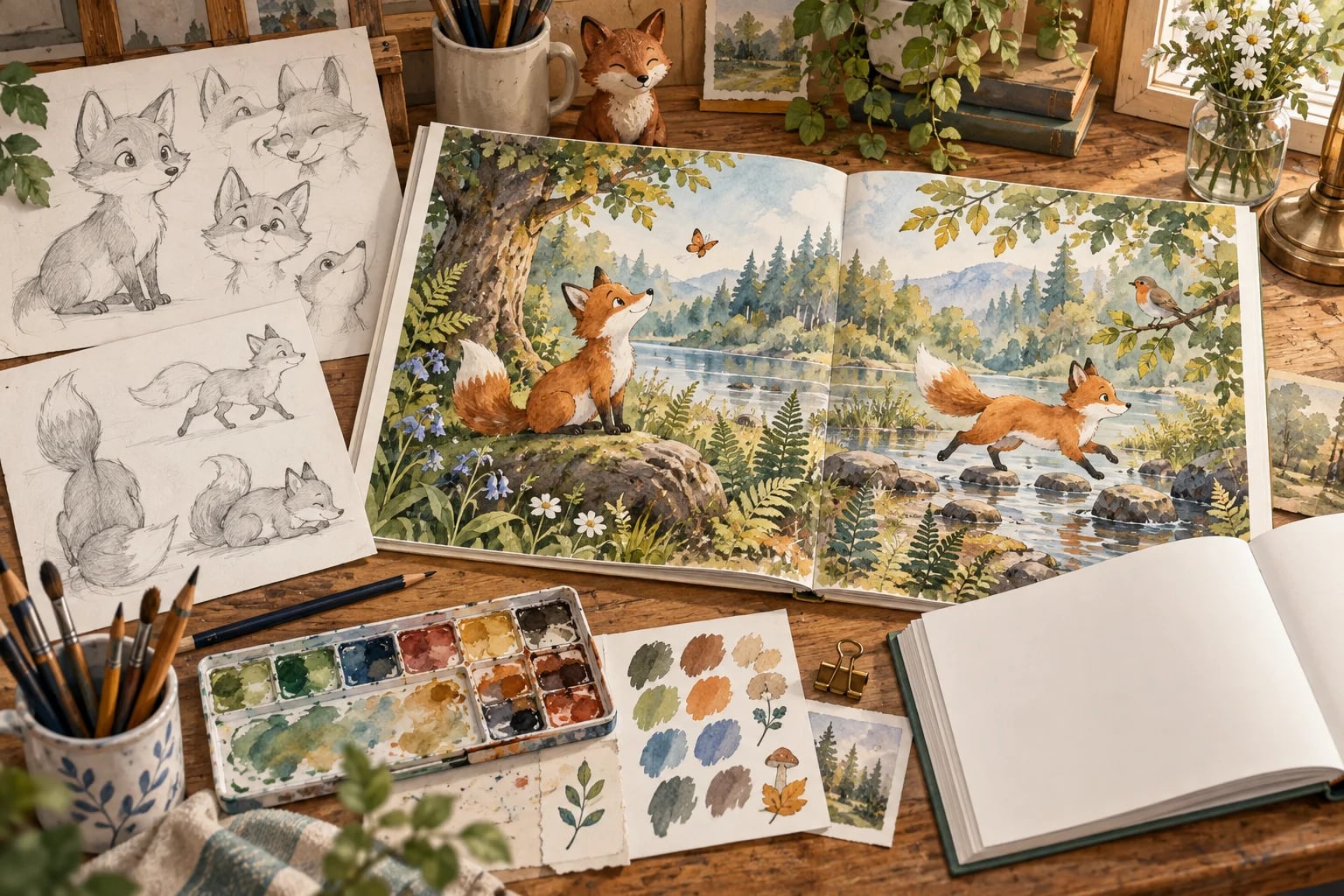
An individual artist’s price depends on the work. A fox sitting beside a tree is a different assignment from a busy woodland party with twelve characters. Both might fill one page, but the second scene has more drawing and coordination in it. The artist’s experience, medium and schedule can affect the quote as well.
A project fee may already cover character development, sketches, revisions or layout. Another illustrator may price some of those separately. Before comparing two totals, find out what each one buys. Adding an extra cover or rights fee to a package that already includes it would count the same work twice.
Count the pictures your book actually needs
A 32-page book does not automatically need 32 full-page illustrations. Some pictures cross two facing pages, while others occupy a small area beside the words. A picture across two pages is a spread; a smaller, separate picture is often called a spot illustration.
For example, a 32-page interior could contain six spreads across twelve pages, eight single-page scenes and eight pages with one small spot each. That leaves four pages for other material. The result is 22 interior pictures: six spreads, eight single-page illustrations and eight spots. The cover is separate.
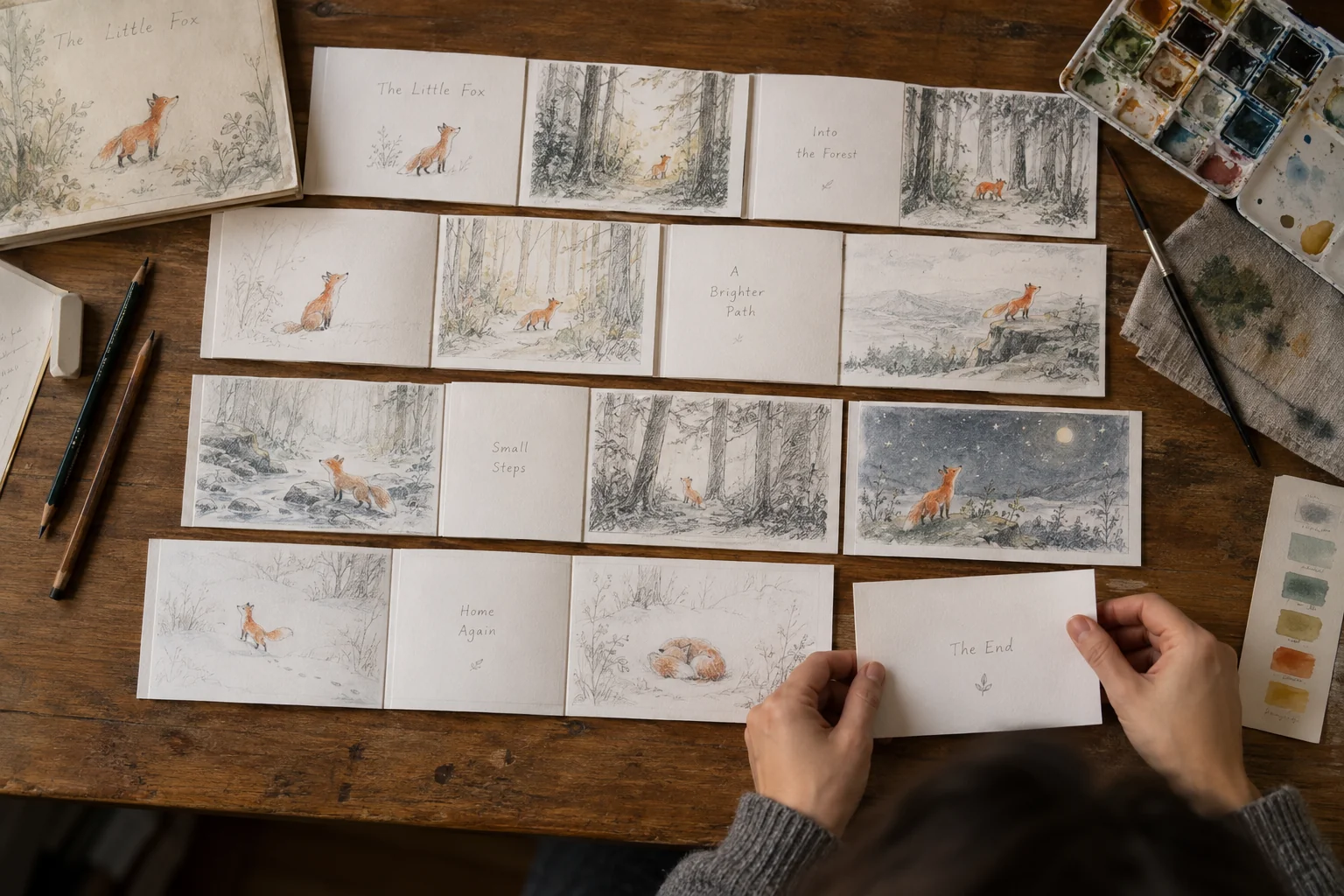
Your story may need a different mix. A rough booklet of its pages, sometimes called a dummy, helps you see which pictures face each other and where a page turn reveals something new. Even a simple sketch with the text in place is enough to begin that conversation with an illustrator.
If you want help deciding the page plan, say so when you request a quote. You are then asking for help shaping the book as well as drawing it. Any title-page decoration or endpaper art you want should be included in that discussion too.
Get a quote you can compare
An illustrator can give you a more useful answer when they can see the book you want to make. The manuscript, intended age group, approximate book size and picture list give them that starting point. If you have a deadline or a spending limit, sharing it early helps both of you decide whether the project is a fit.
You do not need to arrive with every design decision solved. Explain what is settled and what you would like help with. For the sample book above, a request could begin:
“I’m planning a 32-page picture book with six spreads, eight single-page scenes and eight small spot illustrations. I also need a cover and page layout. Could you tell me which of those your price includes, how revisions work and what files I would receive?”
Send the same core request to each artist so you can compare the answers. Their portfolios should also show several scenes from the same book, not just individual portraits. That lets you see how they handle recurring characters, quieter moments and changes of setting.
Before agreeing to a price, make sure the proposal explains the included artwork, feedback rounds, delivery files and payment schedule. It should also say what happens if the work is delayed, changed or canceled. A lower total may suit you well, but only if the work you still need is affordable too.
Agree on characters before finishing every scene
Changes become more expensive when they affect pictures that are already finished. Imagine removing a fox’s red scarf after it appears in six final illustrations. Each scene may need repainting around the neck, shadows and overlapping paws. Deciding at the early character-sketch stage gives you much less to redo.
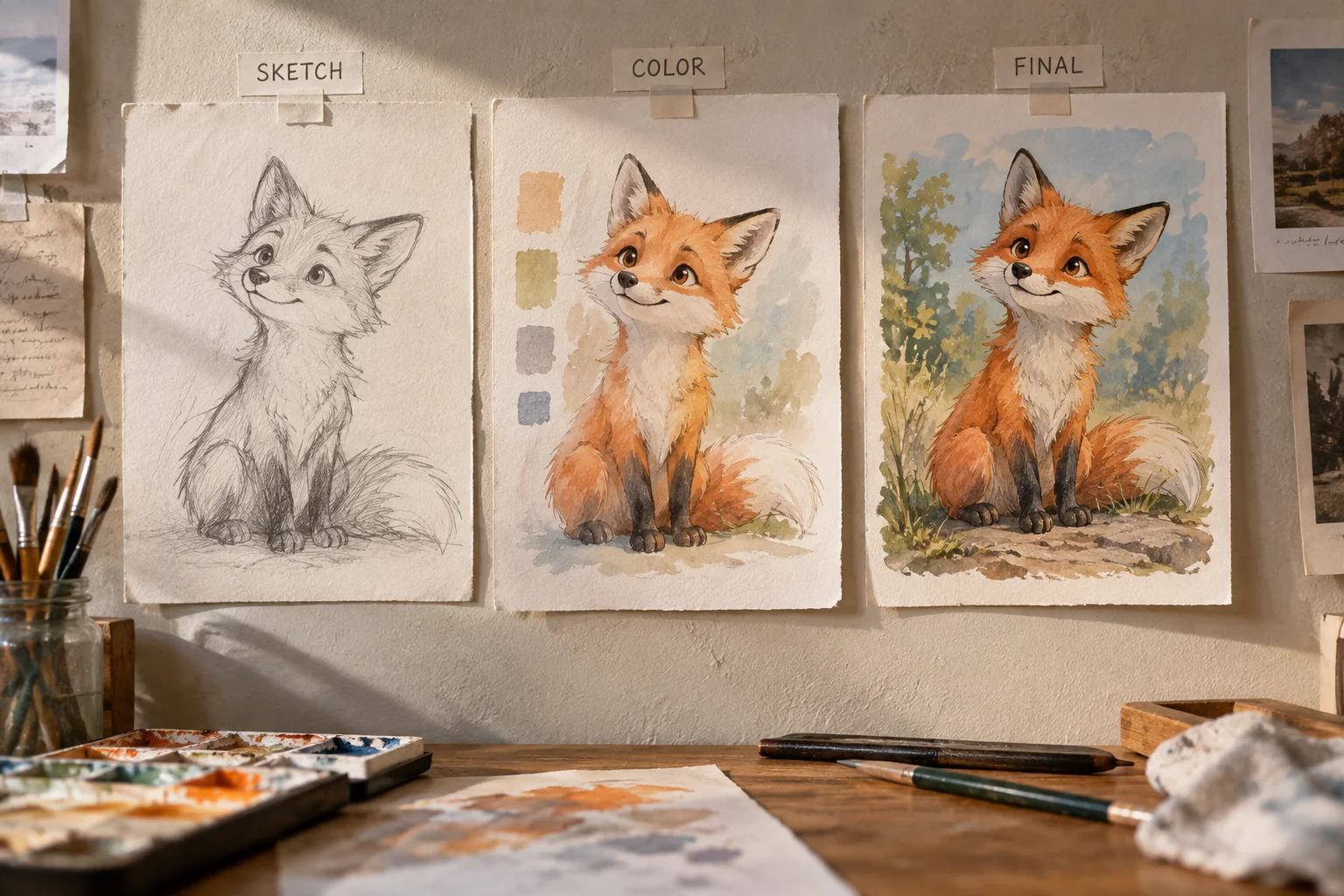
That is why a useful approval sequence moves from character sketches to rough page compositions, then color and finished art. You can give feedback while the work is still easy to change. The agreement should explain how many feedback rounds are included and how any additional work will be priced before it starts.
What about commercial use and publishing rights?
The price should cover the uses you need. For a commissioned book, that might mean an English-language paperback and ebook sold worldwide, plus pictures used to promote them. A sequel, translation or toy based on the character may need a separate agreement.
Paying for artwork does not automatically transfer its copyright to you. The U.S. Copyright Office’s guidance for visual artists explains ownership. A license can give you the publishing permissions you need without transferring the copyright itself. If an agreement proposes a full transfer or work-made-for-hire arrangement, get advice on what that means before signing it.
For AI images, check the tool’s commercial-use terms for your plan. Midjourney’s terms, for example, require Pro or Mega for companies with more than $1 million in annual gross revenue. Its lower-priced plans also do not include private Stealth generation, which may matter for an unpublished project.
Permission to use an image under a tool’s terms is separate from whether you can claim copyright in it. The Copyright Office’s report on AI and copyright explains the role of human authorship under U.S. law. These are questions to check before committing to a workflow, particularly if you plan to license the characters later.
If you publish through Amazon KDP, its content guidelines require disclosure of AI-generated cover and interior images, including generated images you substantially edit afterwards. KDP distinguishes those from artwork you create yourself and use AI only to refine. This is you want to go by the book.
Leave room in the budget for finished book files
Whichever route you choose, the pictures still need to fit the book. Artwork that looks sharp on a screen can look soft when enlarged in print, and words placed too close to the inside fold can become difficult to read. Choosing the book size and printer before final artwork helps avoid those repairs.
For edge-to-edge KDP paperback artwork, the bleed instructions add 0.125 inches beyond the trim at the top, bottom and outside edge. That extra image area is cut away during production, so important details need room inside the finished page. Another printer may have different requirements.
The cover needs its own preparation. KDP’s paperback cover guide calls for a single PDF containing the back, spine and front, with images at a minimum of 300 DPI at their placed size. A generated front-cover image or a commissioned painting still needs the design work that turns it into that file.
If you can do the layout with software you already own or suitable free tools, it may add no software expense. If you need a designer, ask for a quote for the actual files you have. This also makes a mixed approach possible: create your images yourself, then pay for layout or specific corrections. Be clear that the source images are AI-generated when asking someone to work on them.
Printing a proof copy is a separate expense from illustration. It gives you a chance to check the color, cropping and text size before readers buy the book. Fonts, editing, shipping, distribution and advertising also belong in the wider publishing budget rather than being silently folded into the image-tool price.
Build your own illustration budget
The calculator below is for illustrator quotes. Enter the number of spots, single-page pictures and spreads, along with the rates you have been given. A spread counts once even though it covers two pages. Use zero for a type of artwork you do not need.
If the artist gives you one bundled project price, enter it once under other quoted costs and leave the overlapping picture counts at zero. For itemized quotes, that field is where separately priced cover work, layout or permissions can go. Missing prices still need an answer from the artist; entering zero would make the result look complete when it is not.
The subtotal shows the costs you entered. An optional reserve gives you a second figure for the money you want available, without treating it as an extra invoice. Keep every entry in the same currency; changing the currency label does not convert the amounts.
For an AI project, a simpler spending list is usually enough: any new subscriptions, paid add-ons and outside help you actually choose. Alongside that list, keep track of how much time the work takes. You can then decide whether your next dollar is better spent on more tool access, help with a difficult scene or the page layout.
Your illustration budget
Use your illustrator’s quote. Leave unused artwork counts at 0; enter 0 for other costs if none apply. For a bundled project, enter its price once under other quoted costs and leave the artwork counts at 0.
Enter a quoted rate for each artwork type you need, plus any other quoted costs. Use 0 when there are no other costs.