Table of Contents
What Is ClassBase, and What I Actually Tested?
I’ll be honest—I went into this ClassBase review a little skeptical. An “AI assistant” that syncs with Google Classroom sounds great on paper, but I’ve seen plenty of tools that look useful in screenshots and then fall apart the moment you try real assignments. So I tested it like I’d test any study/work app: with actual coursework, real deadlines, and the annoying edge cases you only notice when you’re busy.
Test setup (my run): I tested on a Chrome desktop browser (Windows 11) on 2026-04-03. I connected a Google Classroom account with 3 courses and pulled in a small mix of assignment types: a short reading response, a math worksheet (word problems), and a writing prompt with a rubric. I then generated AI breakdowns for each one using the in-app workflow (summary → difficulty → time estimate). I also used the timer/focus tools while working through the plan.
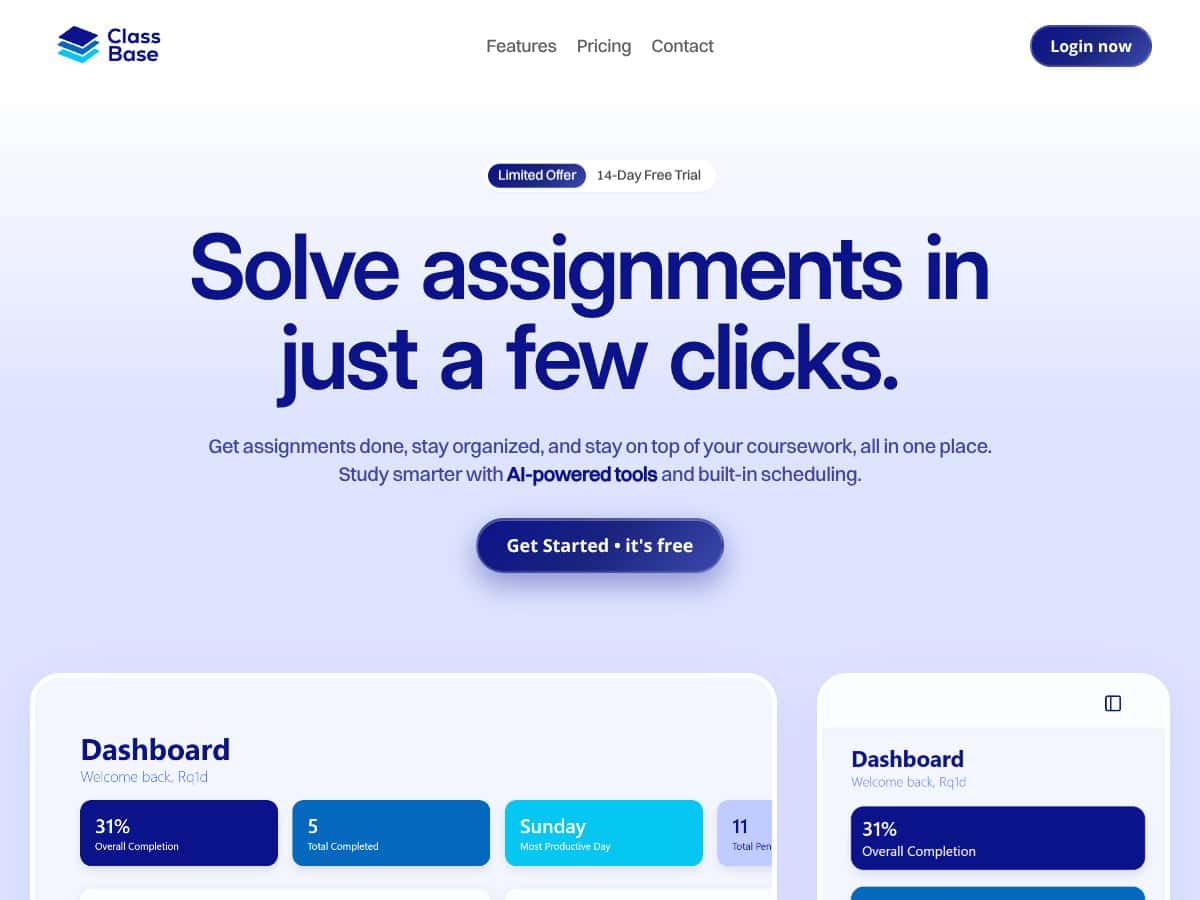
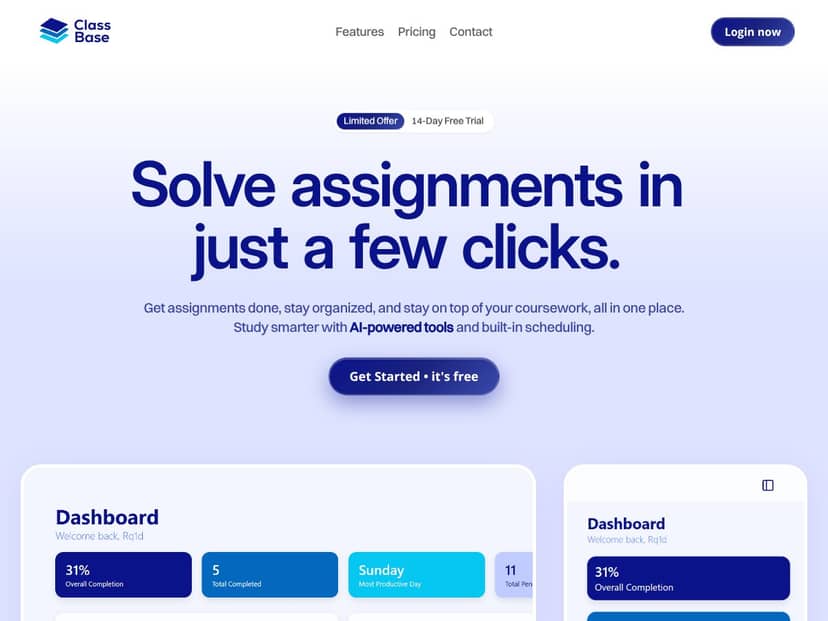
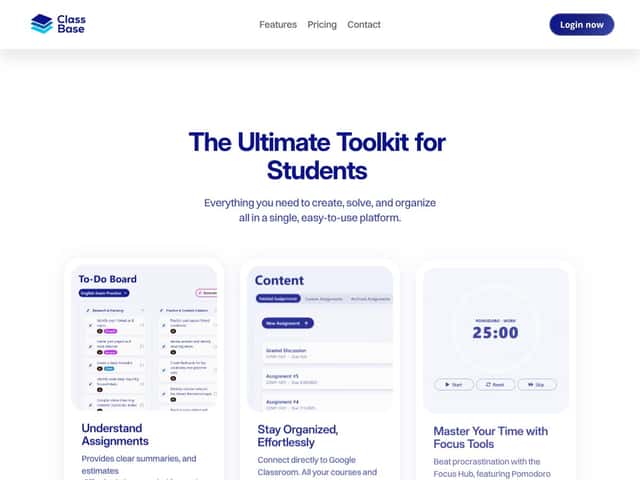
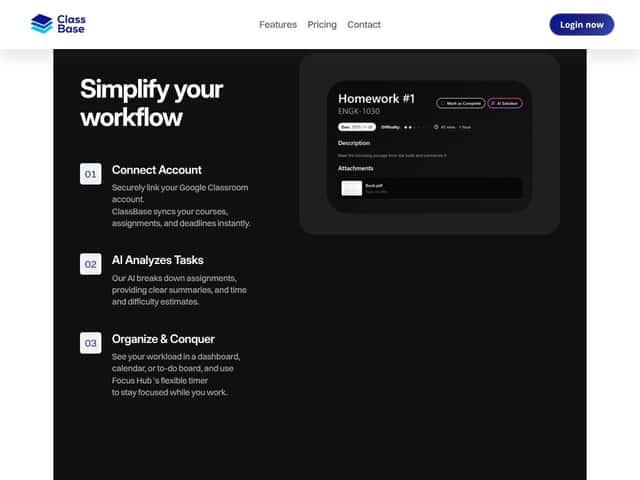
What it does (in plain English): ClassBase connects to your Google Classroom, then pulls in your courses and assignments so you don’t have to manually copy deadlines into a planner. From there, it uses AI to generate a quick assignment breakdown—typically a summary plus a rough difficulty level and an estimated time needed. It also adds productivity features like timers and workload views so you can stay on track.
The big problem it’s trying to solve is the same one I deal with every semester: multiple classes, multiple due dates, and the mental load of “what do I do next?” ClassBase aims to reduce that by giving you one place to see what’s due and a faster way to understand what each assignment actually requires.
My initial impression after testing: the interface is clean, and the core idea works. The sync part was the most “real” feature—assignments showed up without me doing manual entry. But I also want to set expectations: it’s not a full learning platform, and it won’t magically turn you into someone who understands the material. It’s an organizer + assistant for assignment planning and focus.
One more thing that matters: ClassBase isn’t meant to replace your LMS or your teacher’s instructions. If you’re expecting live lessons, discussion boards, or grading/submission workflows, you’re going to be disappointed. It’s more like a planning layer on top of your Google Classroom.
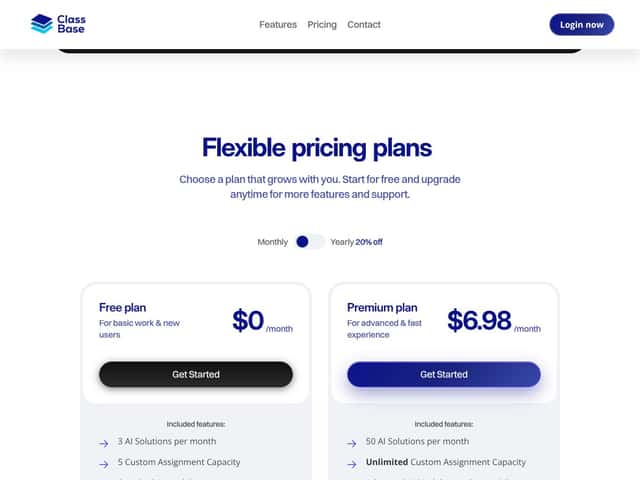
ClassBase Pricing: What You Get (and Whether It’s Worth Paying for)
| Plan | Price | What You Get | My Take |
|---|---|---|---|
| Free | $0/month |
|
Good for testing the workflow. The AI limit is the main constraint—if you generate breakdowns for every assignment, you’ll hit it fast. |
| Pro | $6.98/month (monthly billing) or discounted with yearly billing |
|
If you use ClassBase regularly for planning, the upgrade feels reasonable. Just make sure you actually need the extra AI capacity—otherwise the Free plan might be enough. |
Here’s what I noticed about the pricing value: the product’s “worth it” factor mostly depends on how often you want AI breakdowns. In my testing, the AI output was useful for getting started, but I didn’t want to generate it for every single assignment unless I was truly stuck.
On the Free plan, the limit is clear: 3 AI solutions per month. That’s not a deal-breaker if you’re selective (for example, using AI only for the hardest/longest assignments). But if your workload is heavy and you want breakdowns every time something new hits your Classroom stream, you’ll likely feel constrained quickly.
Also, don’t assume the paid plan is “fully unlimited AI.” The pricing info here doesn’t spell out exact Pro AI solution counts, so I’d treat Pro as “more capacity,” not “infinite.” If you want custom models, deeper integrations beyond Google Classroom, or anything like that, the basic plan won’t cover it.
Fair warning: ClassBase is built around Google Classroom. If your school or program uses another LMS (Canvas, Moodle, Blackboard, etc.), the value drops a lot. It’s not positioned as a universal classroom platform.
The Good and The Bad (Based on My Use)
What I Liked
- Google Classroom integration feels real: When I connected and synced, assignments appeared in the app without me manually entering due dates. That “set it and forget it” part is honestly the best feature.
- AI breakdowns help you start: For assignments that were vague (or just long), the summary and “what to do next” style output made it easier to begin. I didn’t use it to replace reading instructions—I used it to plan the first step.
- Time estimates are useful for planning (not perfect): The time estimates weren’t magical, but they were helpful for deciding whether something was a “30-minute warm-up” or a “plan your evening” task.
- Timers/focus tools: I used the timer while working through a writing prompt and a set of word problems. It’s simple, but it didn’t feel like extra clutter compared to switching between apps.
- Multiple workload views: Seeing tasks in different formats (like a dashboard/to-do style view and calendar-style organization) helped me pick a workflow that matched my mood that day.
- Pro price is approachable: At $6.98/month, it’s not a huge commitment if you’re a student or tutor who can actually use the AI breakdowns.
What Could Be Better
- Free plan AI limit is tight: 3 AI solutions/month is enough to test, but it’s restrictive if you want breakdowns for everything you receive.
- It’s dependent on Google Classroom: If your assignments aren’t in Google Classroom, ClassBase loses a lot of its purpose. It’s not designed to be an all-LMS solution.
- AI output isn’t always “instruction-perfect”: In one case, the AI breakdown leaned a bit generic on the math worksheet—basically it helped organize steps, but it didn’t substitute for actually understanding the problem types.
- Privacy/security details aren’t clear enough (at least from what was provided): For something touching coursework, I want more transparent data handling info. The current page content here doesn’t give me that comfort.
- No “full coursework workflow” features: Don’t expect submissions, grading, or collaboration in the way a full LMS does. It’s focused on planning and analysis.
Mini Case Studies From My Testing (Assignment → Output → What I Thought)
These are the kinds of examples I look for in reviews—because “it’s helpful” is vague. So here are a few real scenarios from my run.
-
Case 1: Reading response (short essay prompt)
What I fed it: A prompt with 2 questions and a suggested paragraph structure.
What the AI produced: A structured summary of what to answer, plus a difficulty rating and a time estimate.
My take: The breakdown helped me outline the first draft quickly. The time estimate was slightly optimistic, but still in the right ballpark for planning. -
Case 2: Math word problems worksheet
What I fed it: A multi-part worksheet with mixed problem types.
What the AI produced: A step-by-step style breakdown and an estimate of total effort.
My take: It was good for organizing the workflow (“do these problem types first,” “watch for unit conversions”), but it didn’t magically make the math easy. I still had to do the real work. -
Case 3: Writing prompt with rubric
What I fed it: A prompt plus rubric-style grading criteria (the “what good looks like” part).
What the AI produced: A summary that mapped the prompt expectations into a plan (what to cover, what to prioritize).
My take: This was one of the more useful outputs. It didn’t replace reading the rubric, but it helped me turn the rubric into an actual checklist while writing.
If you’re wondering whether it’s “accurate,” I’d call it planning-accurate rather than grade-accurate. The best way I used it was to treat the AI output as a starting blueprint, then follow your class instructions and rubric.
Who Is ClassBase Actually For?
ClassBase makes the most sense if you’re already living inside Google Classroom and you want an easier way to plan what’s due. In my experience, it’s especially helpful when assignments feel bigger than they are—like when you’re staring at a long prompt and you just need a clean “here’s what you do first” breakdown.
Here are the people I think will like it:
- Students with multiple classes: If you juggle 3–6 courses, the workload views + sync can reduce that “where is everything?” feeling.
- Students who procrastinate: The timers and focus workflow are simple, but they can help you start instead of spiraling.
- Tutors/coaches: If you’re helping students plan, the quick breakdowns can save time on the “what does this assignment want?” part.
It’s also a decent fit if you’re comfortable using AI as a planning assistant. What it won’t do is replace studying, lectures, or actually learning the material.
Who Should Look Elsewhere?
If you don’t use Google Classroom, I’d treat ClassBase as a partial solution at best. The integration is the backbone, and without it, the app doesn’t have much to work with.
Also, if your needs are more like a full school platform—live instruction, submissions, grading workflows, collaboration, or instructor management—ClassBase probably won’t satisfy you. It’s not trying to be an LMS replacement.
And if you’re a power user who wants deep analytics, custom AI models, or integrations with tools like Slack/Notion/project management apps, the current feature set (based on what’s provided here) isn’t aimed at that level of customization.
One more scenario: if your “assignments” are mostly group projects with peer review workflows, you’ll likely need something more collaboration-first than a solo organizer.
Quick Pros/Cons (So You Don’t Have to Guess)
- Pros: Seamless Google Classroom integration for instant syncing; AI summaries/time estimates for planning; focus timers; multiple workload views (dashboard/calendar/to-do); Pro plan at $6.98/month.
- Cons: Free plan AI limit (3/month) can feel restrictive; limited independent review evidence (so you’re relying on your own testing); heavy reliance on Google Classroom; advanced features (like custom AI models) aren’t available on basic/free; privacy/security details aren’t fully clear from the content provided.
How ClassBase Stacks Up Against Alternatives
Class (class.com)
- What it does differently: Class is more about the live classroom experience—think instruction, video sessions, and LMS-style tools—rather than individual assignment planning.
- Price comparison: The provided content says Class is subscription-based with tiered pricing starting around $30/month. I didn’t verify the live pricing on their site here, so treat that as “as stated in the source content.”
- Choose this if... You need instructor-led sessions and real-time interaction.
- Stick with ClassBase if... You want an affordable assignment assistant that works with Google Classroom.
Classtra
- What it does differently: Classtra focuses on hybrid/virtual learning management (scheduling, payments, live class logistics), which is a different job than assignment breakdowns.
- Price comparison: The provided content suggests it’s often higher (about $20–$50/month). Again, I didn’t pull live pricing in this review—so use that as a rough comparison from the source.
- Choose this if... Your main goal is managing complex classes and logistics.
- Stick with ClassBase if... You mainly want AI help organizing and estimating assignments.
EngageLI
- What it does differently: EngageLI emphasizes collaboration and live interaction—more group-work and communication tools than solo planning.
- Price comparison: The provided content says around $15–$25/month. Not verified here, but that’s the stated range.
- Choose this if... You’re prioritizing group sessions and live learning.
- Stick with ClassBase if... You want workload estimates and focus support for assignments.
Other AI Study Tools (like Quizlet or Grammarly)
- What they do differently: Quizlet-type tools help you study (flashcards, practice), and Grammarly-type tools help with writing quality. They don’t usually manage your full assignment workflow inside Google Classroom.
- Price comparison: The provided content suggests many have free tiers or subscriptions around $10–$15/month, but they may not integrate with your classroom deadlines the way ClassBase does.
- Choose this if... You want help studying or polishing writing—not managing coursework.
- Stick with ClassBase if... You want assignment tracking, workload planning, and focus tools in one place.
Bottom Line: Should You Try ClassBase?
After testing it, I’d give ClassBase around 7/10. It’s genuinely useful if you’re already using Google Classroom and you want a simpler way to understand what you’ve got due and how to start.
The biggest win for me is the combination of sync + planning (AI breakdowns, time estimates) and focus (timers). That’s the part that actually helped me move from “I should do this” to “okay, I know what to do next.”
But it’s not for everyone. If you need a full LMS, live instruction, collaboration features, or deep customization, you’ll probably feel boxed in. And if you’re hoping for AI that’s always perfectly accurate—don’t. Use it like a planning assistant, not a substitute for your teacher’s instructions.
If you’re on the fence, start with the Free plan. You’ll learn quickly whether it matches your workflow. If you consistently hit the AI limit or you rely on breakdowns to get started, then the Pro plan at $6.98/month is the logical next step.
Common Questions About ClassBase
Is ClassBase worth the money?
For me, it’s worth it if you actually use the AI breakdowns and you’re in Google Classroom regularly. The Free plan is enough to test the workflow, but the AI limit can push you toward Pro if you want breakdowns for multiple assignments each month.
Is there a free version?
Yes. Based on the pricing table provided here, the Free plan includes 3 AI solutions per month plus basic workload organization and Google Classroom connectivity. It’s enough to try it, but not enough for heavy, constant AI usage.
How does it compare to other AI tools like Quizlet or Grammarly?
ClassBase is broader. Quizlet tends to be for studying (practice and memorization), and Grammarly is for writing support. ClassBase is more about assignment organization, workload planning, and focus—so it fits a different need.
Can I get a refund?
Refund details depend on the payment method and the platform’s policy. The safest move is to check the refund/cancellation terms before subscribing.
Does it work without Google Classroom?
No. Google Classroom integration is central to how ClassBase functions, so without it the core value drops significantly.
Is it suitable for college students?
Yes—especially if you’re juggling multiple courses and deadlines. In my testing, the workload views and timers made it easier to plan study sessions instead of reacting last-minute.
Can I use it on mobile?
From what’s provided here, it’s optimized primarily for desktop, with limited mobile functionality. If you rely heavily on phone-based studying, I’d double-check the latest mobile support on their site.




