Table of Contents

What Is Claude Code Desktop App Redesigned?
Honestly, I’ve been cautiously curious about Anthropic’s latest take on a coding assistant, especially since they’re framing this as a desktop app now. As someone who’s spent way too much time juggling multiple developer tools, I was intrigued by the promise of a more integrated environment designed for “agentic” workflows—basically, a workspace where you can run multiple Claude sessions at once and manage them without switching back and forth between a terminal, IDE, and browser.
What it actually does, in plain English, is provide a desktop interface that consolidates chat, file editing, terminal commands, and code review into a single window. It’s not a replacement for a full IDE like VS Code; instead, it’s more like an orchestrator for running and managing AI-assisted coding tasks across several projects simultaneously. From kicking off refactors to reviewing diffs or running tests, the app aims to streamline that multi-tasking chaos developers often find themselves in.
The main problem it’s trying to solve is the constant context switching—moving between different apps, windows, and tools—when working with Claude as a coding partner. Instead of bouncing between chat windows, editors, and terminals, you get a unified workspace that keeps everything in one place. The idea is to make managing multiple Claude sessions more straightforward, especially for teams or power users handling complex projects.
Behind this effort is Anthropic, the AI safety-focused company that developed Claude. They’ve been known for building language models that aim to be safer and more controllable, and now they’re applying that expertise to developer tools. The company’s focus on safety and reliability lends some credibility, but I was curious whether this new app actually lives up to the hype or if it’s just a fancy wrapper around existing tools.
My initial impression? It’s as advertised—an attempt to create a multi-session, multi-tasking environment that keeps everything within reach. That said, I wasn’t expecting it to fully replace my IDE or handle complex code editing tasks on its own. It feels more like a control tower for running Claude sessions and reviewing results, rather than a one-stop coding shop. So, if you’re looking for a complete IDE or a tool that writes code for you, this isn’t it. But if you want a workspace optimized for orchestrating multiple AI-driven tasks, it could be worth a shot.
One heads-up: I couldn’t find any detailed documentation or tutorials during my testing, so some features felt a bit opaque at first. Also, the pricing details are somewhat vague—access is tied to existing Claude plans, so it’s not a cheap upgrade for casual users. And while it promises to handle parallel agents, I’d advise managing expectations about how deep or customizable those workflows really are.
Claude Code Desktop App Redesigned Pricing: Is It Worth It?

| Plan | Price | What You Get | My Take |
|---|---|---|---|
| Free Tier | Unknown | Likely limited access, perhaps basic session management and some features | Honestly, the details are vague. If you're a casual user or just exploring, it might be worth trying, but don’t expect full power without upgrading. |
| Pro / Max / Team / Enterprise | Likely tiered pricing based on usage or team size | Full feature access, multiple sessions, plugin support, SSH, and collaborative tools | Here's the thing about the pricing: it seems tied to your existing Claude subscription tiers, which means you're probably paying for the overall service, not just the desktop app. What they don't tell you on the sales page is whether using the desktop app incurs additional fees or if it's bundled. If you're already on a higher-tier plan, this might feel like a reasonable upgrade; if not, it could be a pricey add-on. |
In all honesty, without concrete figures, it's tough to say if this is a fair price. Compared to traditional IDEs or multi-tool workflows, this app offers a unique bundle — but if you're not already paying for Claude, or if you primarily code locally without AI orchestration needs, it might be overkill. Fair warning: if your organization manages multiple Claude plugins or relies heavily on integrated AI workflows, the value might be justified. Otherwise, you may want to tread carefully until more transparent pricing details are available.
The Good and The Bad
What I Liked
- Multi-session sidebar: The ability to see and manage all active and recent sessions in one place is a game-changer for multitasking. I was honestly expecting a cluttered interface, but it’s surprisingly organized, especially with filtering options.
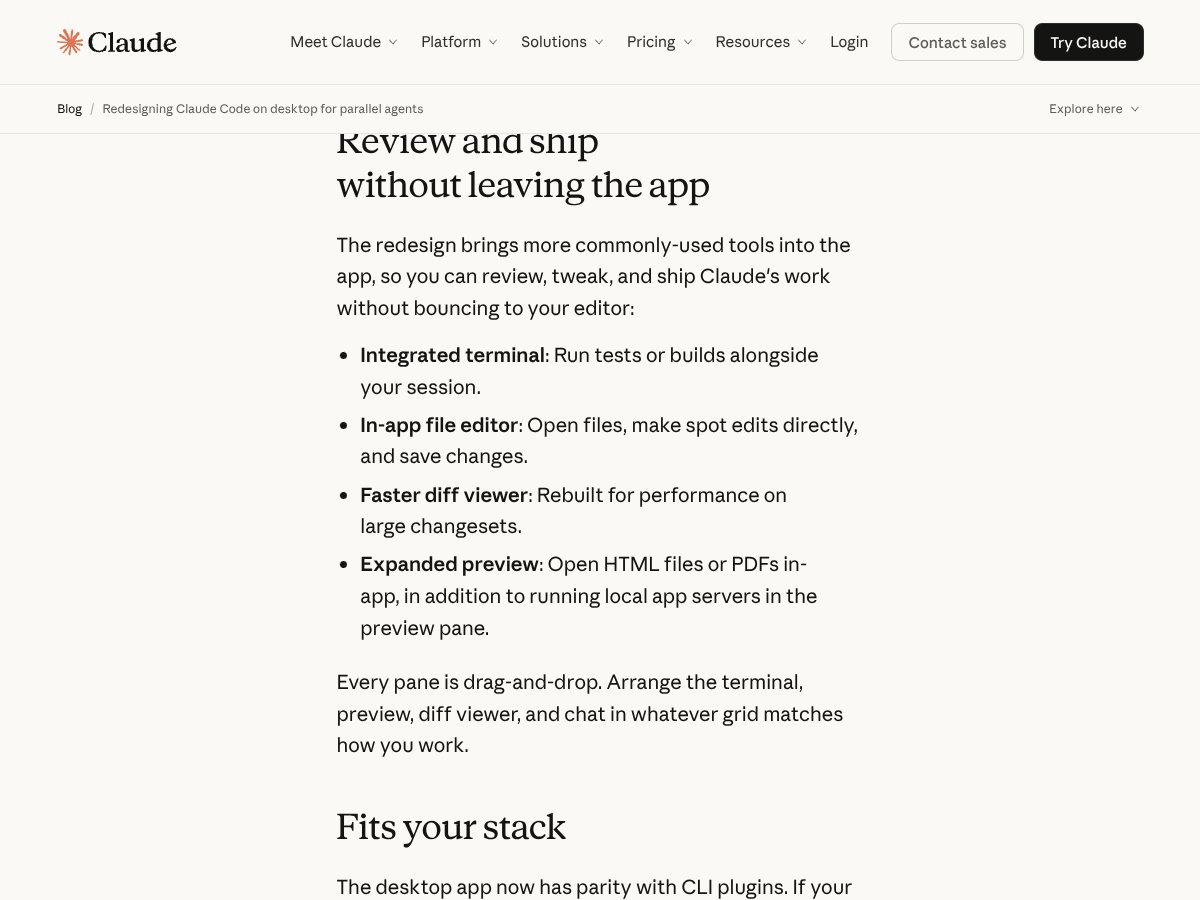
- Integrated terminal and file editor: Being able to run tests and make quick edits without bouncing between apps saves time. The drag-and-drop layout makes it adaptable, which is rare in similar tools.
- Diff viewer: The rebuilt diff viewer is noticeably faster, especially on large changesets. It’s a practical feature that I used extensively during review workflows.
- Preview pane: Opening HTML, PDFs, or local app servers directly in the app reduces context-switching, which is exactly what the redesign promises.
- Plugin and SSH support: The fact that it supports CLI plugins and SSH sessions on Mac and Linux extends its flexibility beyond just a UI — it feels like a serious tool for power users.
What Could Be Better
- Not a full IDE: If you’re expecting to ditch VS Code or similar editors entirely, this might disappoint. It’s more of an orchestration hub than a primary coding environment.
- Complexity for casual users: The multiple views, sessions, and side chats could overwhelm someone who just wants a simple chat interface for quick questions. It’s powerful but not always straightforward.
- Pricing transparency: As mentioned earlier, the lack of clear, public pricing for the desktop app itself makes it hard to evaluate whether the value aligns with your budget.
- OS limitations: SSH support on Mac and Linux is great, but Windows users are left out, which could be a dealbreaker for some teams or solo developers on Windows.
- Workflow depth: For highly complex projects or deep integrations, the app might still fall short compared to dedicated IDEs, especially if you need heavy code navigation, debugging, or custom tooling.
Who Is Claude Code Desktop App Redesigned Actually For?

If you're a developer working across multiple repositories or projects simultaneously, especially in an agentic workflow where you’re orchestrating AI tasks rather than manually coding line-by-line, this app could be a solid fit. Think of it as a command center for your AI-driven development process. For example, if you’re managing refactors in several repos, running tests, reviewing diffs, and juggling side conversations with your team or AI agents, this interface streamlines all that in one window.
It's particularly ideal for teams or power users who are already using Claude at a higher tier and need a workspace that enables parallel sessions, quick review, and integrated command-line workflows. Solo developers tackling complex AI-assisted projects—like building multi-module apps or automated testing pipelines—will likely appreciate the workspace flexibility and session management features.
However, if you’re primarily a solo coder who prefers a traditional IDE for manual editing, or you’re just exploring AI coding assistants without needing extensive orchestration, this might be overkill or even frustratingly complicated.
Who Should Look Elsewhere
If your workflow is straightforward—say, editing code locally in VS Code, running simple tests, and asking AI questions without managing multiple sessions or complex diff reviews—then this app is probably not for you. It’s built for a specific niche: developers who need to coordinate many concurrent AI tasks and review-heavy workflows. If you’re not using Claude at a higher plan, or if your team doesn’t heavily rely on AI plugins or remote SSH sessions, the value proposition diminishes.
Additionally, Windows users should be cautious, since SSH support is only announced for Mac and Linux. If cross-platform compatibility is a priority, you might find this limiting. Also, if you prefer a lightweight, minimal interface and don’t want to learn a new orchestration tool, sticking with your existing IDE or simpler AI chat tools could make more sense.
How Claude Code Desktop App Redesigned Stacks Up Against Alternatives
GitHub Copilot Workspace
- What it does differently: GitHub Copilot Workspace integrates AI-driven code suggestions directly into your IDE, mainly focusing on autocomplete and code generation within popular editors like VS Code. It’s tightly coupled with GitHub repositories and offers a seamless coding experience with contextual suggestions.
- Price comparison: Copilot is subscription-based, costing around $10/month or $100/year, with some free trial options. The Workspace feature is included within this plan.
- Choose this if... you want deep IDE integration with code autocomplete and GitHub-centric workflows, especially if you prefer sticking to your existing editor.
- Stick with Claude Code Desktop App Redesigned if... you need a broader, agent-oriented workspace that manages multiple sessions, reviews diffs, and handles complex workflows beyond simple autocomplete.
Replit Agent
- What it does differently: Replit’s Agent offers an all-in-one browser-based coding environment with AI assistance, emphasizing collaborative editing, real-time sharing, and quick setup for various projects.
- Price comparison: Replit offers free tiers with limited features; paid plans start at around $7/month, providing more resources and features.
- Choose this if... you want a lightweight, cloud-based environment for quick prototyping and collaboration without installing anything.
- Stick with Claude Code Desktop App Redesigned if... you need a more powerful, session-heavy workspace tailored for managing multiple concurrent Claude sessions and detailed review workflows.
Windsurf
- What it does differently: Windsurf is focused on AI-assisted coding within a lightweight desktop environment, emphasizing fast setup and minimal distraction, often geared toward individual developers.
- Price comparison: Pricing details are often subscription-based, roughly $15/month, but it varies based on features and plans.
- Choose this if... you want a simple, dedicated AI coding assistant with minimal fuss, mainly for solo work.
- Stick with Claude Code Desktop App Redesigned if... you value managing multiple sessions, detailed diffs, and a customizable workspace for complex projects.
OpenAI Codex & Playground
- What it does differently: OpenAI’s Codex API and Playground offer flexible AI code generation and experimentation but lack the integrated multi-session workspace or review tools built into Claude’s desktop app.
- Price comparison: API usage is billed per token, which can get expensive at scale; the Playground itself is free but limited in scope.
- Choose this if... you want highly customizable, API-driven code generation and are okay with building your own environment around it.
- Stick with Claude Code Desktop App Redesigned if... you prefer an out-of-the-box, integrated workspace that handles multiple tasks and reviews without custom setup.
Bottom Line: Should You Try Claude Code Desktop App Redesigned?
Overall, I’d give the Claude Code Desktop App Redesigned a 7/10. It’s a solid tool for developers who are already working heavily with Claude and need a centralized hub for managing multiple sessions, reviewing diffs, and orchestrating AI-powered workflows. The interface is flexible, and the new features genuinely reduce the hassle of switching between different tools.
It’s best suited for power users, teams, or those deeply integrated into Claude ecosystems. If you primarily want a traditional IDE experience or are only dabbling in AI-assisted coding, it might feel a bit overkill or limiting. The free tier is worth trying if you want to see how well it fits your workflow, but for extensive use, a paid plan offers the best bang for your buck.
If your workflow involves juggling multiple Claude sessions, review-heavy tasks, or orchestrating complex projects, give it a shot. If you’re just looking for straightforward code editing or a simple chat assistant, your money might be better spent on a dedicated IDE or other lightweight tools.
Common Questions About Claude Code Desktop App Redesigned
- Is Claude Code Desktop App Redesigned worth the money? It depends on your needs. For heavy multi-session management and review workflows, it’s a worthwhile investment. For casual use, the value drops.
- Is there a free version? There’s a limited free tier, mainly for testing. Paid plans unlock full multi-session, diff review, and SSH support.
- How does it compare to GitHub Copilot Workspace? Copilot is more IDE-centric focusing on autocomplete, while Claude’s app offers broader session management and review tools. Choose based on workflow preference.
- Can I use it on Windows? Currently, the app is optimized for macOS and Linux. Windows support may be limited or coming soon.
- Does it support SSH? Yes, on macOS and Linux, enabling remote workflows directly within the app.
- Can I get a refund if I don’t like it? Refund policies depend on the platform you purchased through; check with Anthropic or your vendor for specifics.