Table of Contents
If you’re anything like me, you probably have a “go-to” set of emojis you reuse way too often. 😅 I wanted something that felt a bit more personal—something that actually matches what I’m trying to say. That’s why I downloaded Gen Emoji and tested it for a few days.
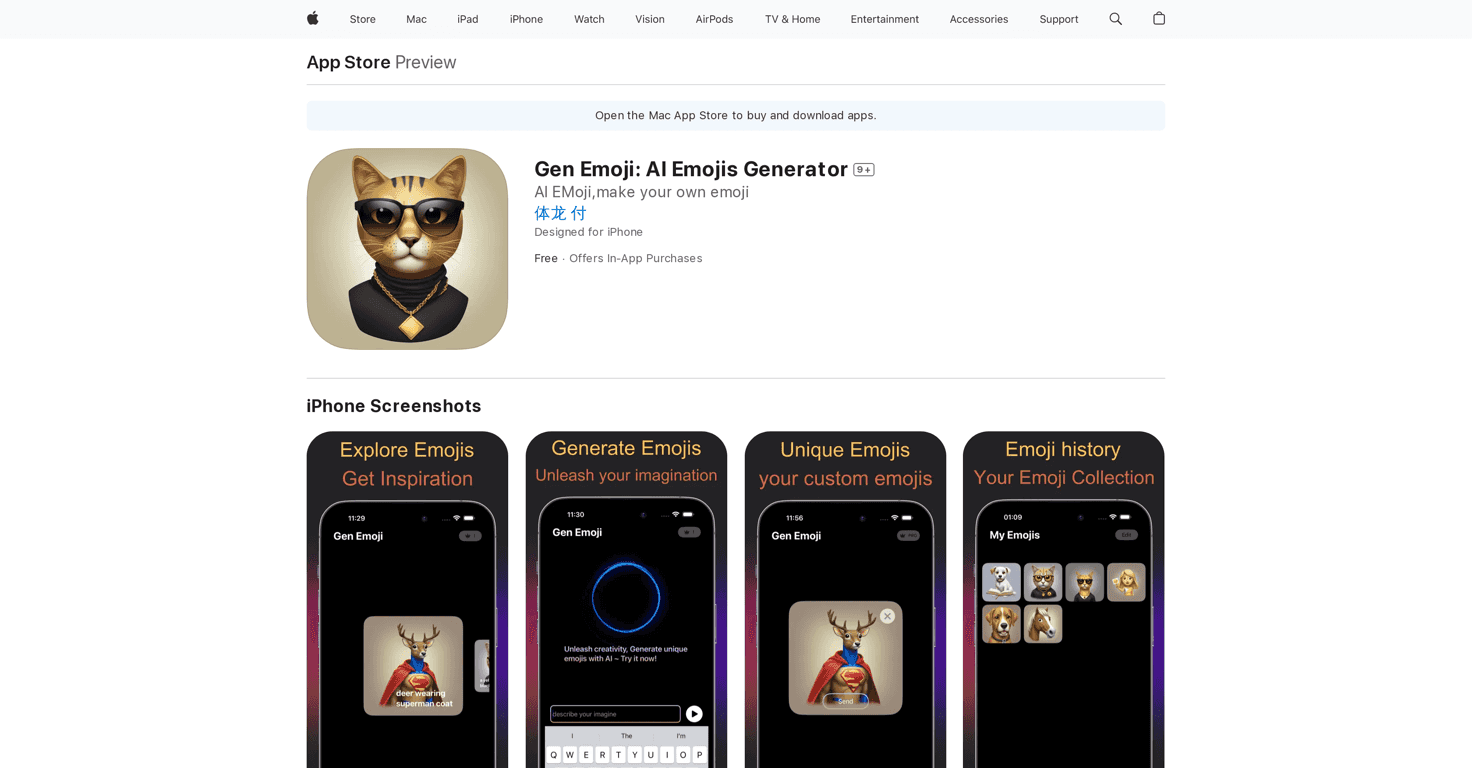
Gen Emoji is an AI emoji generator that turns your text into custom emoji-style images. The basic idea is simple: you type something (a mood, a phrase, a vibe), and the app generates visuals that are meant to represent that input. It’s not just “generic emoji art,” either. What I noticed right away is that it tries to interpret your words—so if you type something playful, you’ll usually get playful-looking results.
It’s also pretty easy to use. No complicated setup. No “learn the interface” moment. I could go from typing text to generating something I liked in a couple of taps. And when you find an emoji you want to keep, saving and sharing is straightforward, which matters more than people think—because what’s the point of making something cool if you can’t actually use it?
One feature I ended up using more than I expected is the Inspiration Gallery. Sometimes I’d sit there thinking, “Okay… what do I even type?” The gallery helps with that. It gives you prompts and ideas so you can jumpstart your next creation instead of staring at a blank input box. I liked that it feels more like creative momentum than a random list of examples.
Overall, Gen Emoji is best for people who want a fun, creative way to spice up messages—especially if standard emoji options feel too limited. And yeah, it’s also great if you just enjoy playing around with AI tools and seeing what they come up with.
Gen Emoji Review: What It’s Like to Use Daily
Here’s the most honest way I can describe Gen Emoji: it’s a “type something, get an emoji” app that’s genuinely fun when you want your messages to feel more you. I tried a mix of short words and full phrases. What I noticed is that shorter prompts sometimes produce more “straightforward” results, while longer prompts can lead to more detailed, character-like outcomes.
For example, if I typed something like a mood (think “excited” or “curious”), the generated emoji usually matched the energy. If I typed a concept with extra description (like a creature or a “vibe”), it seemed more willing to get creative. That’s where the app feels strongest—when you give it something to work with.
The interface is clean. I never felt lost. It’s the kind of app you can open quickly, generate something, and move on with your day. And if you’re sharing creations with friends, it doesn’t feel like a chore. I didn’t run into confusing steps or weird export issues during my testing.
As for limitations: like most AI tools, results aren’t always perfect on the first try. Sometimes you’ll generate something that’s close to what you wanted but not quite it. In those moments, I found that tweaking the wording helps. Try adding a color, a mood, or a “style” word (even something simple like “cute,” “spooky,” or “fancy”). It’s not magic, but it improves your odds.
Key Features That Actually Matter
- AI-Driven Emoji Generation — You type text and the app creates emoji-style visuals based on your input. In my experience, the more descriptive your prompt, the more interesting the result tends to be.
- User-friendly workflow — It’s built for quick use. I didn’t have to learn a complicated process to start making emojis.
- Inspiration Gallery — This is the part I used most when I was stuck. It gives prompt ideas so you’re not starting from zero every time.
- Save and share options — Once you like an emoji, you can keep it and share it without jumping through hoops.
Pros and Cons (My Honest Take)
Pros
- Fun custom emoji creation — The AI output feels creative, not just like a copy/paste emoji set.
- Easy to navigate — I could generate and save/share without getting stuck in menus.
- Inspiration Gallery helps a lot — It’s genuinely useful when you don’t know what to type.
- Good for messaging — These aren’t just “pretty images.” They’re meant to be used in conversations.
Cons
- In-app purchases may be required — If you want full access to everything, you may end up paying.
- Some features appear tied to subscription/payment — I noticed that certain “more” options aren’t always available for free users.
Pricing Plans
Gen Emoji is free to download, with in-app purchases available. There’s also an introductory subscription option listed at $2.99 to unlock additional features. If you’re the type who plans to use the app regularly, it might be worth checking the subscription details inside the app so you know exactly what you’re getting before committing.
Wrap Up
Gen Emoji is a solid pick if you want emojis that feel more personal than the standard ones. I liked how quickly I could generate results, and the Inspiration Gallery actually made it easier to come up with new ideas instead of getting bored. Sure, you might need to deal with in-app purchases if you want the full experience, and like any AI tool, you won’t always nail the perfect output on the first attempt—but when it hits, it’s genuinely fun.
If you’re looking for a creative way to express yourself (and you don’t mind experimenting with prompts), this is worth a try.