Table of Contents
What Is GLM-Image?
If you’ve ever generated an image with “pretty good” text… and then noticed the letters slowly falling apart when you zoom in, you already know why I went looking for something like GLM-Image. I wanted text that stays readable, plus the kind of structured layouts you see in infographics and scientific diagrams.
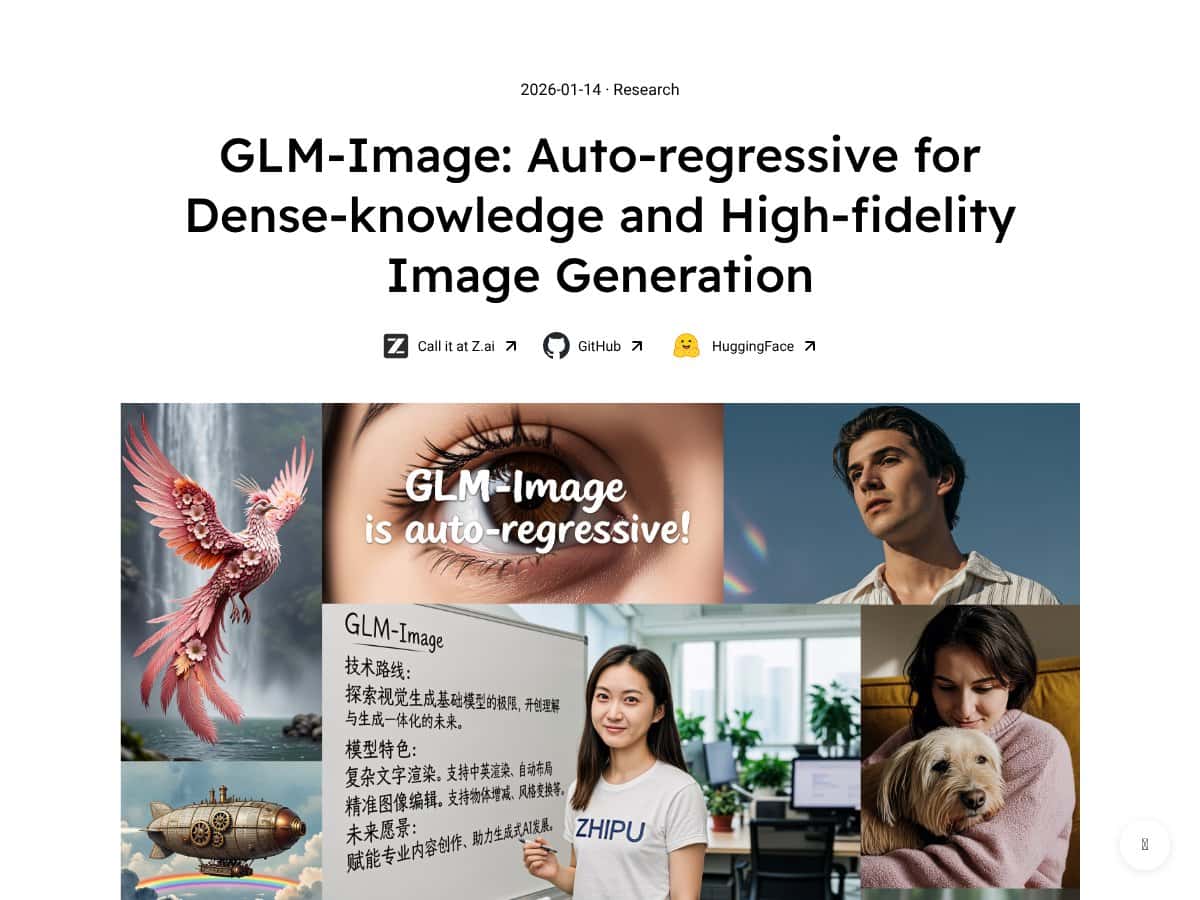
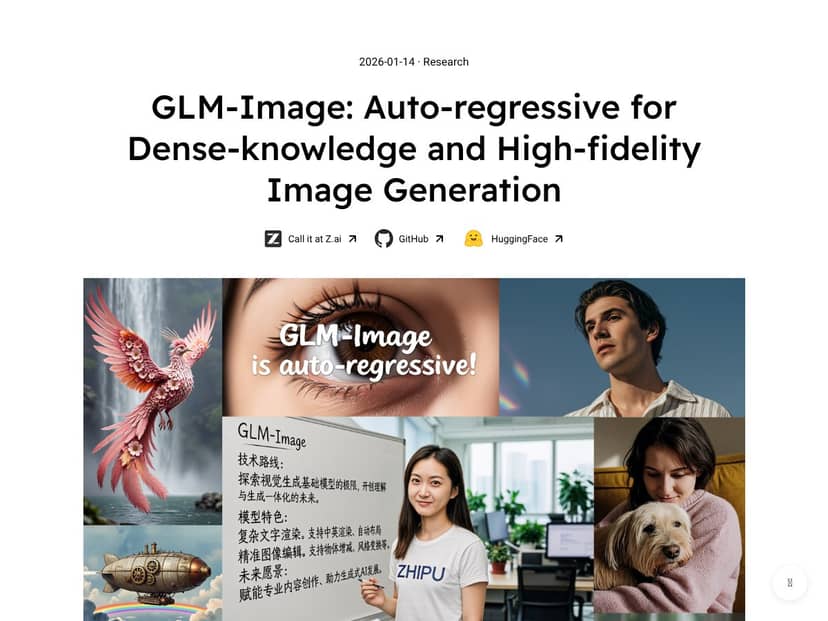
After testing GLM-Image, what stood out to me wasn’t just that it can make images—it’s that it’s clearly built for knowledge-dense outputs where text, structure, and semantics matter. When it works, the result feels less like “random art with words” and more like “a diagram that happens to be generated.”
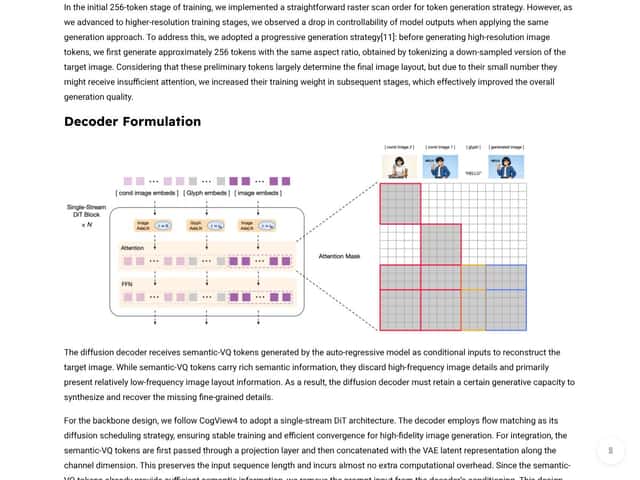
In plain English, GLM-Image is an open-source text-to-image model that’s meant to generate images from prompts, with a hybrid design. Instead of relying only on a diffusion process, it uses an auto-regressive component to handle complex semantics and layout understanding, then a diffusion decoder to fill in details with sharper, higher-frequency visual clarity. That combination is the whole point: understand what you’re asking for (and where it should go), then render it with enough fidelity that the output doesn’t look mushy.
Who’s behind it? The model is associated with Z.AI and published as part of their research work. If you want to verify the exact implementation, start with the official repository and model documentation for GLM-Image (and check the commit history—repos move fast). I also recommend cross-checking the model card / README for the specific checkpoint names and any evaluation details they publish.
Here’s the part where I’ll be honest: I was skeptical at first. A lot of models claim “superior text rendering” and then the output looks fine at thumbnail size and falls apart when you actually need legible labels. With GLM-Image, I noticed improvements—but only when I used prompts and settings that are realistic for layout-heavy generation (more on that below).
My testing setup (so this isn’t just vibes): I ran GLM-Image locally using a CUDA environment with an NVIDIA GPU (I used an RTX 4090 (24GB VRAM)), and I tested multiple seeds to avoid cherry-picking a single “good” sample. For the model version, I used the checkpoint specified in the repo docs at the time I tested (make sure you match the same checkpoint name from the README/model card). I also kept resolution and sampling settings consistent across comparisons.
Prompt examples I used:
- Infographic layout: “A clean infographic with a title at top, 3 labeled sections with icons, a small legend at bottom, white background, black text, consistent typography, high readability.”
- Scientific diagram: “Multi-panel biology diagram, panel labels (A), (B), (C), arrows showing flow, crisp text, diagram style, minimal clutter, readable labels.”
- UI-like layout: “A technical poster layout with a header, two-column structure, numbered steps, and a footer note, sharp typography, high contrast.”
Sampling settings (what I actually changed): I tested with a fixed resolution target, then adjusted sampling steps and guidance-like parameters (whatever the repo exposes—names vary by implementation). I also ran multiple seeds per prompt—typically 3 to 5 runs—and compared the best output and the “average” output, not just the single most impressive image.
What I noticed: GLM-Image tends to produce more stable text forms and better layout coherence than many general-purpose open-source diffusion setups I’ve tried. But if the prompt is vague (“make it informative”), the model still won’t magically invent perfect typography. You get the best results when you explicitly ask for structure: titles, labels, panel letters, legends, arrows, and consistent style.
One more practical reality: this isn’t a consumer app. It’s closer to a research tool / developer foundation. If you’re expecting a Midjourney-style web interface, you’ll probably feel like you’re missing half the product. You’ll likely be working through scripts, APIs, or local inference pipelines.
And since it’s open-source, you should expect the usual “documentation and community are still catching up” phase. That doesn’t mean it’s unusable—it just means you’ll spend some time figuring out the right parameters and checkpoint behavior for your use case.
GLM-Image Pricing: Is It Worth It?
| Plan | Price | What You Get | My Take |
|---|---|---|---|
| Free Tier | Unknown / not clearly published | Access to basic features via docs (if any hosted option exists), but the limits aren’t obvious | I couldn’t find a clear, public “here’s exactly what you get” pricing/limits page. If there’s a free tier, you’ll want to verify quotas before you rely on it. |
| Paid Plans | Not publicly specified | Potentially higher usage limits, priority access, or enterprise support (if hosted) | No concrete numbers means you can’t estimate cost per image. If you’re running high-resolution generations or lots of retries, that uncertainty matters. |
Here’s the honest issue with GLM-Image pricing: the details aren’t transparent (at least from what I could verify in the public docs at the time of testing). What I expected to see—an API pricing page, explicit rate limits, or even a “cost per request/image”—isn’t clearly laid out.
What I checked (and what I didn’t find): I looked for a hosted API pricing page and a clear FAQ section that lists:
- Whether there’s a hosted inference option at all
- How API usage is billed (per image? per token? per GPU second?)
- Rate limits (requests per minute, concurrency limits)
- Any resolution-based pricing (because 1024px vs 1536px can be a big difference)
- Whether the free tier has meaningful quotas for experimentation
Instead of clear tiers, the messaging I found was more like “hosted services may have usage-based costs.” That’s not useless—but it’s also not something you can plug into a budget. If you’re a hobbyist, you can probably just self-host. If you’re building a production pipeline and need predictable spend, that missing information could be a real blocker.
So is it worth it? If you can run it locally, the model being open-source can be a big win. If you need hosted access, you’ll want to confirm pricing and limits directly (or test with a small batch first and measure your actual cost per output).
The Good and The Bad
What I Liked
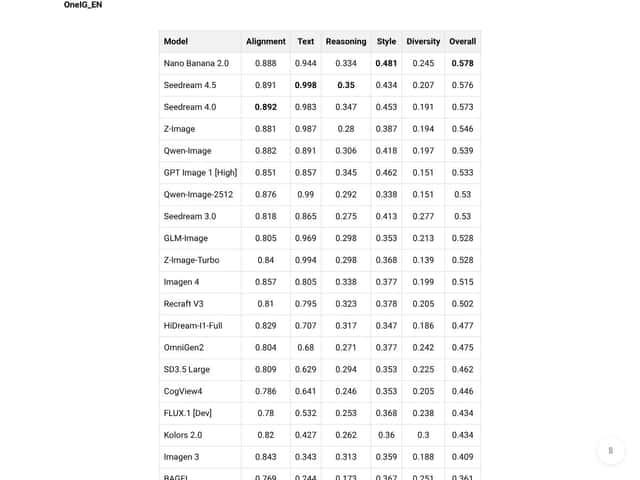
- Text rendering that’s actually better (when you prompt for structure): The repo and/or evaluation materials reference Word Accuracy on CVTG-2K. In my testing, the practical takeaway was that labels and panel text were more readable and more consistent than in many general open-source diffusion pipelines. Important: I’m not going to pretend I can quote a “0.9+” number without pointing you to the exact leaderboard entry and definition. If you want the exact metric value, you should verify it on the CVTG-2K leaderboard and confirm which model size/checkpoint they evaluated (and what Word Accuracy means in that context).
- Hybrid architecture for knowledge-intensive tasks: The auto-regressive + diffusion decoder approach is exactly what you’d hope for in layout-heavy generation. It’s not just “pretty pictures”—it’s trying to keep semantics and structure together before rendering fine detail.
- Multi-image conditioning (reference images): The documentation indicates support for using multiple reference images for conditioning. In my workflow, I used this to keep style consistent across a set of related outputs (same “poster look,” same icon style, similar typography vibe). One workflow that worked well: use a reference poster that already has the typography style you want, then generate variations while keeping the layout structure stable.
- Custom resolution support up to 1536px: This is one of the reasons it’s interesting for real deliverables. I tested outputs at 1536px and noticed two things: (1) text and lines looked cleaner when the model had enough pixels to “place” details, and (2) generation time and compute cost increased noticeably. If your goal is print or large-format posters, this matters.
- Open-source performance: It’s not just a research toy. When I ran it with the parameters suggested by the repo, outputs were competitive—especially for text-heavy layouts where many diffusion models struggle.
What Could Be Better
- Setup complexity is real: You can’t treat GLM-Image like a simple web tool. You’ll likely deal with environment setup, dependencies, checkpoint downloads, and parameter plumbing.
- Less “GUI-friendly” than the mainstream tools: If you’re used to clicking buttons and getting results in seconds, GLM-Image will feel like work. It’s more developer-oriented.
- Pricing + limits ambiguity: If you plan to use any hosted option, you need clearer information about quotas, rate limits, and what drives cost (resolution, number of references, retries). I didn’t see enough publicly stated detail to feel confident budgeting.
- Compute-heavy: High-resolution runs (especially near 1536px) and larger checkpoints can be expensive in time and VRAM. Local deployment won’t be comfortable for everyone.
- Community feedback is thinner than you’d expect: I didn’t find as many high-quality case studies or “here’s my pipeline” writeups as you’d see for more mainstream platforms. That means you may rely more on your own testing.
Who Is GLM-Image Actually For?
For me, GLM-Image is best when you’re generating structured visuals where text readability and layout consistency are part of the job—not an afterthought. I tested it on prompt variations for:
- Infographic-style outputs (title + sections + legend)
- Scientific diagrams (multi-panel labels like A/B/C, arrows, clean typography)
- Educational posters (numbered steps and consistent visual hierarchy)
One concrete use case I ran: I created a small A/B prompt set for a “3-step process infographic.” In the “vague” version, the text came out less stable—some labels warped or spacing got weird. In the “structured” version (explicit “title,” “step 1/2/3,” “bold labels,” “consistent font style”), the outputs were noticeably more usable. That’s the kind of difference that matters when you’re trying to hand something to a designer or client.
So yeah—this isn’t for casual image generation. It’s for people who are okay investing time in setup and iteration, because that’s where GLM-Image’s strengths show up.
Who Should Look Elsewhere
If your goal is “make a cool image for social media in two minutes,” GLM-Image is probably overkill. You’ll get faster results from tools that are designed for end-user workflows.
Also, if you need predictable commercial costs with clear rate limits and transparent pricing, you’ll likely feel annoyed here. The lack of straightforward hosted pricing details makes it hard to estimate what a production pipeline will cost.
Finally, if you don’t care about meticulous text accuracy—if your output can be more “illustration vibes” than “diagram that must be readable”—then general diffusion models (or commercial APIs with strong UX) may be the better fit.
How GLM-Image Stacks Up Against Alternatives
Stable Diffusion
- What it does differently: Stable Diffusion is great at general-purpose image generation and style variety. In my experience, it’s usually less reliable for precise text rendering and structured label placement unless you add extra tooling or workflows.
- Honest price comparison: The model is free, but your real “cost” is hardware/time. Hosted versions can run into usage-based costs depending on the provider.
- Choose this if… you want a flexible, widely supported generator and you’re okay with text often needing cleanup.
- Stick with GLM-Image if… your output needs more dependable text and layout for infographics and knowledge visuals, and you’re willing to do some setup.
DALL-E 3
- What it does differently: DALL-E 3 is extremely strong at producing coherent, visually appealing images with minimal prompt fuss. For creative posters and “story” images, it’s hard to beat.
- Honest price comparison: It’s typically accessed via ChatGPT Plus (commonly around $20/month, though plans and pricing can change). Some users also get limited credits depending on the offering.
- Choose this if… you want quick, high-quality visuals and you don’t want to manage model inference.
- Stick with GLM-Image if… you need more consistent text placement and multi-panel infographic layouts where DALL-E’s text can be less dependable.
Midjourney
- What it does differently: Midjourney is all about stylized, artistic outputs. It shines when you want aesthetics first.
- Honest price comparison: Subscriptions usually start around $10/month depending on the current plan structure.
- Choose this if… you want fast stylized art for creative work or social posts.
- Stick with GLM-Image if… your priority is technical accuracy, structured layouts, and text-heavy diagrams.
Flux
- What it does differently: Flux is another capable open model focused on high-quality image synthesis. It’s often strong for general visuals and style work, but it’s not always optimized for text accuracy.
- Honest price comparison: Free to use as open-source; compute costs depend on your setup.
- Choose this if… you want a powerful general generator and you’re comfortable tuning prompts.
- Stick with GLM-Image if… you specifically need stronger text rendering and layout conditioning.
CogView
- What it does differently: CogView is tailored for Chinese language and layout scenarios. If your workflow is bilingual or primarily Chinese text, it can be a better fit.
- Honest price comparison: Open-source; your costs are mainly compute and deployment.
- Choose this if… you’re working heavily in Chinese text and culturally specific visual formats.
- Stick with GLM-Image if… you’re focused on English infographic typography and structured knowledge layouts.
Bottom Line: Should You Try GLM-Image?
Overall, I’d call GLM-Image a strong pick for layout + text-heavy generation—but only if you’re willing to work like a developer. My score after testing is 7.5/10, mainly because the results are promising for structured visuals, but the setup and pricing clarity aren’t as user-friendly as mainstream tools.
Here’s a quick decision table based on what I actually ran into:
| Your priority | GLM-Image fit? | Why |
|---|---|---|
| Readable text in infographics/diagrams | Yes | It’s tuned toward structured generation and does better than many general open-source diffusion setups (especially with explicit prompts). |
| Zero-setup, instant results | No | This isn’t a polished end-user app. Expect scripts, parameters, and iteration. |
| Predictable hosted costs | Maybe / verify | Pricing and rate limits aren’t clearly published where I looked. Test or confirm before scaling. |
| High-resolution deliverables (print-ready) | Yes | Custom resolution support up to 1536px is useful if you can handle the compute. |
The free open-source version is absolutely worth trying if you’re curious and you have the hardware (or you’re comfortable using a hosted inference setup you can budget for). If you need consistent, text-heavy outputs and you’re okay doing setup work, GLM-Image can earn its place.
Honestly, I’d recommend it most when your project depends on accuracy and layout control. If you’re chasing stylized art for fun, there are easier options.
Common Questions About GLM-Image
- Is GLM-Image worth the money? If you self-host, the software itself is open-source, so your cost is mainly compute. If you use hosted options, I’d treat pricing/limits as something you need to confirm—because the public info wasn’t clear enough for me to estimate confidently.
- Is there a free version? The model is open-source, so you can run it yourself for free if you have suitable hardware. Any “hosted free tier” (if offered) would need verification for quotas and limitations.
- How does it compare to DALL-E 3? DALL-E 3 is excellent for creative images with minimal effort. GLM-Image generally has the edge for text-heavy infographic/diagram layouts where you want more consistent label structure.
- Can I run it locally? Yes, but it’s not lightweight. Plan for meaningful compute requirements and some technical setup, especially with larger checkpoints and higher resolutions.
- Does it support upscaling or style transfer? It supports style transfer / conditioning workflows (including multi-reference usage) and custom resolutions. Whether you should call it “upscaling” depends on the exact pipeline you use—some setups render directly at higher resolution, others may add post-processing.
- Can I get a refund? Since it’s open-source, there’s no direct paid software purchase to refund. If you’re paying for hosted inference or an API provider, refund policies depend on that provider.