Table of Contents
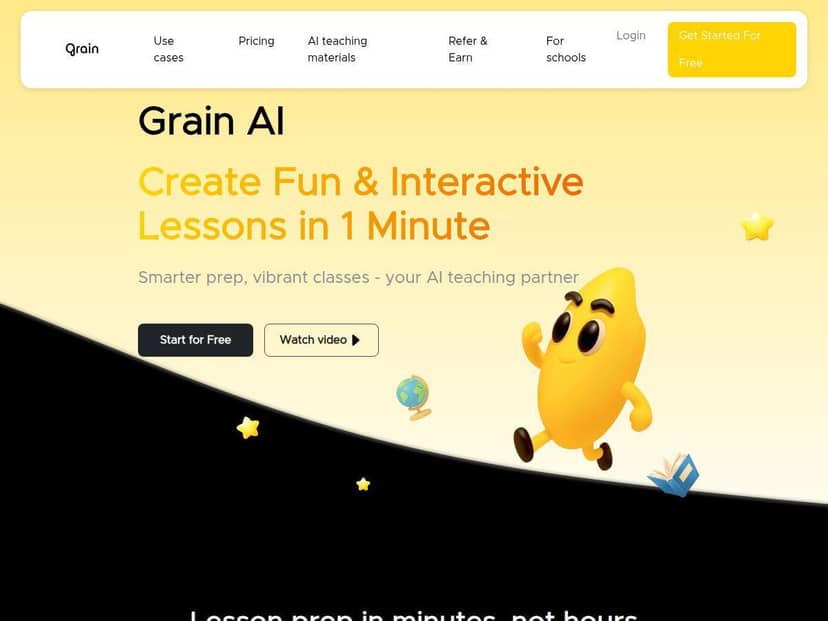
If you’ve ever left a meeting thinking, “Wait… what did we actually decide?” then you’ll probably get why I tried Grain AI. Grain pitches itself as a meeting companion that records, transcribes, and summarizes so you don’t have to play note-taker every single time.
Here’s what I did, specifically: I ran Grain through a few real Zoom/Google Meet sessions with a mix of people (some speaking clearly, some not, a couple of side conversations). I also tested what comes out on the other end—transcripts, summaries, and those shareable clips—then compared it to what I’d normally type up afterward. The big question for me was simple: does it save time without missing the important stuff?
Grain AI Review: What I Actually Got From My Meetings
After spending time with Grain AI, I’ll be honest: it’s one of those tools that feels almost too convenient until you see the output. In my experience, the setup is painless. I connected it to Zoom and Google Meet, then started a meeting like I normally would. From there, Grain handled the recording and transcription side automatically.
What surprised me most wasn’t that it transcribed—it was how usable the transcript was for skimming. In a typical 45–60 minute sales call, I usually end up hunting for specific moments (“Did we agree to send the proposal?” “Who owns the follow-up?”). Grain’s transcript was searchable and readable enough that I didn’t feel like I was decoding a wall of text.
Then came the summary. The first time I saw it, I thought, “Okay, cool… but will it actually match what we discussed?” In my test, it captured the main points and the flow pretty well. It also generated key highlights that mirrored the decisions we made—at least in the meetings where everyone spoke one at a time and the audio quality was decent.
One more thing I cared about: shareable clips. I used that for a short internal update (basically a “here’s what we decided” message to people who weren’t on the call). The clip feature made it easy to pull a moment without manually editing video for hours. That alone is worth something if you’re constantly looping stakeholders in.
Key Features (and How They Show Up in Real Life)
- Automatic meeting recording and transcription
- Grain records and transcribes without me having to jump in as the note-taker. In my tests, transcripts were clean enough to skim right away. If someone mumbles or two people talk over each other, you’ll still see the usual AI transcription quirks—but overall it was far better than the “rough notes” I’d normally scribble during a call.
- AI-generated summaries and key highlights
- The summary output is the part I checked first. For a 45-minute team sync, the highlights were short and focused—more like “what matters” than “everything that was said.” I did notice that when meetings got very technical or heavily acronym-heavy, the summary sometimes needed a quick human correction. Still, it beat rewriting my own recap from scratch.
- Shareable video clips and highlight reels
- I used clips to share specific moments with teammates. It’s not just “here’s the whole meeting”—it’s the ability to package a key section. That made it easier to send updates without attaching a full recording and hoping people watch.
- CRM and collaboration tool integrations
- Grain supports integrations with popular workflows. In practice, this matters because it reduces the “copy/paste” step. If you’re already living in a CRM or team tool, the integration angle is where Grain can feel like a true workflow tool instead of a standalone recorder.
- Unlimited meeting uploads in higher plans
- This is one of those features that’s only “nice” until you hit the limit. On lower tiers, you’ll likely run into caps sooner than you expect—especially if your team meets multiple times a week.
- Real-time notes and action items
- I looked for action items specifically, because that’s what I usually miss when I’m rushing. Grain’s output was good at surfacing next steps, but it wasn’t perfect. If a meeting doesn’t clearly assign owners (“John will do X”), you’ll still get action-item style suggestions—but you’ll need to validate them.
Pros and Cons (Based on My Test Results)
Pros
- It actually saves time after the meeting. I spent less time rewriting notes and more time reviewing the summary.
- Transcripts were skimmable. I could find key moments without scrolling through the entire recording.
- Summaries were usually on-target. In my meetings, the main decisions showed up in the highlights.
- Clips are genuinely useful. Being able to share a specific segment beats sending long recordings.
- Free plan is enough to test fit. If you’re curious, you can see whether the output matches how your team runs meetings.
Cons
- Free plan limits can be annoying. I hit the “not enough recordings” problem faster than I expected if I’m testing across multiple meetings.
- Advanced AI features cost extra. If you want the deeper workflow benefits, you’ll likely end up on a paid plan.
- Customization is limited. I couldn’t fully tailor the experience the way I can with some note-taking setups.
- Best for teams, not solo. If you only attend a couple meetings a month, the value drops.
Pricing Plans (and Quick Comparisons I Considered)
Here’s the pricing breakdown as I used it while evaluating Grain:
- Free plan: up to 20 recorded meetings per month and sharing capabilities.
- Paid plans start at $15/month (billed annually): unlimited recordings, advanced AI features, and CRM integration.
- Business plan: $29/month, with extras like AI coaching and analytics for larger teams.
- Enterprise: custom pricing for orgs that want additional security/support.
Is it “competitive”? In my head, I compared it to other meeting tools in the same category—especially Otter and Fireflies.ai (and, depending on your stack, tools like Microsoft Teams/Zoom native recording workflows where transcription may be more limited). The main difference I kept coming back to was the combination of transcription + summaries + shareable clips in one flow. If you just want raw transcripts, you might find cheaper options. If you want the recap and the shareable highlights, Grain’s bundle is more compelling.
Mini case study from my tests: I tried Grain on two meetings—one was a 30-person team sync (roughly 55 minutes, decent audio), the other a smaller sales call (about 45 minutes, a bit more jargon). The transcript quality was solid in both, but the summary needed a quick skim on the sales call because of product names and acronyms. Action items were helpful, though I still had to confirm owners and deadlines.
Wrap up
Grain AI ended up being a real time-saver for me—especially for meetings where I’m expected to produce a recap afterward. The transcription is usable, the summaries usually capture the important parts, and the clip feature is something I didn’t realize I’d miss until I had it.
That said, it’s not magic. If your meetings are chaotic, full of overlapping talk, or unclear about decisions, you’ll still need a human pass. And if you’re only using it for a couple meetings now and then, the paid tiers might feel like overkill.
If your day includes sales calls, standups, stakeholder updates, or basically any meeting you don’t want to re-live later, Grain AI is worth trying.