LIFETIME DEAL — LIMITED TIME
Get Lifetime AccessLimited-time — price increases soon ⏳
AI Tools

Harmoniq AI Review – Your Perfect Playlist Creator

Updated: April 20, 2026
4 min read
#Ai tool#music

Table of Contents

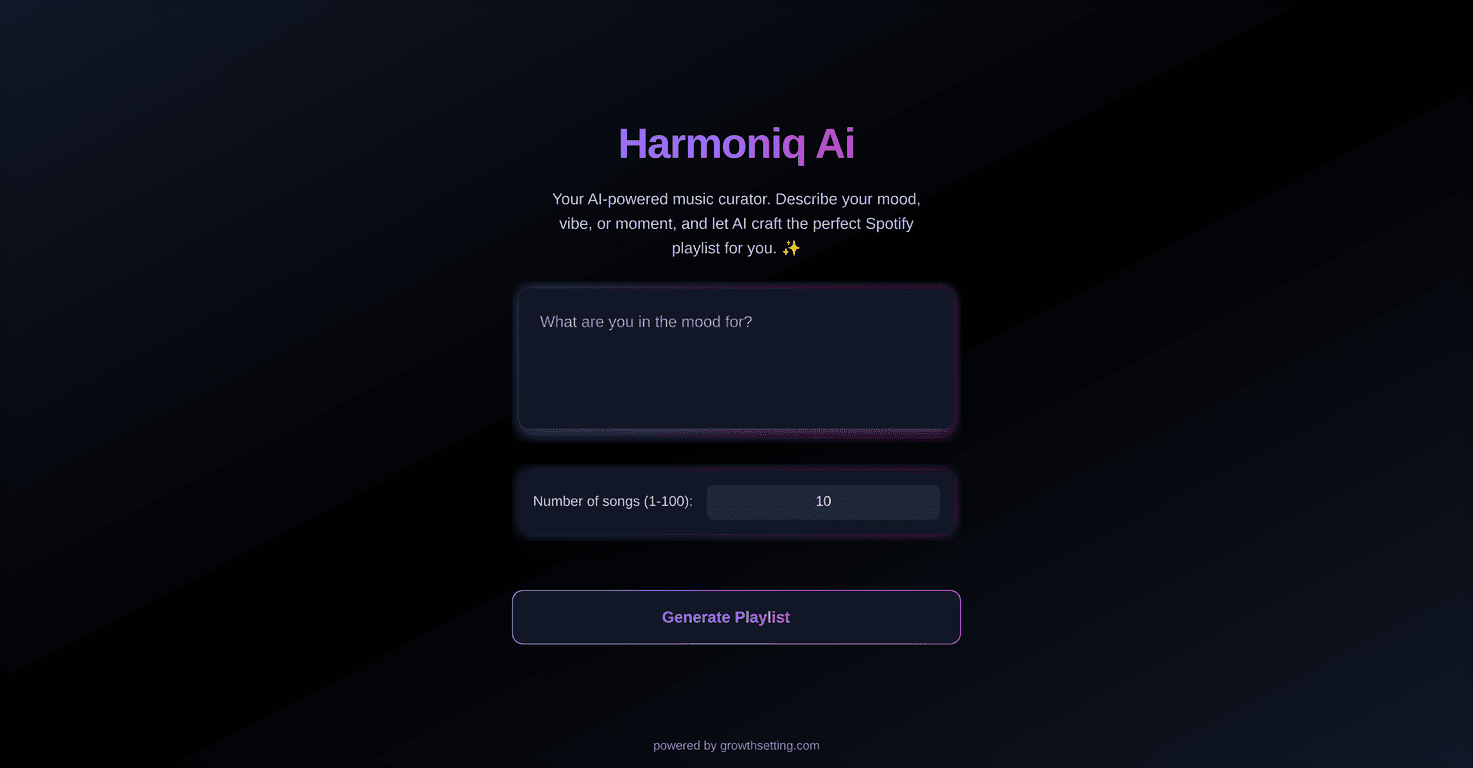
Ever sit there staring at Spotify like, “Why can’t I just find the vibe I’m actually in?” Yeah—me too. That’s why I tried Harmoniq AI. The idea is simple: you describe how you feel (or what you want to hear), and it builds a playlist from there.

Harmoniq Ai

In my experience, it’s best when you give it something more specific than “chill.” For example, I typed something like “peaceful walk, warm sunset energy, mellow electronic and indie” and the playlist came back with a mix that actually matched the mood. Not identical to what I’d pick manually, but close enough that I didn’t immediately hit skip on the first few tracks.

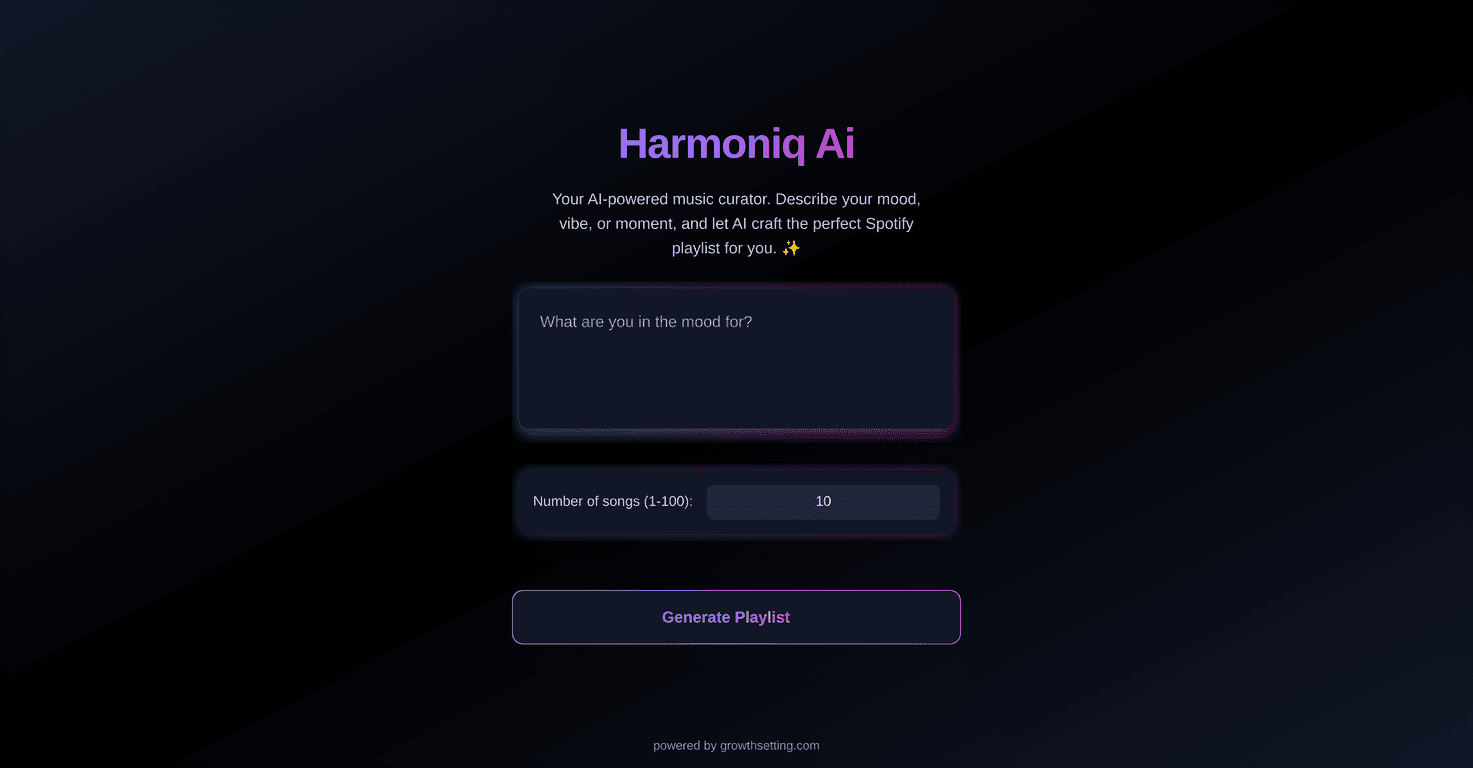
Harmoniq AI also connects to Spotify, which matters. You’re not stuck with a tiny catalog—you’re pulling from Spotify’s library, so there’s room for variety (and for niche stuff, if your description points there). The interface is straightforward too. I didn’t have to fight with settings or learn a bunch of jargon just to get a playlist going.

That said, it’s still an AI. If your description is vague, your results can be vague. More on that in the pros/cons section.

Harmoniq AI Review

Harmoniq AI is basically a “mood-to-playlist” tool. Instead of picking songs one by one, you describe what you want—then it generates a playlist for you. I tested it with a few different prompts to see what kind of results I’d get, and here’s what stood out.

What I liked right away: the concept feels effortless. You’re not doing manual curation, and you’re not stuck scrolling for hours. If you’ve ever been too tired to build a playlist but still want something that sounds right, this is the kind of tool you’ll appreciate.

How the vibe matching felt: it’s not magic, but it’s surprisingly usable. When I gave context (time of day, activity, and a couple of genres), the playlist landed closer to what I wanted. When I gave only one word like “relax,” it still produced tracks—but the “relax” part was a bit broader than I expected.

Spotify integration is a big deal: because it uses Spotify’s catalog, it’s easier to get variety without weird limitations. The playlists also feel more “real-world” since you can play them right in Spotify instead of exporting or dealing with separate apps.

So, is it perfect? Not always. But it’s a solid shortcut for anyone who wants music that matches their mood without turning playlist-building into a second job.

Key Features

  1. Personalized Playlist Creation based on your mood or vibe (the more detail you add, the better it tends to work).
  2. Spotify Integration so you can access a huge library and start listening right away.
  3. User-Friendly Interface that makes it quick to generate playlists without a steep learning curve.

Pros and Cons

Pros

  • It actually saves time. Instead of building a playlist from scratch, you describe the vibe and get options fast.
  • Spotify’s library helps with variety. The generated playlists aren’t limited to a small catalog, so you’re more likely to find something you’ll stick with.
  • Good for mood-based listening. If you want music for a specific moment—gym, late-night driving, studying, weekend cooking—this fits that use case.
  • Prompts feel flexible. You can go simple (“focus, calm, late morning”) or detailed (“lo-fi beats, light jazz influences, no aggressive bass”).

Cons

  • You’ll need a Spotify account. If you don’t use Spotify already, you’ll probably find this limiting.
  • Quality can vary with how clear your description is. Vague inputs can lead to playlists that feel “close” but not exactly right.
  • It may not match your personal taste perfectly. I noticed that sometimes it leans into what it thinks fits the mood rather than what I personally prefer—so you might tweak by regenerating with a slightly different prompt.
  • Not a replacement for fully curated playlists. If you want a super specific track order (or deep cuts only), you’ll still do some manual fine-tuning.

Pricing Plans

For detailed subscription options and pricing, please visit Harmoniq AI’s official website.

Wrap up

Overall, I think Harmoniq AI is a nice option if you’re the type of person who wants playlists based on mood instead of spending forever searching. It’s quick, it uses Spotify’s catalog, and when you describe your vibe well, the results can be genuinely enjoyable. Just don’t expect it to read your mind—if your prompt is too general, the playlist will be too.

If you’re looking for an easy way to get “what I feel like listening to” without the hassle, give Harmoniq AI a try. It might become your go-to when you don’t want to curate, you just want to press play.

Promote Harmoniq AI

Stefan

Stefan

Stefan is the founder of Automateed. A content creator at heart, swimming through SAAS waters, and trying to make new AI apps available to fellow entrepreneurs.

Related Posts

readfrom.net safe featured image

readfrom.net Safe: Is This Pirate Book Site Legit or Scam?

Discover if readfrom.net is safe and legit in 2026. Learn about safety scores, piracy risks, and how to browse securely. Get expert tips now!

Stefan
book publishing budget template featured image

Book Publishing Budget Template: The Ultimate Guide for 2026

Learn how to create a comprehensive book publishing budget template for your 2026 self-publishing journey. Tips, tools, and best practices included.

Stefan
self-publishing affirmation cards featured image

Self-Publishing Affirmation Cards: The Ultimate 2026 Guide

Discover how to create, market, and succeed with self-publishing affirmation cards in 2026. Expert tips, top trends, and proven strategies included.

Stefan

Create Your AI Book in 10 Minutes