60-second summary
Quick answer
Open Earn with us, set a performance window and compare Total Hits, Free Users, Paid Users and Total Commission. The date filter is based on referral join dates.
Before you start
What you need
- Generate an affiliate referral link for the signed-in account.
- Have at least one tracked visit or referred account before expecting performance values.
Procedure
Complete the task step by step
- 01
Use the exact referral link
Share the homepage URL containing your referral code.
Current app screenOpen full size: Automateed affiliate date filter and performance cards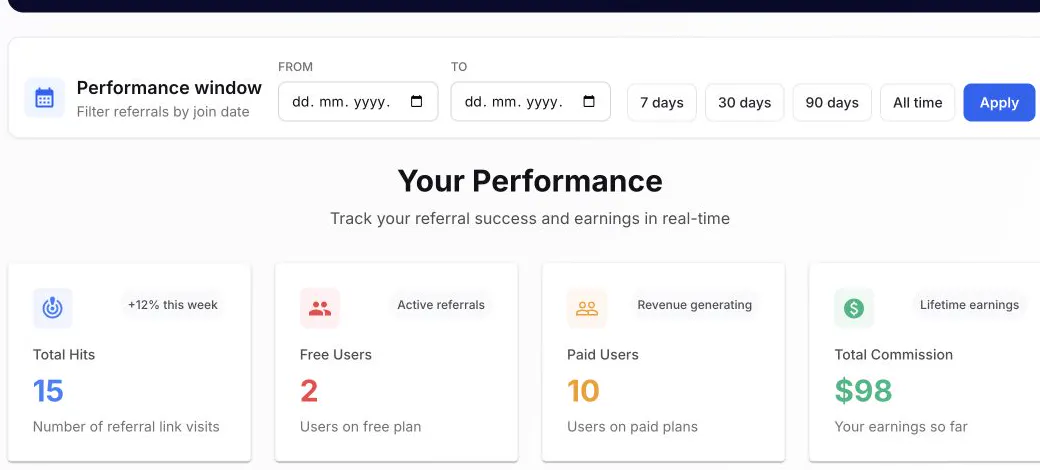
Choose the reporting window above Total Hits, Free Users, Paid Users and Total Commission. - 02
Check Total Hits
A hit records a tracked visit, not a registration or sale.
- 03
Check Free Users
A referred registration should remain attached to your referral code.
Current app screenOpen full size: Automateed affiliate performance and payout overview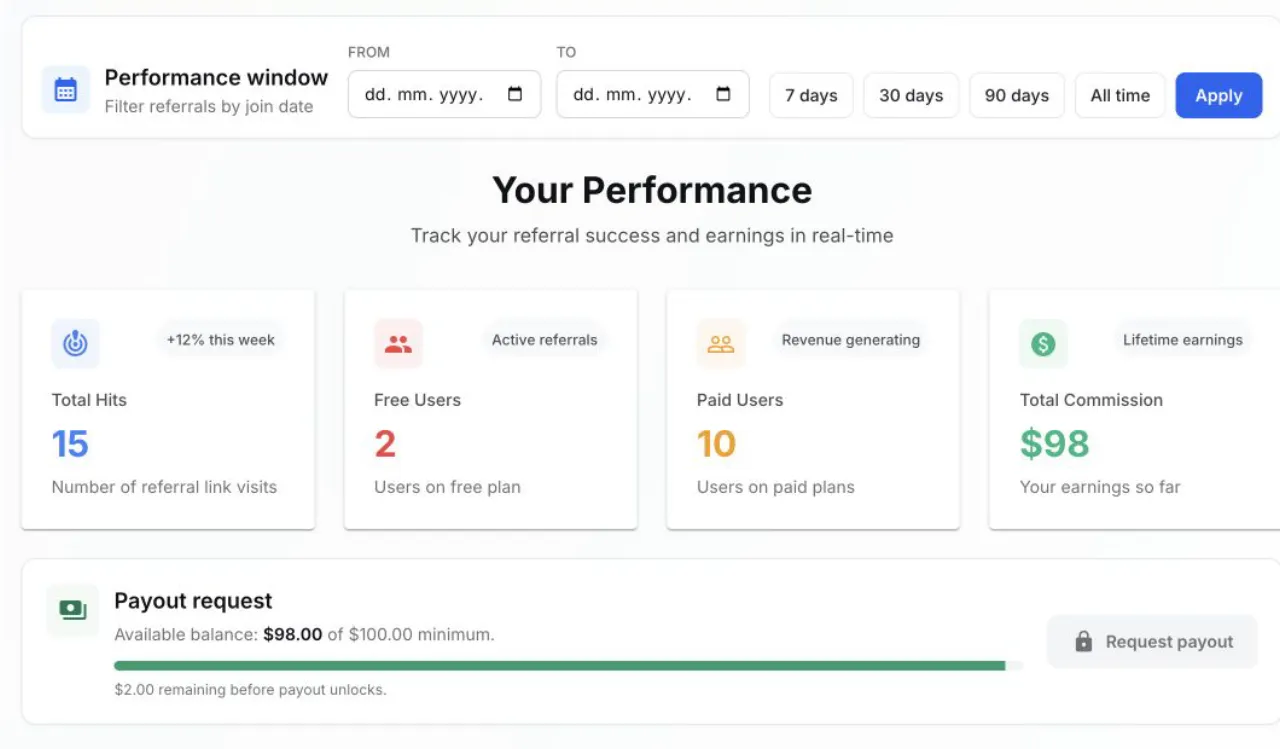
Hits, referred accounts and commission are separate measurements; the payout balance remains an all-time balance. - 04
Check Paid Users and commission
A completed eligible payment updates paid status and calculated commission.
Success check
Confirm that it worked
- You can distinguish Total Hits, Free Users, Paid Users and Total Commission.
- The selected Performance window filters referred users by join date, not commission-payment date.
Important notes
- The payout balance remains an all-time value and is not recalculated from the selected referral window.
- With the current aggregation, Total Hits can remain at its lifetime value even when a narrower date range is selected.
Troubleshooting
If it still does not work
A referred account is missing from the selected window
Verify the exact referral URL and expand the date range around the account join date before treating the attribution as missing.
A referred user paid but commission has not appeared
First confirm that the account appears in Referred Users, then allow the eligible payment to process before escalating with the user and payment reference.