60-second summary
Quick answer
Open Create Audio from the completed source book, choose and preview one narrator, then use Create Audio Book and confirm the 10-token deduction. Return to the same book to monitor chapter-by-chapter processing.
Before you start
What you need
- Open the exact completed source book from Library.
- Keep at least 10 ebook or lifetime tokens available.
- Choose and preview one narrator before starting; the selected voice narrates the complete book.
Procedure
Complete the task step by step
- 01
Open the book detail page
Find the correct completed title in Library.
Current app screenOpen full size: Automateed Create Audio from This Book panel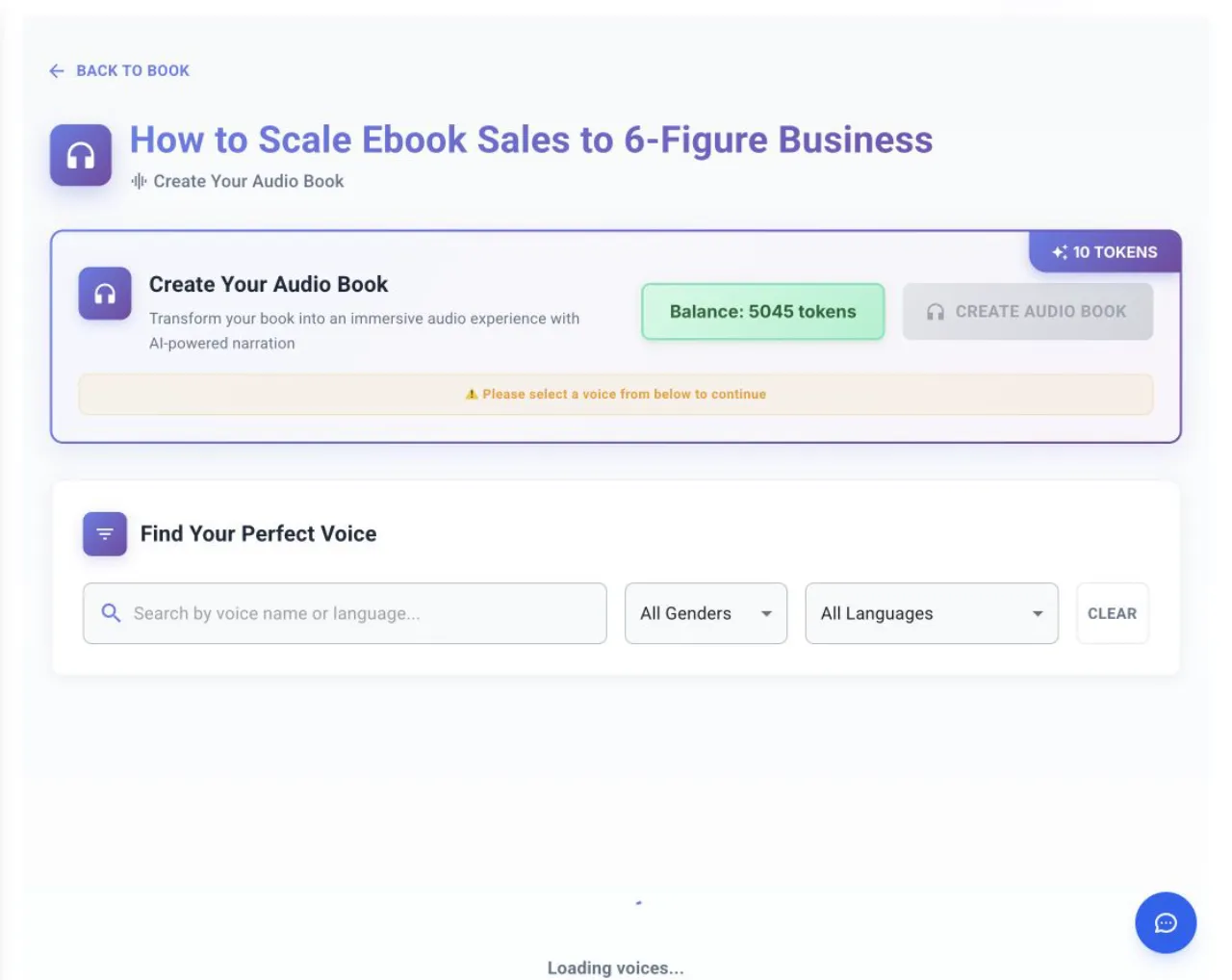
Choose a narrator before Create Audio Book; the confirmation states that the job uses 10 tokens. - 02
Open Create Audio
The compact audio action opens narrator selection; it does not begin narration by itself.
- 03
Choose and preview a narrator
Select one voice for the complete book and keep at least 10 tokens available.
- 04
Confirm creation
Choose Create Audio Book and approve the confirmation that 10 tokens will be deducted.
- 05
Wait for processing
Audio runs chapter by chapter in the background. Use Refresh Status or Check Status rather than starting a duplicate job.
- 06
Download the result
When complete, the section shows Audio Book, Completed and Download.
- 07
Review the audio
Check pronunciation, chapter order, missing content and long pauses before selling it.
Success check
Confirm that it worked
- The audiobook changes to Audio Book Processing and records the selected voice and language.
- When finished, the source book shows Audio Book, Completed and Download for the merged MP3.
Important notes
- The compact Start button opens narrator selection and does not begin narration by itself.
- Creation starts after narrator selection, Create Audio Book and confirmation that 10 tokens will be deducted.
- Processing continues chapter by chapter in the background, and the creation screen says an email is sent when ready.
Troubleshooting
If it still does not work
Create Audio Book is disabled
Select a narrator first.
The account has fewer than 10 tokens
Use Top up or Get More Tokens before returning to the source book.
The audiobook is already processing
Use Refresh Status or Check Status instead of starting another job.
The audiobook failed
Use Retry with Same Voice or reopen the creation route to choose a different narrator.