60-second summary
Quick answer
Wait for the audiobook to finish, open the source book publishing form, enable Sell the audiobook as an add-on, enter its separate Audiobook Price and save the publication changes before testing checkout.
Before you start
What you need
- Wait until the source book has a finished audiobook.
- Have a saved Publisher Profile and a working payout route.
- Choose an audiobook add-on price of zero or more.
Procedure
Complete the task step by step
- 01
Confirm the audio is complete
Preview the audiobook and verify every chapter first.
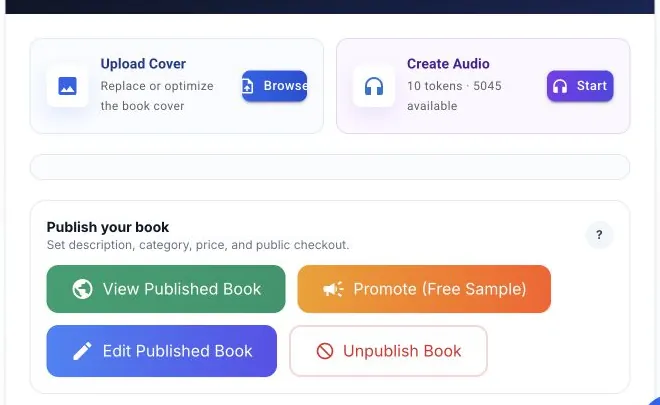
Create or manage audio from the source book, then open its publishing settings. Only completed audio can be included reliably in a public offer. - 02
Open the source book detail page
The audio sale control is attached to the Audio Book section of that book.
- 03
Open the publishing form
Use the source book’s Publish action after narration reaches a finished state.
- 04
Configure the add-on
Enable Sell the audiobook as an add-on and enter an Audiobook Price of zero or more.
- 05
Save the offer
Use Publish Book or Save Publishing Changes so the add-on remains active for the public title.
- 06
Test the buyer flow
Use the public page preview and verify post-purchase delivery before promotion.
Success check
Confirm that it worked
- Sell the audiobook as an add-on remains selected after Publish Book or Save Publishing Changes.
- The source book shows Live for sale with the configured audiobook price.
- Buyers can add the audio version at checkout and the public book page shows the approximately 90-second sample.
Important notes
- The audiobook is a checkout add-on, not an automatic ebook-and-audio bundle.
- Changing the checkbox or price on an already published title is not live until Save Publishing Changes is clicked.
- Ebook, audiobook and paperback prices are separate fields.
Troubleshooting
If it still does not work
The audiobook option is unavailable
Confirm that generation has finished; publishing returns AUDIOBOOK_NOT_READY when no finished audiobook exists.
Buyers cannot add the audiobook
Enable Sell the audiobook as an add-on, enter its price and save publishing changes.
The audiobook price is rejected
Enter zero or a positive numeric amount.