60-second summary
Quick answer
Generate the outline from a specific brief, check that every chapter has a distinct job, edit weak headings, and continue only after the sequence moves logically from problem to outcome.
Before you start
What you need
- Enter a Book Title / Topic and any relevant Advanced Settings.
- If using Create Custom Outline, provide at least 50 characters of structural direction.
Procedure
Complete the task step by step
- 01
Enter a specific brief
Include the reader, outcome, scope and exclusions before asking for an outline.
- 02
Generate the outline
Wait for the chapter list to finish instead of submitting the same request twice.
Current app screenOpen full size: Current outline structure controls in Advanced Settings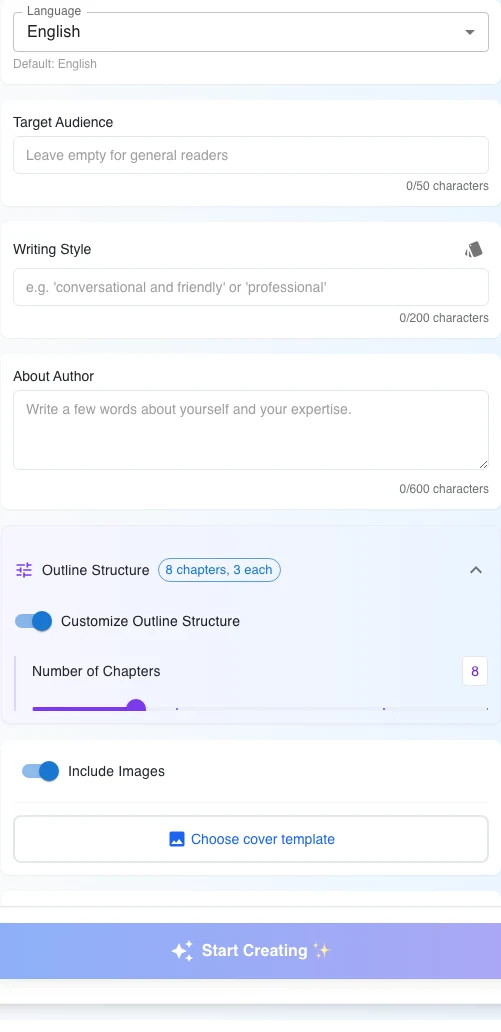
Set the structural range before outline creation, then review the generated chapter jobs before generating the book. - 03
Check progression
Confirm chapters move from foundations to application without duplication.
- 04
Edit weak headings
Replace vague chapter names with a clear promise or task.
- 05
Continue only when ready
A strong outline reduces duplicated content and expensive rewrites later.
Success check
Confirm that it worked
- The outline editor displays editable chapters and subchapters.
- After duplicate or weak headings are corrected, “Generate Book” is available to start writing the approved outline.
Important notes
- The outline editor supports adding, editing, and deleting chapters or subchapters before generation.
- “Generate Book” begins the writing stage; finish structural review before using it.
Troubleshooting
If it still does not work
The editor reports “Invalid Outline Format”
Use the offered recovery option: go back and regenerate, request fewer chapters, or use the default outline.